
This page is not an official page of the app or its developer, but an independent editorial publication created for informational and commentary purposes. Unless expressly stated otherwise, neither the app nor its developer is affiliated with, endorsed by, sponsored by, authorized by, or otherwise officially connected with MWM, Apple, Google Play, the app publisher, or the app's developer, and nothing on this page implies that the app was developed using MWM's services. Any trademarks, logos, screenshots, and other content remain the property of their respective owners.


Call Recorder for iPhone.
Memory fails. This app ensures your words, and theirs, never do.
Downloads
12.5M+User Rating
Total Ratings
189.6KPublisher
Category
BusinessLocales
17Latest Version
2.9.2Size
245.2 MBFirst Released
Apr 20, 2020An evaluation of critical functionalities for professional communication and documentation.
Key Features Analysis: Call Recorder for iPhone
Automated Transcription
This tool automatically converts recorded conversations into searchable text, dramatically improving documentation, review, and legal preparedness by saving considerable manual effort.
Unlimited Call Recording
The app provides unrestricted recording of both incoming and outgoing calls, ensuring professionals can capture all critical conversations without worrying about limits.
Efficient Record Management
It allows users to easily manage, search, and retrieve specific call recordings, which is vital for organized documentation and quick access in legal or review processes.
High-Fidelity Audio
It features clear, high-quality audio recordings, which is paramount for accurate recall, reliable documentation, and undeniable legal evidence.
Multilingual Translation
The app allows users to translate transcribed conversations into various languages, an invaluable feature for international business, legal disputes, or global journalism.
Background Playback
This tool enables users to listen to recordings in the background, offering flexibility and improving productivity by enabling multitasking while reviewing calls.
Frequently Asked Questions
Everything you need to know about Call Recorder for iPhone.
What is Call Recorder for iPhone?
Call Recorder for iPhone is an app that saves incoming and outgoing calls, converting them into voice notes. It helps users remember important details and can resolve disputes by providing recorded phone conversations for personal and business use.
Does Call Recorder for iPhone record both incoming and outgoing calls?
Yes, Call Recorder for iPhone records both incoming and outgoing calls without limits. This feature allows users to save every detail of personal or business calls for future access and use.
Can Call Recorder for iPhone transcribe recorded calls?
Yes, Call Recorder for iPhone offers automated voice to text transcription. Users can turn call recordings into text with one tap and also translate these transcribed conversations into various languages.
How does Call Recorder for iPhone record calls?
Call Recorder for iPhone records calls by utilizing the "Conference" function provided by the user's mobile operator. This method facilitates the capture of both incoming and outgoing call audio.
What are the subscription options for Call Recorder for iPhone?
Call Recorder for iPhone provides a variety of subscription options: annual access renewal, monthly access renewal, and weekly renewal, which includes a 3-day free trial. Payment is charged to your iTunes Account.
Can I cancel my Call Recorder for iPhone subscription?
Yes, users can cancel their Call Recorder for iPhone subscription at any time. Cancellation is processed through the iTunes account settings. No refunds are provided for any unused portion of the subscription term.
Does Call Recorder for iPhone offer a free trial?
Yes, Call Recorder for iPhone offers a 3-day free trial. This trial is part of the weekly renewal subscription option. Any unused portion of the free trial period is forfeited upon purchasing a subscription.
Can Call Recorder for iPhone users share recordings?
Yes, Call Recorder for iPhone allows users to share phone call recordings with other people and applications. This feature enables convenient distribution of important conversations.
Can I manage my recordings within the Call Recorder for iPhone app?
Yes, users can manage their records within Call Recorder for iPhone. This includes searching, finding, renaming, and deleting recordings to maintain an organized collection.
Does Call Recorder for iPhone record voice memos?
Yes, Call Recorder for iPhone includes the functionality to record voice memos. This feature enables users to capture quick audio notes directly through the application's interface.
The following screenshots and description are sourced directly from the app's official store listing and are the property of the app developer.
App Store
Screenshots
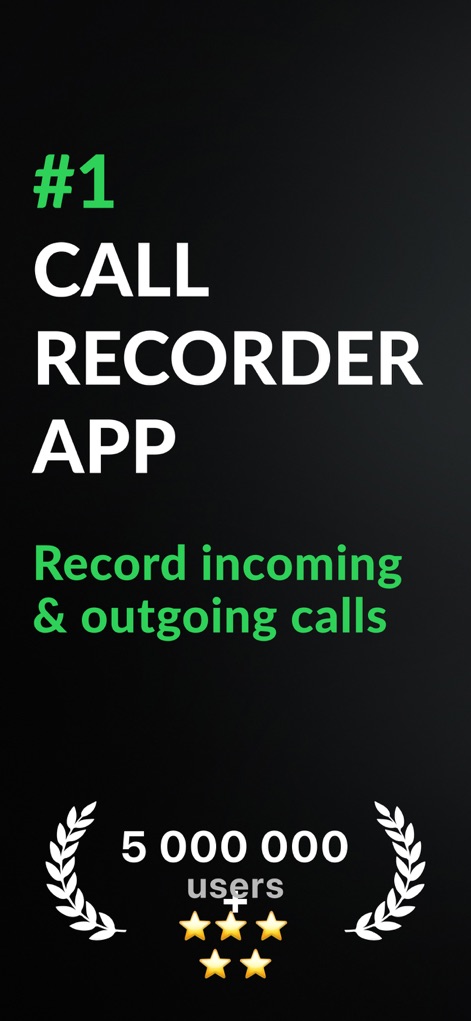
This initial view highlights the app's industry leadership with its "#1 CALL RECORDER APP" claim and showcases its widespread adoption through the "5 000 000 users" badge.
Top-Tier Recording
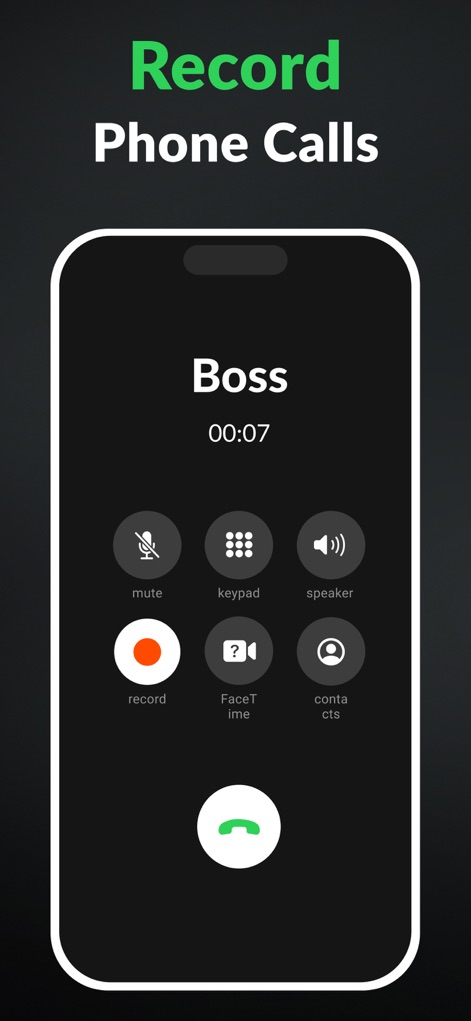
Users can see the intuitive in-call interface, featuring a dedicated "record" button and the display of the active caller's name, such as "Boss," for easy identification.
Seamless Call Capture
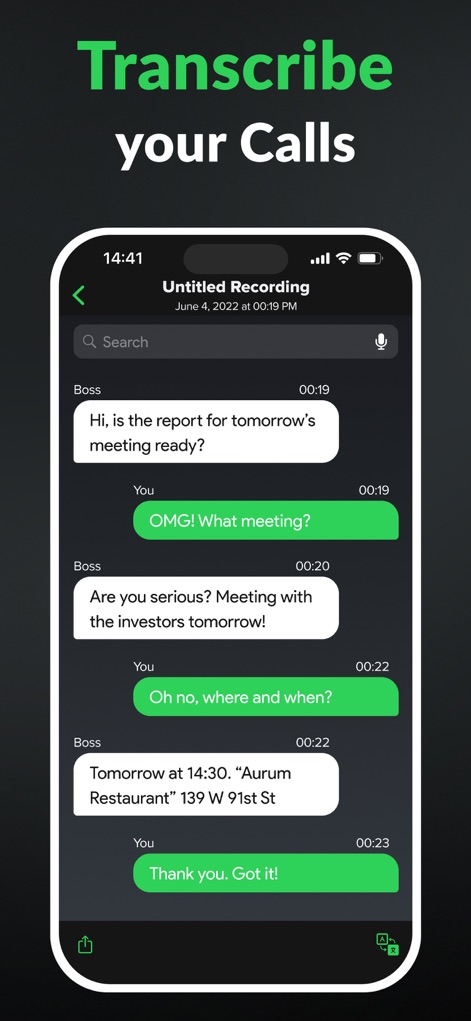
The app's advanced voice-to-text functionality is on display, showing conversations transformed into chat-like transcription bubbles complete with precise timestamps for each spoken word.
Instant Call Transcription
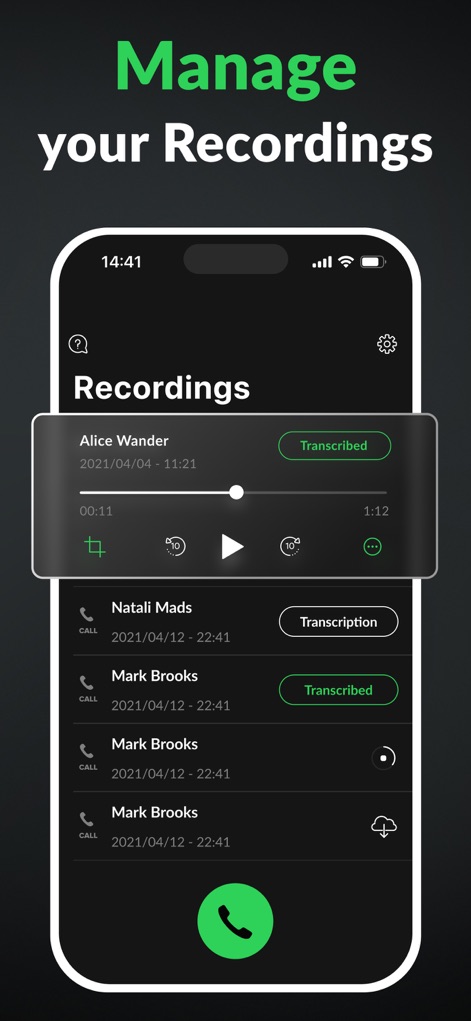
This screen demonstrates the robust recording management system, featuring an interactive audio player for review and "Transcribed" labels clearly indicating processed calls.
Organized Audio Hub
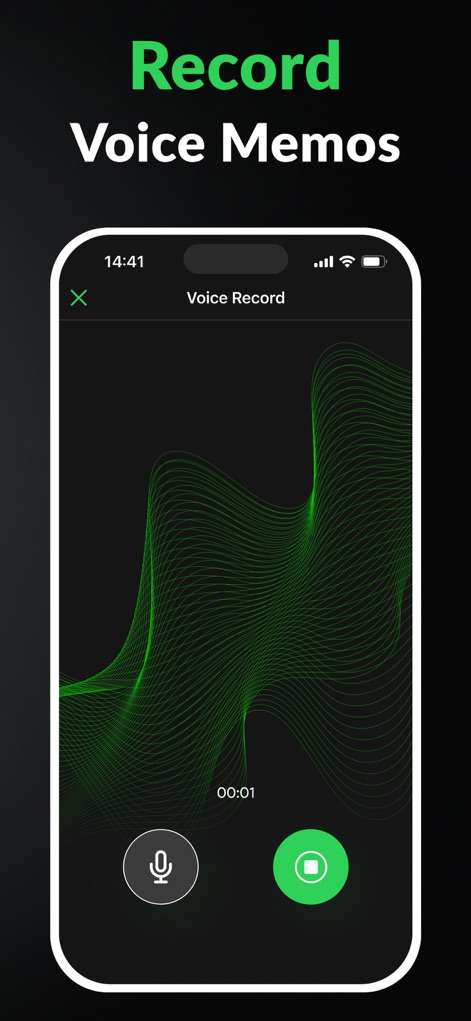
Beyond calls, this tool offers a dedicated voice memo feature, visually represented by a dynamic green waveform visualizer and easy-to-access record and stop buttons.
Personal Memo Creator
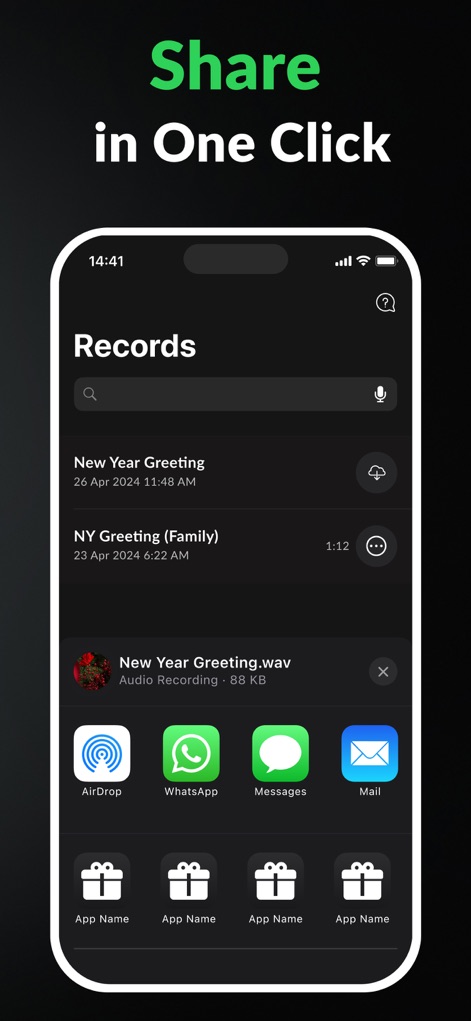
The app simplifies data distribution, presenting a comprehensive share sheet with various platform icons like AirDrop and WhatsApp, all easily accessible from the "Records" list.
Effortless Sharing Options
Description
Download
More Like This
Apps with similar features and user experience

Beside (M1): AI Receptionist
Interface, Inc.

Voice Recorder & Audio Editor
TapMedia Ltd

Call Recorder App ◉ACR MyCalls
AppAmore Limited

Switch - Call recording app
Atlas Guide, Inc.

Call Recorder App-Voice Record
WindTalking LLC

TeleMe – Record on 2nd Number
Gelenk Networks Inc.

Call Recorder: Record All
Henrieta Jaworski

Record Phone Calls App - Auto
Henning Christensen Bonde Søgaard
Call Recorder App - RecordCall
DIGITALSTALK PRIVATE LIMITED
This page is not an official page of the app or its developer, but an independent editorial publication created for informational and commentary purposes. Unless expressly stated otherwise, neither the app nor its developer is affiliated with, endorsed by, sponsored by, authorized by, or otherwise officially connected with MWM, Apple, Google Play, the app publisher, or the app's developer, and nothing on this page implies that the app was developed using MWM's services. Any trademarks, logos, screenshots, and other content remain the property of their respective owners.