Cam Scanner - All Doc scanner

Cam Scanner - All Doc scanner

Logo of Cam Scanner - All Doc scanner

Cam Scanner - All Doc scanner: Scan, Sign, and Summarize with AI

Transform your iPhone into a high-performance mobile office. Effortlessly digitize documents, e-sign contracts, and extract key insights instantly with advanced AI tools designed for students and professionals.

Publisher

Kalpesh Pirojiya

Category

Productivity

Downloads

0

User Rating

1.0/5

Total Ratings

0

Locales

1

See Efficiency in Action

Discover the interface used by 0 users.
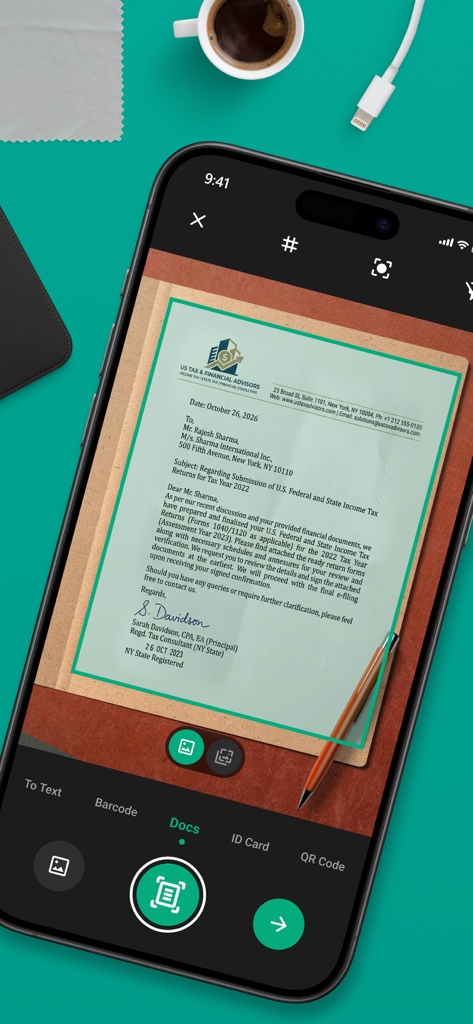
A smartphone using the Cam Scanner app to automatically detect and scan a professional tax document on a desk.

A smartphone using the Cam Scanner app to automatically detect and scan a professional tax document on a desk.

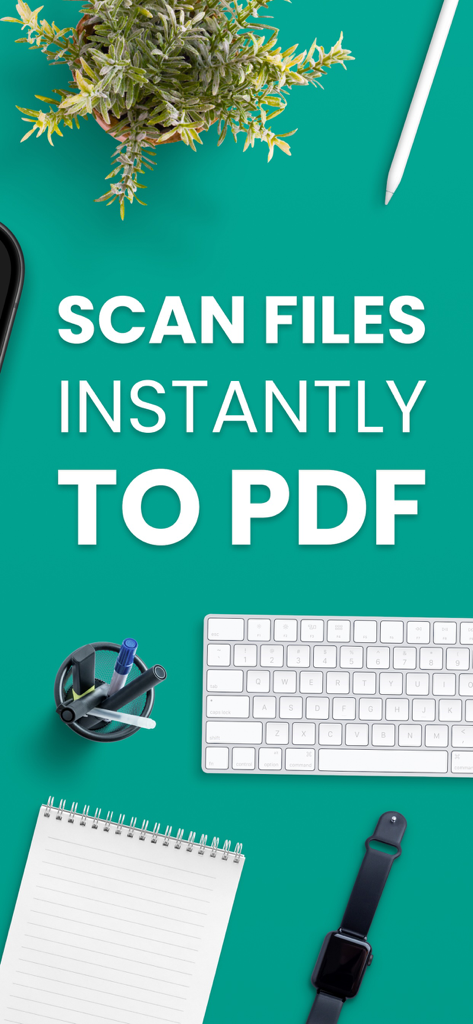
Cam Scanner app promotional graphic showing the text Scan Files Instantly to PDF on a teal desk background with a keyboard and notebook

Cam Scanner app promotional graphic showing the text Scan Files Instantly to PDF on a teal desk background with a keyboard and notebook

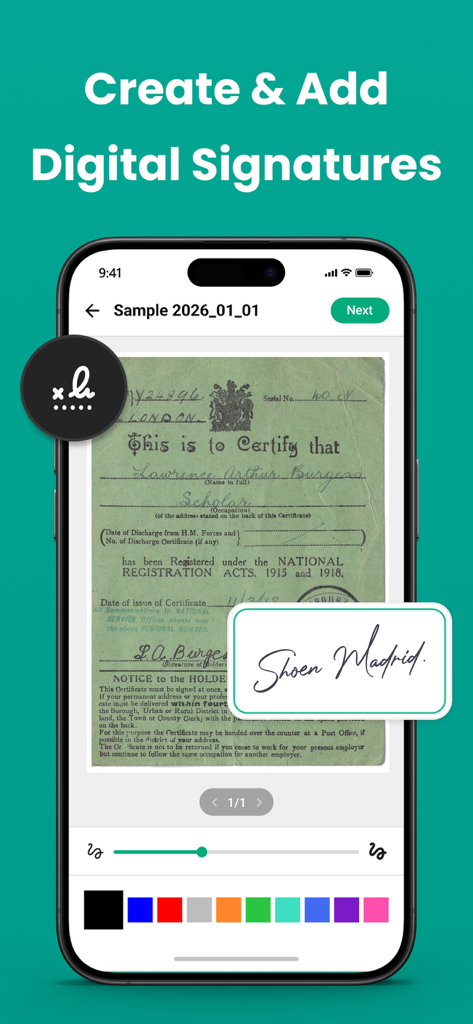
A smartphone displaying the digital signature feature of the Cam Scanner app on a scanned document

A smartphone displaying the digital signature feature of the Cam Scanner app on a scanned document

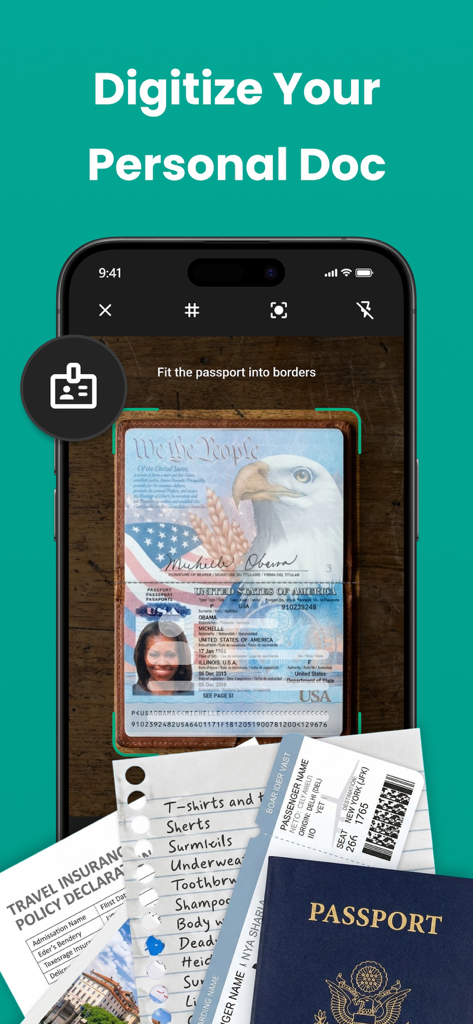
Smartphone app interface scanning a US passport with automatic edge detection.

Smartphone app interface scanning a US passport with automatic edge detection.

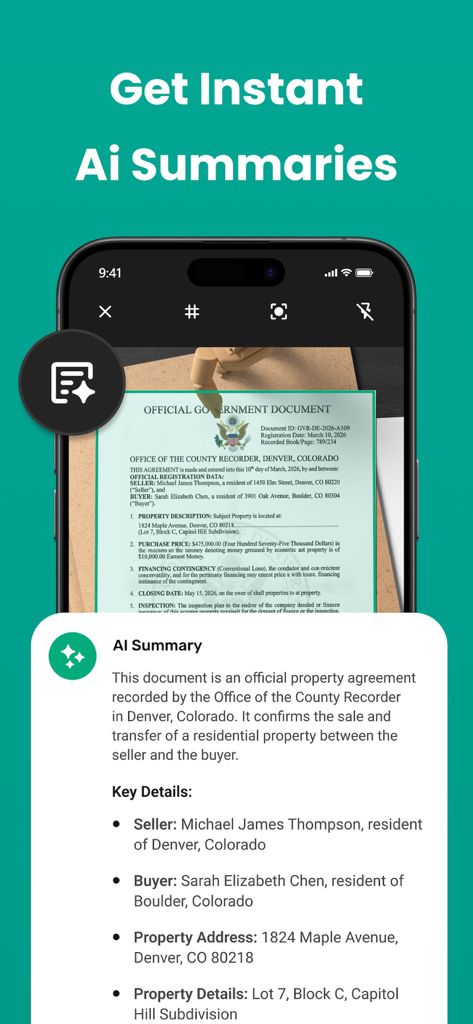
A smartphone showing the AI summary feature of the Cam Scanner app on a scanned property agreement.

A smartphone showing the AI summary feature of the Cam Scanner app on a scanned property agreement.

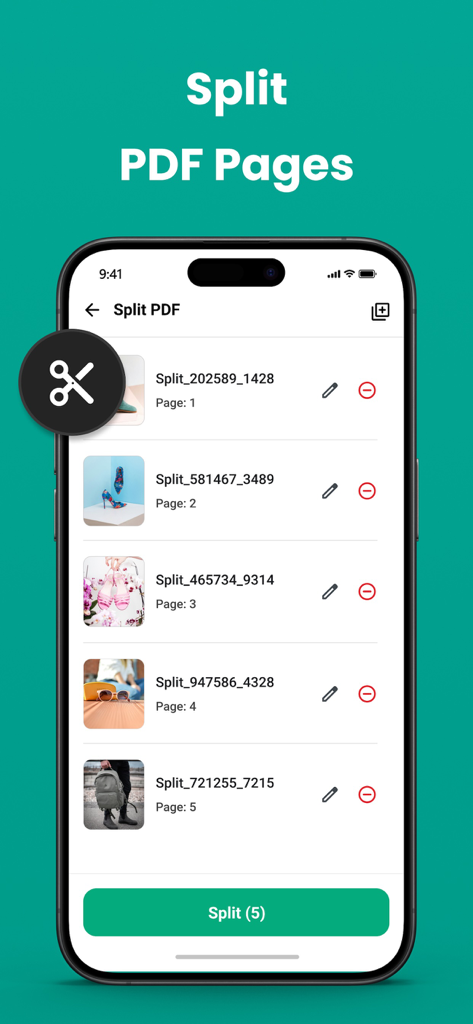
Interface of the Cam Scanner app showing the split PDF pages feature on a smartphone

Interface of the Cam Scanner app showing the split PDF pages feature on a smartphone

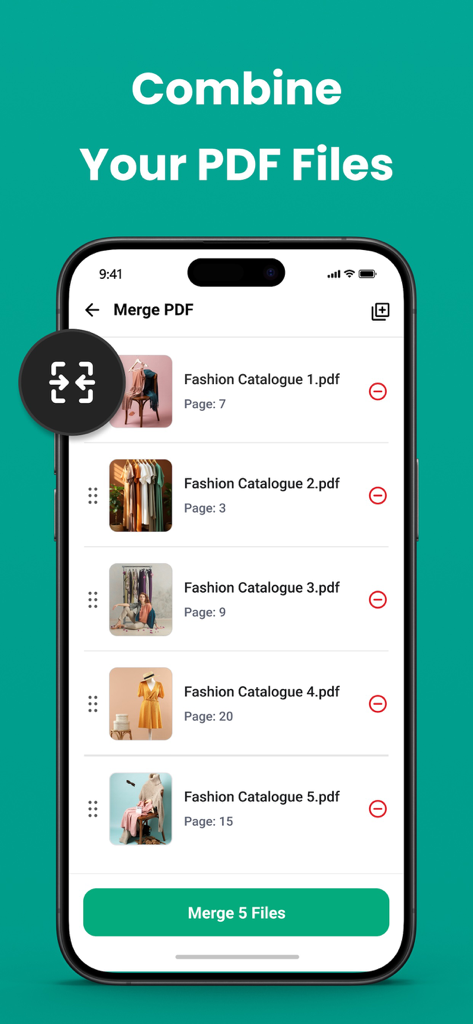
Cam Scanner app interface showing the process to combine multiple PDF files into one

Cam Scanner app interface showing the process to combine multiple PDF files into one

Master Your Workflow with Powerful Tools

The tools that make this app stand out, trusted by 0 users.

🤖

AI-Powered Document Intelligence

Skip the long reads. Our AI automatically extracts key points and summarizes complex documents so you can focus on what matters most.

🖋️

Professional Scanning & E-Sign

Get crystal-clear scans with auto-edge detection and add your digital signature instantly. Perfect for closing deals on the go.

📂

All-in-One PDF Management

Merge, split, and organize your files into a clean digital workspace. High-resolution exports ensure your work always looks professional.

About the app

Everything you need to know about Cam Scanner - All Doc scanner.

Description

Scan documents, receipts, notes, ID cards, books, and convert them into high-quality PDFs instantly. With smart edge detection, AI enhancement, and advanced editing tools, managing documents has never been easier. Perfect for students, professionals, and businesses who need fast and reliable document scanning. App Features: Document Scanner Capture documents quickly using the built-in smart scanner. • Automatic edge detection. • Auto crop and perspective correction. • High-quality PDF output. • Scan multiple pages in seconds. Edit and manage your scanned documents easily. • Merge multiple PDFs into one file. • Split PDF into separate pages. • Rearrange pages. • Delete unwanted pages. • Rename and organise documents. Batch Image to PDF Conversion Convert multiple photos into a single PDF. • Import images from gallery. • Reorder pages. • Convert instantly to PDF.  • Export high quality documents. Document Editing Improve the quality of scanned documents. • Crop and rotate pages. • Apply document filters. • Adjust brightness and contrast. • Clean background for better readability. QR code & BarCode Scan Scan QR codes and barcodes quickly using the built-in smart scanner. • Instantly scan QR codes and barcodes. • Supports multiple barcode formats. • Open links directly from scanned QR codes. • Copy or share scanned results easily. • Fast and reliable recognition. Sign & Annotate Documents Add notes or signatures to your documents. • Draw signature. • Highlight important text. • Add color annotations. Document AI Summary Use AI to quickly understand long documents. • Automatically summarise text. • Extract key points. • Save time reading large documents. Easy Sharing & Export Share documents anywhere. • Export as PDF or image. • Send via email. • Share to apps and cloud services. File Organiser Keep all your files organised. • View all scanned documents. • Sort files easily. • Rename and manage folders. • Delete or organise files anytime. Flexible PDF Quality Options Choose your preferred export quality. • Small file size. • Balanced quality. • High resolution PDF. Subscription Details - Payment will be charged to iTunes Account at confirmation of purchase. - Subscription automatically renews unless auto-renew is turned off 24 hours before the end of the current period. - Account will be charged for renewal within 24 hours prior to the end of the current period. - No cancellation of the current subscription is allowed during the active subscription period. - Any unused portion of a free trial, if offered, will be forfeited upon purchase. Privacy Policy: https://privacypolicycenter.com/new/view/id6759896516 Terms OF Use: https://privacypolicycenter.com/new/terms/id6759896516 EULA: https://privacypolicycenter.com/new/eula/id6759896516

Latest Version

1.0.0

Size

78.1 MB

First Released

Mar 18, 2026

Turn Your iPhone into a Powerful AI-Powered Office

Join the modern professionals and students who scan, sign, and summarize documents on the go. Download Cam Scanner and go paperless today.

App information, icons, screenshots, and descriptions displayed on this page are sourced from the Apple App Store and are the property of their respective developers. Download estimates and rankings are based on MWM's proprietary models and may not reflect actual figures. This page is provided for informational and analytical purposes only.

Believe this page infringes your intellectual property? File a dispute