
This page is not an official page of the app or its developer, but an independent editorial publication created for informational and commentary purposes. Unless expressly stated otherwise, neither the app nor its developer is affiliated with, endorsed by, sponsored by, authorized by, or otherwise officially connected with MWM, Apple, Google Play, the app publisher, or the app's developer, and nothing on this page implies that the app was developed using MWM's services. Any trademarks, logos, screenshots, and other content remain the property of their respective owners.


CamFusion - Dual Camera 视频抽帧截图
Stop missing the shot. This app hands you unprecedented control, turning every video into a gallery of perfect moments.
Downloads
100k+User Rating
Total Ratings
12.0KPublisher
Category
Photo & VideoLocales
7Latest Version
5.5.9Size
151.1 MBFirst Released
Oct 29, 2024Evaluating core functionalities for the modern content creator and mobile photography enthusiast.
CamFusion App: Key Feature Analysis
4K Video Frame Extraction
It allows users to extract full-size 4K frames from videos, ensuring high-quality stills from dynamic footage with smart skin-retouching algorithms.
Remote Collaborative Shooting
This tool features the ability to connect two phones via hotspot for real-time preview and remote control, enabling professional collaborative photography where models can view the lens feed and trigger the shutter remotely.
Dual Camera Recording
The app provides simultaneous recording from both front and back cameras, supporting Dolby Vision HDR for immersive travel vlogging and capturing both reactions and scenes.
Smart Lighting Filters
This tool features curated color presets for skin enhancement and customizable color cards, allowing users to create unique lighting atmospheres with a single tap.
Custom 4K Live Photo Creator
It allows users to create custom 4K Live Photos of any length from videos, ensuring every frame remains crisp and overcoming limitations of native Live Photos.
AR Cutout Camera
The app provides an AR feature to superimpose cutouts onto the live camera feed, sparking creativity for imaginative compositions and playful photo opportunities.
Frequently Asked Questions
Everything you need to know about CamFusion - Dual Camera 视频抽帧截图
What is Dual Capture in CamFusion?
CamFusion's Dual Capture records simultaneously using both front and back cameras. It supports Dolby Vision HDR, which is ideal for travel vlogging and capturing subjects and scenery together.
How does BuddyShot Camera work in CamFusion?
CamFusion's BuddyShot Camera connects two phones via hotspot for remote control. One phone can preview the lens feed, adjust settings like focus/exposure/flash, and remotely trigger the shutter on the other phone.
Can CamFusion extract 4K frames from videos?
Yes, CamFusion extracts full-size 4K frames from videos. It preserves the original 4K quality and includes smart skin-retouching algorithms to enhance the extracted photos.
Does CamFusion create Live Photos from videos?
Yes, CamFusion creates custom 4K Live Photos from videos. It allows users to make Live Photos of any desired length, ensuring every frame remains crisp and high quality.
What are CamFusion's Creative Studio features?
CamFusion's Creative Studio offers smart lighting filters. These include curated color presets for skin enhancement and customizable color cards, allowing users to create unique lighting atmospheres with one tap.
Can CamFusion's AR Cutout Camera add cutouts to live previews?
Yes, CamFusion's AR Cutout Camera superimposes cutouts directly onto the live camera feed. This feature allows users to layer cutouts onto their live preview, sparking creativity for photos.
What are the benefits of CamFusion PRO?
CamFusion PRO provides unlimited exports, an ad-free experience, and early-bird pricing. Subscribers also gain access to the Pioneer Program to co-create features and unlock exclusive perks.
How much does CamFusion PRO cost?
CamFusion PRO costs $1.99 weekly, $3.99 monthly, or $9.99 yearly. These subscriptions automatically renew unless canceled 24 hours before the current period ends.
How do I cancel my CamFusion PRO subscription?
Users manage or cancel CamFusion PRO subscriptions via their Apple ID Account Settings. Subscriptions auto-renew unless canceled at least 24 hours before the current period ends.
Where can I find the privacy policy for CamFusion?
The privacy policy for CamFusion is available at https://mirrorcamera.sharpofscience.top/camfusion-privacy-en.htm. This link is provided within the app's store description.
The following screenshots and description are sourced directly from the app's official store listing and are the property of the app developer.
App Store
Screenshots
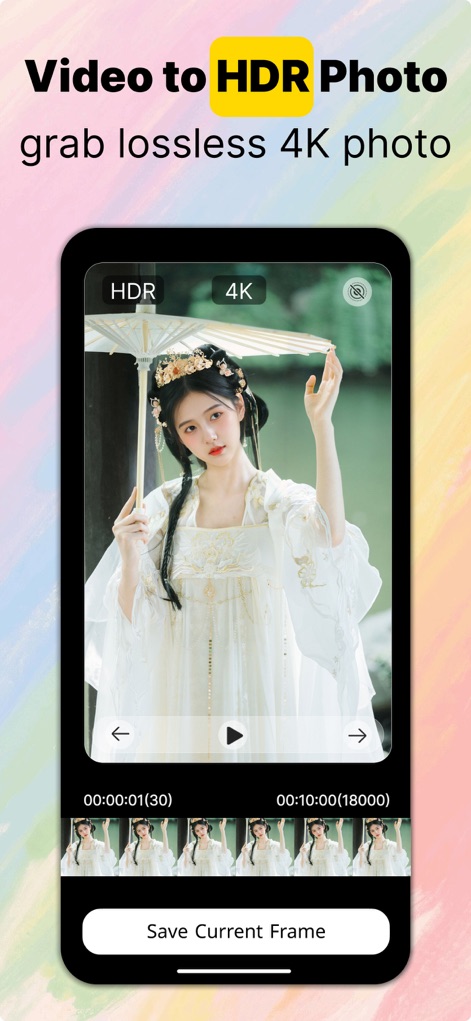
This tool empowers users to precisely select and extract individual 4K frames from videos, preserving original HDR quality with ease.
Frame Extraction Mastery
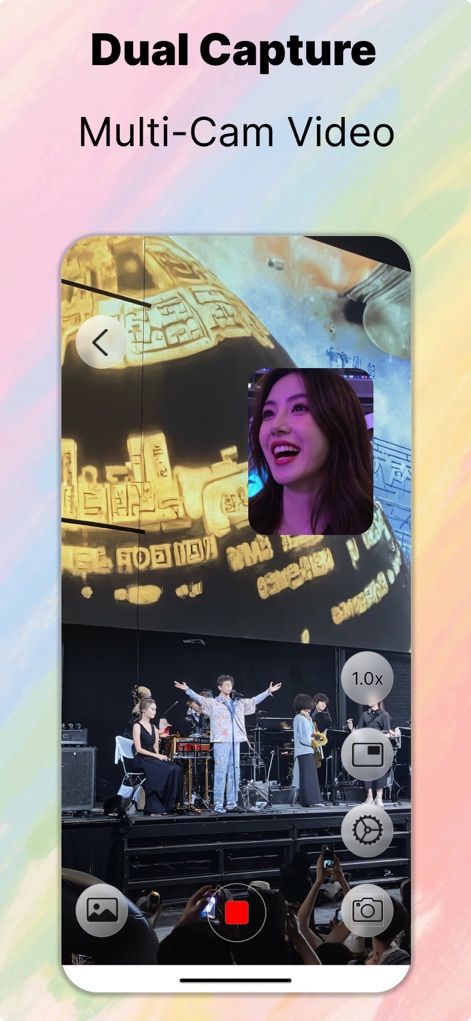
Explore the innovative dual capture feature, allowing simultaneous recording from multiple cameras with intuitive on-screen controls for seamless content creation.
Dynamic Dual Capture
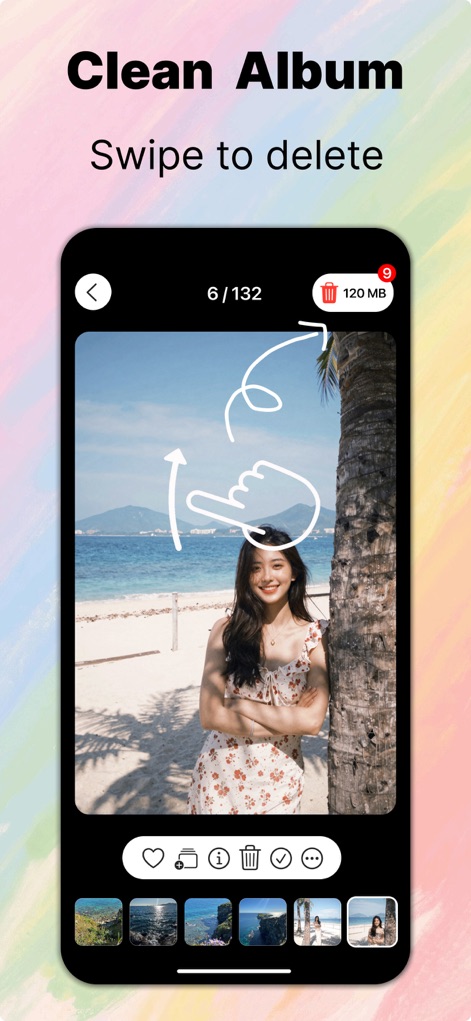
The app provides a streamlined album management interface, enabling quick organization and intuitive deletion of photos with a simple swipe.
Effortless Album Management

Convert multiple static images into dynamic Live Photos instantly, offering a seamless batch conversion process with a single tap.
Instant Live Photos
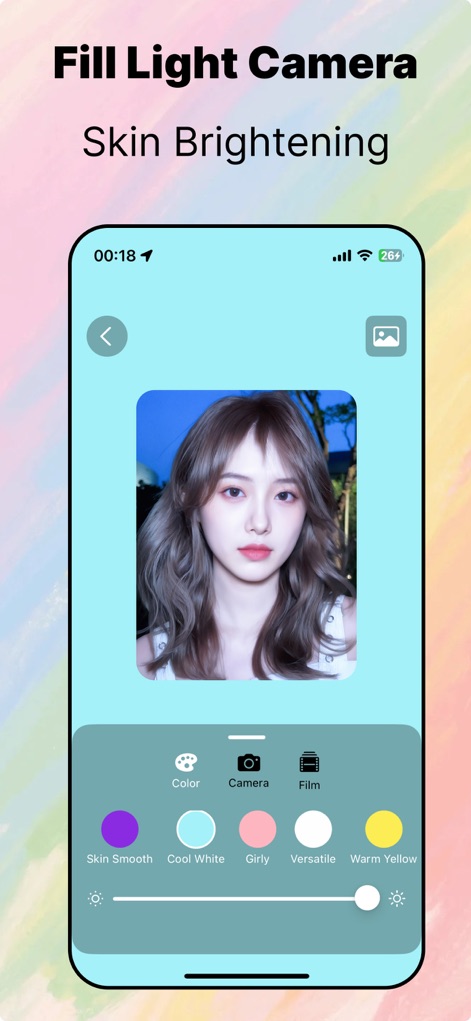
Discover specialized skin brightening and enhancement filters, alongside customizable lighting options, to perfect every portrait shot.
Refined Portrait Enhancement
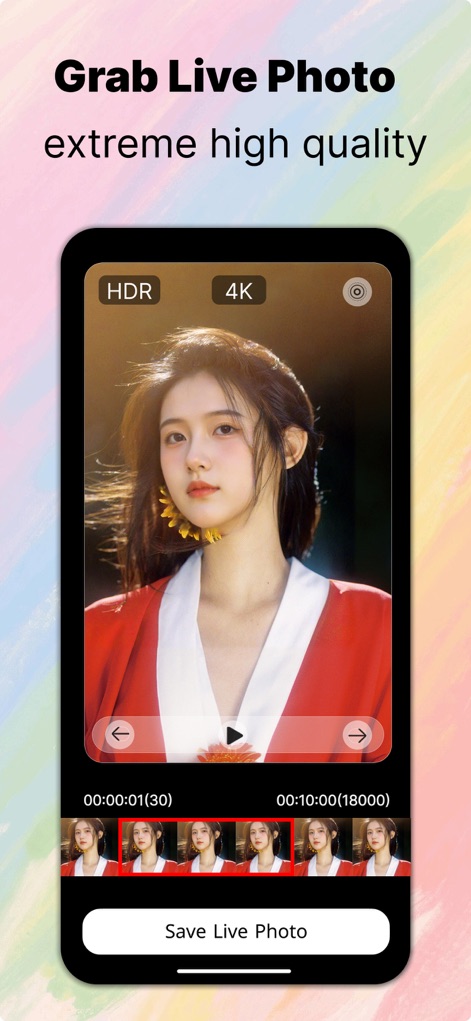
Users can extract extreme high-quality Live Photos from videos, leveraging 4K resolution and precise frame selection from the timeline.
Precision Live Photo
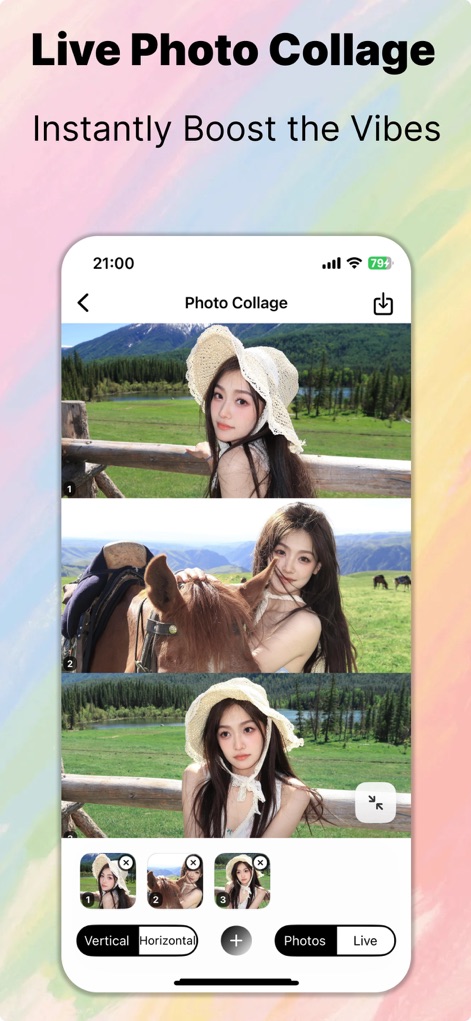
Instantly elevate your visuals with the Live Photo collage feature, offering flexible vertical and horizontal layout options for dynamic storytelling.
Creative Collage Layouts
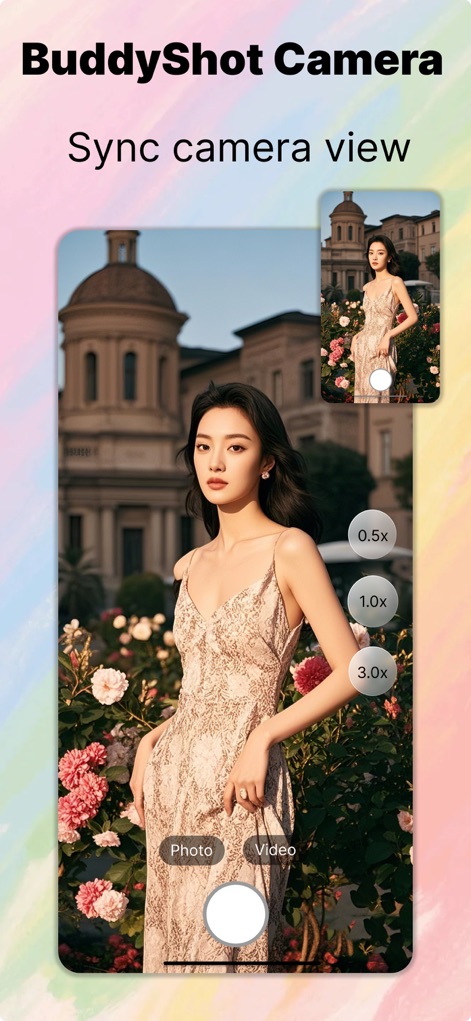
The BuddyShot Camera allows for synchronized camera views between devices, providing remote control and multiple zoom levels for collaborative photography.
Collaborative BuddyShot

Enhance any photo with elegant and customizable frames, utilizing intuitive sliders and aspect ratio presets to perfect the composition.
Elegant Photo Framing
Description
Download
More Like This
Apps with similar features and user experience






This page is not an official page of the app or its developer, but an independent editorial publication created for informational and commentary purposes. Unless expressly stated otherwise, neither the app nor its developer is affiliated with, endorsed by, sponsored by, authorized by, or otherwise officially connected with MWM, Apple, Google Play, the app publisher, or the app's developer, and nothing on this page implies that the app was developed using MWM's services. Any trademarks, logos, screenshots, and other content remain the property of their respective owners.