
This page is not an official page of the app or its developer, but an independent editorial publication created for informational and commentary purposes. Unless expressly stated otherwise, neither the app nor its developer is affiliated with, endorsed by, sponsored by, authorized by, or otherwise officially connected with MWM, Apple, Google Play, the app publisher, or the app's developer, and nothing on this page implies that the app was developed using MWM's services. Any trademarks, logos, screenshots, and other content remain the property of their respective owners.


Cell Counter App
Ditch the mechanical clicker and streamline your laboratory workflow with customizable counting modes, tactile haptic feedback, and instant data export designed for medical professionals and researchers.
Downloads
4K+User Rating
Total Ratings
0Publisher
Category
MedicalLocales
12Latest Version
2.0.8Size
86.1 MBFirst Released
Dec 4, 2023Professional Precision for Every Lab
Replace outdated mechanical clickers with a smarter, digital workflow designed for clinical laboratory scientists and researchers.
Customizable Button Profiles
Switch instantly between human, veterinary, or research-specific layouts with up to 10 personalized button profiles.
Instant Data Visualization
Generate automated charts and summaries as you count, then export results directly to your logs to eliminate transcription errors.
The following screenshots and description are sourced directly from the app's official store listing and are the property of the app developer.
App Store
Screenshots
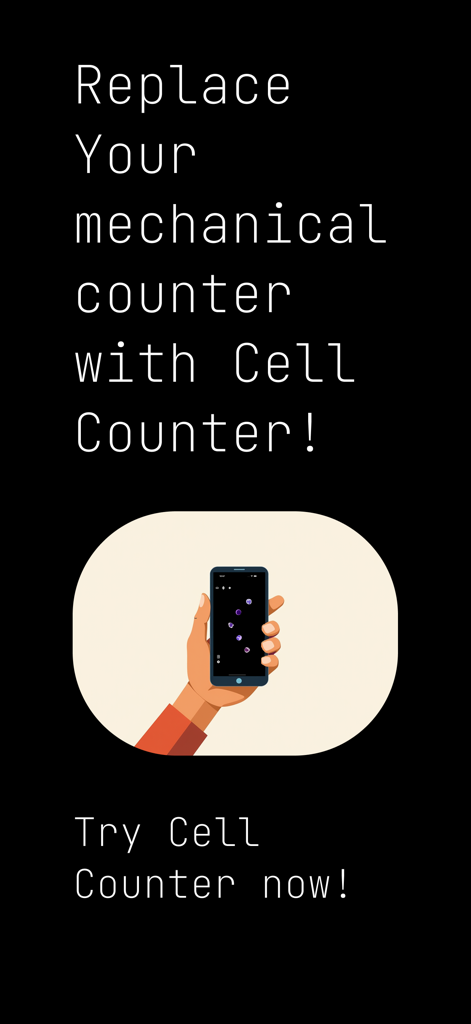
Hand holding a smartphone displaying the Cell Counter app as a modern replacement for mechanical laboratory counters
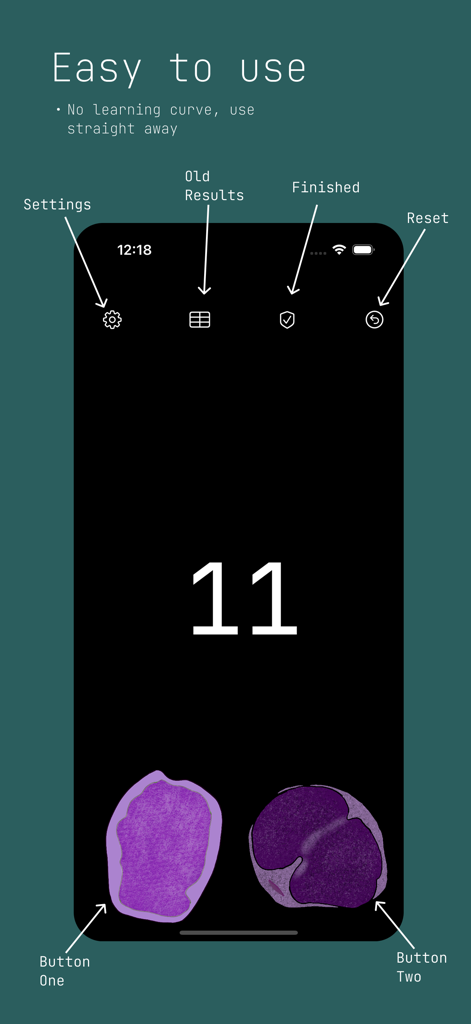
Screenshot of the Cell Counter App showing a simple interface with two cell counting buttons and various navigation icons.
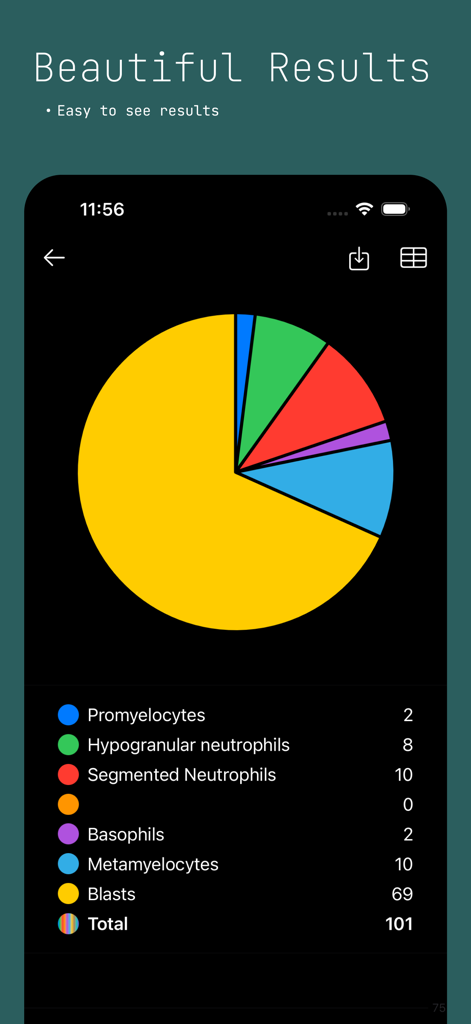
A pie chart and list showing laboratory cell count results for different cell types
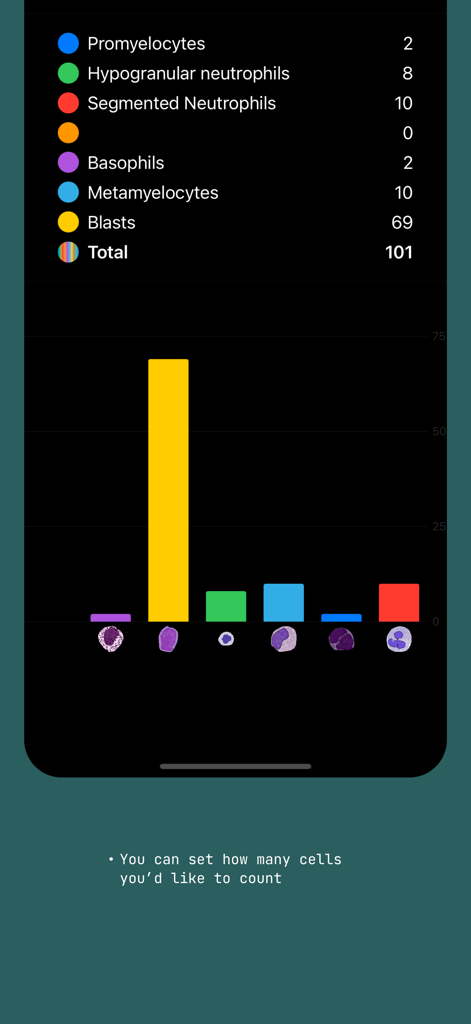
Results screen showing a bar chart and list of cell counts for different types like Blasts and Neutrophils
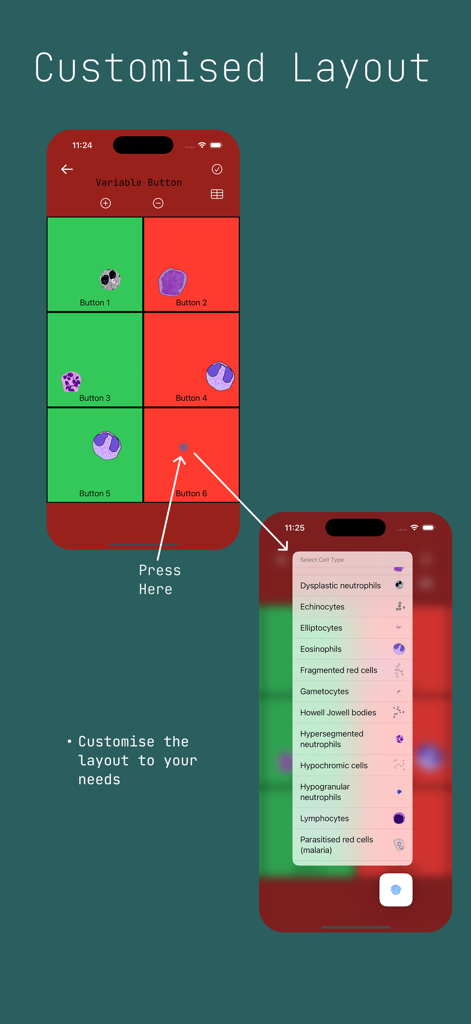
Screenshot of the Cell Counter App showing the customized layout feature where users can select and assign different cell types to buttons on a grid
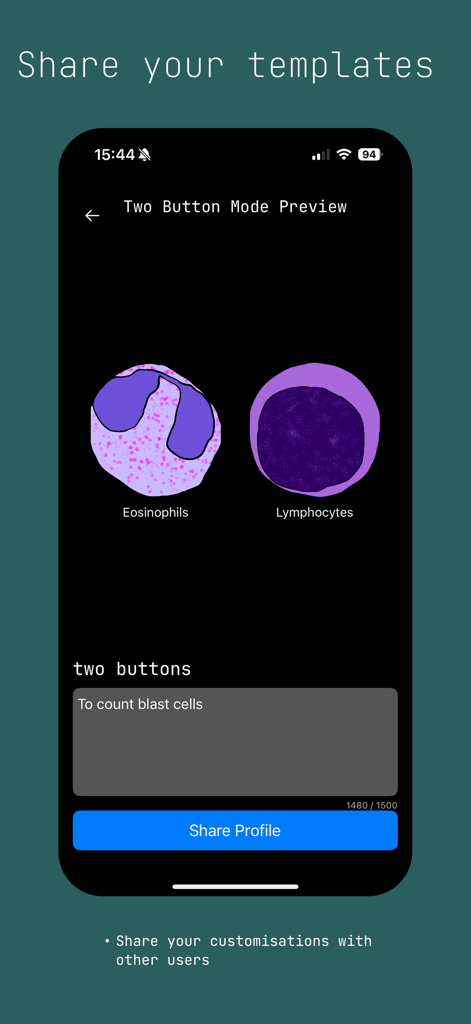
Cell Counter App interface for sharing custom cell counting templates
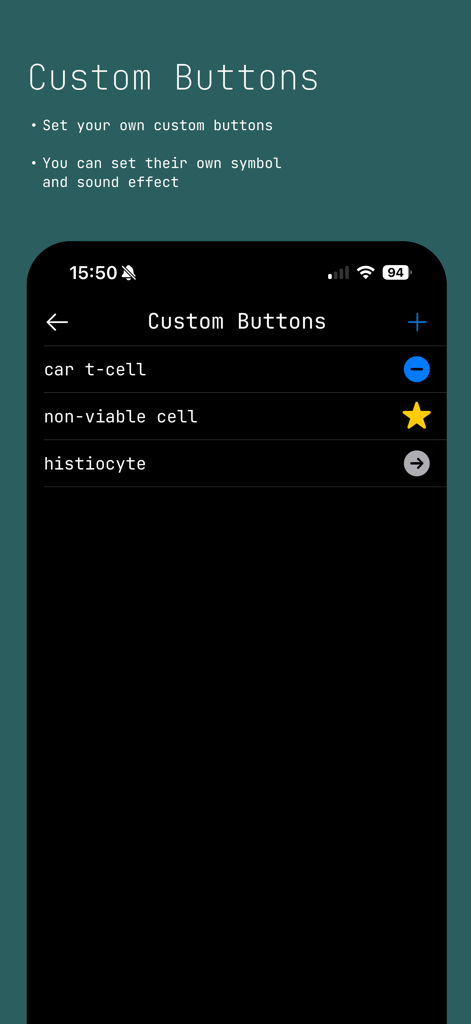
Screenshot of the Cell Counter App showing the custom buttons settings screen for labeling cell types like CAR T-cell and histiocyte.
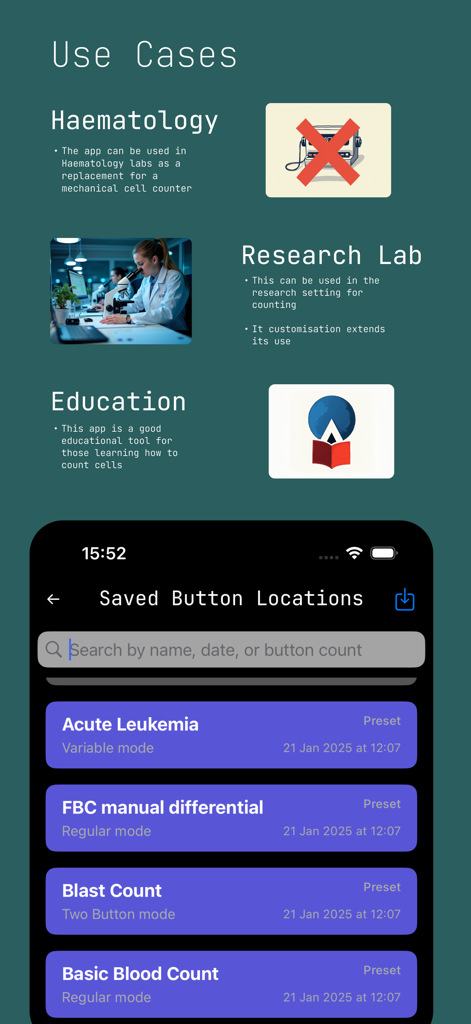
Cell Counter App interface showing use cases for hematology and research labs with a list of saved button profiles

Splash screen for the Cell Counter app featuring a teal circular C logo on a black background
Description
Download
More Like This
Top-ranked apps in the same category

国家医保服务平台
National Healthcare Security Administration

MyChart
Epic Systems Corporation

Doctolib - Your health partner
Doctolib

Pregnancy + | Tracker App
Philips Digital UK Limited

CVS Health
CVS Pharmacy

江苏医保云
Jiangsu Healthcare Security Bureau

UnitedHealthcare
UNITED HEALTHCARE SERVICES, INC.

京东健康
BEIJING JINGDONG 360 DU E-COMMERCE LTD.

Meu SUS Digital
Servicos e Informacoes do Brasil
This page is not an official page of the app or its developer, but an independent editorial publication created for informational and commentary purposes. Unless expressly stated otherwise, neither the app nor its developer is affiliated with, endorsed by, sponsored by, authorized by, or otherwise officially connected with MWM, Apple, Google Play, the app publisher, or the app's developer, and nothing on this page implies that the app was developed using MWM's services. Any trademarks, logos, screenshots, and other content remain the property of their respective owners.