
This page is not an official page of the app or its developer, but an independent editorial publication created for informational and commentary purposes. Unless expressly stated otherwise, neither the app nor its developer is affiliated with, endorsed by, sponsored by, authorized by, or otherwise officially connected with MWM, Apple, Google Play, the app publisher, or the app's developer, and nothing on this page implies that the app was developed using MWM's services. Any trademarks, logos, screenshots, and other content remain the property of their respective owners.


CharmPass
Skip the lines and the paper fares. Purchase, store, and activate tickets for BaltimoreLink, MARC Train, and Commuter Bus instantly on your phone.
Downloads
742K+User Rating
Total Ratings
29K+Publisher
Category
TravelLocales
1Latest Version
3.20.7999Size
34.8 MBFirst Released
Sep 27, 2018Master Your Maryland Commute
CharmPass streamlines your travel from Baltimore to DC, offering a faster, smarter way to pay for all MTA services right from your pocket.
Unified Regional Travel
Cover all your bases—from the MARC Train to local buses—with one digital wallet for every Maryland Transit service.
Instant Mobile Ticketing
Skip the ticket machine lines and purchase fares in seconds using your preferred secure payment method.
Frequently Asked Questions
Everything you need to know about CharmPass
What is the CharmPass app?
The CharmPass app allows users to instantly purchase and use fares directly from their phone, providing mobile ticketing anytime, anywhere for various transportation services.
How do I get started with the CharmPass app?
To get started with CharmPass, download the free app, then register a debit/credit card or PayPal account within its secure system.
What types of tickets can I buy using the CharmPass app?
The CharmPass app allows you to purchase tickets for BaltimoreLink Local Service, MARC Train, and Commuter Bus all within one application.
Can I pay for multiple riders with the CharmPass app?
Yes, the CharmPass app allows users to pay for a single fare or purchase multiple fares for a group of riders.
What payment methods does the CharmPass app accept?
The CharmPass app accepts debit/credit cards and PayPal accounts for instant fare purchases. Apple Pay is also available as a payment option.
How do I purchase a ticket using the CharmPass app?
To purchase a ticket with CharmPass, choose your service and fare, select ticket type, choose quantity, then proceed to checkout.
Does the CharmPass app require internet to use tickets?
No, the CharmPass app requires an internet connection to purchase tickets, but users can activate their pre-purchased tickets offline.
What happens if my phone battery dies while using CharmPass?
If your phone battery dies, you are responsible for ensuring you have a valid fare. Plan ahead to avoid issues during travel.
Can I uninstall the CharmPass app if I have active tickets?
No, uninstalling the CharmPass app or erasing your phone will permanently erase active tickets stored on your device.
When should I activate my fare in the CharmPass app?
You should activate your fare in the CharmPass app as you are boarding the vehicle, not before.
Can I see my active and stored tickets in the CharmPass app?
Yes, the CharmPass app features a 'My Tickets' section that displays both active tickets, like a 'Day Pass', and stored tickets, such as 'One-Way' fares.
Does CharmPass show ticket validity?
Yes, CharmPass displays the validity period for active tickets, such as 'Valid Until 1:23 PM 8/24/18' for a Day Pass, within the app interface.
Does the CharmPass app use QR codes for tickets?
Yes, the CharmPass app generates a QR code for tickets, which users display for validation by the vehicle operator.
How much does a One-Way BaltimoreLink ticket cost in CharmPass?
A One-Way BaltimoreLink ticket in the CharmPass app costs $1.80, as shown in the ticket purchase interface.
Can I easily repurchase fares in the CharmPass app?
Yes, the CharmPass app features a 'Buy Again' option, allowing users to easily repurchase previously bought fares directly from their ticket history.
The following screenshots and description are sourced directly from the app's official store listing and are the property of the app developer.
App Store
Screenshots
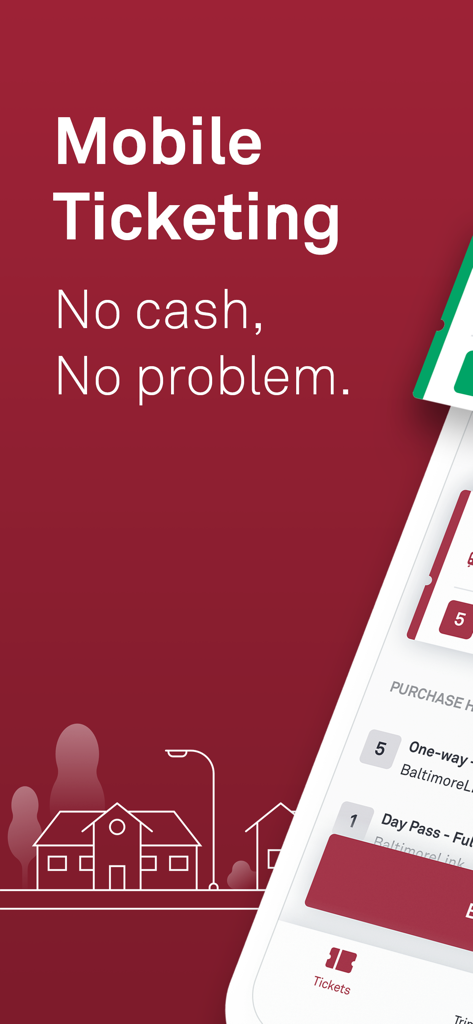
CharmPass app interface showing mobile ticketing options for Maryland transit
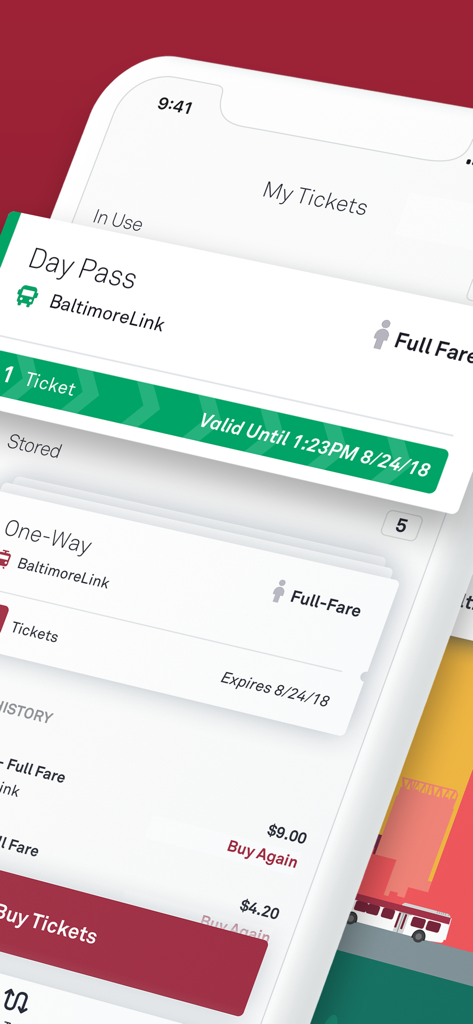
CharmPass app interface showing digital transit tickets and day passes for BaltimoreLink services
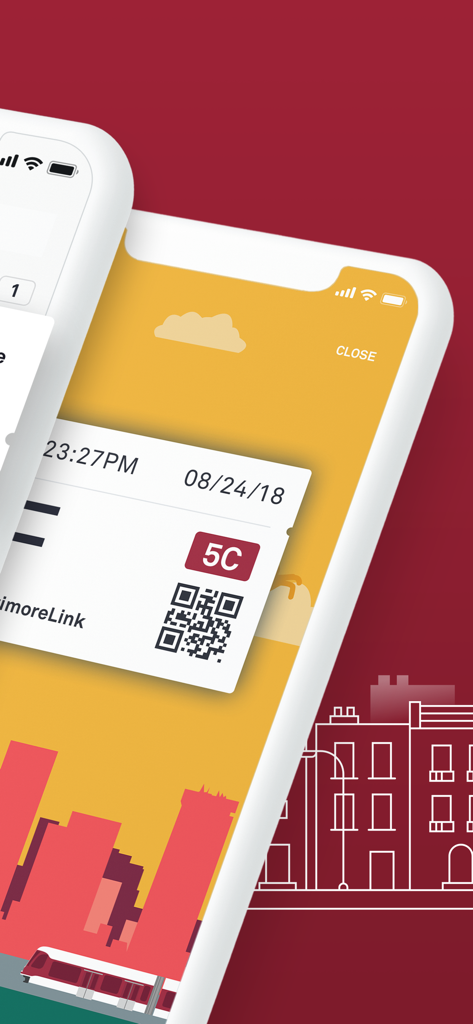
A mobile phone screen displaying a CharmPass digital transit ticket with a QR code
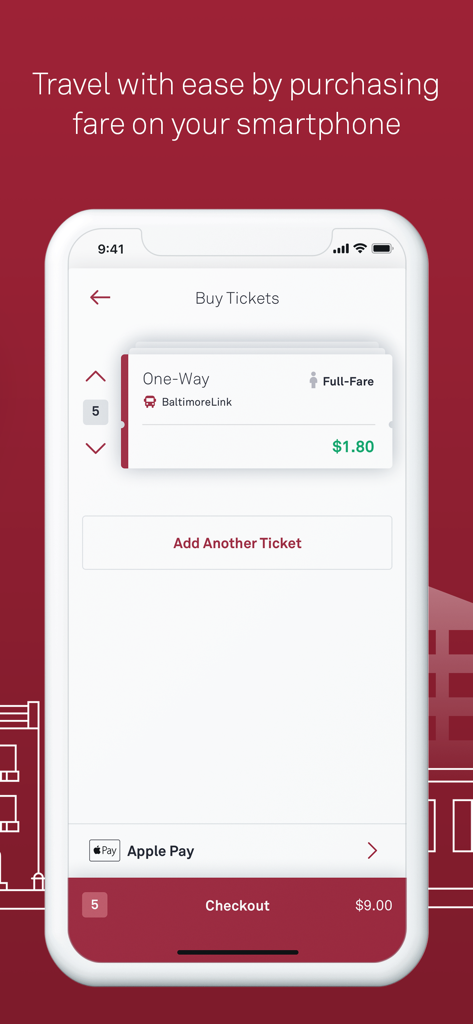
CharmPass app interface for purchasing Baltimore transit tickets with Apple Pay
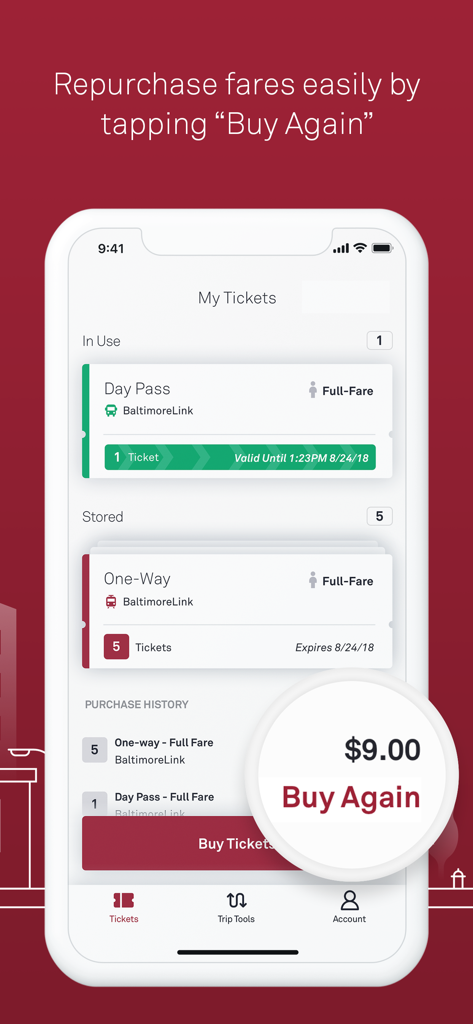
CharmPass app showing digital transit tickets and a Buy Again button for quick fare repurchase
Description
Download
More Like This
Apps with similar features and user experience

Q Ticketing
Metropolitan Transit Authority of Harris County, Texas

OC Bus
Orange County Transportation Authority

Octopus 八達通
OCTOPUS Cards Ltd.

Easy Wallet 悠遊付
EasyCard Corporation

FAIRTIQ
Fairtiq AG

Transit GO Ticket
Bytemark, Inc.
M'Ticket - Ticket mobile TaM
Transports Agglom�ration de Montpellie

Aamar Kolkata Metro
Centre for Railway Information Systems

My Rabbit
Bangkok Smartcard System Company Limited
This page is not an official page of the app or its developer, but an independent editorial publication created for informational and commentary purposes. Unless expressly stated otherwise, neither the app nor its developer is affiliated with, endorsed by, sponsored by, authorized by, or otherwise officially connected with MWM, Apple, Google Play, the app publisher, or the app's developer, and nothing on this page implies that the app was developed using MWM's services. Any trademarks, logos, screenshots, and other content remain the property of their respective owners.