
This page is not an official page of the app or its developer, but an independent editorial publication created for informational and commentary purposes. Unless expressly stated otherwise, neither the app nor its developer is affiliated with, endorsed by, sponsored by, authorized by, or otherwise officially connected with MWM, Apple, Google Play, the app publisher, or the app's developer, and nothing on this page implies that the app was developed using MWM's services. Any trademarks, logos, screenshots, and other content remain the property of their respective owners.


Octopus 八達通
Experience the ultimate convenience for your next trip. Add Octopus to your iPhone or Apple Watch to skip the queues, pay for transit, and shop at millions of merchants across Hong Kong and Mainland China with a single tap.
Downloads
8M+User Rating
Total Ratings
290K+Publisher
Category
FinanceLocales
4Latest Version
9.36.0Size
474.5 MBFirst Released
Aug 1, 2016Effortless Living in Hong Kong & Beyond
From the MTR to Mainland China, Octopus is your ultimate digital companion for seamless transit, retail, and global payments.
Instant Mobile Setup
Skip the airport kiosks. Add Octopus directly to your Apple Wallet to tap and go on the MTR, buses, and ferries the moment you land.
Global Payment Power
Unlock 30 million merchants in Mainland China with UnionPay QR. Pay like a local without needing a mainland bank account.
Frequently Asked Questions
Everything you need to know about Octopus 八達通
What is the Octopus App used for?
The Octopus App manages everyday expenses, tops up Octopus cards, facilitates online payments, and offers rewards, all from a mobile device.
How can I top up my Octopus card using the Octopus App?
Users can top up their Octopus cards, including family members', via the Faster Payment System (FPS) directly within the Octopus App.
Does the Octopus App allow adding a mobile Octopus to Apple devices?
Yes, users can add an Octopus card to their iPhone or Apple Watch via the Octopus App, enabling convenient mobile reloading and personalized card images.
What types of online payments does the Octopus App support?
The Octopus App supports online payments for MTR, KMB, Sun Ferry monthly passes, purchases from popular online merchants, and even government or telecom bills.
How can I earn rewards with the Octopus App's Easy Earn Scheme?
By joining the Easy Earn Scheme in the Octopus App, users earn eStamps and eCoupons at over 2,000 participating outlets simply by paying with their Octopus card.
Can I get a prepaid Mastercard or UnionPay QR through the Octopus App?
Yes, the Octopus App allows users to instantly get a prepaid Mastercard or UnionPay QR card with a few clicks, enabling global spending and transaction control.
How do I manage spending on the Octopus prepaid cards?
Users can top up prepaid cards via FPS, set daily and per-transaction limits, and disable cards within the Octopus App to control spending and prevent unauthorized transactions.
Does the Octopus App offer quick access to common features?
Yes, the Octopus App features "Quick Actions" for fast access to functions like transactions, balance checks, transport subsidy collection, and buying transport passes.
Can I use FPS eDDA to top up my Octopus card without switching apps?
Yes, the Octopus App allows users to set up FPS eDDA, enabling direct card top-ups from their bank app without needing to switch applications.
What is the Automatic Add Value Service in the Octopus App?
The Automatic Add Value Service (via FPS) ensures funds never run out. It links directly with a user's bank for instant activation, preventing insufficient balance issues.
Does the Octopus App provide expense tracking and spending reports?
Yes, the Octopus App provides detailed total spending breakdowns through charts and transaction lists, categorized by areas like transport, dining, and online payments.
Can I make international QR payments using the Octopus App?
Yes, the Octopus App supports international QR payments in various regions, including Japan, Chinese Mainland, Korea, and Thailand, for hassle-free travel.
The following screenshots and description are sourced directly from the app's official store listing and are the property of the app developer.
App Store
Screenshots
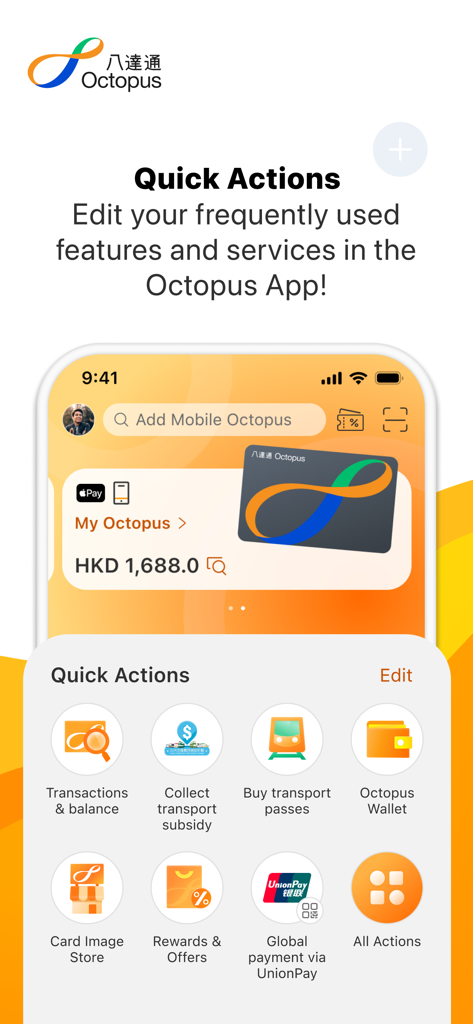
Octopus app screen displaying quick actions for transactions transport passes and mobile payments
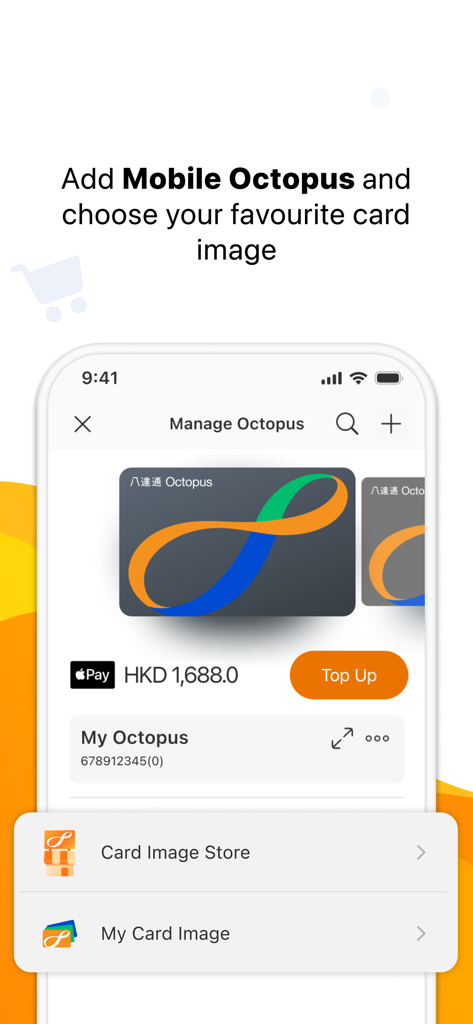
Octopus app screen for managing and customizing a Mobile Octopus card image
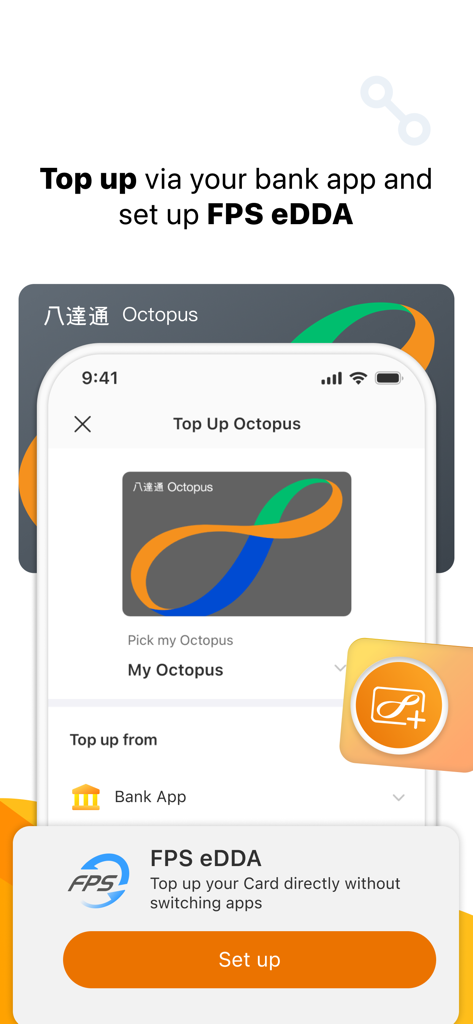
Interface of the Octopus app showing the option to top up using FPS eDDA from a bank app
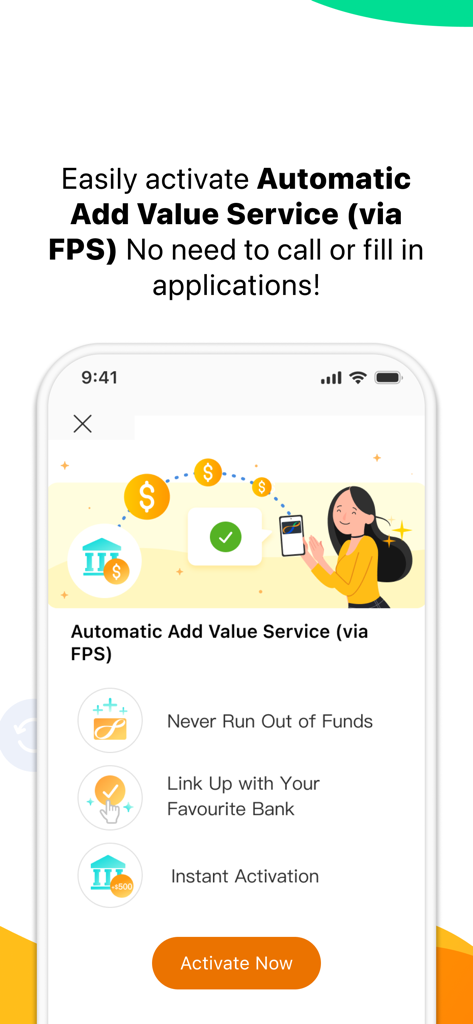
Octopus app screen for activating Automatic Add Value Service via FPS with bank linking
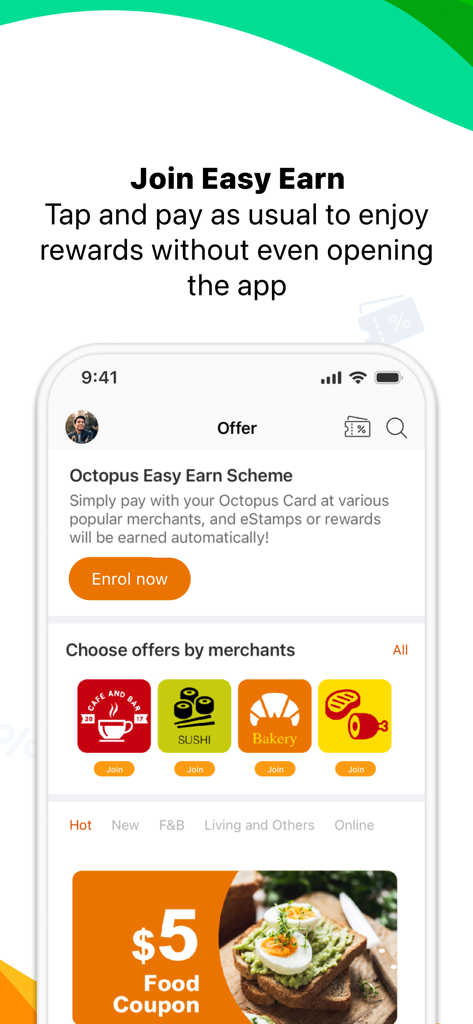
Octopus app Easy Earn rewards and merchant offers screen
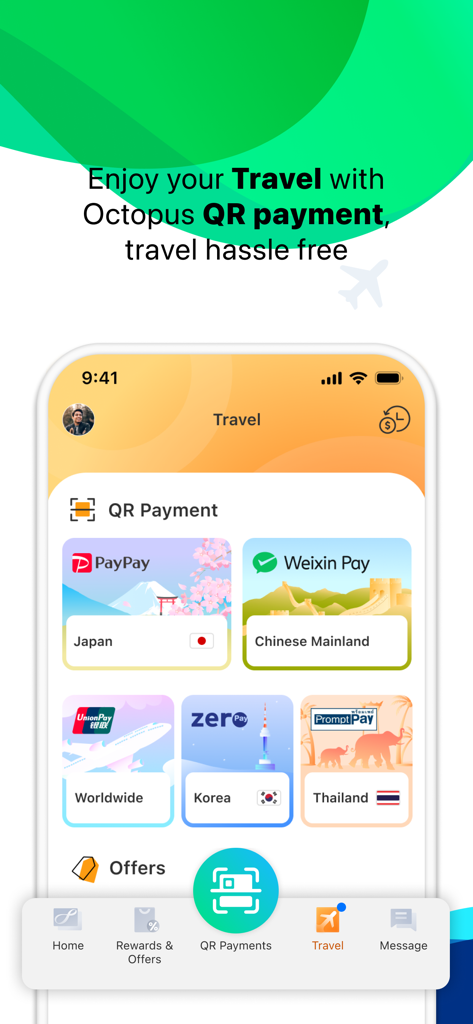
Octopus app travel screen showing QR payment options for Japan Chinese Mainland Korea and Thailand
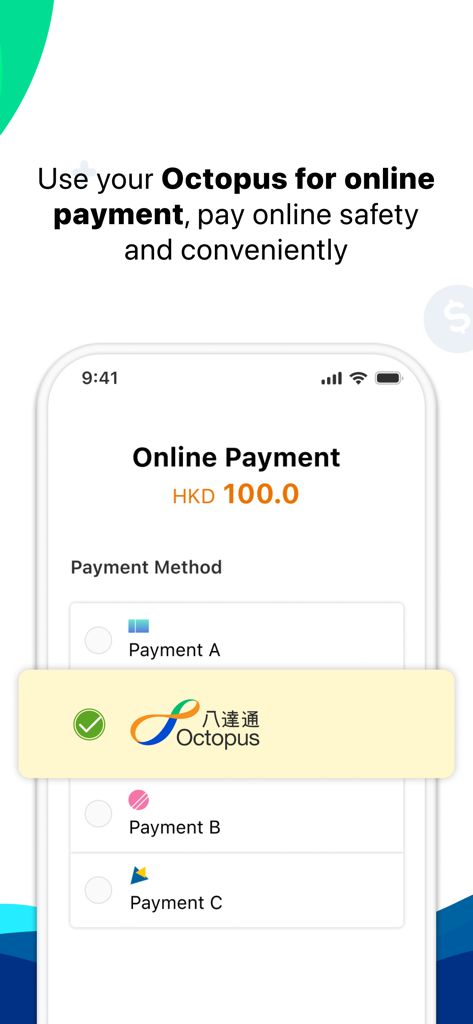
Interface of Octopus app showing the selection of Octopus as a payment method for an online transaction
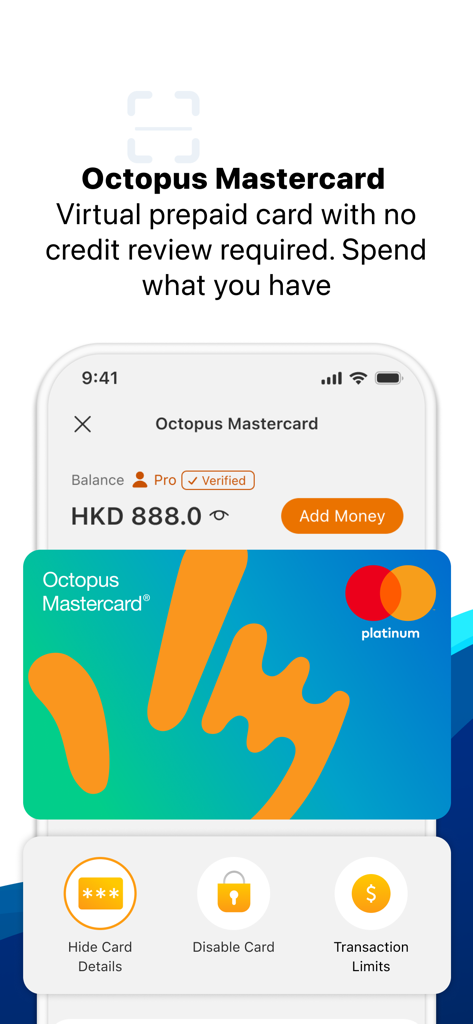
Octopus Mastercard virtual prepaid card dashboard with balance and card controls
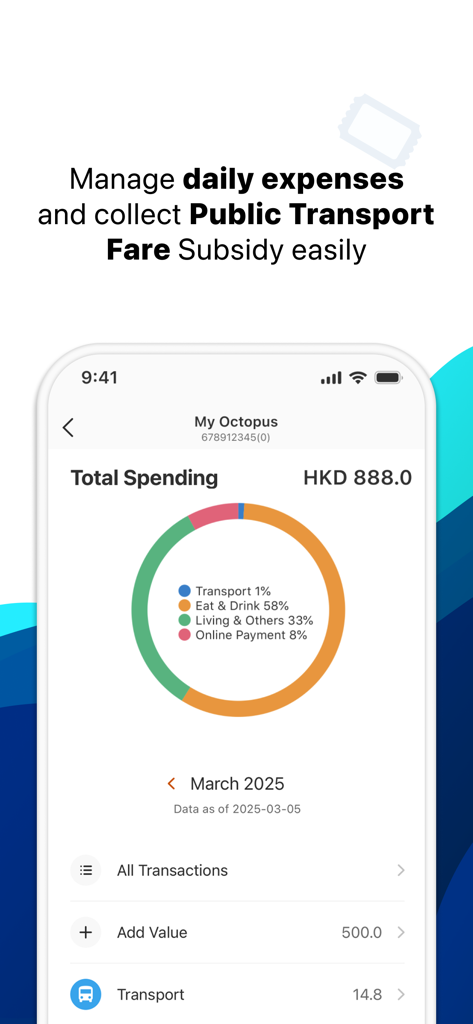
Octopus app interface displaying a total spending breakdown chart and transaction history options
Description
Download
More Like This
Apps with similar features and user experience

CharmPass
Maryland Transit Administration

Q Ticketing
Metropolitan Transit Authority of Harris County, Texas

OC Bus
Orange County Transportation Authority

Easy Wallet 悠遊付
EasyCard Corporation

FAIRTIQ
Fairtiq AG

Transit GO Ticket
Bytemark, Inc.

M'Ticket - Ticket mobile TaM
Transports Agglom�ration de Montpellie

Aamar Kolkata Metro
Centre for Railway Information Systems

My Rabbit
Bangkok Smartcard System Company Limited
This page is not an official page of the app or its developer, but an independent editorial publication created for informational and commentary purposes. Unless expressly stated otherwise, neither the app nor its developer is affiliated with, endorsed by, sponsored by, authorized by, or otherwise officially connected with MWM, Apple, Google Play, the app publisher, or the app's developer, and nothing on this page implies that the app was developed using MWM's services. Any trademarks, logos, screenshots, and other content remain the property of their respective owners.