Chat Backup Restore
Chat Backup Restore
Download on App Store

This page is not an official page of the app or its developer, but an independent editorial publication created for informational and commentary purposes. Unless expressly stated otherwise, neither the app nor its developer is affiliated with, endorsed by, sponsored by, authorized by, or otherwise officially connected with MWM, Apple, Google Play, the app publisher, or the app's developer, and nothing on this page implies that the app was developed using MWM's services. Any trademarks, logos, screenshots, and other content remain the property of their respective owners.


Logo of Chat Backup Restore
Download on App Store

Chat Backup Restore

Protect your personal and business WhatsApp chats in a secure vault. Recover deleted messages, archive media, and listen to your conversations hands-free.

Key Figures

Downloads

900

User Rating

1.0/5

Total Ratings

0

Publisher

Reva Desai

Category

Reference

Locales

14

Latest Version

0.4

Size

32.4 MB

First Released

Nov 18, 2024
Features

Preserve Every Moment & Message

From business archives to cherished family memories, our powerful tools give you complete control and peace of mind over your WhatsApp data.

Bulletproof Chat Recovery

Safeguard your conversations, media, and even messages deleted by others. Your data remains safe even if it is gone from WhatsApp.

Smart Text-to-Speech

Stay productive on the go. Listen to long message threads and business briefings hands-free during your commute or gym session.

The following screenshots and description are sourced directly from the app's official store listing and are the property of the app developer.

App Store

Screenshots
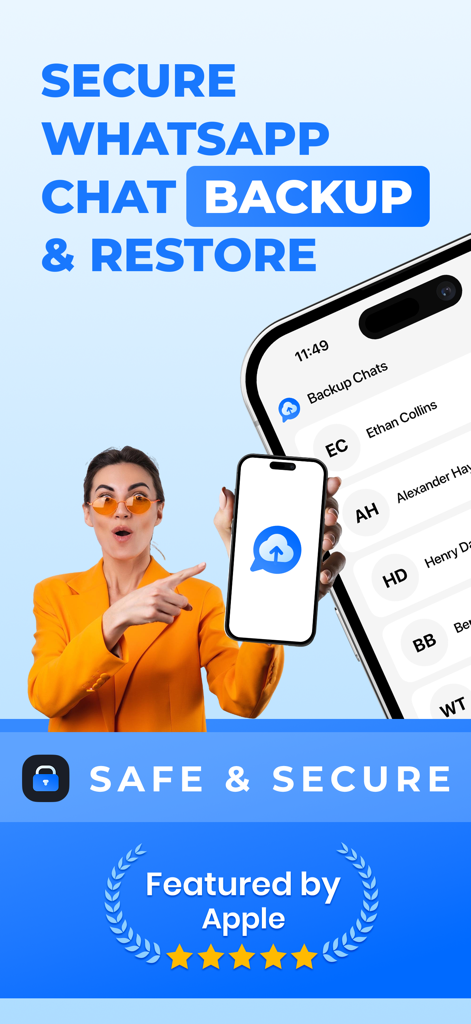
Chat Backup Restore - Secure WhatsApp chat backup and restore mobile app promotion
Secure WhatsApp chat backup and restore mobile app promotion

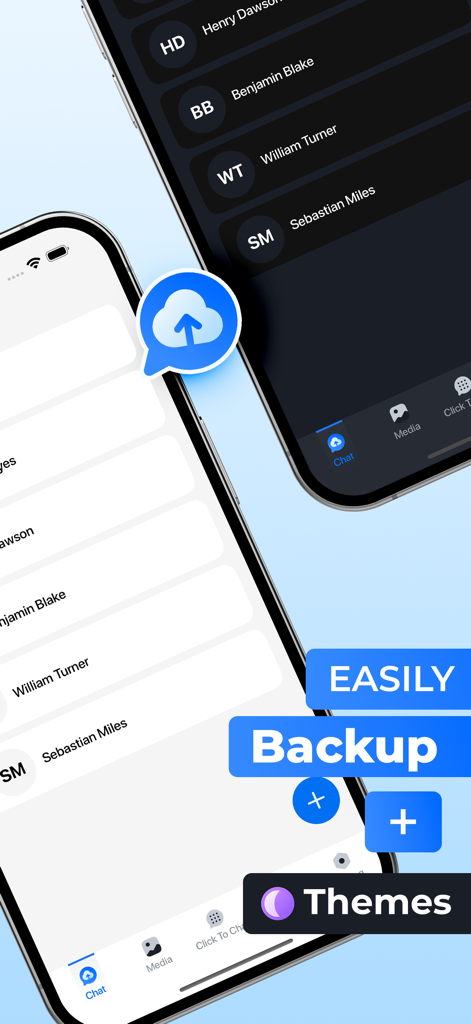
Chat Backup Restore - Interface of Chat Backup Restore app showing light and dark mode themes for message history
Interface of Chat Backup Restore app showing light and dark mode themes for message history

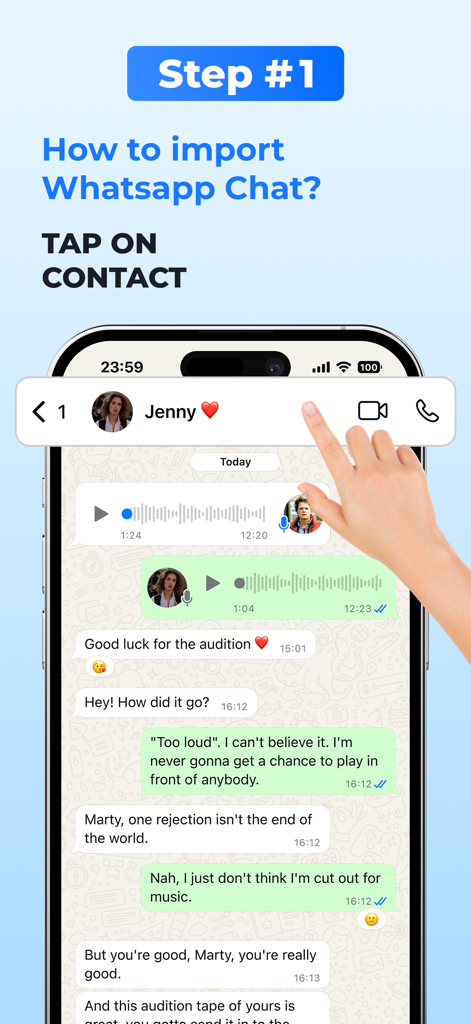
Chat Backup Restore - Tutorial screen showing how to import a WhatsApp chat by tapping on a contact profile
Tutorial screen showing how to import a WhatsApp chat by tapping on a contact profile

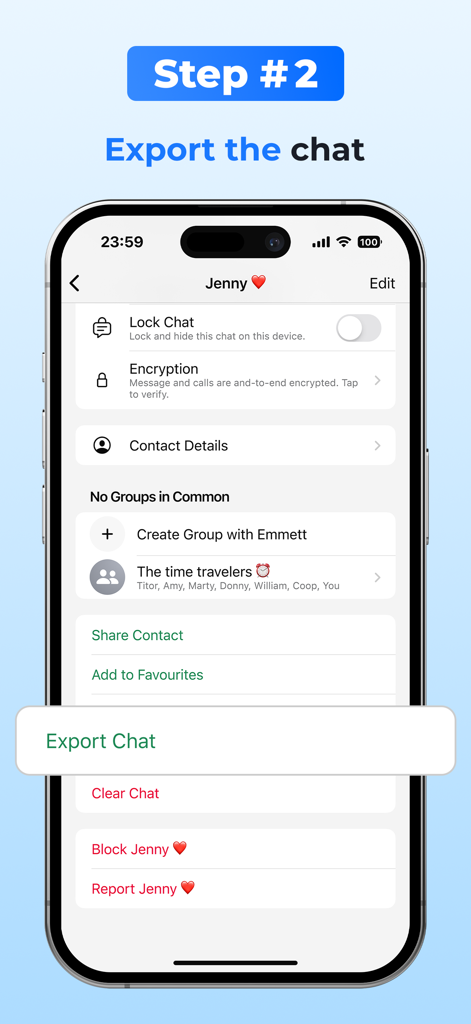
Chat Backup Restore - Step-by-step instruction showing how to export a WhatsApp chat for backup.
Step-by-step instruction showing how to export a WhatsApp chat for backup.

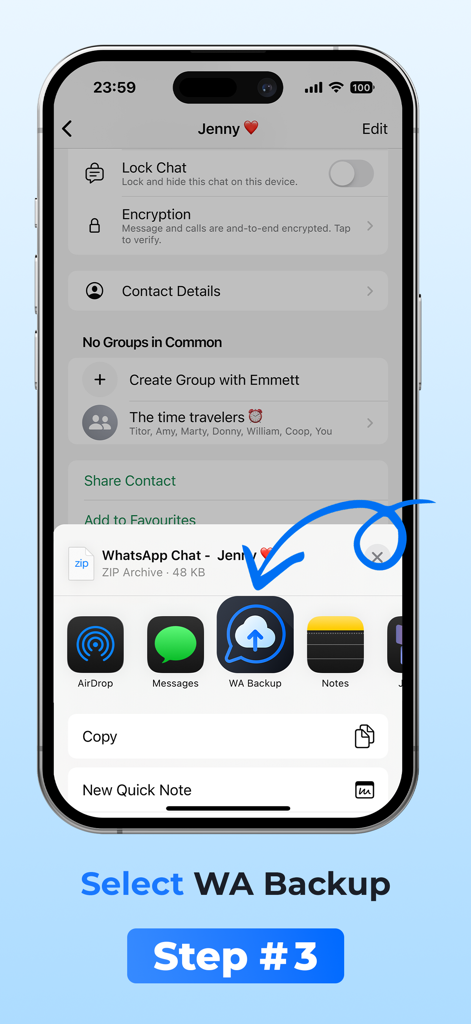
Chat Backup Restore - iPhone screen showing how to select the WA Backup icon in the share menu
iPhone screen showing how to select the WA Backup icon in the share menu

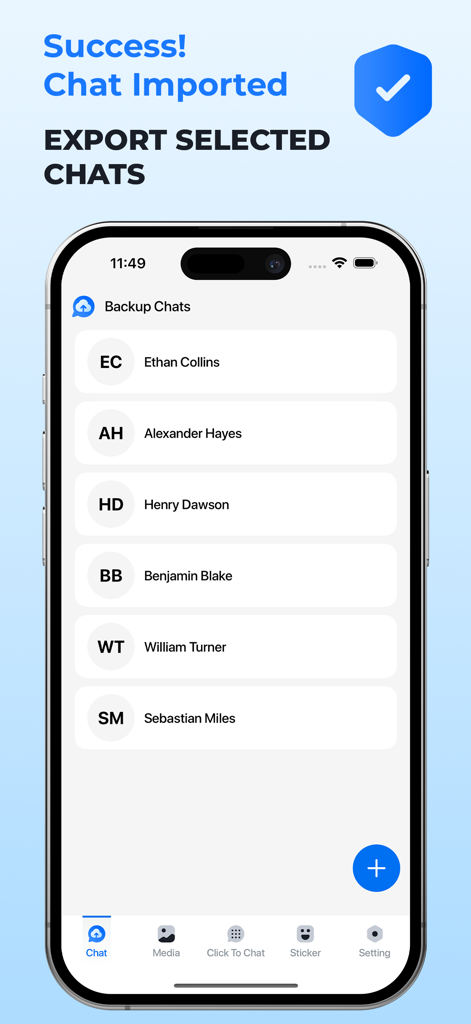
Chat Backup Restore - Mobile app screen showing a list of successfully imported WhatsApp chats
Mobile app screen showing a list of successfully imported WhatsApp chats

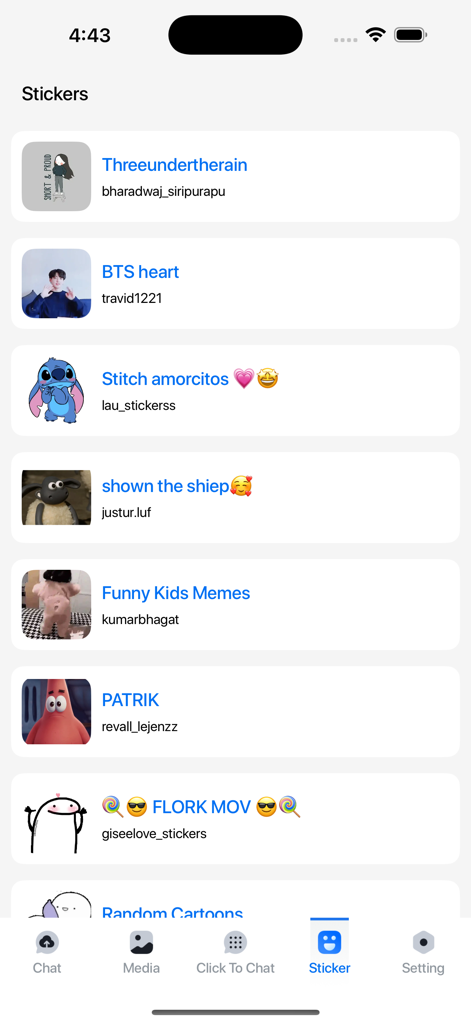
Chat Backup Restore - A library of animated stickers within the Chat Backup Restore app showing various character packs.

A library of animated stickers within the Chat Backup Restore app showing various character packs.
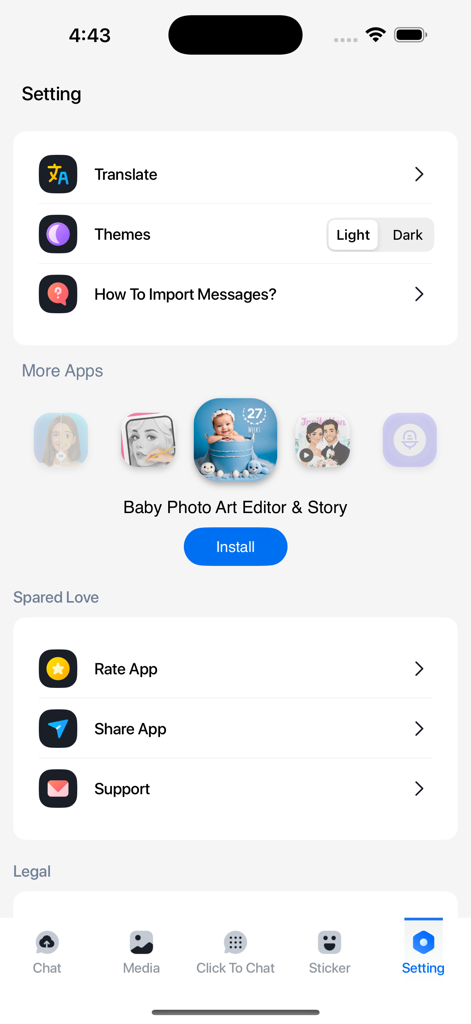
Chat Backup Restore - The settings menu of the Chat Backup Restore app featuring options for translation themes and import instructions

The settings menu of the Chat Backup Restore app featuring options for translation themes and import instructions

Description

Never lose an important WhatsApp conversation again! With Backup WA Chat, you can easily back up, secure, and access your chats, media, and documents—even deleted ones—through a WhatsApp-like interface. Import your data from multiple sources and ensure it's always safe and available. Why Choose Backup WA Chat? Import & Backup WhatsApp Chats Easily back up your WhatsApp chats, including media, links, and documents. Even if a chat gets deleted from WhatsApp, you’ll still have access to it in our app. Animated Stickers for WhatsApp Spice up your conversations with animated stickers! Access a wide collection or create your own, making your chats more expressive and fun. WhatsApp-like Preview Enjoy a familiar interface when viewing your backed-up chats, complete with timestamps and message order. Import Chats from Multiple Platforms Whether it’s WhatsApp Business, Google Drive, or your device’s storage, Backup WA Chat supports multiple import options. Key Features * Text-to-Speech
Listen to your messages on the go—perfect for hands-free use or multilingual chats. * Quick Navigation
Jump to the first or last message of any chat instantly. How to Use Backup WA Chat 1. Open WhatsApp and select the chat to back up. 2. Include or exclude media, then select Backup WA Chat as the destination. 3. Your chat is securely backed up, including animated stickers! Embrace the future of communication with Text to Speech - Reader! Download now to explore a world of seamless text and voice interaction, all in the palm of your hand. Information about the auto-renewable nature of the subscription. Confirm subscription: Payment will be charged to iTunes Account at confirmation of purchase. Manage subscriptions: Users can manage or unsubscribe in iTunes & App Store account management in the phone system settings. Auto-renewal: Apple iTunes account will be charged for renewal within 24-hours prior to the end of the current subscription period. To cancel the renewal, please turn off auto-renew manually at least 24-hours before the end of the period. No cancellation of the current subscription is allowed during the active subscription period. You can go to the Account Settings to cancel the renewal before the trial ends. The current free trial will be forfeited when you purchase a subscription to the premium version before the trial period ends. By using the app, you confirm that you acknowledge and accept our Privacy Policy and Terms of Service: Privacy Policy: https://sites.google.com/view/reva-desai/privacy Terms of Service: https://sites.google.com/view/reva-desai/terms If you would like to use our App but have trouble affording it please email us at reva.desai2000@gmail.com

Download

Download on App Store

This page is not an official page of the app or its developer, but an independent editorial publication created for informational and commentary purposes. Unless expressly stated otherwise, neither the app nor its developer is affiliated with, endorsed by, sponsored by, authorized by, or otherwise officially connected with MWM, Apple, Google Play, the app publisher, or the app's developer, and nothing on this page implies that the app was developed using MWM's services. Any trademarks, logos, screenshots, and other content remain the property of their respective owners.







