Choiceworks Calendar
Download on App Store

This page is not an official page of the app or its developer, but an independent editorial publication created for informational and commentary purposes. Unless expressly stated otherwise, neither the app nor its developer is affiliated with, endorsed by, sponsored by, authorized by, or otherwise officially connected with MWM, Apple, Google Play, the app publisher, or the app's developer, and nothing on this page implies that the app was developed using MWM's services. Any trademarks, logos, screenshots, and other content remain the property of their respective owners.


Logo of Choiceworks Calendar
Download on App Store

Choiceworks Calendar

The premier picture-based learning tool designed to help children master the concept of time, reduce transition anxiety, and navigate their daily routines with confidence and ease.

Key Figures

Downloads

6K+

User Rating

4.0/5

Total Ratings

100

Publisher

Bee Visual LLC

Category

Education

Locales

1

Latest Version

6.2

Size

48.5 MB

First Released

Jan 16, 2014
Features

Empower Your Child with Visual Predictability

Reduce transition meltdowns and build independence with a powerful, picture-based calendar designed specifically for neurodivergent learners and their caregivers.

Personalized Visual Routines

Instantly create schedules using your own photos or our 275+ image library. Adding familiar faces and videos makes daily transitions feel safe and predictable.

Master the Concept of Time

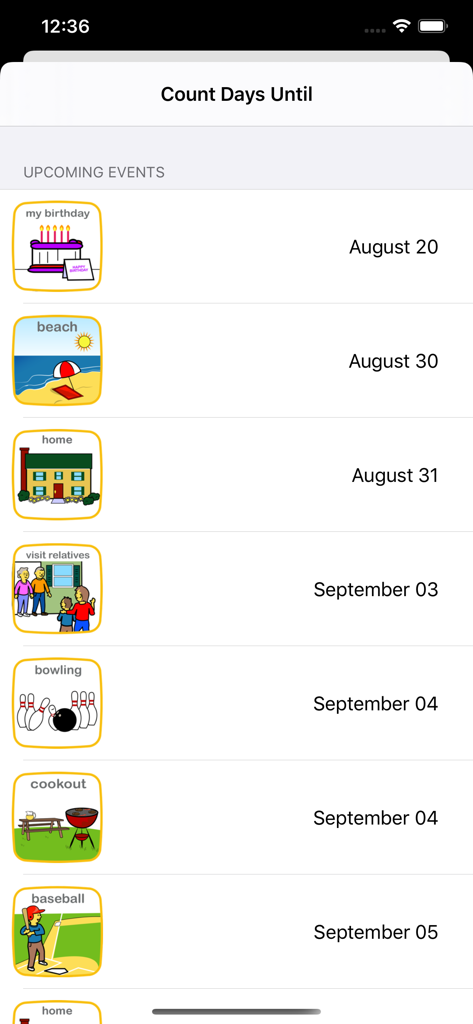
Turn abstract dates into concrete visuals. The animated 'Days Until' counter helps children visualize the wait for holidays or appointments, significantly reducing anxiety.

The following screenshots and description are sourced directly from the app's official store listing and are the property of the app developer.

App Store

Screenshots
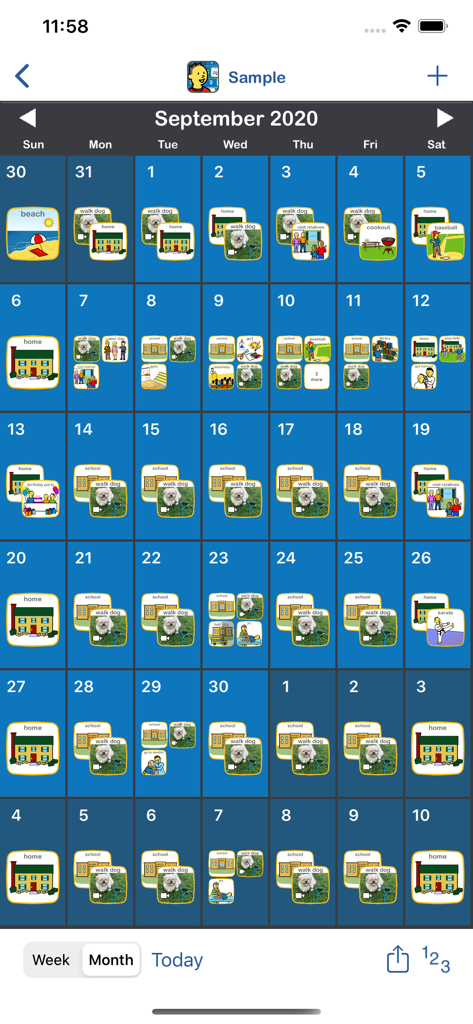
Choiceworks Calendar - Monthly visual schedule showing daily routines with picture icons
Monthly visual schedule showing daily routines with picture icons

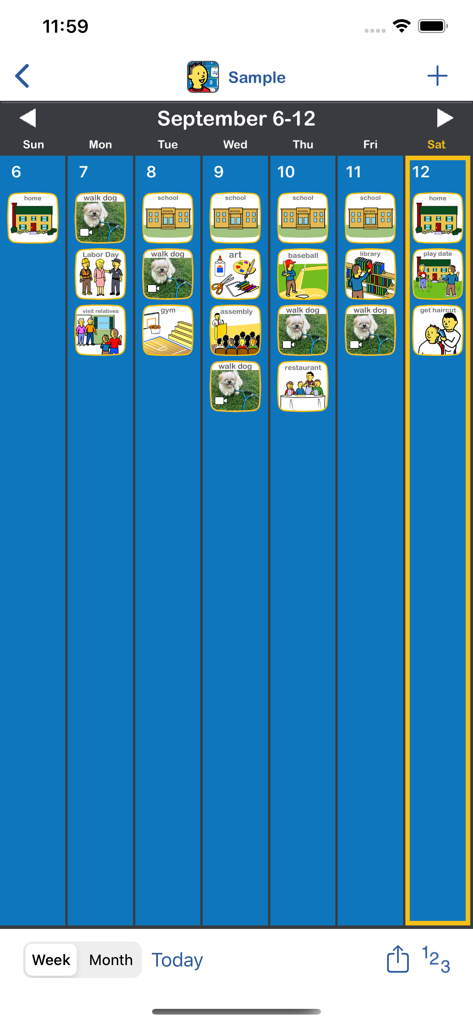
Choiceworks Calendar - Weekly view of the Choiceworks Calendar app showing a visual schedule with icons for daily activities like school and walking the dog
Weekly view of the Choiceworks Calendar app showing a visual schedule with icons for daily activities like school and walking the dog

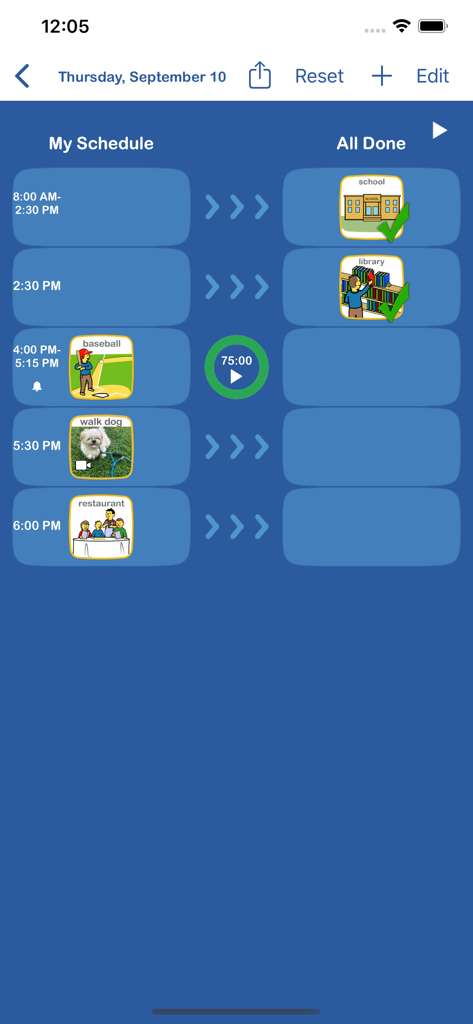
Choiceworks Calendar - Daily visual schedule screen in the Choiceworks Calendar app showing activity icons and a timer
Daily visual schedule screen in the Choiceworks Calendar app showing activity icons and a timer

Choiceworks Calendar - Choiceworks Calendar app screen showing a list of upcoming events with picture icons and dates.
Choiceworks Calendar app screen showing a list of upcoming events with picture icons and dates.

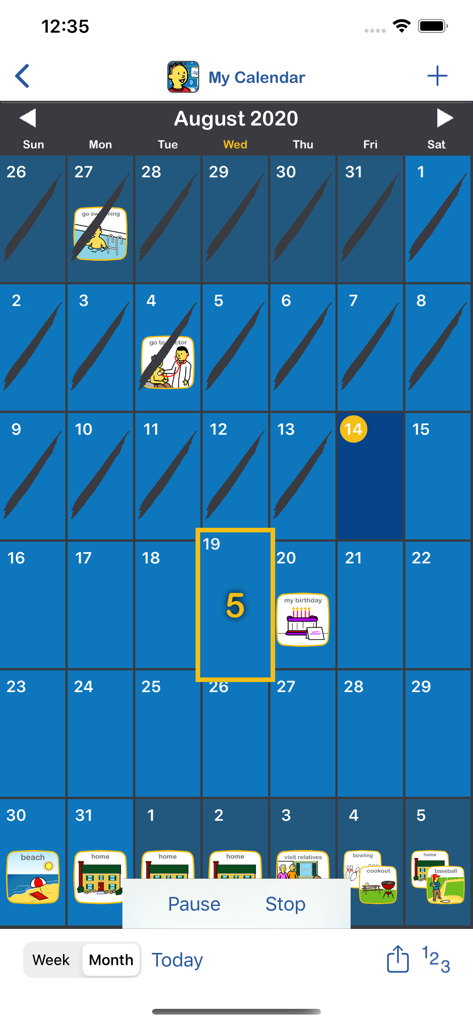
Choiceworks Calendar - Monthly view of Choiceworks Calendar showing visual schedule icons and a countdown feature for children.

Monthly view of Choiceworks Calendar showing visual schedule icons and a countdown feature for children.

Description

The Choiceworks Calendar is a powerful picture-based learning tool that helps children learn what is happening day-to-day, week-to-week, and month-to-month throughout each year. Choiceworks Calendar teaches the abstract concept of time in a structured visual format which helps children organize their lives as well as understand sequence and time. Choiceworks Calendar is the first app of its kind to provide a full-featured calendar designed with both the child and caregiver in mind. Key Features  ■ Easily create a visual calendar of upcoming events in a few minutes (examples: holidays, when visitors are coming, doctor appointments, vacations, sleepovers, parent returning from a trip or military duty) ■ Image Library preloaded with over 275 images and audio ■ Attach video to any image ■ Add your own images using your photo library, camera or use the preloaded image library to record your own audio, video and edit captions for limitless customizability  ■ Create multiple personalized calendars for use with multiple children or in a classroom setting ■ Count Days Until: animated counter for the number of days until an upcoming event (example: How many days until my birthday?) ■ Speaks the daily schedule with child or adult voice ■ Built-in visual timer ■ Automatically adds holidays ■ Easily add reoccurring events ■ Notifications and alarms with visual and audio alerts ■ Search and auto-save features ■ Share boards by Email, AirDrop, Files app or iTunes with other Choiceworks Calendar app users  ■ Ability to print month, week or day for offline viewing or save as PDF Methodology Visual supports are highly effective, proven tools for improving communication between children and caregivers.  Calendars are challenging for children to grasp initially due to the abstract concept of time, months, weeks and days.  They are also time consuming for caregivers to setup and maintain.  Choiceworks Calendar addresses all of these challenges.  For caregivers, it provides a streamlined interface for creating, customizing, sharing and maintaining a calendar of upcoming events.  For the child, it provides visual, audio and video supports that make using the calendar an enjoyable learning experience. Children gain independence and personal responsibility by seeing helpful information such as which days are school days and which days are not.  They also benefit by being informed of upcoming events such as a doctor’s appointment or celebrating a birthday. This clear, simple support provided ahead of time can help a child predict what is going to happen, thereby reducing anxiety.  It helps children understand when there is a change in the routine so they can learn to adapt, become more flexible and better behaved. The information is always visible on the calendar and the child can refer to it as often as needed.  Helpful Tips Simple:  When first implementing Choiceworks Calendar, the calendar should be kept simple and be geared toward the child. By reviewing the calendar each day, the child will learn the days of the week, rote counting, number identification and components of the daily, weekly, and monthly schedule. Visuals:  Put images or videos on the calendar that describe the most important activities of the day. Again, keep it simple. Only include what is important for the child on the calendar.  Start small and gradually increase the amount of information presented as the child begins to understand the passage of time. Advance: As success with Choiceworks Calendar increases, visually plan out big projects and indicate deadlines for science projects, writing assignments, etc.  Chunk larger projects into smaller, manageable steps that the child can complete each day.  This will focus attention to the current task and lessen anxiety and distraction to other portions of project.  Have your own tips or ideas?  Visit our Facebook page and share with the Choiceworks community: https://www.facebook.com/ChoiceworksAndChoiceworksCalendarApps/

Download

Download on App Store

This page is not an official page of the app or its developer, but an independent editorial publication created for informational and commentary purposes. Unless expressly stated otherwise, neither the app nor its developer is affiliated with, endorsed by, sponsored by, authorized by, or otherwise officially connected with MWM, Apple, Google Play, the app publisher, or the app's developer, and nothing on this page implies that the app was developed using MWM's services. Any trademarks, logos, screenshots, and other content remain the property of their respective owners.








