Clean Text

Clean Text

Download on App Store
Logo of Clean Text

Clean Text: The Essential Utility for Flawless Text Processing

Save hours of manual editing. From one-tap 'Smart Clean' to advanced RegEx, transform messy emails, code, and documents into perfect copy across all your Apple devices.

Download on App Store

Publisher

Ivan Gobbo

Category

Productivity

Downloads

102K+

User Rating

4.7/5

Total Ratings

300

Locales

1

A Closer Look at Efficiency

Discover the interface used by 102K+ users.
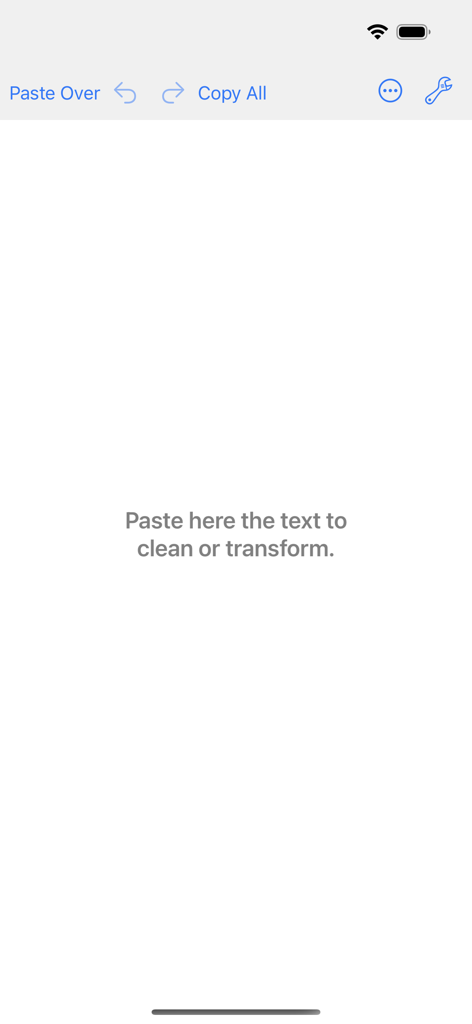
Main editor screen of the Clean Text app showing the workspace and text processing tools

Main editor screen of the Clean Text app showing the workspace and text processing tools

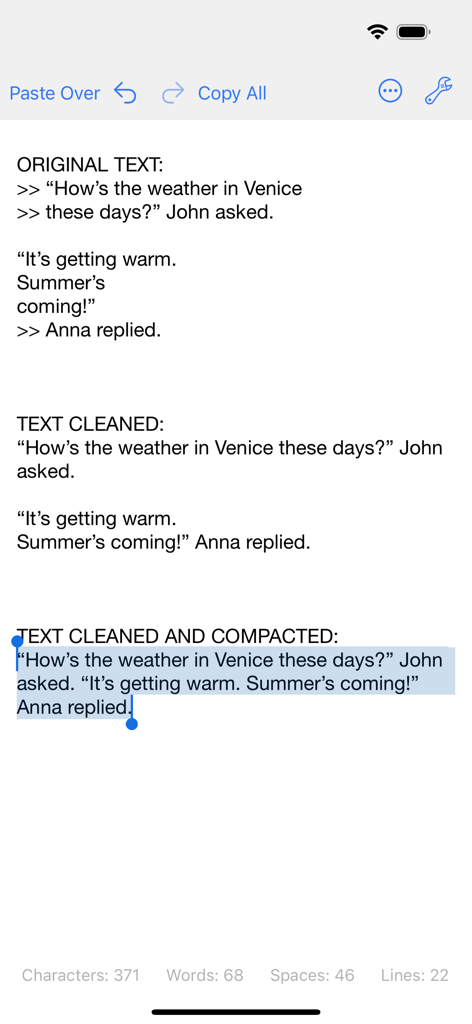
A comparison showing original messy text versus cleaned and compacted text in the Clean Text app interface.

A comparison showing original messy text versus cleaned and compacted text in the Clean Text app interface.

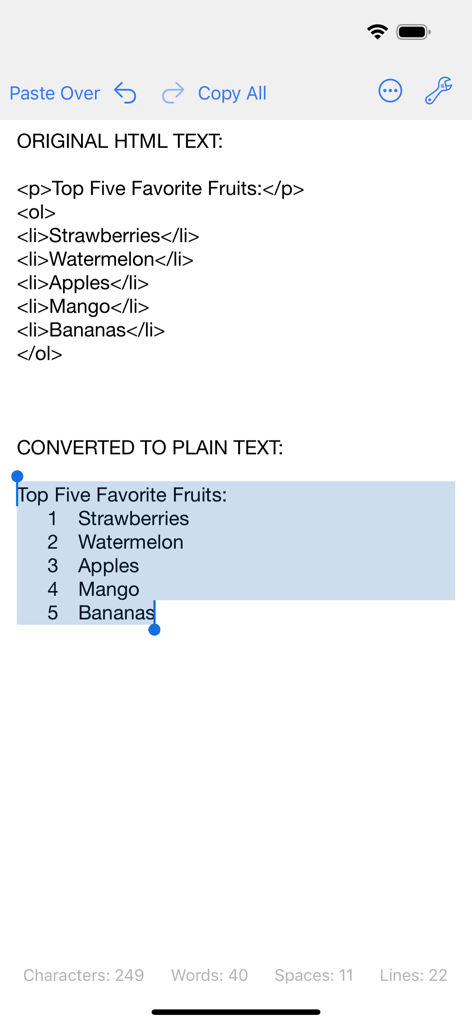
Clean Text app interface showing the conversion of HTML code into a numbered plain text list on iPhone

Clean Text app interface showing the conversion of HTML code into a numbered plain text list on iPhone

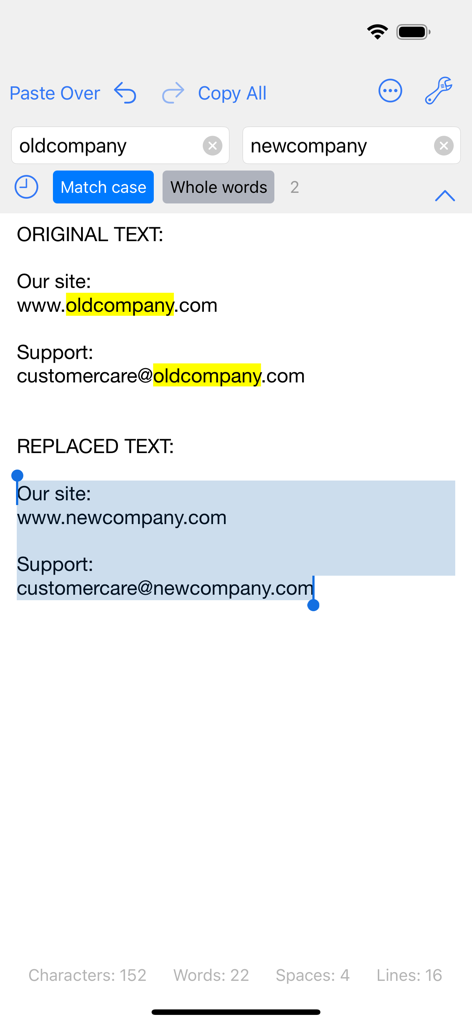
Screenshot of the Clean Text app showing the find and replace feature replacing old company names with new ones in text.

Screenshot of the Clean Text app showing the find and replace feature replacing old company names with new ones in text.

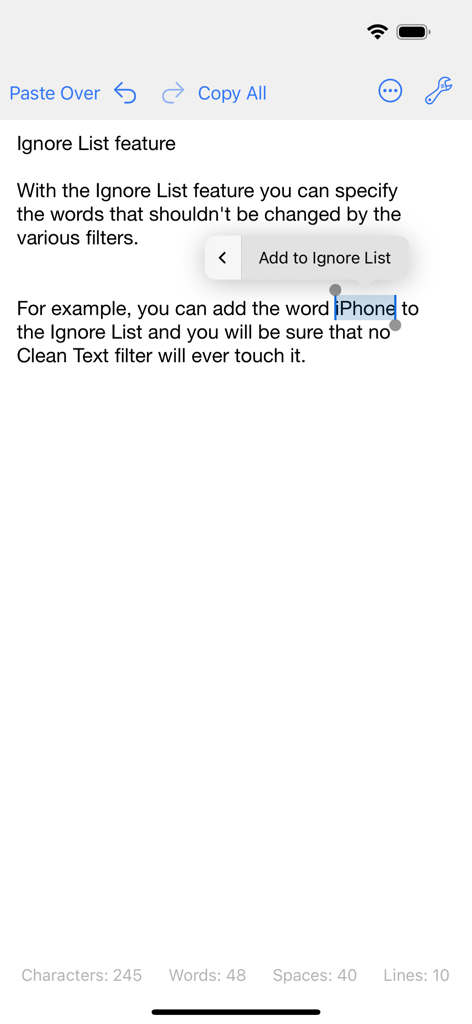
Clean Text app interface showing the ignore list feature with a word selected to be excluded from filters

Clean Text app interface showing the ignore list feature with a word selected to be excluded from filters

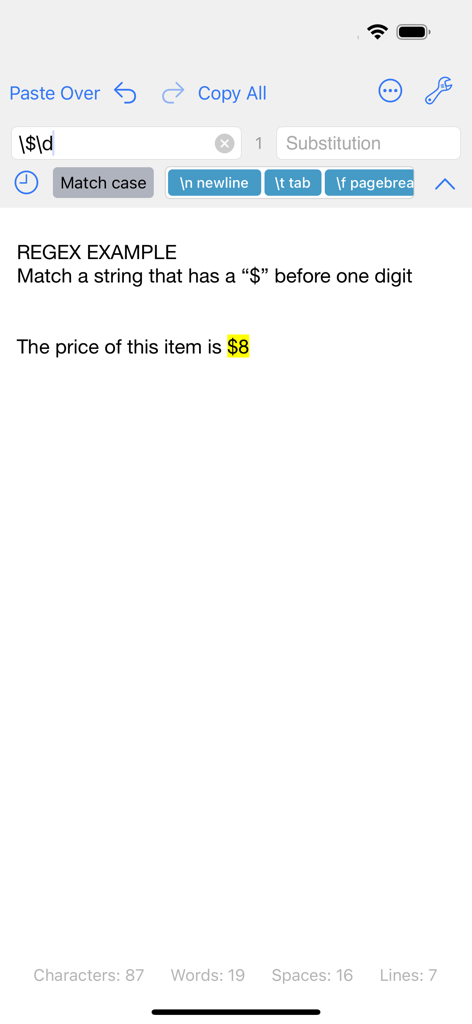
Clean Text app interface showing a Regular Expression search matching text with a dollar sign and digit

Clean Text app interface showing a Regular Expression search matching text with a dollar sign and digit

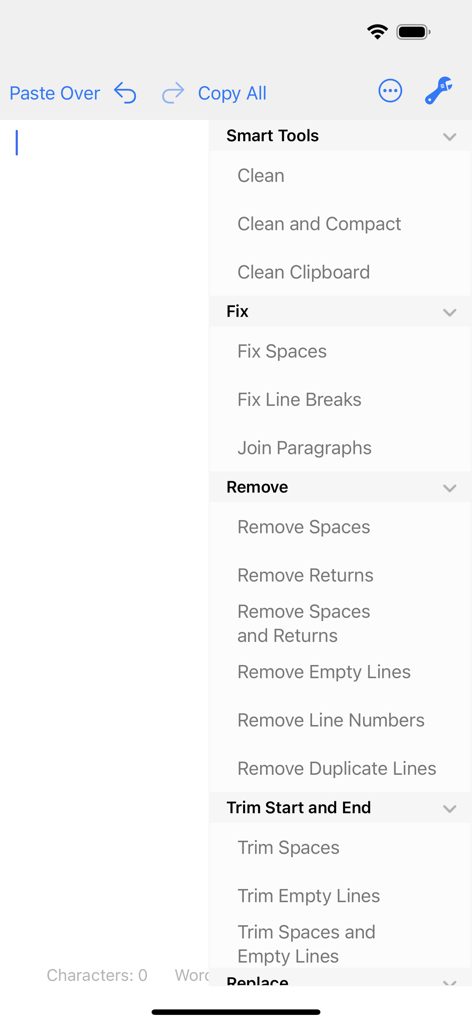
Interface of the Clean Text app showing text formatting and cleaning features like smart clean and remove empty lines

Interface of the Clean Text app showing text formatting and cleaning features like smart clean and remove empty lines

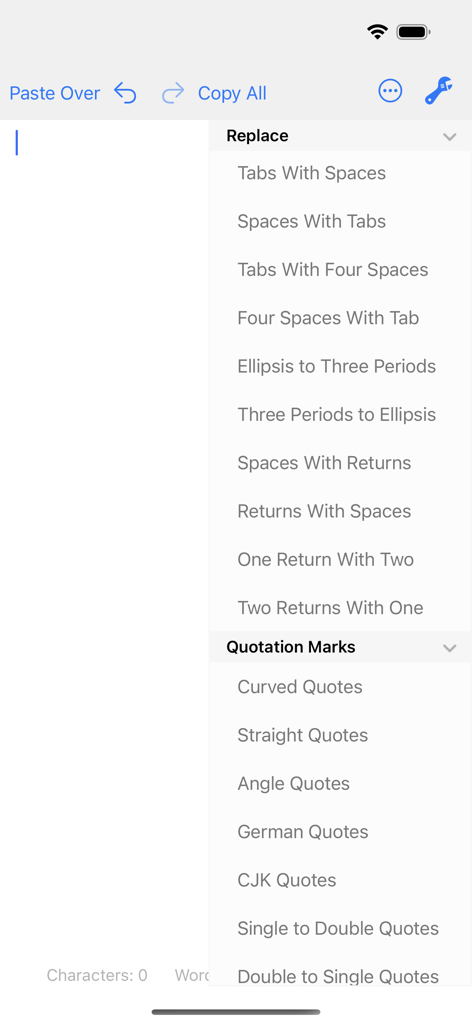
Clean Text app interface showing menu options for replacing spaces tabs and quotation marks

Clean Text app interface showing menu options for replacing spaces tabs and quotation marks

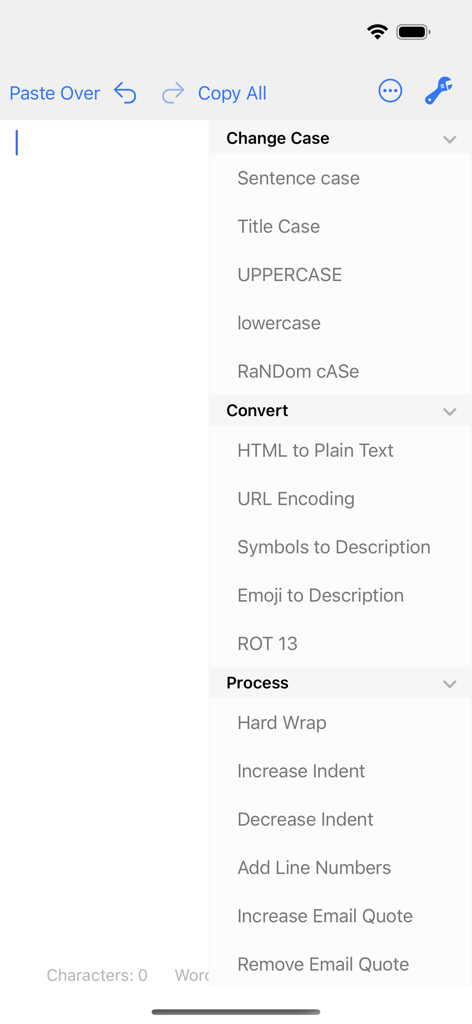
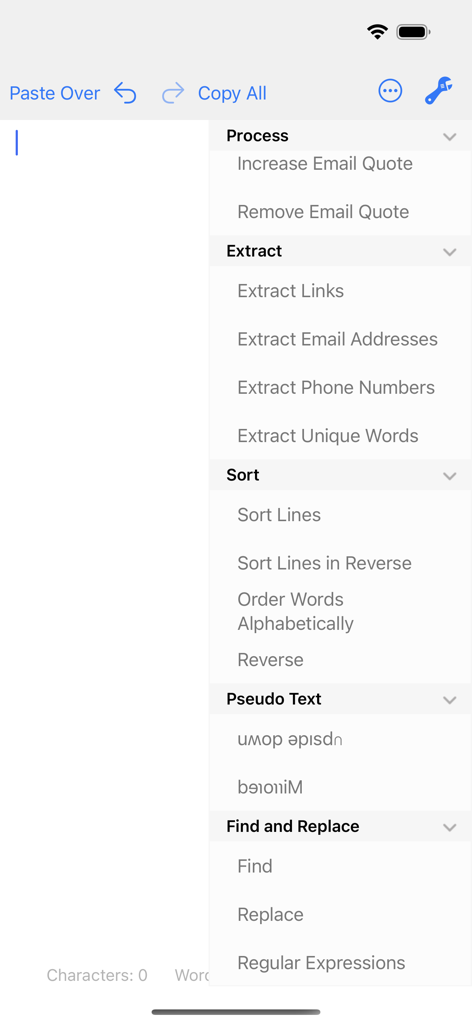
Clean Text mobile app interface showing a list of text formatting options including change case, convert HTML to plain text, and process tools.

Clean Text mobile app interface showing a list of text formatting options including change case, convert HTML to plain text, and process tools.

Clean Text app menu showing options for text extraction sorting and regular expression tools

Clean Text app menu showing options for text extraction sorting and regular expression tools

Optimize Your Professional Text Workflow

The tools that make this app stand out, trusted by 102K+ users.

Instant Smart Cleaning

Eliminate formatting headaches with one tap. Automatically remove empty lines, fix double spaces, and strip junk characters from emails, PDFs, or web pages.

🔄

Universal iCloud Sync

Your text follows you everywhere. Start editing on your iPhone during your commute and find your cleaned text waiting on your Mac or iPad when you arrive.

🛠️

Expert-Level Utilities

Master complex tasks with Regular Expressions, HTML-to-plain-text conversion, and intelligent extraction of emails, links, and phone numbers.

About the app

Everything you need to know about Clean Text.

Description

Clean Text is an essential tool for webmasters, graphic designers, developers and magazine editors to reduce text cleanup and editing time. The app is very convenient also for all iOS users that needs to cleanup and editing text from emails, documents, or other sources. Solve text problems with a couple of taps Clean Text quickly performs many essential text processing functions such as removing empty lines, removing unwanted spaces, converting tab characters, smart quotes, and more. In addition to this, smart actions let you solve with a single tap, the most common cleaning problems of text found in email messages, documents and web pages. Type on iOS and find the text on your Mac With Clean Text Menu, you can write text on your iPhone or iPad and then find it on any iOS device or Mac. You don't have to worry about anything. Thanks to iCloud, you will find in the device that you just picked up and in your Mac, exactly the text that you have just typed on iOS. And vice versa. Live search While you type in the search box all occurrences within the text will be highlighted to give you a complete picture, then with the Select Next and Select Previous buttons you can gradually select instances to edit or change them. Also Match case and Whole words, act immediately on the highlighted text and will allow you to do the replacements with millimeter accuracy. And with infinite undoes, your chance to try, becomes a tool to do a good job. Accelerate your search and replace work using Regular Expressions If you are a true expert, there is the powerful Regular Expression panel, which in addition to make available all RegEx capabilities for search and replace, it provides you the RegEx main patterns with a simple tap. Ignore List Often when you want to change a text automatically it contains words that should not be changed. To take a simple example, if you apply the UPPERCASE filter to a sentence, you don't want the word iPhone to become IPHONE, so we've added the new Ignore List feature to Clean Text. All the words in this list will not be modified by the various filters. Clean Text supports major iOS technologies, such as: • iPad multitasking Slide Over and Split View on iPad Pro • Physical keyboard shortcuts on iPad • iCloud to access the same text from any device • Keyboard Shortcut Bar on iPad with Cut, Copy and Paste; Arrows Keys; Select and Deselect text The main features of Clean Text are: • Smart Clean and Clean and Compact text • Clean Clipboard content without the need to paste it in the app • Fix line breaks • Fix spaces • Remove empty lines • Join paragraphs • Replace tabs with spaces and replace spaces with tabs • Remove and add email quote prefix • Convert quotation marks: curved quotes, straight quotes, angle quotes, German quotes and Chinese quotes • Convert from single to double and from double to single quotes • Change case to sentence case, title case, uppercase, lovercase and random case • Increase and decrease text indent • Sort lines ascending and descending • Convert from three periods to ellipsis and from ellipsis to three periods • ROT13 encode • Reverse text • Convert HTML to plain text • URL percent encoding • Remove spaces, returns and duplicate lines • Trim leading and trailing spaces and returns • Replace spaces with returns and vice versa • Add and remove line numbers • Extract links, email addresses, phone numbers and unique words • Remove duplicate lines • Hard wrap text • Convert emoji and symbols to their description • Convert to upside down and to mirrored pseudo text • Show total number of characters, words, spaces and lines in a text • Find and Replace with live highlighting of matches • Regular Expression search and substitution with live highlighting of matches and main patterns convenient buttons • Recent Searches functionality • URL Schemes support to launch and use Clean Text features using other apps that support this technology like Apple Shortcuts • Ignore List

Latest Version

5.0

Size

2.1 MB

First Released

Sep 7, 2016

Ready to Master Your Text Workflow?

Join over 100,000 professionals and eliminate formatting headaches. Download the essential digital laundry service for your iPhone, iPad, and Mac today.

Download on App Store

App information, icons, screenshots, and descriptions displayed on this page are sourced from the Apple App Store and are the property of their respective developers. Download estimates and rankings are based on MWM's proprietary models and may not reflect actual figures. This page is provided for informational and analytical purposes only.

Believe this page infringes your intellectual property? File a dispute