
This page is not an official page of the app or its developer, but an independent editorial publication created for informational and commentary purposes. Unless expressly stated otherwise, neither the app nor its developer is affiliated with, endorsed by, sponsored by, authorized by, or otherwise officially connected with MWM, Apple, Google Play, the app publisher, or the app's developer, and nothing on this page implies that the app was developed using MWM's services. Any trademarks, logos, screenshots, and other content remain the property of their respective owners.


Click SuperApp
Complexity? Irrelevant. This app delivers command over your finances, even offline.
Downloads
1M+User Rating
Total Ratings
111.4KPublisher
Category
FinanceLocales
4Latest Version
8.42.0Size
766.3 MBFirst Released
Dec 20, 2013A deep dive into the functionalities powering seamless financial and daily service management for individuals and small businesses in Uzbekistan.
Click SuperApp: Core Features Analysis
Extensive Service Payments
It allows users to pay for a wide array of daily services including utilities, mobile top-ups, internet, taxes, and online store purchases, offering comprehensive financial management.
Robust Offline Functionality
The app provides seamless operation even without internet access through USSD requests, ensuring critical payments and transfers can be made anytime, anywhere, even with a negative phone balance.
Instant Fund Transfers
It enables users to quickly transfer funds between plastic cards, request money, or move funds between their own accounts, enhancing financial flexibility and convenience.
Digital Wallet Integration
The app offers a virtual Click Wallet for topping up, paying for goods and services, and transferring funds, removing the need for immediate bank visits or card opening.
Convenient Loan Repayment
It simplifies loan repayments for numerous banks directly within the app, saving users time and effort by eliminating the need to visit physical branches.
Premium Rewards Program
This tool features a subscription service that offers double cashback on payments, 100% transfer commission refunds, premium support, and exclusive features, rewarding frequent users.
Automated Bill Payments
It allows users to schedule recurring payments to suppliers on specific dates for set amounts, ensuring bills are paid on time automatically and reducing administrative burden.
Modern In-Store Payments
The app supports convenient in-person payments via QR code scanning and NFC technology (HumoPay) at various retail locations, offering versatile and contactless transaction options.
Frequently Asked Questions
Everything you need to know about Click SuperApp
What is the Click SuperApp?
The Click SuperApp is a mobile application combining finance, travel, entertainment, and government services. It provides various features like transfers, payments, wallets, and mini-apps within a single platform.
Does the Click SuperApp support card-to-card transfers?
Yes, the Click SuperApp supports card-to-card transfers. Users can move funds between plastic cards, request funds from other Click users, or transfer money between their own registered cards.
What is Click Wallet in the Click SuperApp?
Click Wallet is a virtual account within the Click SuperApp. Users can top it up, pay for various goods and services, and transfer funds to other wallets without needing a bank account or card.
Can I earn cashback with the Click SuperApp?
Yes, the Click SuperApp offers cashback. Users with a Click Premium subscription earn double cashback on payments. The application provides up to 2% cashback on payments and transfers.
How does Click Premium enhance the Click SuperApp experience?
Click Premium offers double cashback, 100% transfer commission refunds, Click Boom transfers, premium support, and a customizable golden home screen theme for a fixed monthly fee.
Does Click SuperApp allow loan repayments?
Yes, the Click SuperApp facilitates loan repayments. Users can repay loans from numerous listed banks, including AloqaBank, Agrobank, and Kapitalbank, conveniently from within the application.
Can Click SuperApp be used without an internet connection?
Yes, Click SuperApp operates without an internet connection via USSD requests. This offline mode ensures functionality even with a negative balance on the user's phone.
What payment methods does Click SuperApp support for in-person transactions?
Click SuperApp supports in-person payments via QR code scanner at retail locations. It also offers HumoPay, enabling direct mobile device payments using NFC technology at Humo card-accepting terminals.
What is Click Pass in the Click SuperApp?
Click Pass is a feature for quick cashier payments. Users simply scan their Click Pass, and the amount deducts from their chosen plastic card, even without an internet connection.
Can I schedule payments with the Click SuperApp?
Yes, Click SuperApp supports Scheduled Auto-Pay. Users can set up recurring payments to suppliers for a specified amount on a monthly or weekly basis.
How do I view my transaction history in Click SuperApp?
Users view transaction history through the Card History feature, displaying all UzCard and Humo card transactions. The Reports section also provides graphical payment history.
Does Click SuperApp have mini-applications?
Yes, Click SuperApp integrates mini-applications. These offer diverse services like cinema tickets, food delivery, travel booking, and dedicated tools for family, home, and car management.
Can I get support for Click SuperApp issues?
Yes, support for Click SuperApp is available. Users contact the center at +99871 2310880 or email info@click.uz. Click Premium subscribers also receive dedicated premium support.
What types of services can I pay for using Click SuperApp?
Click SuperApp facilitates payments for mobile communications, internet, utilities, taxes, digital television, transportation, food ordering, and services from various online stores in Uzbekistan.
Does Click SuperApp offer options for business management?
Yes, Click SuperApp includes "Click Business." This feature provides tools for business management and support, allowing administrators to manage payments and transactions.
Can I request money from friends using Click SuperApp?
Yes, Click SuperApp features "Friend's Help." Users facing insufficient funds can send payment requests to friends directly through the application.
The following screenshots and description are sourced directly from the app's official store listing and are the property of the app developer.
App Store
Screenshots
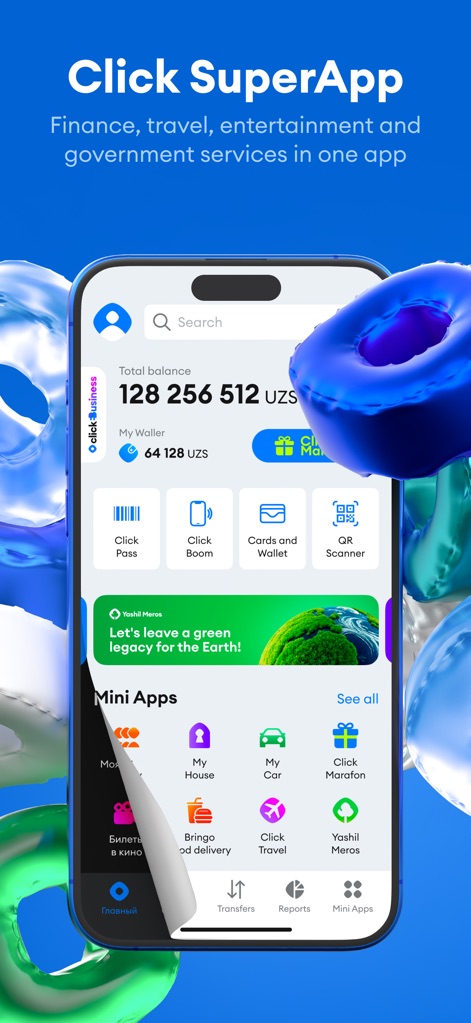
The app's intuitive home screen showcases the user's total balance and accessible 'My Wallet' for streamlined financial management.
Dashboard Overview
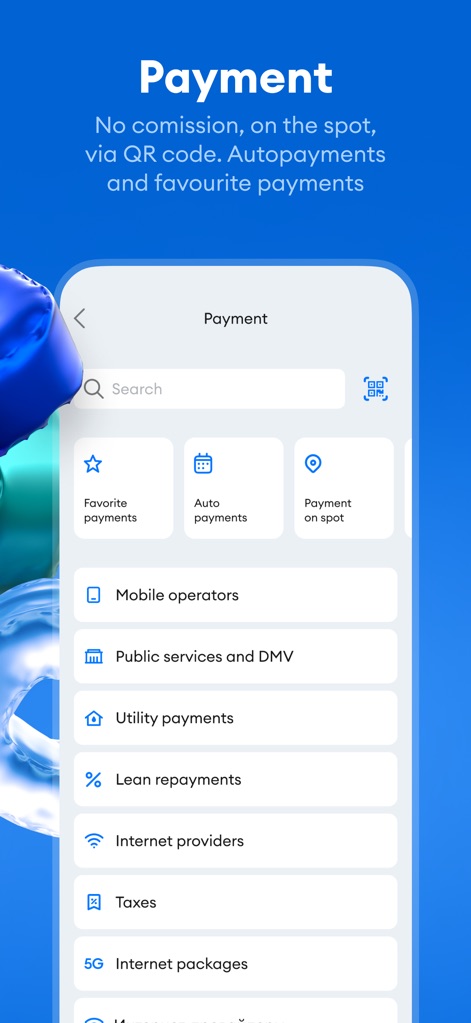
This screen highlights diverse payment categories like 'Utility payments' and convenient options such as 'Favorite payments' and 'Auto payments' for recurring transactions.
Effortless Payments
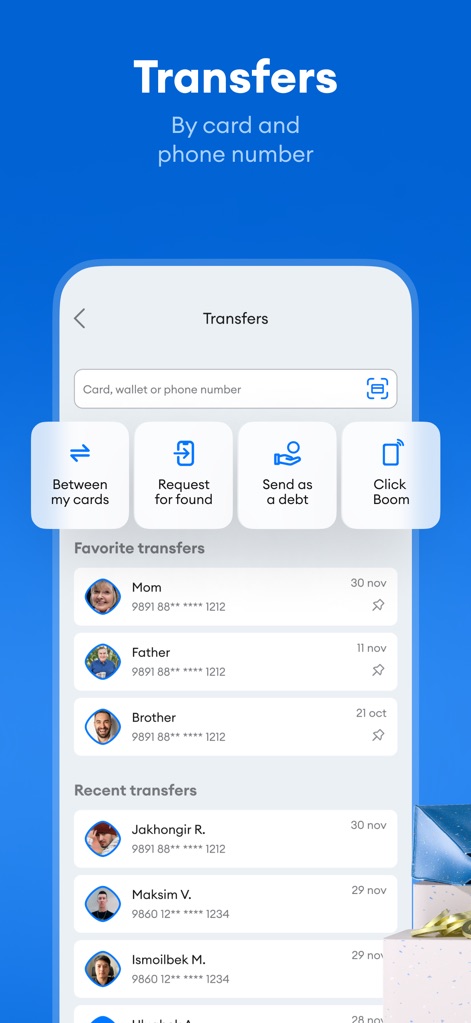
Users can navigate various transfer methods, including 'Between my cards' and 'Click Boom', alongside a readily available list of 'Favorite transfers' for quick transactions.
Seamless Transfers
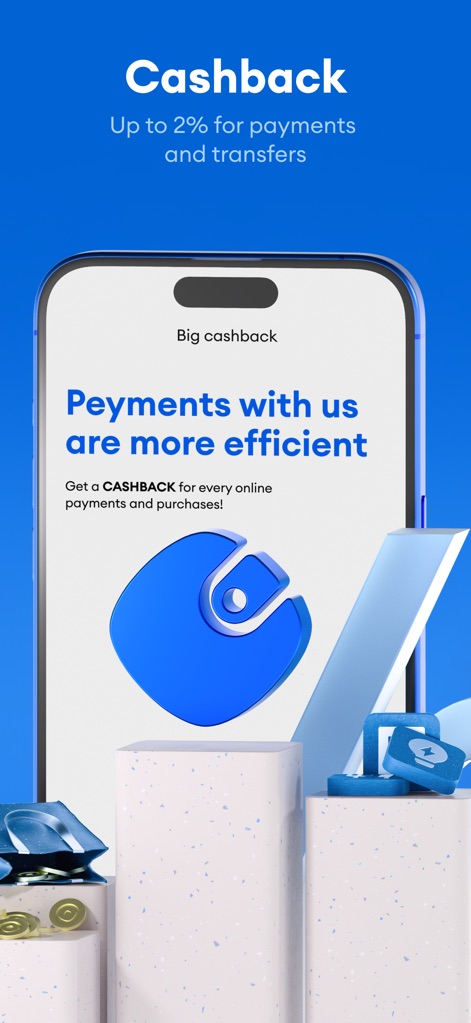
Discover the app's 'Big cashback' program, offering up to 2% for payments and transfers, illustrated by a visual emphasizing financial rewards and efficiency.
Rewarding Transactions

This dedicated 'Click Business' section provides administrators with payment insights through a detailed bar chart and allows monitoring of transactions across various terminals.
Business Management
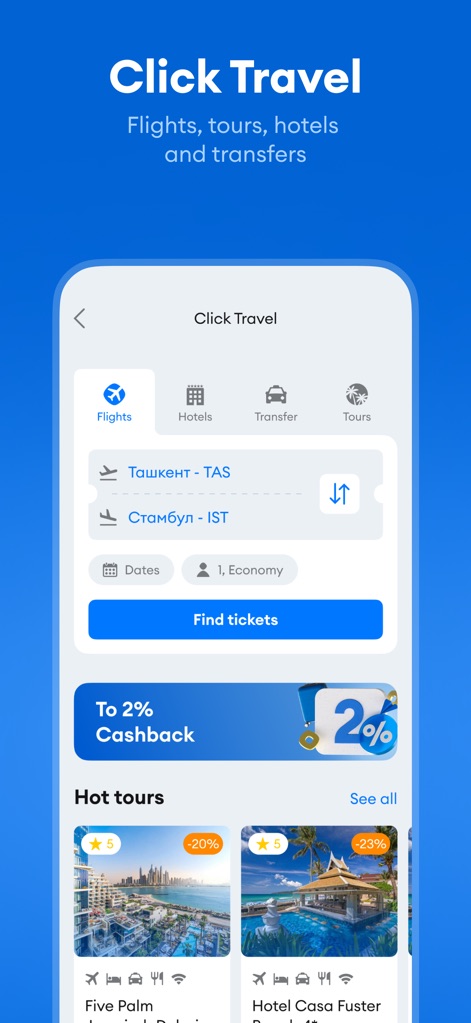
The 'Click Travel' feature allows users to easily search for 'Flights' and 'Hotels', offering a comprehensive solution for planning journeys directly within the app.
Integrated Travel
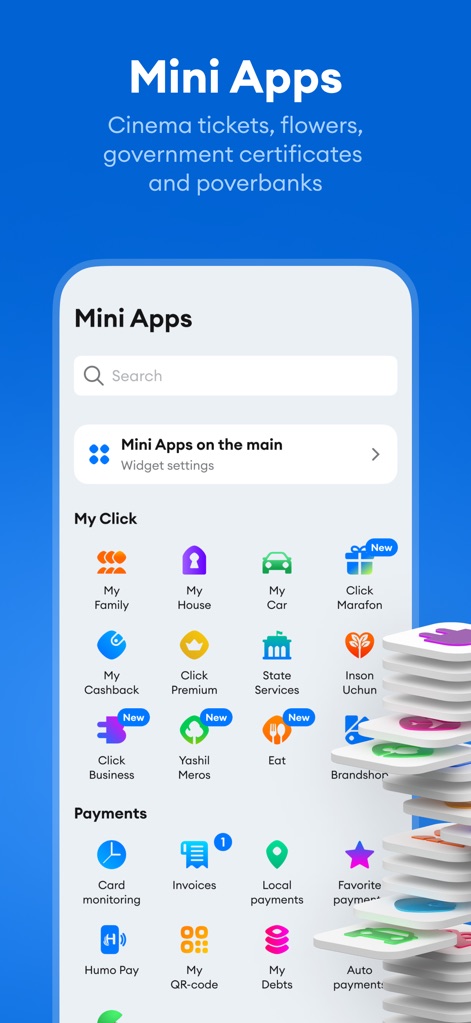
This view reveals the extensive 'Mini Apps' ecosystem, presenting a wide array of services from 'My Family' to 'State Services', enhancing the app's versatility.
Extended Functionality
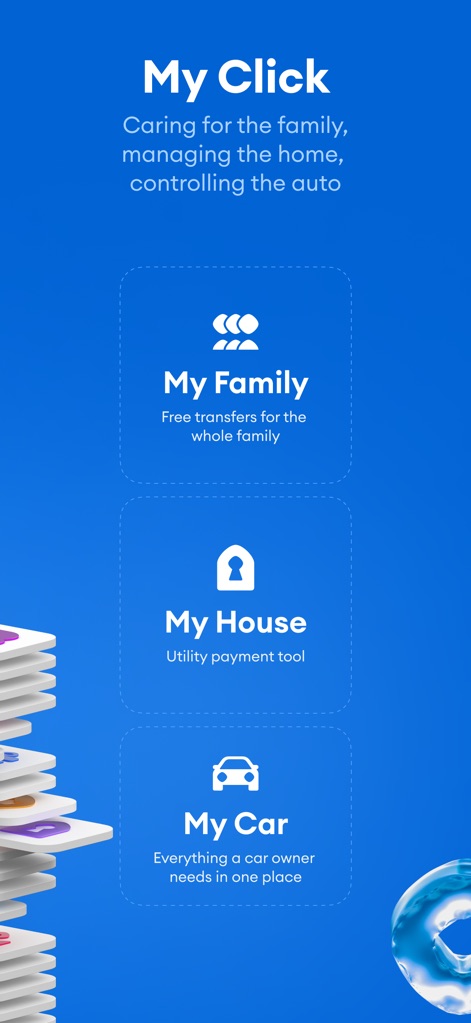
The 'My Click' section centralizes personal management with features like 'My Family' for transfers and 'My House' as a dedicated utility payment tool.
Personalized Tools
Description
Download
More Like This
Apps with similar features and user experience
MyCardWallet.
Blackhawk Network

UBS TWINT
UBS AG

EasyPay: mobile pay wallet app
Izi Soft, TOV
Mobily Pay
UNION DIGITAL FINANCIAL COMPANY

Monica - Pay, Send, Bills
MONICA TECHNOLOGIES LIMITED

Swish payments
Getswish AB

Vipps
Vipps MobilePay AS

Pulz - Digital Wallet
GoldenPay OJSC
MobilePay
Vipps MobilePay AS
This page is not an official page of the app or its developer, but an independent editorial publication created for informational and commentary purposes. Unless expressly stated otherwise, neither the app nor its developer is affiliated with, endorsed by, sponsored by, authorized by, or otherwise officially connected with MWM, Apple, Google Play, the app publisher, or the app's developer, and nothing on this page implies that the app was developed using MWM's services. Any trademarks, logos, screenshots, and other content remain the property of their respective owners.