
This page is not an official page of the app or its developer, but an independent editorial publication created for informational and commentary purposes. Unless expressly stated otherwise, neither the app nor its developer is affiliated with, endorsed by, sponsored by, authorized by, or otherwise officially connected with MWM, Apple, Google Play, the app publisher, or the app's developer, and nothing on this page implies that the app was developed using MWM's services. Any trademarks, logos, screenshots, and other content remain the property of their respective owners.


Swish payments
Finally, financial friction disappears. This app offers instant, secure transfers that redefine everyday payments.
Downloads
2.5M+User Rating
Total Ratings
28.2KPublisher
Category
FinanceLocales
2Latest Version
7.6Size
81.4 MBFirst Released
Oct 23, 2013An analytical overview of key functionalities driving user adoption and satisfaction in the Swedish mobile payment landscape.
Swish Payments: Core Features and Value Proposition
Peer-to-Peer Money Transfers
The app provides instant transfer of funds to friends, family, and other individuals directly via mobile phone, ideal for splitting bills.
Online & In-App Purchase Payments
It allows users to complete purchases quickly and securely on e-commerce sites and within mobile applications that offer Swish as a payment option.
Instant Direct Bank Transfers
This tool features immediate direct transfers, ensuring money is sent straight into the recipient’s bank account for quick settlement.
In-Store QR Code Payments
The app enables convenient contactless payment in physical stores through scanning QR codes, including options for product self-scanning.
Business & Charity Payments
It facilitates effortless payments to various companies and organizations, including seamless charitable donations.
Easy Bank Integration & Setup
The app offers a straightforward setup process, allowing users to easily connect their mobile phone number with their bank.
Frequently Asked Questions
Everything you need to know about Swish payments
How do I send money using Swish payments?
Swish payments enables sending money to friends, companies, and organizations directly into their bank accounts. Users input recipient details, amount, and a message, then confirm the payment, often using BankID.
Can I pay with Swish payments online or in apps?
Yes, users can pay with Swish payments when shopping online or in mobile applications. This is available from companies that offer Swish as a designated payment option within their platforms.
How do I get started with the Swish payments app?
To get started with Swish payments, users must contact their bank first. The bank connects their mobile phone number to Swish, after which the user activates the Swish payments application.
Does Swish payments support QR code scanning for payments?
Yes, Swish payments supports QR code scanning for payments in physical stores. Users can open the app and use the integrated scanner to complete transactions quickly.
Can I self-scan products in stores using Swish payments?
Yes, some stores offer self-scanning of products directly through the Swish payments app. This feature enables users to scan items and potentially skip traditional checkout queues.
How do I request money from others using Swish payments?
Yes, Swish payments allows users to request money from friends and family. The app displays received requests, which users can accept or decline, and provides an option to send new requests.
Can I include a personalized card with my Swish payments?
Yes, Swish payments users can include a personalized card with their payments. The app offers various card designs for different occasions, adding a personal touch to transactions.
Does Swish payments manage automatic payments?
Yes, Swish payments allows users to manage and control their automatic payments. The app provides an interface to view active and inactive permissions for different companies and services.
Are Swish payments secure?
Yes, Swish payments are secure. The app explicitly states "Swish your payments, fast and secure," and transactions often utilize BankID for authentication, ensuring protected money transfers directly to bank accounts.
The following screenshots and description are sourced directly from the app's official store listing and are the property of the app developer.
App Store
Screenshots
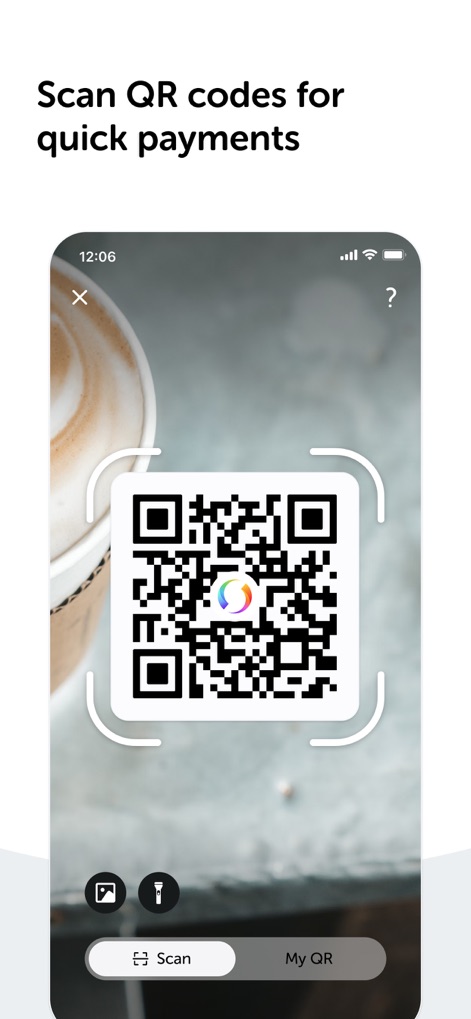
The app simplifies transactions by showcasing a prominent QR code scanner and intuitive 'Scan' and 'My QR' options.
Effortless QR Scanning

Users can conveniently self-scan items directly in stores, with the screenshot revealing the connected merchant name and interactive item quantity controls.
In-Store Self-Scan
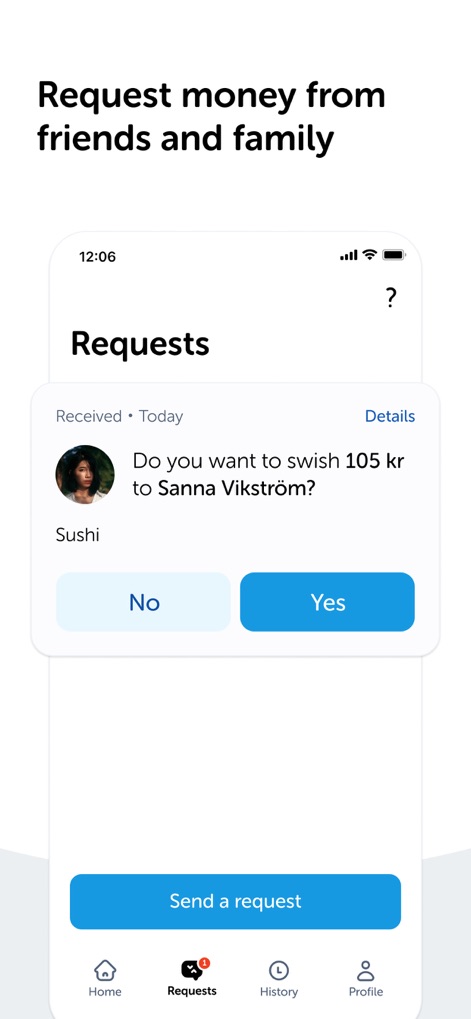
This tool facilitates peer-to-peer interactions, clearly displaying received money requests and providing direct 'No' and 'Yes' response buttons.
Seamless Money Requests
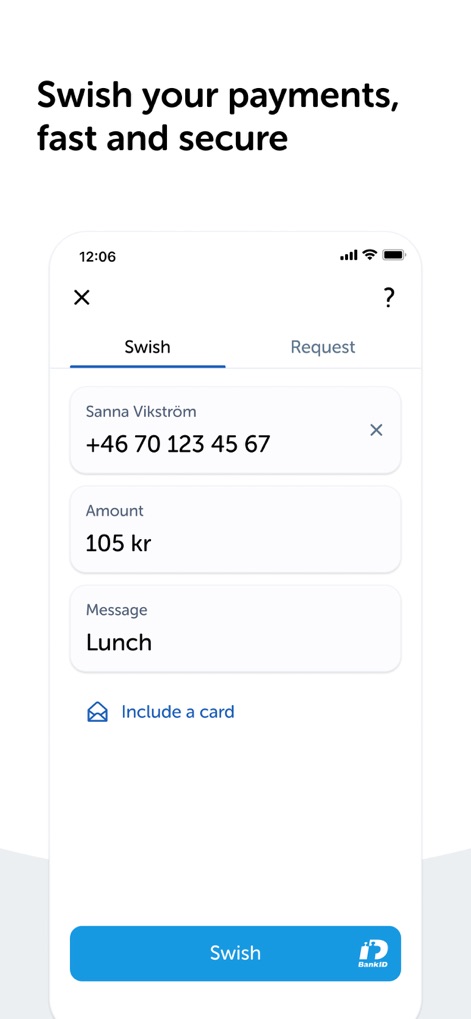
The app enables quick and secure payments, featuring clear input fields for recipient details and amounts, and integrating seamlessly with BankID for authentication.
Secure Direct Payments
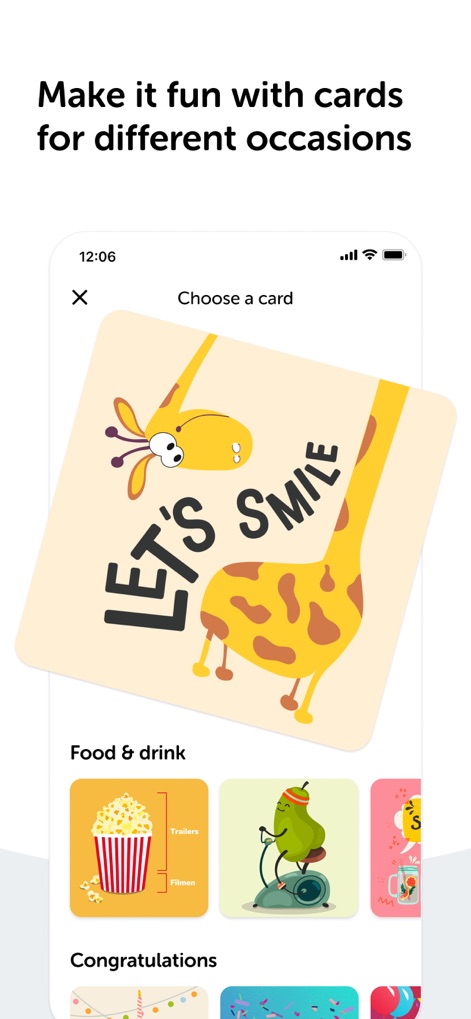
Users can personalize their payments, as shown by the 'Choose a card' interface and diverse card categories like 'Food & drink' and 'Congratulations'.
Personalized Payment Cards
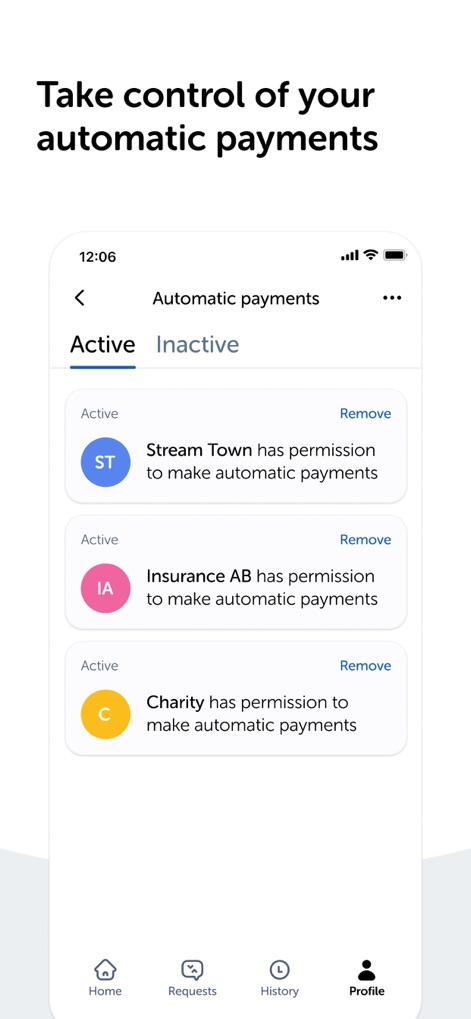
The app empowers users to manage recurring expenses through its dedicated 'Automatic payments' section, clearly listing active permissions for companies and organizations.
Manage Subscriptions Effortlessly
Description
Download
More Like This
Apps with similar features and user experience
MyCardWallet.
Blackhawk Network

Click SuperApp
Click LLC

UBS TWINT
UBS AG

EasyPay: mobile pay wallet app
Izi Soft, TOV
Mobily Pay
UNION DIGITAL FINANCIAL COMPANY

Monica - Pay, Send, Bills
MONICA TECHNOLOGIES LIMITED

Vipps
Vipps MobilePay AS

Pulz - Digital Wallet
GoldenPay OJSC
MobilePay
Vipps MobilePay AS
This page is not an official page of the app or its developer, but an independent editorial publication created for informational and commentary purposes. Unless expressly stated otherwise, neither the app nor its developer is affiliated with, endorsed by, sponsored by, authorized by, or otherwise officially connected with MWM, Apple, Google Play, the app publisher, or the app's developer, and nothing on this page implies that the app was developed using MWM's services. Any trademarks, logos, screenshots, and other content remain the property of their respective owners.