ClipCatch: Save & Edit Video
Download on App Store

This page is not an official page of the app or its developer, but an independent editorial publication created for informational and commentary purposes. Unless expressly stated otherwise, neither the app nor its developer is affiliated with, endorsed by, sponsored by, authorized by, or otherwise officially connected with MWM, Apple, Google Play, the app publisher, or the app's developer, and nothing on this page implies that the app was developed using MWM's services. Any trademarks, logos, screenshots, and other content remain the property of their respective owners.


Logo of ClipCatch: Save & Edit Video
Download on App Store

ClipCatch: Save & Edit Video

Grab high-quality, watermark-free clips from TikTok, Instagram, and the web. Trim, edit, and curate your content library for viral reposting or offline viewing with total creative freedom.

Key Figures

Downloads

19K+

User Rating

4.6/5

Total Ratings

700

Publisher

Vu Van Phong

Category

Social Networking

Locales

1

Latest Version

1.2

Size

140.5 MB

First Released

Jul 23, 2024
Features

Your Ultimate Video Creative Hub

The all-in-one toolkit for curators and creators to capture, polish, and archive the best of the web without limits or watermarks.

Universal Content Capture

Instantly grab high-quality videos from TikTok, Instagram, YouTube, or any website with zero watermarks and total freedom.

Direct-to-Edit Workflow

Skip the export-import dance. Use our built-in tools to trim and cut your clips so they are social-ready in seconds.

The following screenshots and description are sourced directly from the app's official store listing and are the property of the app developer.

App Store

Screenshots
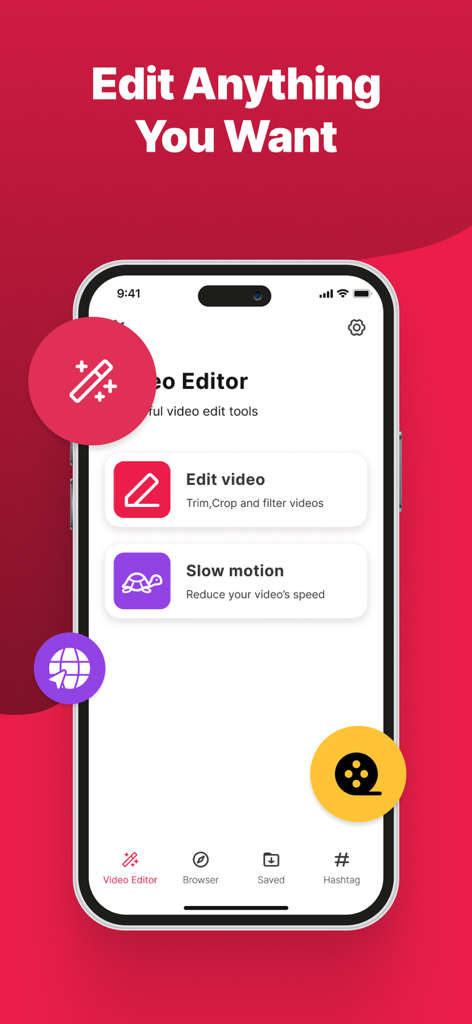
ClipCatch: Save & Edit Video - Interface of the ClipCatch video editor showing options to trim crop filter and add slow motion effects to videos
Interface of the ClipCatch video editor showing options to trim crop filter and add slow motion effects to videos

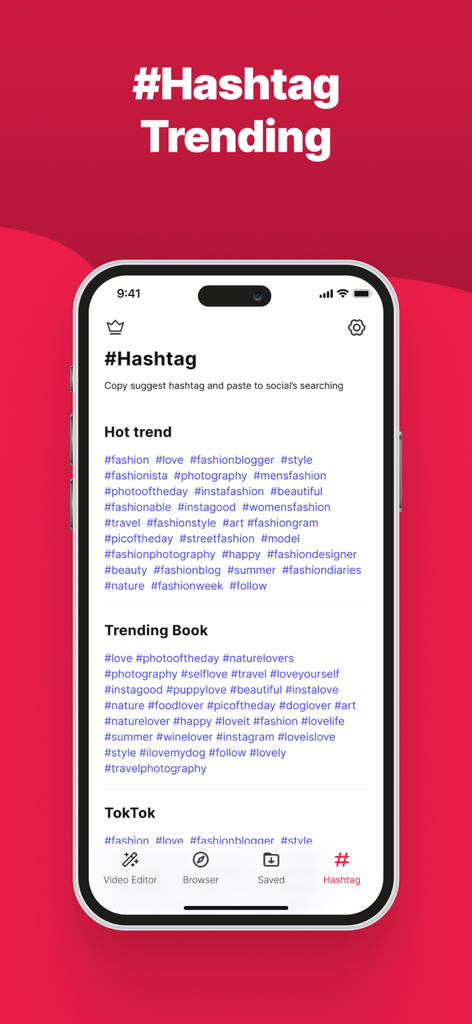
ClipCatch: Save & Edit Video - ClipCatch app interface displaying lists of trending hashtags for social media discovery and content growth.
ClipCatch app interface displaying lists of trending hashtags for social media discovery and content growth.

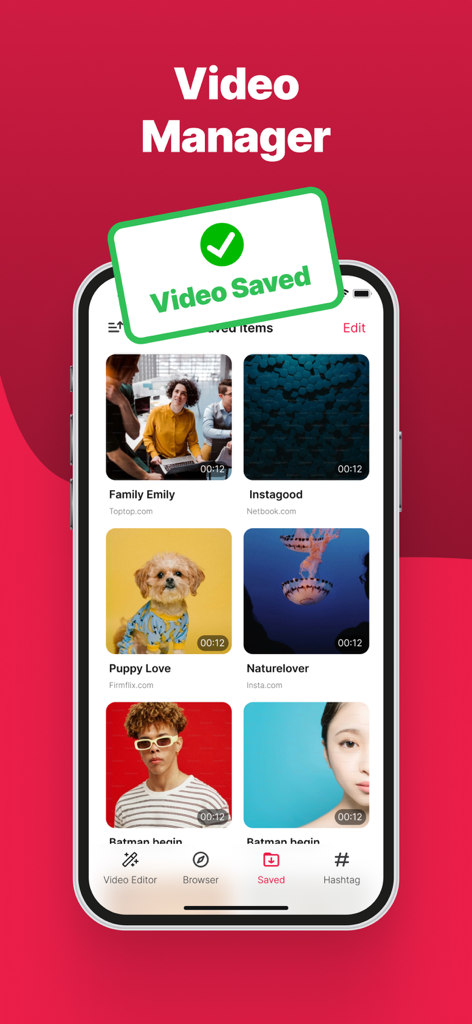
ClipCatch: Save & Edit Video - A mobile interface of the ClipCatch app showing a library of saved videos with a green video saved notification.
A mobile interface of the ClipCatch app showing a library of saved videos with a green video saved notification.

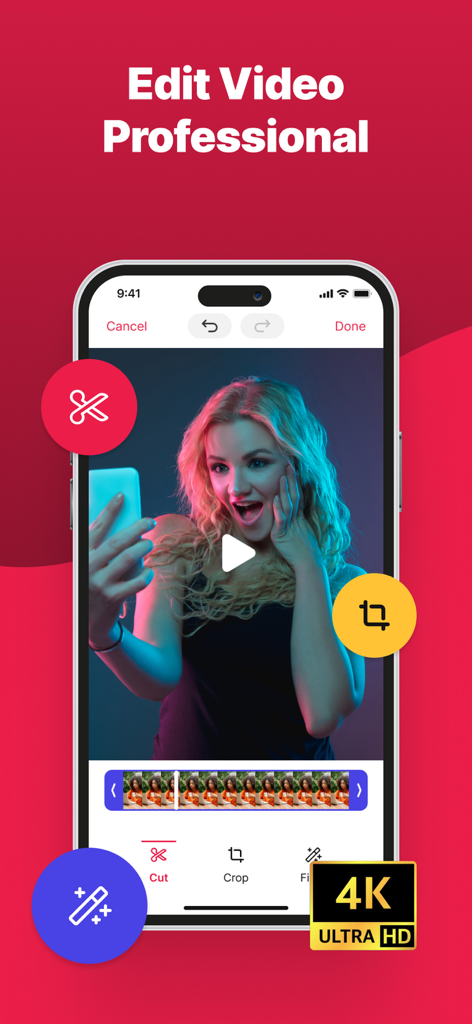
ClipCatch: Save & Edit Video - ClipCatch mobile app interface showing professional video editing tools and 4K Ultra HD quality
ClipCatch mobile app interface showing professional video editing tools and 4K Ultra HD quality

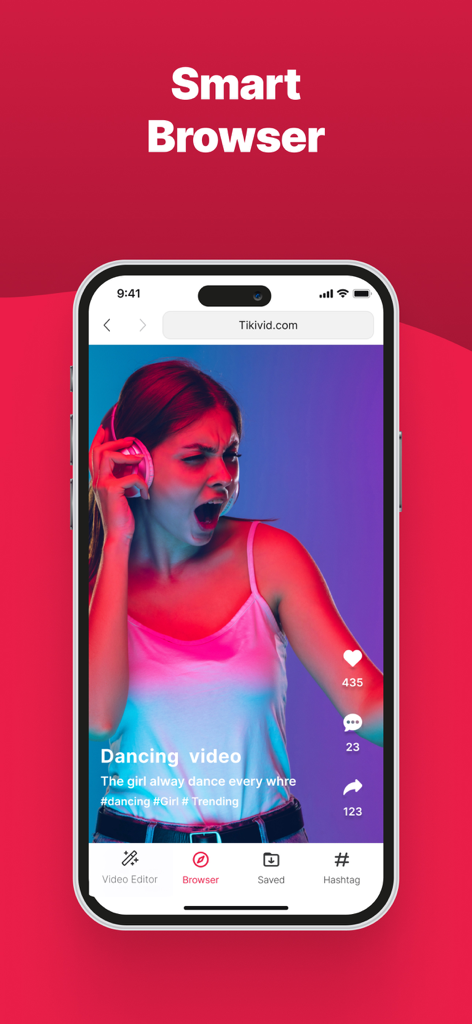
ClipCatch: Save & Edit Video - ClipCatch app interface showing the smart browser feature for saving videos from any website

ClipCatch app interface showing the smart browser feature for saving videos from any website

Description

Tired of video editing apps with limited features? ClipCatch is your one-stop platform. Save high-quality videos and explore its potential editing tools to create the perfect clip! ClipCatch: The All-in-One Video Editor & Saver You've Been Waiting For! FLEXIBLE VIDEO EDITOR & TRENDING HASHTAG: - Built-in Video Editor: Edit your saved videos directly within ClipCatch. Trim unwanted sections, cut clips together, and enhance them for a more polished look. - Trending Hashtag: Discover endless videos by following trending hashtags and find exactly what you're looking for. THE ULTIMATE SOCIAL MEDIA VIDEO SAVER: Say goodbye to limitations! ClipCatch empowers you to save videos from all your favorite social media platforms, including: - Instagram - YTB - TikTok - And many more social networks and websites! UNCOMPROMISING QUALITY ClipCatch doesn't compromise. We offer the best of both worlds when it comes to video saving: - Flexible Video Saver: We understand that one size doesn't always fit all. ClipCatch offers a range of resolution options to fit your specific needs when it comes to video-saving. SAVE VIDEOS DIRECTLY FROM THE WEB - ClipCatch - Our Powerful Video Saver isn't confined to social media platforms. Conquer the web and save videos directly from any website! - Found that perfect tutorial, hilarious clip, or captivating documentary online? ClipCatch, the ultimate video saver, lets you save it for offline viewing at your convenience, ensuring you can enjoy your favorite web content anytime, anywhere. ClipCatch - MORE THAN JUST A VIDEO SAVER - Simple and Intuitive User Interface: ClipCatch boasts a user-friendly interface that makes saving videos a breeze. The intuitive design allows you to navigate the app effortlessly and find the features you need quickly. - Seamless Integration: Enjoy a smooth and effortless video saving experience within the app. ClipCatch integrates seamlessly with various platforms and websites, making the saving process quick and efficient. - Offline Viewing: Watch your saved videos anytime, anywhere, even without an internet connection. - Multiple File Format Support: Save videos in various formats compatible with most devices for maximum playback flexibility. - Fast Video Saver Speeds: Experience blazing-fast saving speeds with our powerful video saver to save your favorite videos in no tim Install "ClipCatch - Video Saver & Editor" today and unlock a world of crystal-clear, watermark-free video possibilities! Terms of service: https://fitnesstrainingglobal.com/terms_conditions.html Privacy policy: https://fitnesstrainingglobal.com/privacy_policy.html

Download

Download on App Store

This page is not an official page of the app or its developer, but an independent editorial publication created for informational and commentary purposes. Unless expressly stated otherwise, neither the app nor its developer is affiliated with, endorsed by, sponsored by, authorized by, or otherwise officially connected with MWM, Apple, Google Play, the app publisher, or the app's developer, and nothing on this page implies that the app was developed using MWM's services. Any trademarks, logos, screenshots, and other content remain the property of their respective owners.