ClipIt - Video Maker & Editor
Download on App Store

This page is not an official page of the app or its developer, but an independent editorial publication created for informational and commentary purposes. Unless expressly stated otherwise, neither the app nor its developer is affiliated with, endorsed by, sponsored by, authorized by, or otherwise officially connected with MWM, Apple, Google Play, the app publisher, or the app's developer, and nothing on this page implies that the app was developed using MWM's services. Any trademarks, logos, screenshots, and other content remain the property of their respective owners.


Logo of ClipIt - Video Maker & Editor
Download on App Store

ClipIt - Video Maker & Editor

Turn your phone into a professional studio. Enhance quality with AI upscaling, master velocity edits, and add cinematic 3D transitions in just one tap.

Key Figures

Downloads

0

User Rating

4.7/5

Total Ratings

0

Publisher

PINAR KOCAK

Category

Photo & Video

Locales

16

Latest Version

6.0.4

Size

173.7 MB

First Released

Apr 28, 2021
Features

Create Viral-Ready Content in Seconds

From AI-powered enhancements to cinematic transitions, ClipIt gives you the pro tools needed to dominate TikTok and Reels—all processed privately on your device.

AI-Powered Perfection

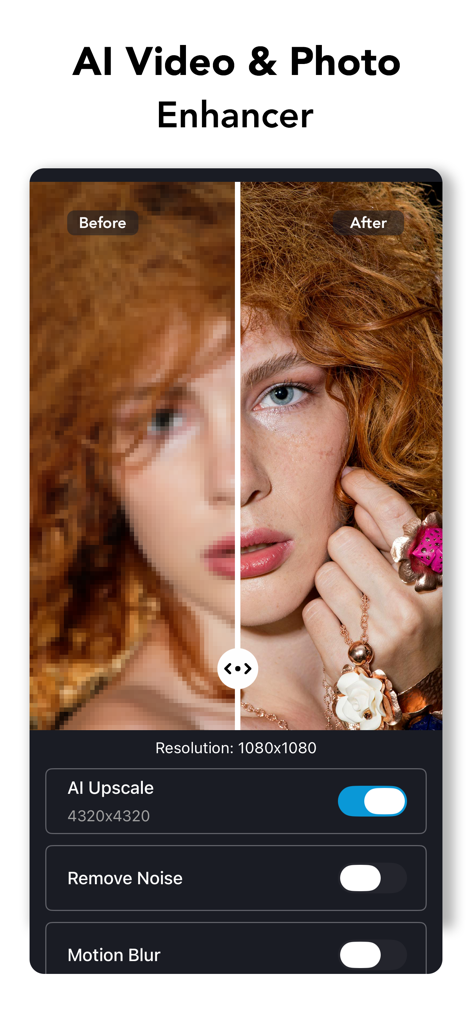
Instantly upscale video quality, remove noise, and fix flickering. Turn low-light mobile clips into polished, professional footage with one tap.

Cinematic Effects & Transitions

Master the latest trends with 3D morph transitions, curved speed velocity, and 20X super slow-mo that make your edits stand out in a crowded feed.

The following screenshots and description are sourced directly from the app's official store listing and are the property of the app developer.

App Store

Screenshots
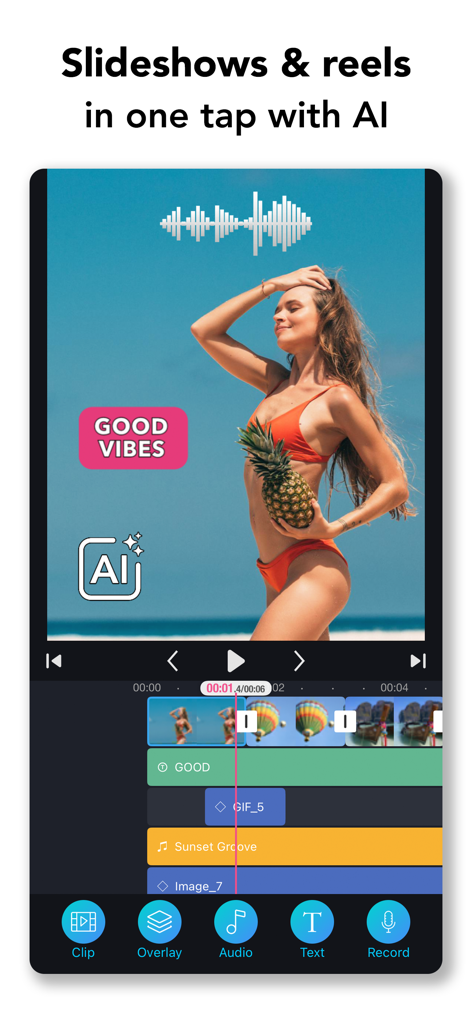
ClipIt - Video Maker & Editor - Mobile video editing interface of ClipIt app showing AI-powered reel creation with a beach video and multi-track timeline.
Mobile video editing interface of ClipIt app showing AI-powered reel creation with a beach video and multi-track timeline.

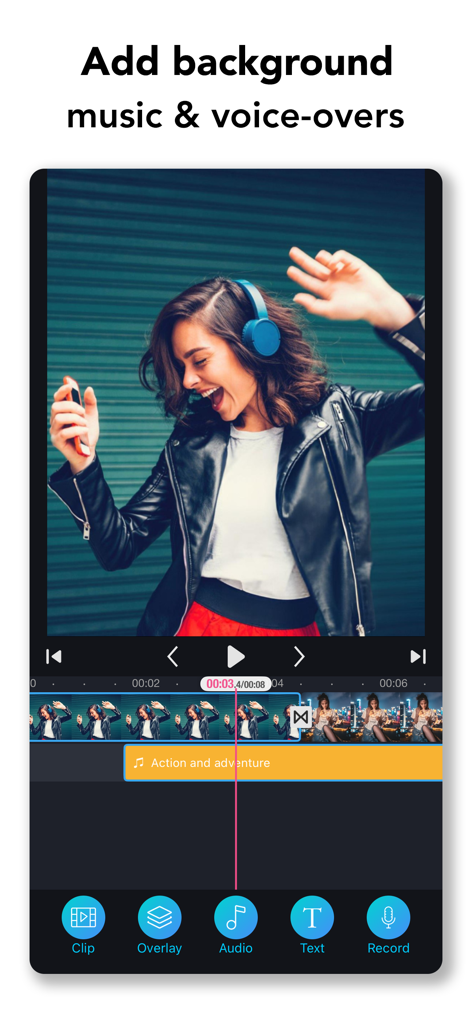
ClipIt - Video Maker & Editor - ClipIt video editor interface showing the feature to add background music and voice-overs to clips.
ClipIt video editor interface showing the feature to add background music and voice-overs to clips.

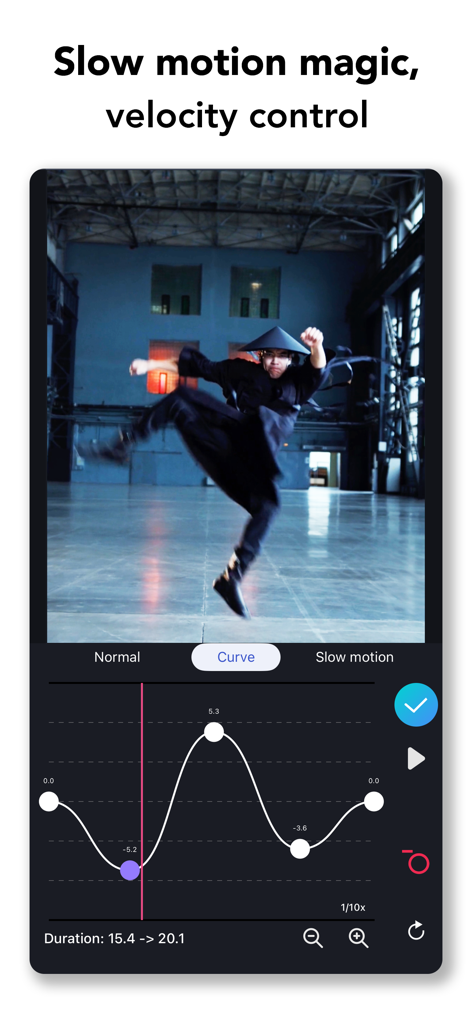
ClipIt - Video Maker & Editor - ClipIt app interface showing the custom velocity curve tool for editing professional slow motion video effects
ClipIt app interface showing the custom velocity curve tool for editing professional slow motion video effects

ClipIt - Video Maker & Editor - ClipIt app interface showing AI video and photo enhancement with a before and after comparison of a portraits quality
ClipIt app interface showing AI video and photo enhancement with a before and after comparison of a portraits quality

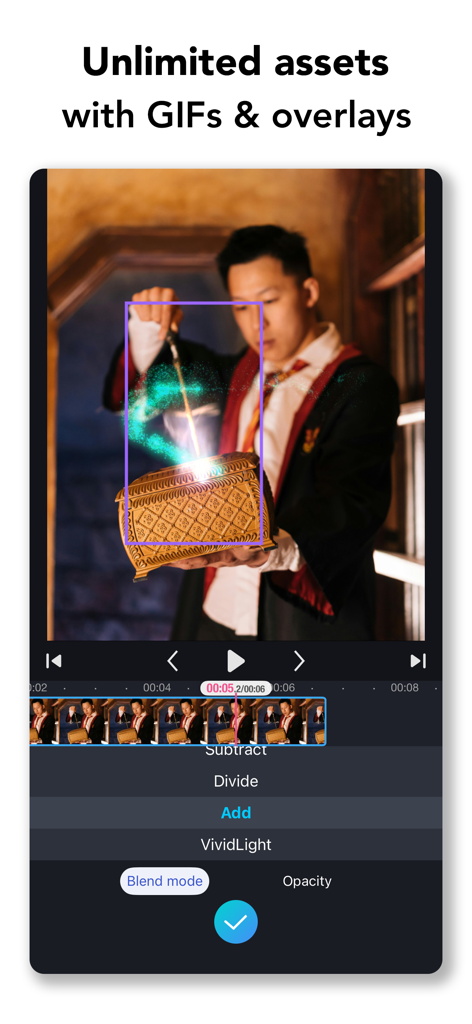
ClipIt - Video Maker & Editor - ClipIt video editing interface displaying a magical glow overlay effect on a video clip.
ClipIt video editing interface displaying a magical glow overlay effect on a video clip.

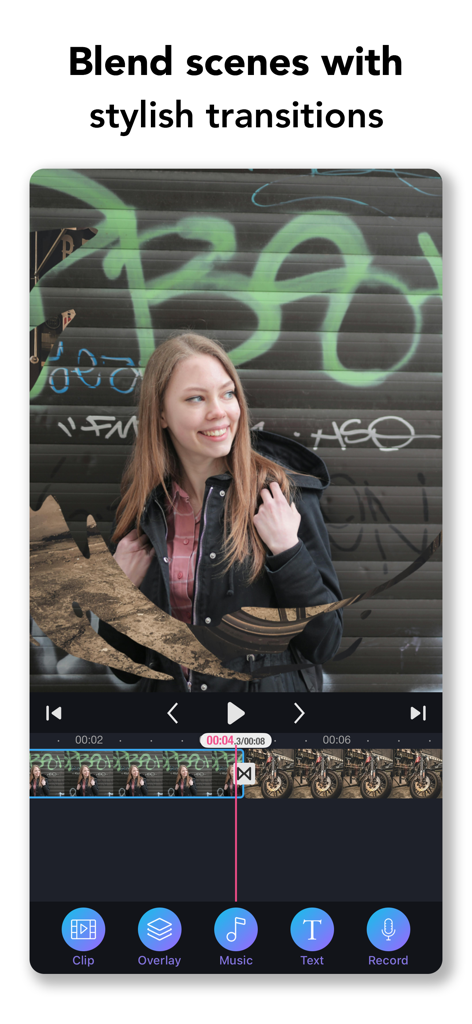
ClipIt - Video Maker & Editor - Video editing interface showing stylish transitions between clips in the ClipIt app.
Video editing interface showing stylish transitions between clips in the ClipIt app.

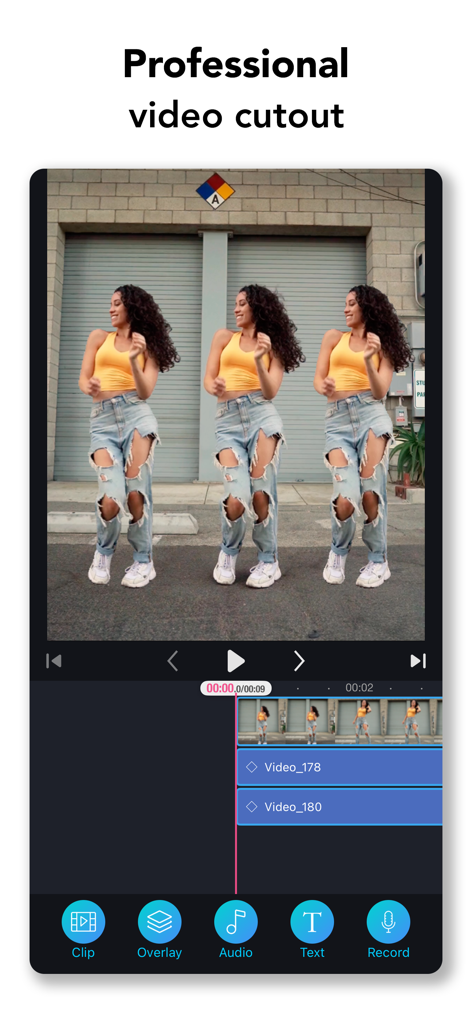
ClipIt - Video Maker & Editor - ClipIt video editing app interface showing professional cutout and person cloning effect on a multi-layer timeline
ClipIt video editing app interface showing professional cutout and person cloning effect on a multi-layer timeline

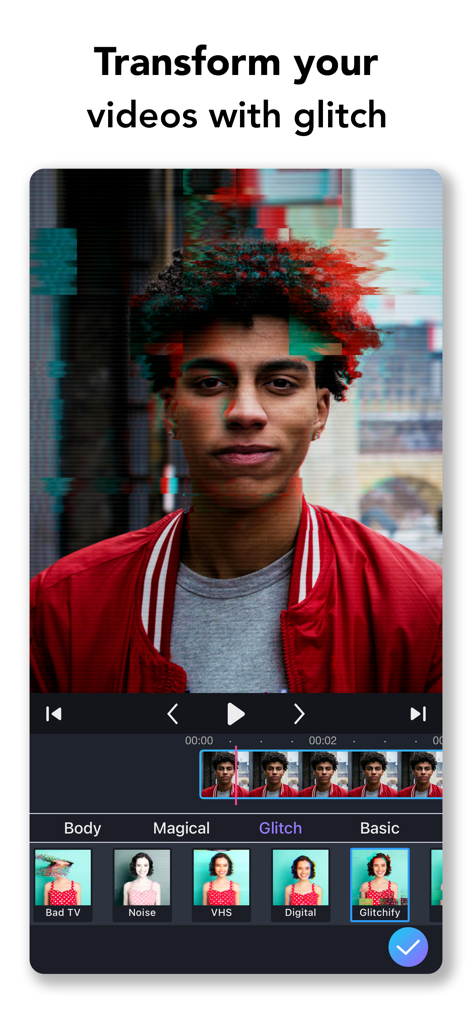
ClipIt - Video Maker & Editor - ClipIt video editor interface showing a person with a digital glitch filter and various editing tools
ClipIt video editor interface showing a person with a digital glitch filter and various editing tools

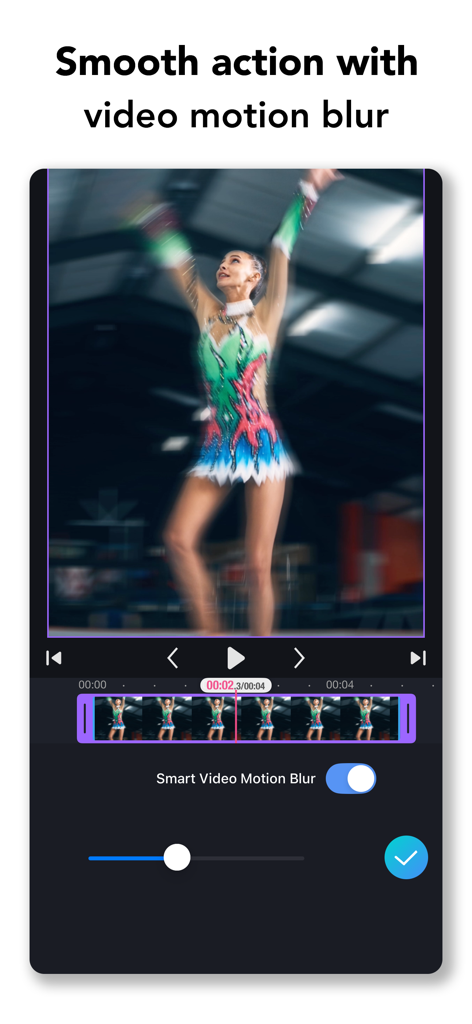
ClipIt - Video Maker & Editor - ClipIt app interface showing smart video motion blur effect applied to a rhythmic gymnast video
ClipIt app interface showing smart video motion blur effect applied to a rhythmic gymnast video

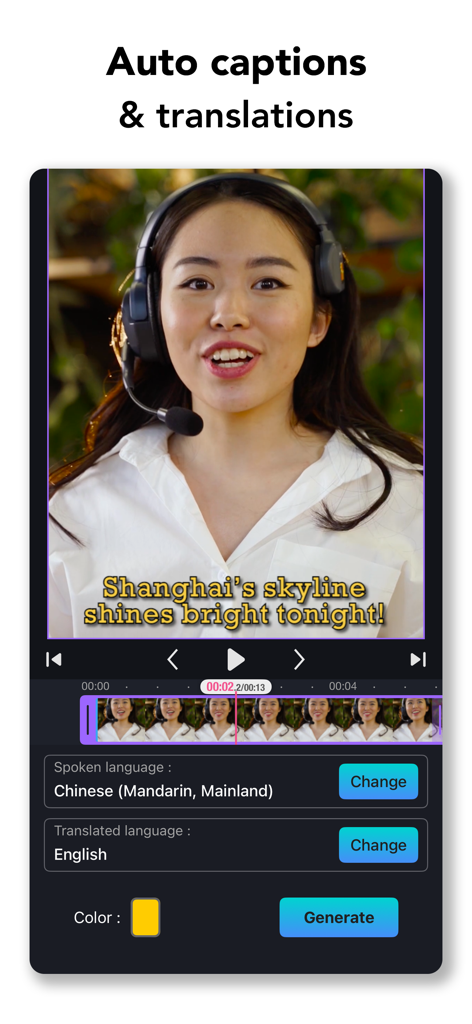
ClipIt - Video Maker & Editor - ClipIt app interface showing auto captions and language translation features for video editing

ClipIt app interface showing auto captions and language translation features for video editing

Description

ClipIt makes video editing simple, fun, and powerful for everyone. Whether you want to add music to your clips, create a slideshow from photos, make funny memes, or boost video quality with AI, ClipIt gives you everything in one easy app. Easy to use, yet packed with premium tools, it’s the fastest way to turn your ideas into amazing videos. Awesome Features: Video Editor • Enhance your photos and videos with AI-powered tools: AI Upscale, Remove Noise, Motion Blur, and Increase Frame Rate. Requires iOS 26 or later. • Auto reels are generated by AI in seconds – instantly ready to share. • All processing, including AI enhancements, happens on your device — your privacy is protected. • Auto captions & translations. • Flip photo or video. • Crop photo or video. • Use volume control and fading options for your videos. • Trim video. • iCloud Projects. • Flicker removal with video deflicker. • Cut / Delete middle part of a video. • Adjust video speed up to 40X change. • Use creative transitions like morph transition and 3d transitions for your edits. • Add overlays from overlay library with various blending options. • Remove background from photo and video. • Super slow motion effect up to 20X speed change. • Adjust pixels with color correction effects. • Use motion effects and glitches for magical slideshow videos. • Adjust curved speed video velocity. • Use body vision foreground effects for impressive videos. • Best slow motion video editor on mobile ! • Use Smart Video Motion Blur feature to blur videos by motion. Music, Sound effects & Voice-overs • Add background musics & sound effects to video. • Over 250+ background musics & 100+ sound effects. • Add extracted sounds from your videos. • Add your iTunes musics. • Add voice-overs to your slide show video. • Easy to sync sound and video, with timeline features. • Auto fade your background music with a single tap! Text & Emoji • Add text on video and photo with impressive text attributes. • Add emoji on video and photo. • Use awesome in and out animations for your cap texts. Easily Share / Save Your Video • Share right to YouTube, Instagram, TikTok, Facebook, WhatsApp, Mail, CapCut, Messages, and more. • Save videos to your camera roll. • Create right video for your needs with customizable output resolution and quality. Privacy Policy: https://www.clipit.is/privacy-policy.html Terms of Use: https://www.clipit.is/terms-of-use.html

Download

Download on App Store

This page is not an official page of the app or its developer, but an independent editorial publication created for informational and commentary purposes. Unless expressly stated otherwise, neither the app nor its developer is affiliated with, endorsed by, sponsored by, authorized by, or otherwise officially connected with MWM, Apple, Google Play, the app publisher, or the app's developer, and nothing on this page implies that the app was developed using MWM's services. Any trademarks, logos, screenshots, and other content remain the property of their respective owners.