
ClipKey


The ultimate text expander for busy professionals. Create personalized keyboard shortcuts for your emails, addresses, and canned responses to communicate faster on any app.
Publisher
Category
ProductivityDownloads
75K+User Rating
Total Ratings
0Locales
1Discover the interface used by 75K+ users.
The tools that make this app stand out, trusted by 75K+ users.
Turn long emails, physical addresses, and complex links into custom keys for instant, error-free communication.
Maintain lightning-fast responsiveness by storing your FAQs and sales templates as ready-to-use snippets.
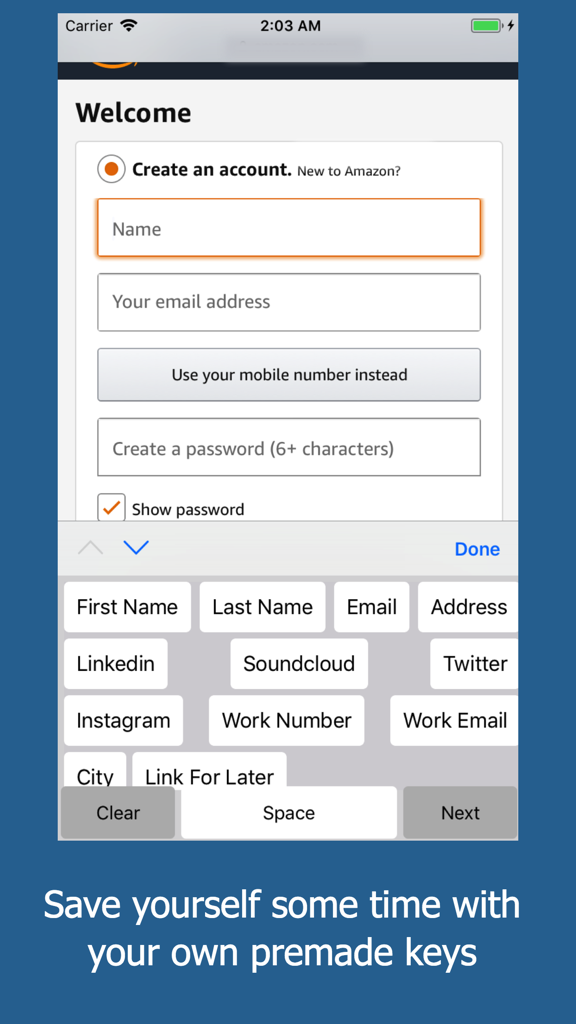
Works directly inside Slack, LinkedIn, and WhatsApp—no more switching back and forth to your notes app.
Everything you need to know about ClipKey.
Description
Latest Version
1.1
Size
17.4 MB
First Released
Nov 20, 2017
Join 75,000+ efficiency-focused professionals and turn your most repetitive phrases into one-tap shortcuts. Download ClipKey now and reclaim your time.
Everything you need to know about ClipKey
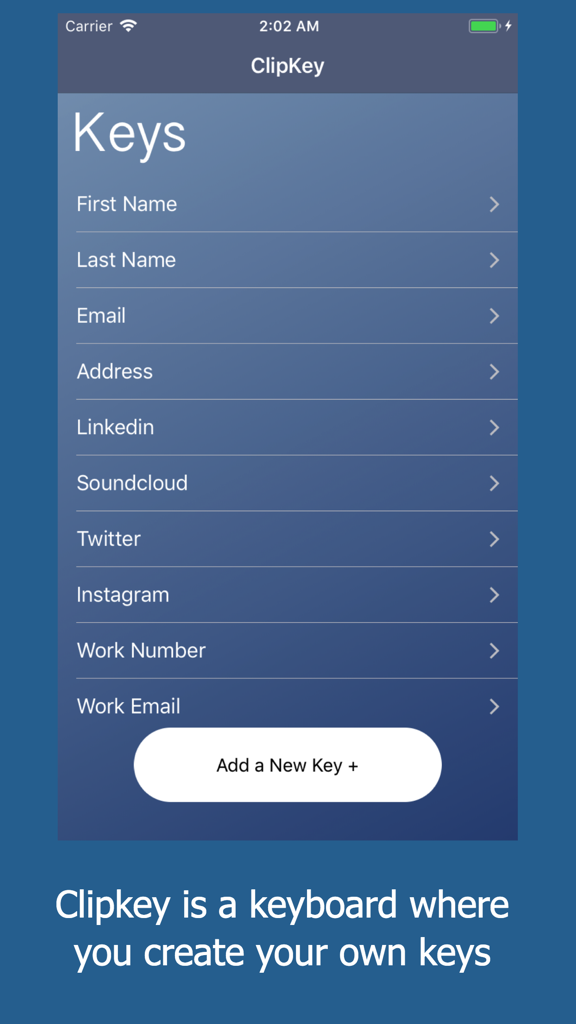
ClipKey is a keyboard application that allows users to create custom keys for words or phrases they frequently type. It enables single-tap insertion of pre-saved content.
ClipKey helps users type faster by letting them create custom keys for entire words or phrases. Users can insert their whole email or address in one click.
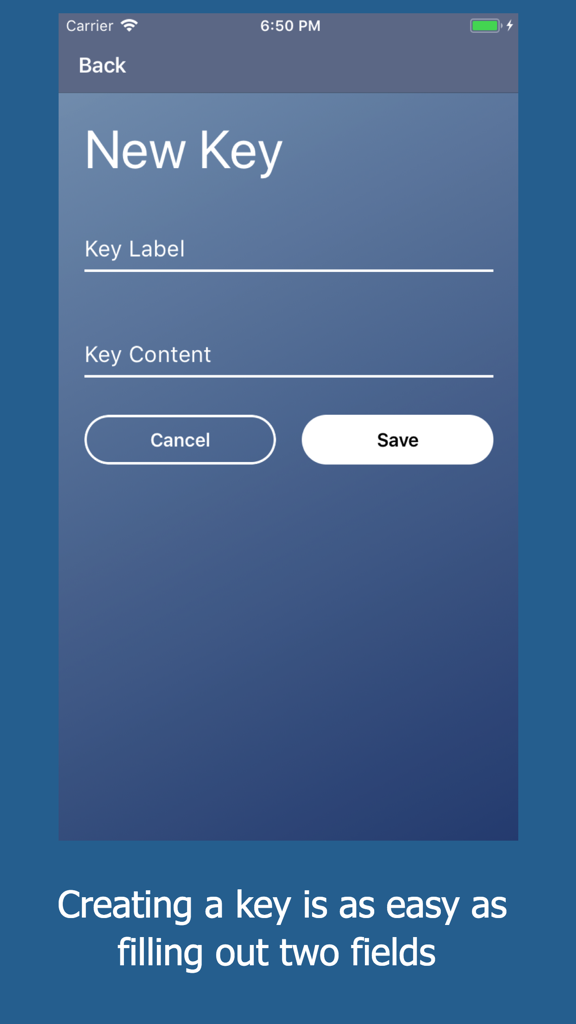
Yes, users can add new custom keys to ClipKey. The process involves defining a "Key Label" and corresponding "Key Content" on the "New Key" screen.
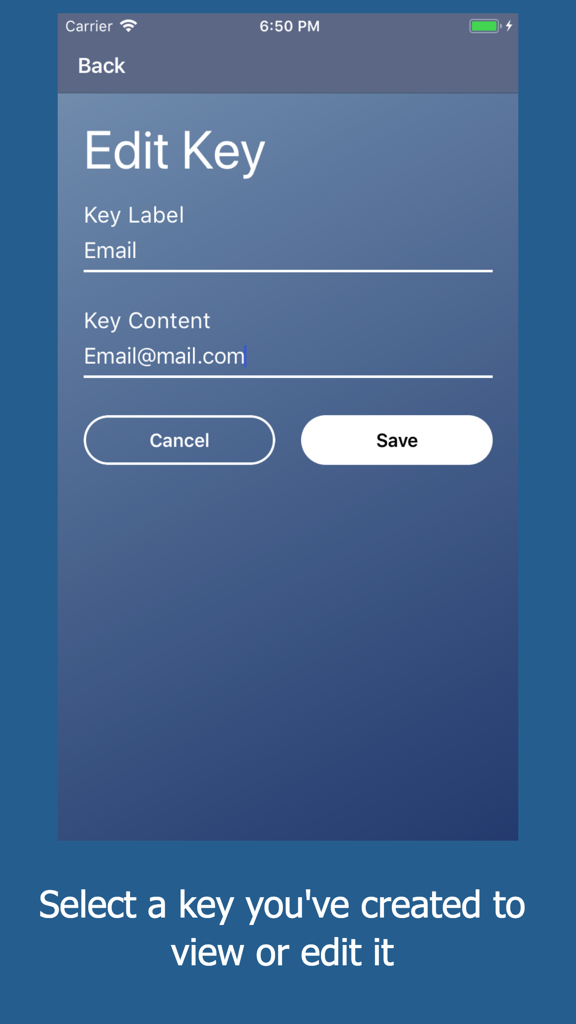
Users modify a key in ClipKey by selecting it from the "Keys" list. This opens the "Edit Key" screen, where they can change the "Key Label" or "Key Content" and save.
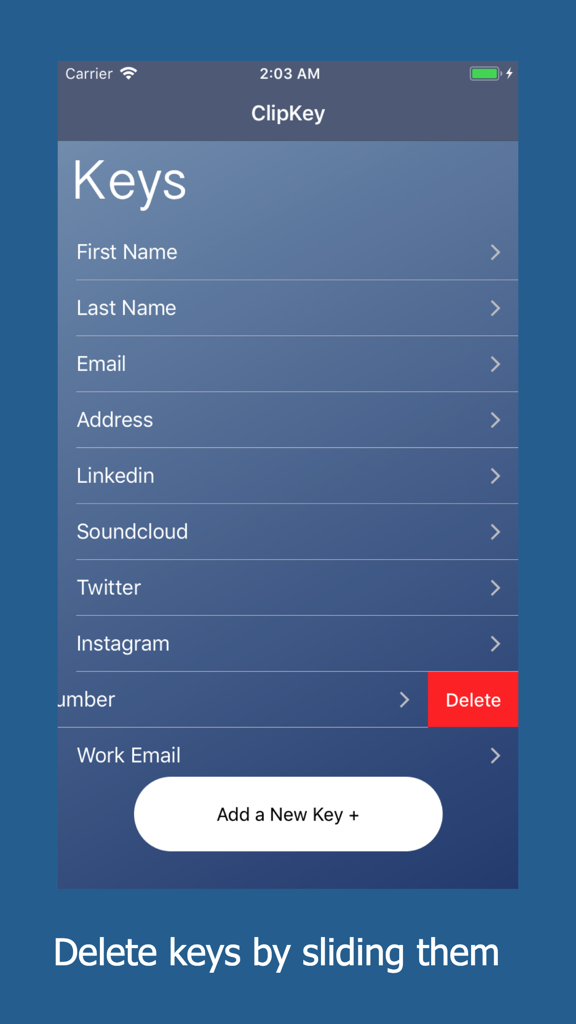
ClipKey stores various data types in custom keys, including personal details like first names, last names, emails, addresses, and professional contacts such as work numbers and emails.
Users delete a custom key from ClipKey by sliding the key entry to the left on the "Keys" list screen. This action reveals a "Delete" button, which removes the key.
Top-ranked apps in the same category

OpenAI OpCo, LLC

Google LLC

X.AI Corporation

Google LLC

Shanghai Zhixin Puhui Technology Co., Ltd.

Google LLC

Microsoft Corporation

Google LLC

Google LLC
App information, icons, screenshots, and descriptions displayed on this page are sourced from the Apple App Store and are the property of their respective developers. Download estimates and rankings are based on MWM's proprietary models and may not reflect actual figures. This page is provided for informational and analytical purposes only.
Believe this page infringes your intellectual property? File a dispute