Clock In-&-Out

Clock In-&-Out

Logo of Clock In-&-Out

Clock In-&-Out: The Simplest Way to Track Team Hours on One Shared Device

Ditch the paper sheets and complex subscriptions. Our no-nonsense time clock works entirely offline with no accounts required—perfect for small businesses, volunteers, and community organizers.

Publisher

FiveIron Software, LLC

Category

Utilities

Downloads

0

User Rating

1.0/5

Total Ratings

0

Locales

1

Simplicity in Action

Discover the interface used by 0 users.
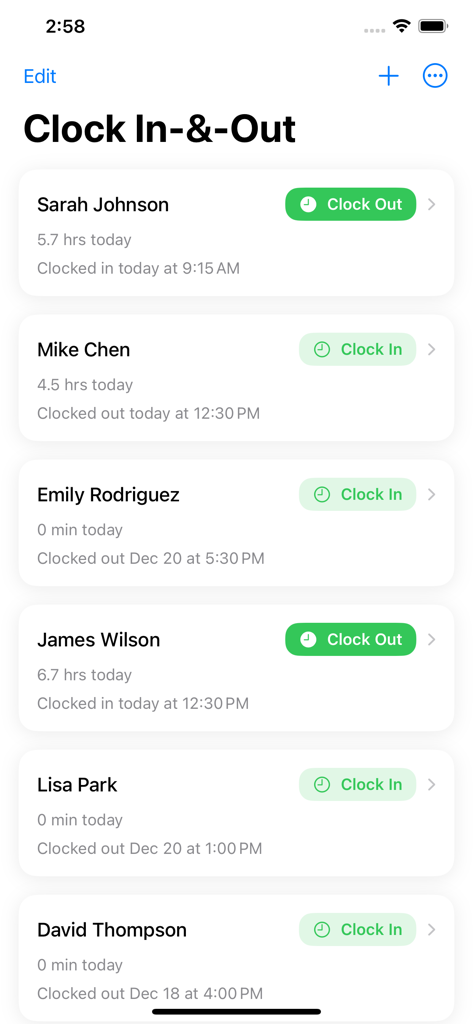
Interface of the Clock In-and-Out app displaying a list of staff members with clock in and clock out buttons

Interface of the Clock In-and-Out app displaying a list of staff members with clock in and clock out buttons

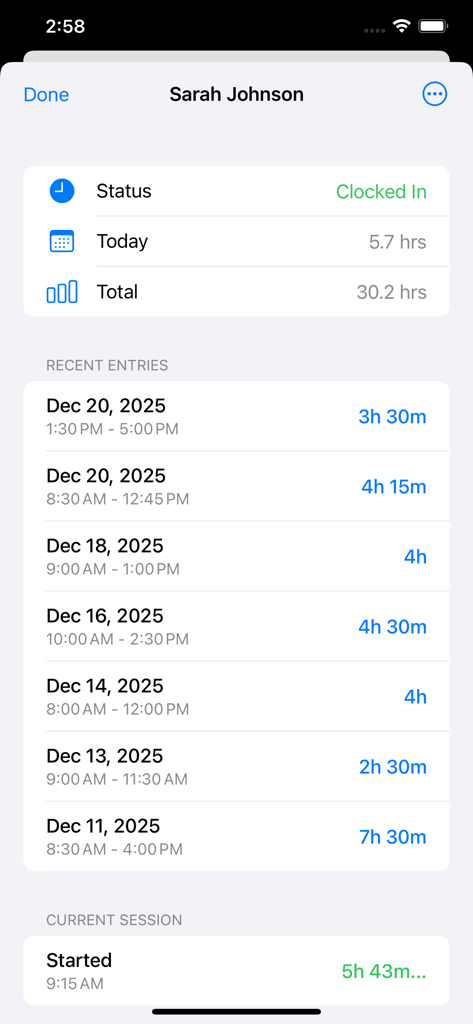
A detailed view of an individual employee's time tracking dashboard showing total hours and a list of recent entries.

A detailed view of an individual employee's time tracking dashboard showing total hours and a list of recent entries.

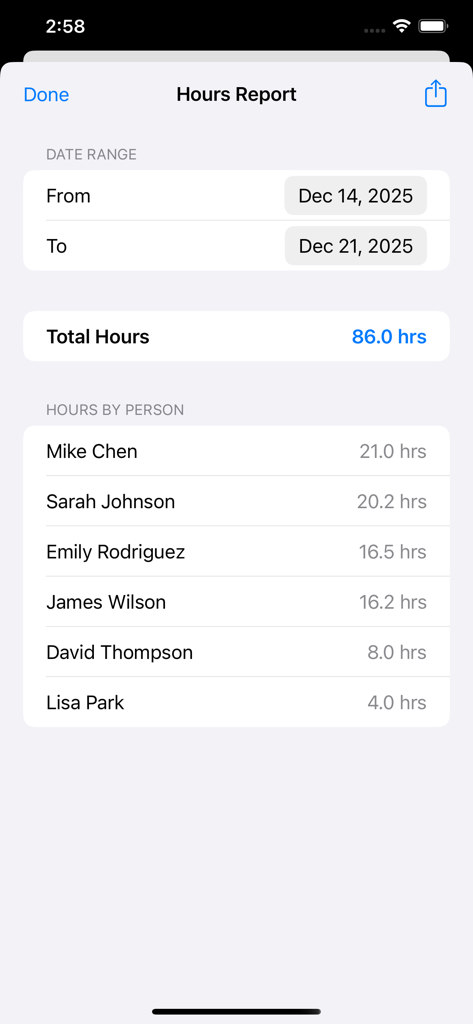
Hours report screen showing total hours worked by team members over a specific date range

Hours report screen showing total hours worked by team members over a specific date range

Streamline Your Team's Day

The tools that make this app stand out, trusted by 0 users.

👆

Instant, One-Tap Tracking

No complex menus or forgotten passwords. Just tap to clock in and out on a single shared device, exactly like a digital sign-in sheet.

🔒

Privacy-First & Offline

No accounts to create and no internet required. All data stays securely on your device, ensuring reliability even in remote locations.

📁

Seamless CSV Exports

Save hours of manual math. Export summary or detailed reports directly to your email or spreadsheet app for easy, stress-free payroll.

About the app

Everything you need to know about Clock In-&-Out.

Description

Clock In-&-Out is a simple time clock app designed for managers who need to track hours for a team on a single shared device. Perfect for volunteer coordinators, small business owners, event managers, or anyone who needs straightforward time tracking without the complexity. Perfect for: - Volunteer organizations and nonprofits - Small businesses and shops - Event staff management - Church groups and community organizations - Sports team volunteers - Food banks and shelters - Any group that needs simple hour tracking Features: - Add people and track their hours with a single tap - Clock in and out with instant visual feedback - See today's hours at a glance for each person - View complete time entry history - Export hours as CSV for spreadsheets - Summary export (totals per person) - Detailed export (every clock in/out entry) - Reorder and organize your team list - All data stored locally on your device - Works offline - no internet required - No accounts or sign-ups needed How it works: Add people to your list, then tap the Clock In button when they arrive and Clock Out when they leave. That's it. View their hours anytime, and export reports when you need them. The app shows each person's status at a glance - who's currently clocked in, how long they've worked today, and when they last clocked in or out. When it's time to report hours, choose between a summary (total hours per person) or detailed export (every entry with times). Share the CSV directly to email, save to Files, or open in any spreadsheet app. Clock In-&-Out keeps time tracking simple so you can focus on what matters.Claude is AI and can make mistakes. Please double-check responses.

Latest Version

1.0.2

Size

0.6 MB

First Released

Dec 22, 2025

Start Tracking Your Team's Hours in Seconds

No accounts, no subscriptions, and works 100% offline. The simplest way to manage your crew, volunteers, or staff from a single shared device.

App information, icons, screenshots, and descriptions displayed on this page are sourced from the Apple App Store and are the property of their respective developers. Download estimates and rankings are based on MWM's proprietary models and may not reflect actual figures. This page is provided for informational and analytical purposes only.

Believe this page infringes your intellectual property? File a dispute