
This page is not an official page of the app or its developer, but an independent editorial publication created for informational and commentary purposes. Unless expressly stated otherwise, neither the app nor its developer is affiliated with, endorsed by, sponsored by, authorized by, or otherwise officially connected with MWM, Apple, Google Play, the app publisher, or the app's developer, and nothing on this page implies that the app was developed using MWM's services. Any trademarks, logos, screenshots, and other content remain the property of their respective owners.

Clonapp Messenger - WA Web
Streamline your workflow with dual-account management, direct messaging without saving contacts, and professional-grade file encryption—built for the modern professional on iPhone and iPad.
Downloads
47K+User Rating
Total Ratings
900Publisher
Category
Social NetworkingLocales
1Latest Version
3.0.2Size
74.1 MBFirst Released
Aug 12, 2024Elevate Your Professional Productivity
Streamline your business communications with powerful tools designed for solopreneurs and international professionals who demand efficiency and security.
Dual Account Mastery
Seamlessly manage separate personal and business accounts on one device to maintain a perfect work-life balance without switching hardware.
Frictionless Outreach
Connect with new leads instantly via Direct Messaging without cluttering your contact list, and use Quick Replies to maintain elite response times.
Frequently Asked Questions
Everything you need to know about Clonapp Messenger - WA Web
What is Clonapp Messenger - WA Web?
Clonapp Messenger - WA Web enhances WhatsApp usage with features like multi-account login, quick replies, and direct messaging without saving contacts. It also includes comprehensive file management capabilities, offering a more convenient and efficient communication and data handling experience.
Does Clonapp Messenger - WA Web support multiple WhatsApp accounts?
Yes, Clonapp Messenger - WA Web supports simultaneous login for multiple WhatsApp accounts. This feature allows users to manage personal and work accounts efficiently, with easy switching to meet diverse communication needs.
How does Clonapp Messenger - WA Web provide quick reply functionality?
Clonapp Messenger - WA Web uses pre-set quick reply templates to boost response efficiency. Users can type '/' in a chat to select a shortcut from a list, which makes communication faster and more convenient.
Can I send direct messages to unsaved contacts with Clonapp Messenger - WA Web?
Yes, Clonapp Messenger - WA Web includes a direct messaging feature. Users can send messages to phone numbers directly without the need to add them to their contacts, which saves time and streamlines communication.
What file management features are included in Clonapp Messenger - WA Web?
Clonapp Messenger - WA Web offers robust file management. It supports decompression for various formats like ZIP, RAR, and 7Z, and provides file compression and encryption to ensure data security and efficient storage.
Is Clonapp Messenger - WA Web an official WhatsApp app?
No, Clonapp Messenger - WA Web is not an official WhatsApp application. The app explicitly states it is an unofficial tool and has no official affiliation or partnership with WhatsApp Inc.
How does Clonapp Messenger - WA Web protect user data?
Clonapp Messenger - WA Web ensures data security using advanced encryption technology. This protects users' personal information and file data, providing a secure and reliable experience, complemented by file encryption features.
What devices are compatible with Clonapp Messenger - WA Web?
Clonapp Messenger - WA Web is widely compatible with various iOS devices. It supports both iPhone and iPad, ensuring smooth performance and meeting the needs of different Apple users.
The following screenshots and description are sourced directly from the app's official store listing and are the property of the app developer.
App Store
Screenshots
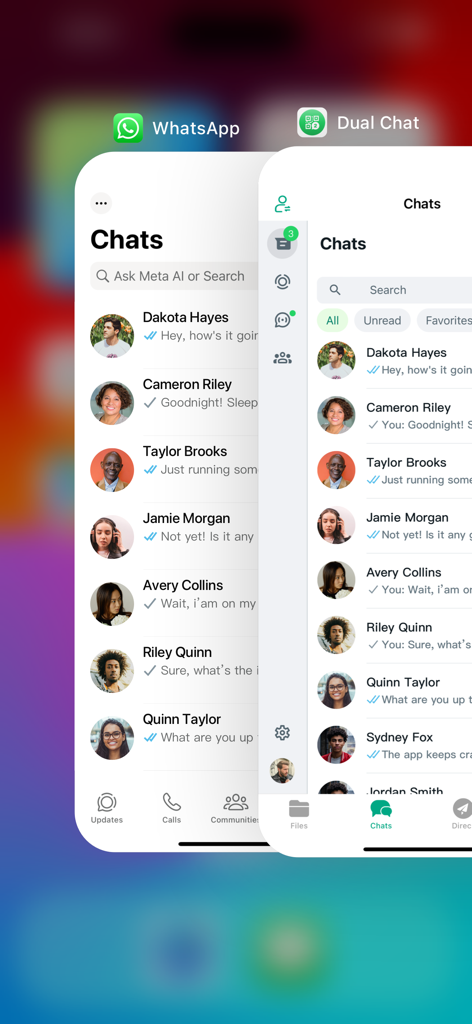
Comparison between the official WhatsApp interface and the Clonapp Dual Chat interface showing multiple account management.
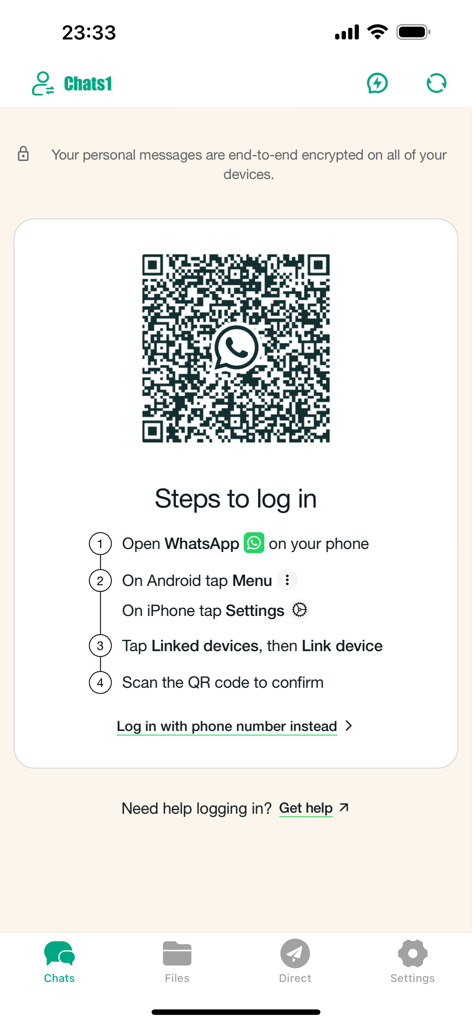
Clonapp Messenger login screen showing QR code and steps to link a WhatsApp account.
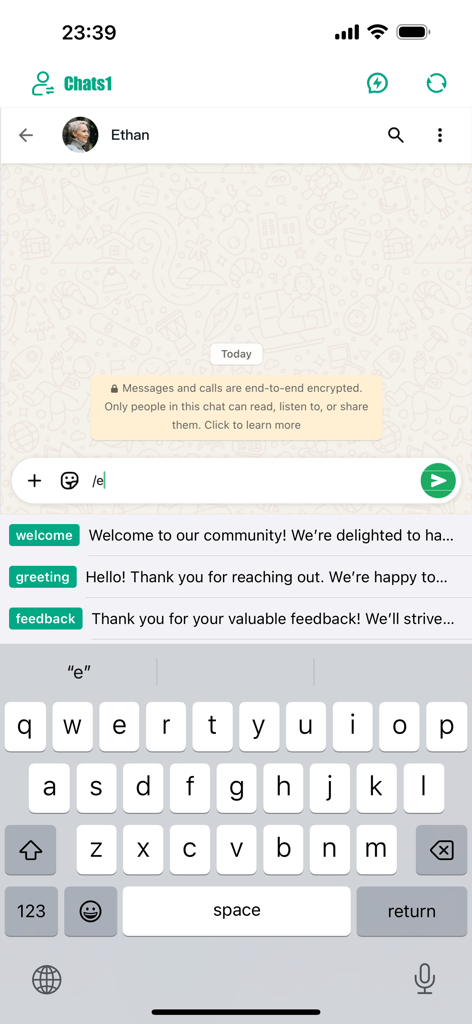
Clonapp Messenger chat interface featuring quick reply templates for efficient messaging.
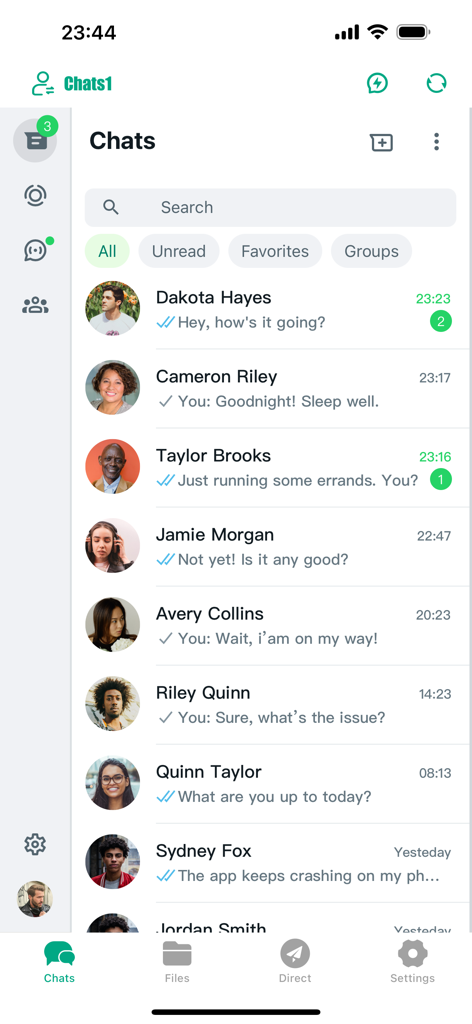
Interface of the Clonapp Messenger app showing a list of chat conversations with message previews
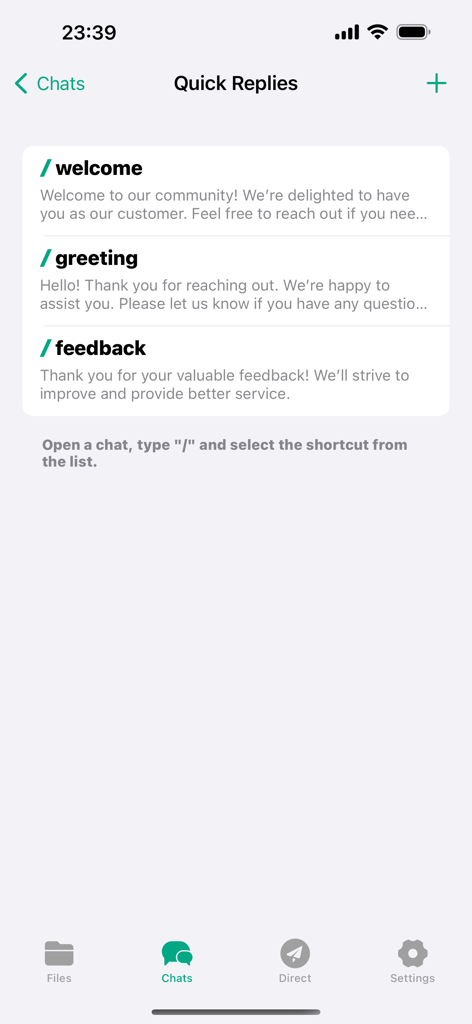
Quick reply message templates screen in the Clonapp Messenger app showing options for welcome and greeting.
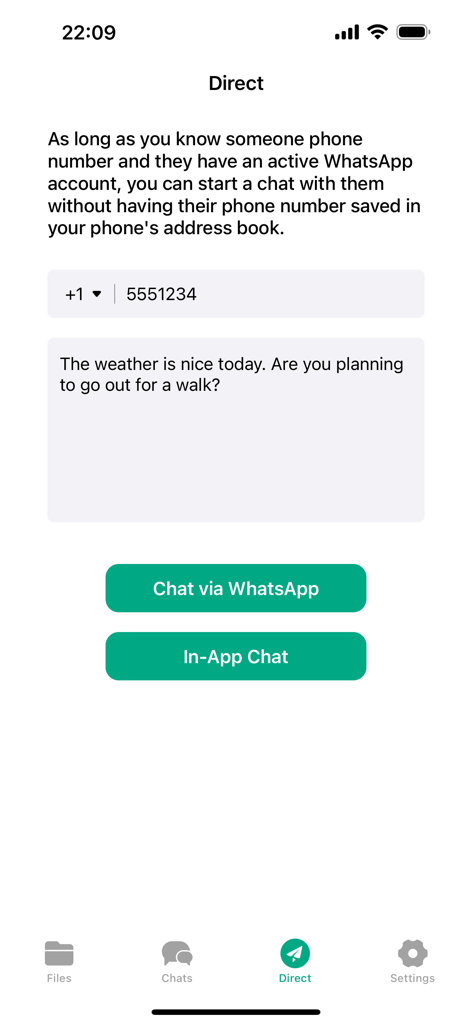
Direct messaging interface for sending WhatsApp messages without saving contacts
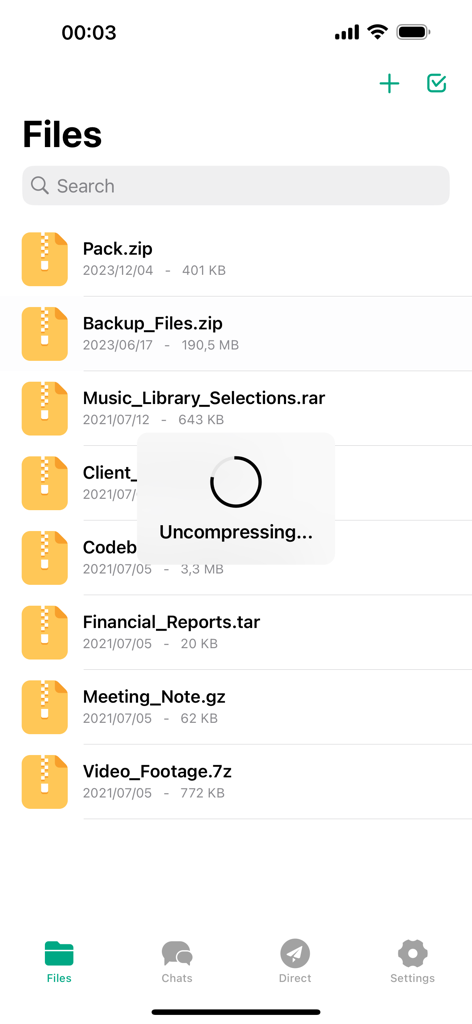
File manager interface in Clonapp Messenger showing a list of archives and uncompressing progress.
Description
Download
More Like This
Apps with similar features and user experience

WAAI: Web Messenger, Dual Chat
SEAMOBI TECH PTE LTD

WA Web - Dual Chat App
Guangdong Wuji Network Technology Co., Ltd.

Web scan 2024
Kanubhai Ukani

Whats Web - Dual App Messenger
Pravin Gondaliya

Status Saver WT - StoryBox
Pravin Gondaliya

WAMR - Undelete messages
Dweej Zalavadiya
WT Scan for Web 2026
Gaurang Radadiya

GB Version 2025
Javar Singh

Web Scan - Dual Chat
Ankur Kalkani
This page is not an official page of the app or its developer, but an independent editorial publication created for informational and commentary purposes. Unless expressly stated otherwise, neither the app nor its developer is affiliated with, endorsed by, sponsored by, authorized by, or otherwise officially connected with MWM, Apple, Google Play, the app publisher, or the app's developer, and nothing on this page implies that the app was developed using MWM's services. Any trademarks, logos, screenshots, and other content remain the property of their respective owners.