Colorfader

Colorfader

Download on App Store
Logo of Colorfader

Colorfader: Transform Your Memories into Striking Artistic Masterpieces

Bring your photos to life by highlighting what matters most. Use intuitive painting tools to create the perfect selective color effect and give your images a professional, artistic touch in minutes.

Publisher

michele barbieri

Category

Photo & Video

Downloads

28K+

User Rating

3.6/5

Total Ratings

0

Locales

4

Artistry in Every Stroke

Discover the interface used by 28K+ users.
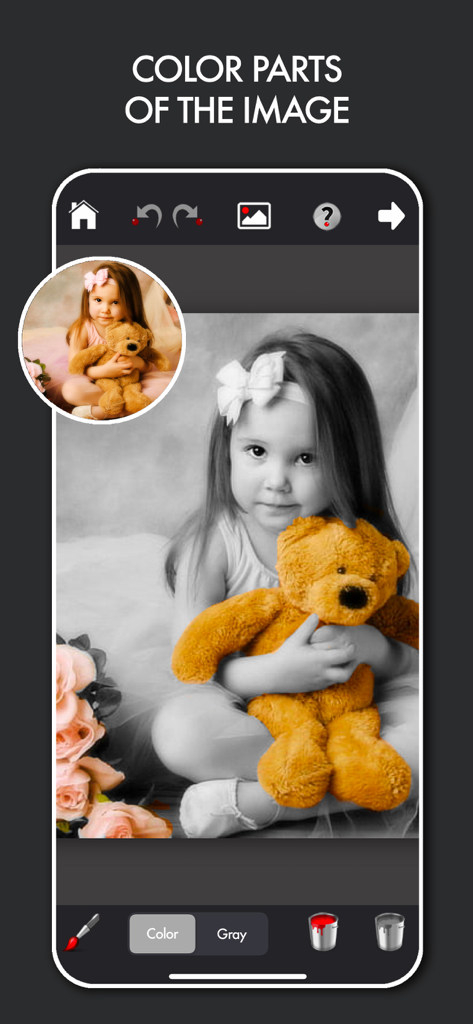
Interface of Colorfader app showing selective color editing on a black and white photo of a girl with a teddy bear

Interface of Colorfader app showing selective color editing on a black and white photo of a girl with a teddy bear

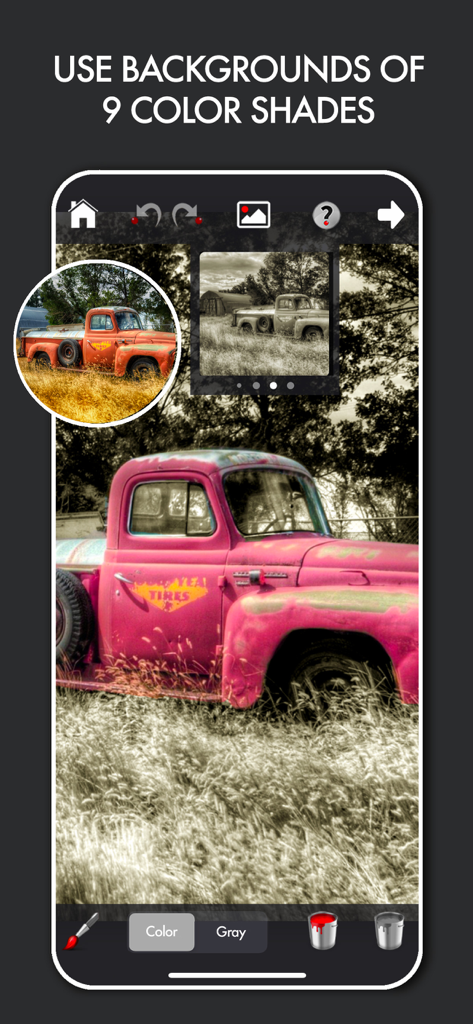
Screenshot of the Colorfader app showing a vintage truck with pink selective coloring against a black and white background

Screenshot of the Colorfader app showing a vintage truck with pink selective coloring against a black and white background

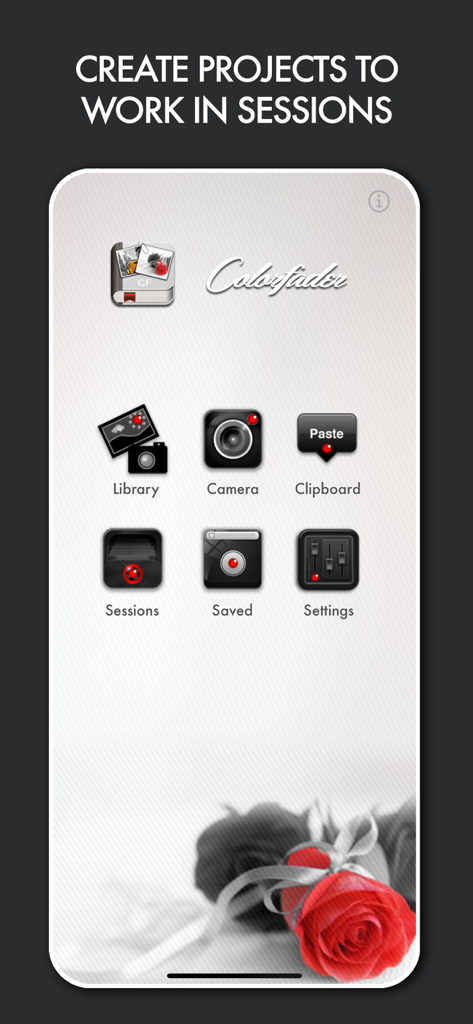
Home screen of the Colorfader app showing the main menu and a selective color red rose example

Home screen of the Colorfader app showing the main menu and a selective color red rose example

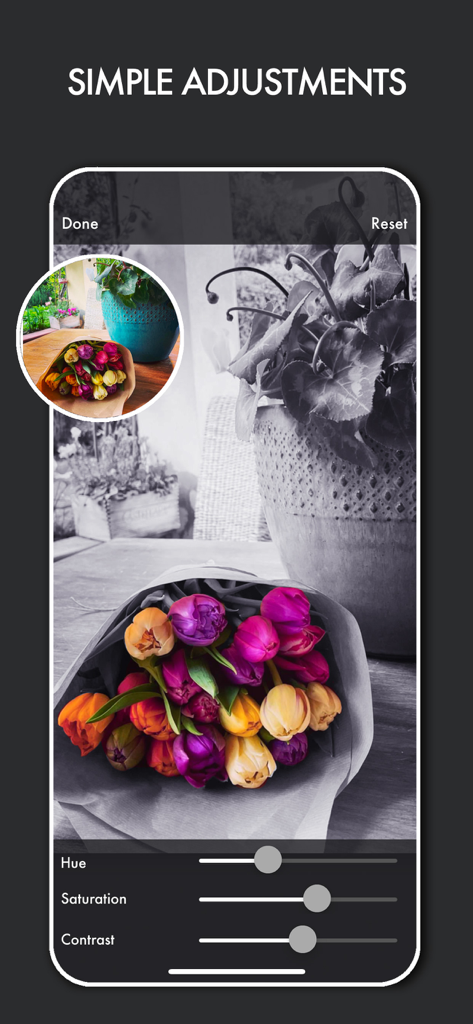
Smartphone screen showing selective color photo editing of a flower bouquet with hue saturation and contrast sliders

Smartphone screen showing selective color photo editing of a flower bouquet with hue saturation and contrast sliders

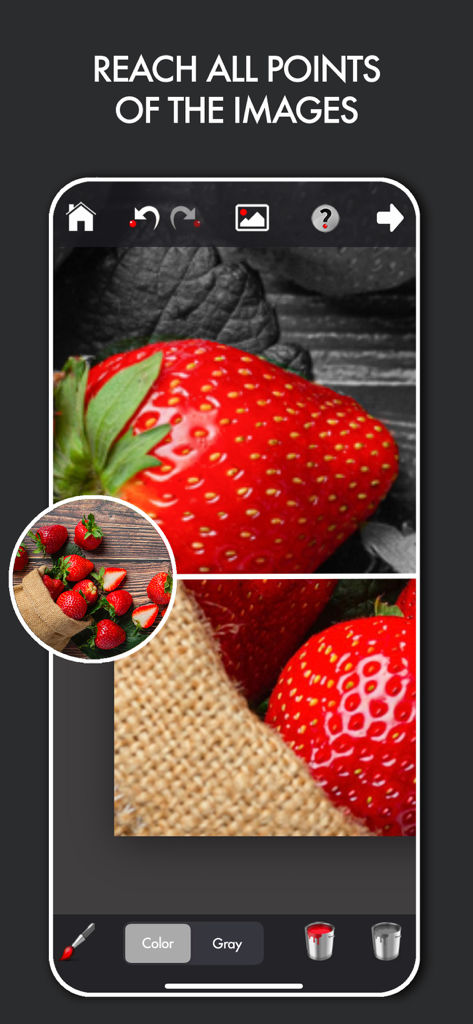
Colorfader app interface showing selective color editing on a strawberry with a magnifying zoom tool for precision

Colorfader app interface showing selective color editing on a strawberry with a magnifying zoom tool for precision

Transform Everyday Moments into Art

The tools that make this app stand out, trusted by 28K+ users.

🎨

Precision Selective Color

Easily paint color back into specific areas to make your subjects pop against a classic black-and-white background.

Full-Resolution Quality

Save your creations at 1:1 scale with the original photo, keeping your memories crisp for social media or high-quality printing.

🛠️

Total Artistic Control

Fine-tune your images with adjustable contrast, blur, and vintage vignettes to capture the perfect mood for every shot.

About the app

Everything you need to know about Colorfader.

Description

ColorFader is the application that enable you to emphasize some particular objects or color parts of an image that is converted to black and white.The outcome is a very striking effect that helps you to give an artistic touch to your images. It's very easy, in a couple of minutes you'll be able to save fantastic images. Open an existing image or take a new one with the camera. Use two fingers to move around an image or zoom in. Use only one finger to paint upon the image. If color tab is selected you'll paint color strokes, otherwise, if Gray tab is selected, you'll paint in black and white You can also change background image color if black & white is not the effect you want to set for your image. Key features: -Saved images scale 1:1 with original images -Possibility to change hue, contrast, saturation and blur of colored and b/w part of image -Multiple working sessions -Undo/Redo function to delete unwanted strokes above the image -User friendly interface -Brush monitor for easy drawing -Possibility to regulate width and hardness of the strokes -Change background image color with sephia and other 8 colors -Possibility to add vignette to final image -Share and store final images

Latest Version

5.5

Size

5.5 MB

First Released

Dec 11, 2010

Transform Your Favorite Moments Into Art

Join over 28,000 hobbyists who turn ordinary photos into striking masterpieces. Download Colorfader today and give your memories the artistic touch they deserve.

Download on App Store

App information, icons, screenshots, and descriptions displayed on this page are sourced from the Apple App Store and are the property of their respective developers. Download estimates and rankings are based on MWM's proprietary models and may not reflect actual figures. This page is provided for informational and analytical purposes only.

Believe this page infringes your intellectual property? File a dispute