
This page is not an official page of the app or its developer, but an independent editorial publication created for informational and commentary purposes. Unless expressly stated otherwise, neither the app nor its developer is affiliated with, endorsed by, sponsored by, authorized by, or otherwise officially connected with MWM, Apple, Google Play, the app publisher, or the app's developer, and nothing on this page implies that the app was developed using MWM's services. Any trademarks, logos, screenshots, and other content remain the property of their respective owners.

COMMAND PRO
Gain a tactical edge with AI-driven game patterns, On-Demand HD media, and 360-degree monitoring. Stay out of the woods and keep your scent away until the moment it counts.
Downloads
1M+User Rating
Total Ratings
56K+Publisher
Category
Photo & VideoLocales
1Latest Version
6.4.18Size
204.5 MBFirst Released
Mar 25, 2020Master the Woods with Intelligent Scouting
Transform your Stealth Cam and Muddy cameras into a powerful remote network. Combine AI subject recognition with advanced mapping to track game movement like a pro.
AI-Driven Subject Tagging
Stop sorting through thousands of empty photos. Our AI automatically identifies and tags wildlife so you can focus on the trophy targets that matter most.
On-Demand Remote Access
Stay out of the woods and maintain perfect scent control. Request high-definition photos or videos instantly and manage camera settings directly from your phone.
Frequently Asked Questions
Everything you need to know about COMMAND PRO
What is COMMAND PRO used for?
COMMAND PRO is an application for managing Stealth Cam and Muddy cellular trail cameras. It provides features for viewing, sharing, analyzing, and configuring cameras, along with AI and mapping capabilities.
How do I connect a trail camera to COMMAND PRO?
To set up a camera, download COMMAND PRO, create or log in to an account, then tap the "+" button. Scan the camera's QR code and follow the in-app instructions for successful connection.
Can I view 360-degree photos using COMMAND PRO?
Yes, COMMAND PRO supports viewing panoramic 360 and 180-degree images. This feature is available for the new Revolver and Revolver Pro 360-degree cellular trail cameras directly within the app.
Does COMMAND PRO offer on-demand photo and video requests?
Yes, COMMAND PRO allows users to request near-instant high-definition photos and videos using the On-Demand feature. This provides powerful remote monitoring directly from the app.
What mapping features are available in COMMAND PRO?
COMMAND PRO offers advanced mapping with layers such as property lines, hunting lands, and public lands. Users can also manage their cameras and settings directly from the mapping screen.
Does COMMAND PRO use AI for image recognition?
Yes, COMMAND PRO features AI subject recognition combined with weather and solunar data to detect game movement. It also supports AI-driven or manual tagging of images.
Can I share camera access with others in COMMAND PRO?
Yes, COMMAND PRO allows users to share view-only access to their cameras with other Command users. This function is managed within the app's sharing management settings.
Does COMMAND PRO integrate with other hunting applications?
Yes, COMMAND PRO integrates with other popular hunting applications, specifically HuntStand and DeerCast. This allows for enhanced scouting and comprehensive planning.
Can I manage my cellular data plan through COMMAND PRO?
Yes, COMMAND PRO enables users to manage their cellular data plans and billing directly within the application. This centralizes account management for connected devices.
Does COMMAND PRO offer live camera streaming?
Yes, COMMAND PRO supports live streaming from Live View-enabled cameras. This feature allows users to watch real-time action directly through the application.
The following screenshots and description are sourced directly from the app's official store listing and are the property of the app developer.
App Store
Screenshots
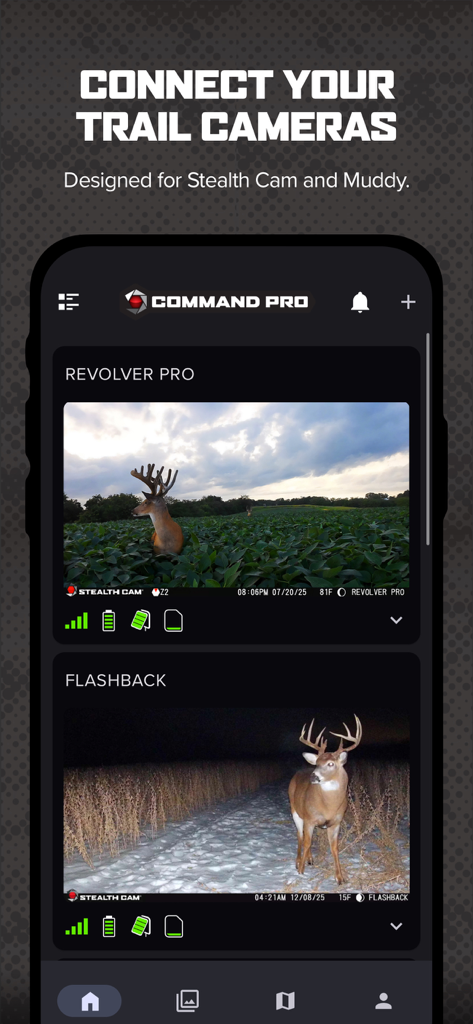
Command Pro mobile app showing deer captured on cellular trail cameras with battery and signal status
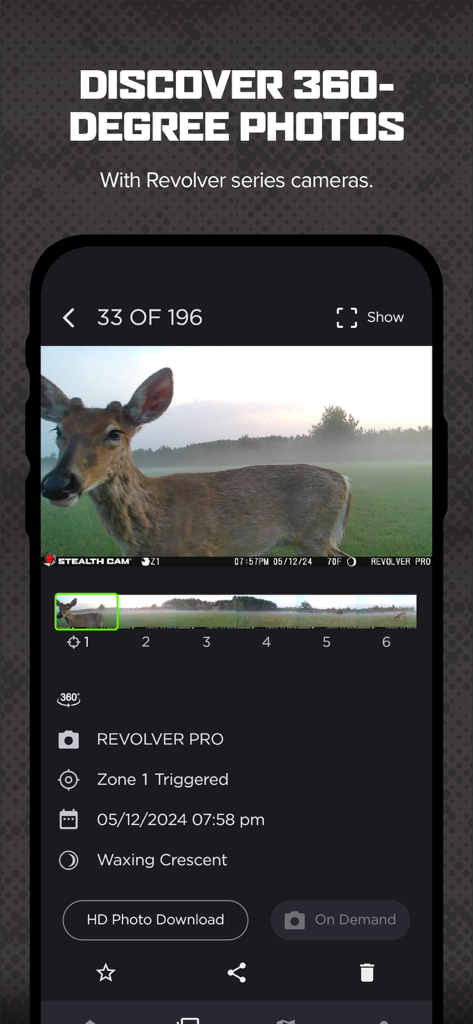
Command Pro app interface displaying a 360 degree photo of a deer captured by a Revolver Pro trail camera
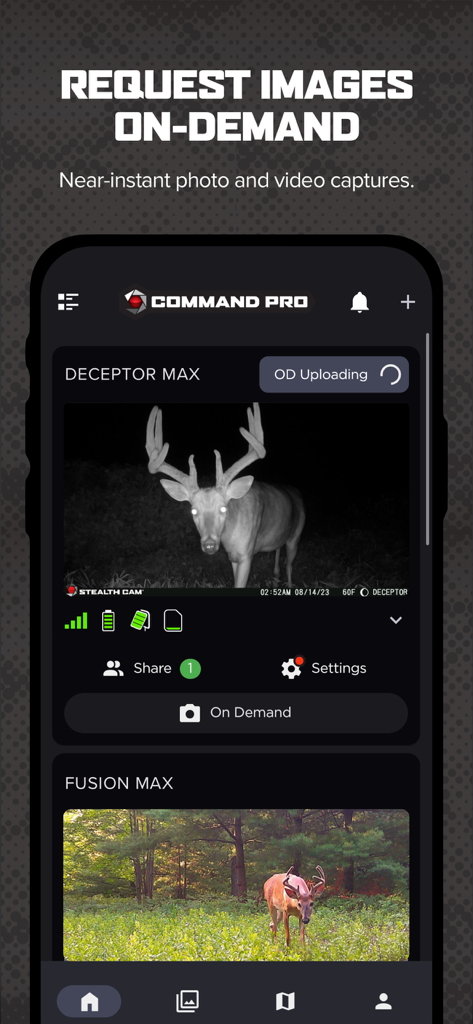
Command Pro mobile app showing on-demand photos of deer from cellular trail cameras.
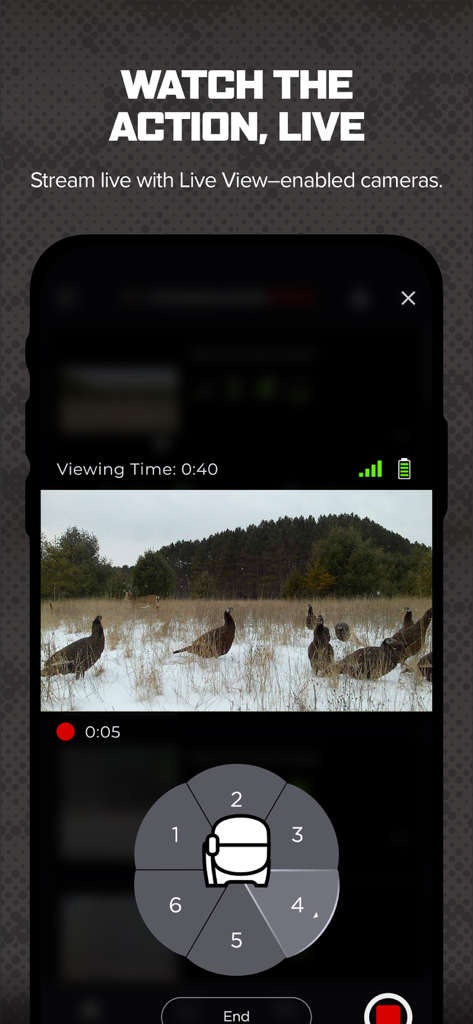
Smartphone interface of the Command Pro app displaying a live video stream of wild turkeys in a snowy field
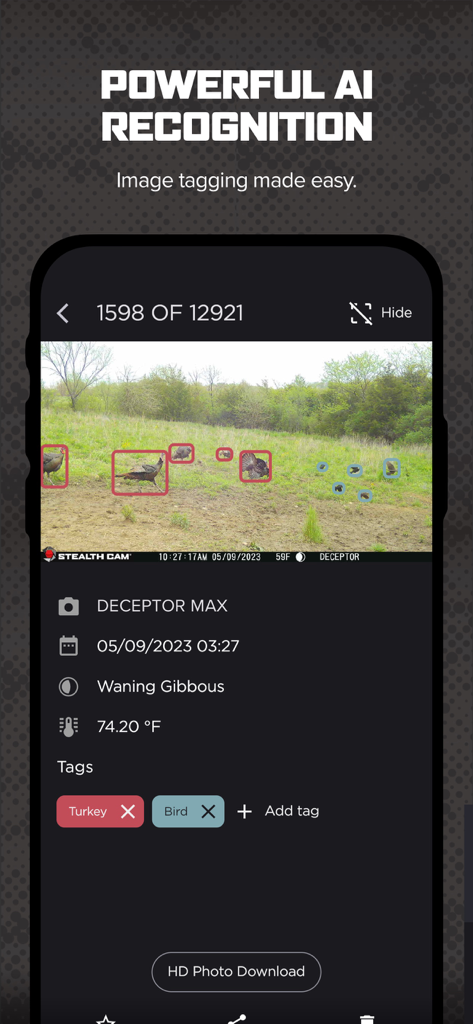
Command Pro app screen displaying AI recognition tagging wild turkeys and birds on a trail camera photo with environmental data
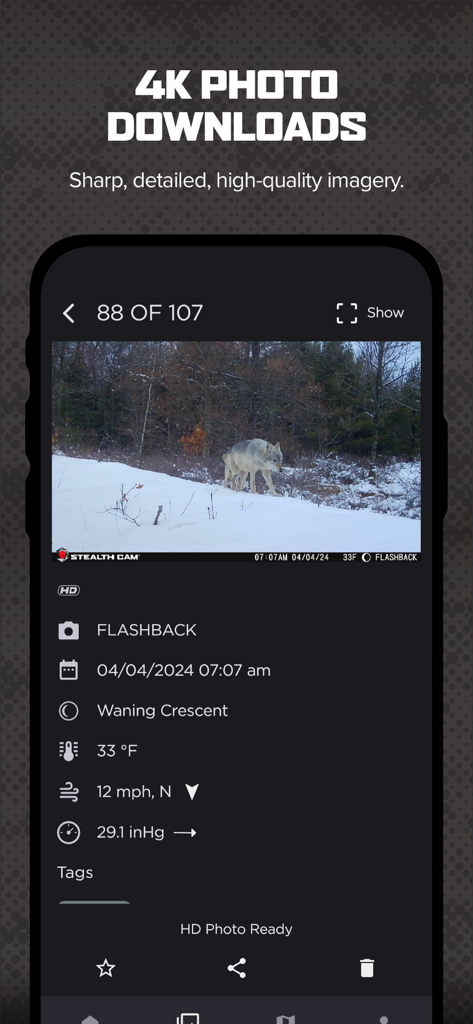
COMMAND PRO app interface displaying a high resolution trail camera photo of a wolf with weather and solunar data
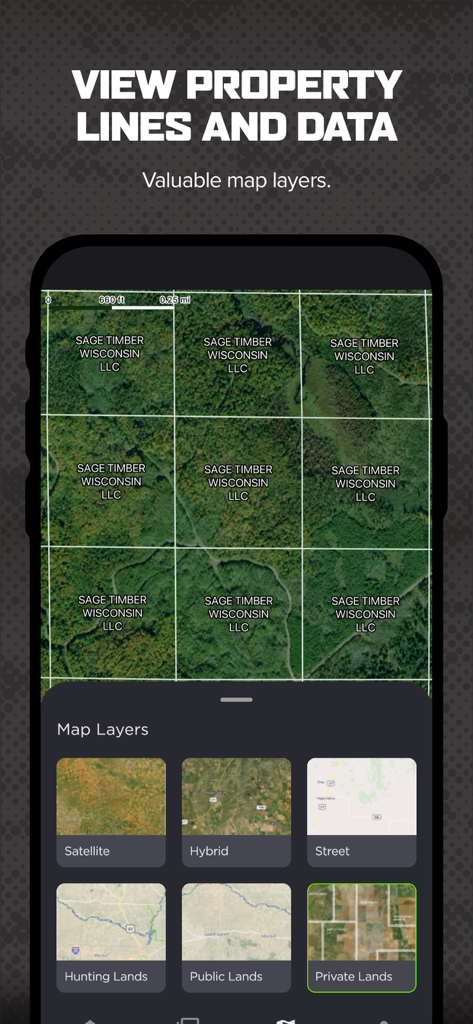
Command Pro app displaying property lines and map layers for hunting.
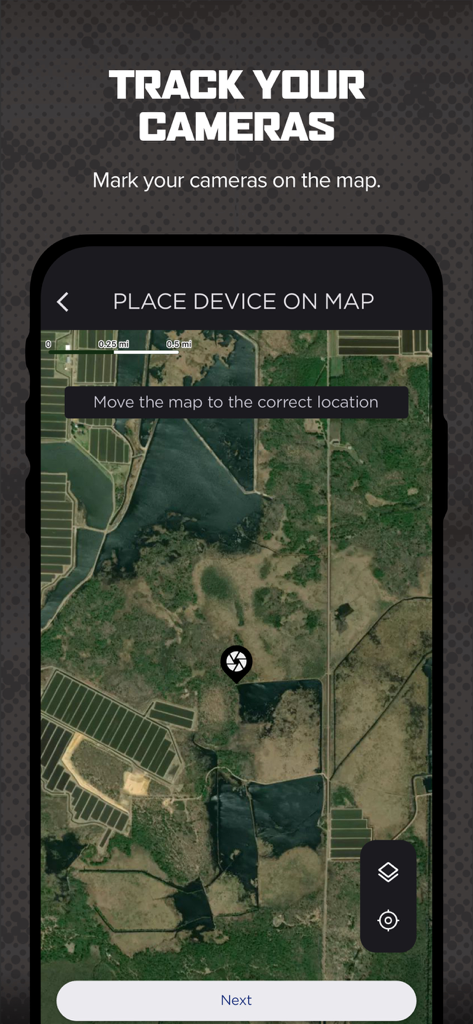
Satellite map view for tracking cellular trail camera locations in the Command Pro app
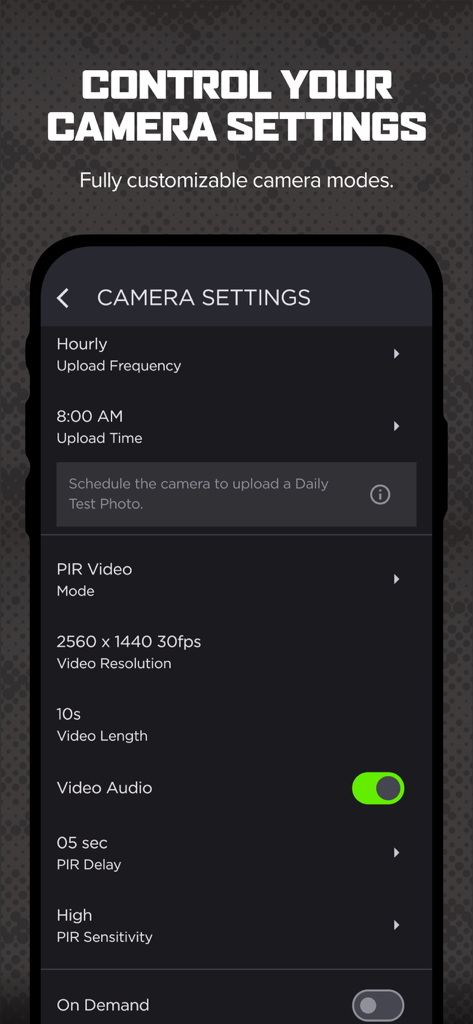
Command Pro app interface showing customizable trail camera settings and video options.
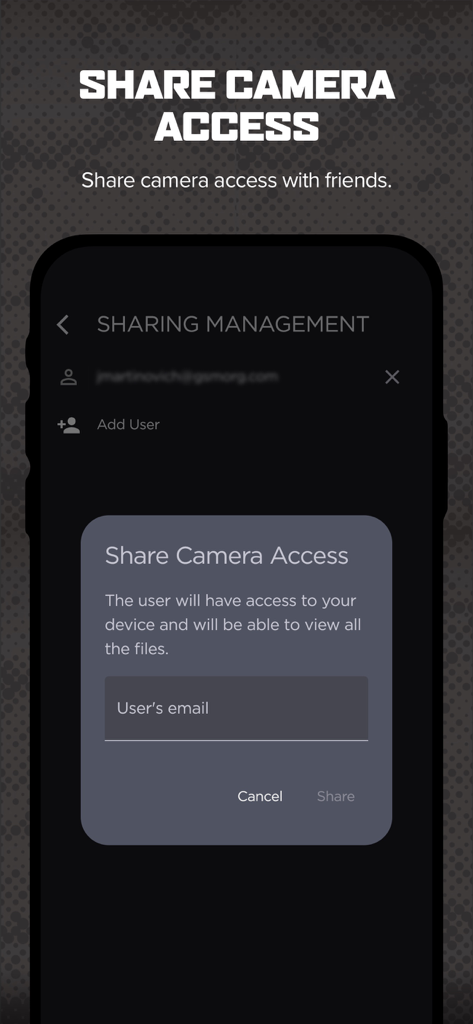
Command Pro app screen for sharing trail camera access with friends
Description
Download
More Like This
Apps with similar features and user experience
Tactacam REVEAL
Tactacam LLC
Ucon
维巍 方
SPYPOINT
9138-4529 Quebec Inc.
HuntSmart: Trail Cam App
Good Sportsman Marketing, LLC
TrailCam Go
shenzhen Jichen Technology Co.,Ltd

ICU CLOM APP
NWS NatureWebServices GmbH
HunterCam
Hunter Sales I Stockholm AB

Nordic Hunter
Hunter Sales I Stockholm AB

Camojojo
CAMOJOJO, INC.
This page is not an official page of the app or its developer, but an independent editorial publication created for informational and commentary purposes. Unless expressly stated otherwise, neither the app nor its developer is affiliated with, endorsed by, sponsored by, authorized by, or otherwise officially connected with MWM, Apple, Google Play, the app publisher, or the app's developer, and nothing on this page implies that the app was developed using MWM's services. Any trademarks, logos, screenshots, and other content remain the property of their respective owners.