
This page is not an official page of the app or its developer, but an independent editorial publication created for informational and commentary purposes. Unless expressly stated otherwise, neither the app nor its developer is affiliated with, endorsed by, sponsored by, authorized by, or otherwise officially connected with MWM, Apple, Google Play, the app publisher, or the app's developer, and nothing on this page implies that the app was developed using MWM's services. Any trademarks, logos, screenshots, and other content remain the property of their respective owners.

TrailCam Go
Seamlessly manage your Wi-Fi and cellular cameras from anywhere. Scout hunting grounds, monitor rural property, and download high-quality wildlife footage instantly without ever disturbing the site or leaving a scent.
Downloads
112K+User Rating
Total Ratings
3K+Publisher
Category
UtilitiesLocales
14Latest Version
1.8.0Size
133.0 MBFirst Released
Aug 31, 2022Master the Wild from Your Phone
TrailCam Go bridges the gap between your land and your pocket. Manage settings, view live footage, and download trophy shots without ever disturbing your hunting spot.
Scent-Free Remote Control
Adjust settings and check camera status via Bluetooth. Keep your hunting spots fresh by minimizing human presence and avoiding manual SD card checks.
Precision Live-View
Align your camera perfectly every time with real-time video streaming. Ensure you have the best field of view to catch every movement without the guesswork.
Frequently Asked Questions
Everything you need to know about TrailCam Go
What type of trail cameras does TrailCam Go support?
TrailCam Go supports both Wi-Fi and cellular trail cameras. It functions as an application for managing and interacting with these devices.
How does a user set up a trail camera with the TrailCam Go app?
Users set up a trail camera with TrailCam Go via Bluetooth connectivity. The app offers a one-step installation process.
Can TrailCam Go provide a live view of the trail camera?
Yes, TrailCam Go provides a live video feed from the trail camera. Users check installation and view real-time footage through this feature.
Does TrailCam Go allow users to change trail camera settings?
Yes, TrailCam Go allows users to check and change the settings of the connected trail camera. This includes common and advanced settings like mode and motion detection.
How do users access photos and videos from their trail camera using TrailCam Go?
Users browse photos and videos directly on the TrailCam Go app. The app also allows downloading media to a smartphone's gallery.
Can users share photos and videos from TrailCam Go?
Yes, users download photos or videos to their smartphone's gallery from TrailCam Go. This enables easy sharing with friends.
Does TrailCam Go support over-the-air (OTA) firmware updates?
Yes, TrailCam Go supports OTA firmware updates. This ensures users always receive the latest interesting functions for their trail cameras.
Can I take photos or videos directly from the TrailCam Go app during live view?
Yes, TrailCam Go enables users to take photos or videos directly within the app when utilizing the live view feature.
What camera status information does TrailCam Go display?
TrailCam Go displays camera status information including battery level, temperature, and memory card usage. This is visible on the home screen and live view.
Where can I find the version number of the TrailCam Go app?
The version number of the TrailCam Go app is available in the 'My Account' section. Users tap 'About' to view this information, such as v2.7.8.
The following screenshots and description are sourced directly from the app's official store listing and are the property of the app developer.
App Store
Screenshots
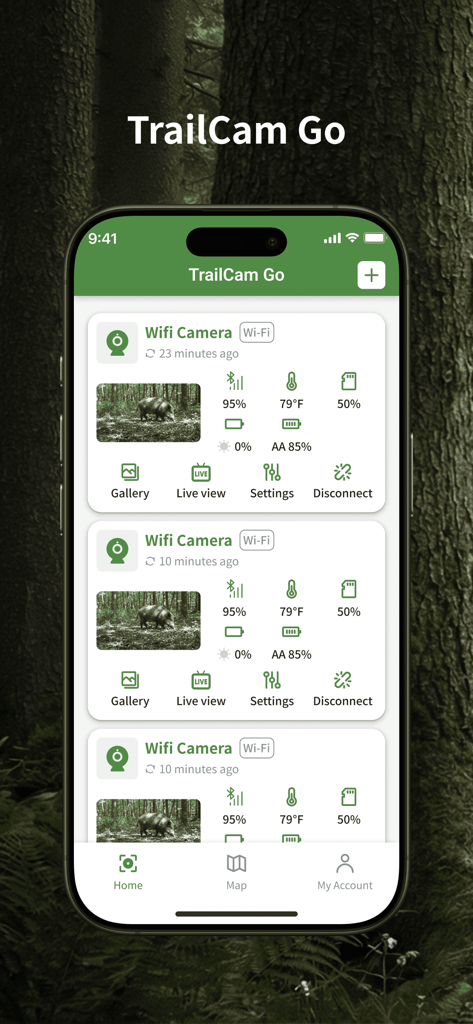
Smartphone screen showing TrailCam Go app with a list of connected wifi cameras monitoring wildlife
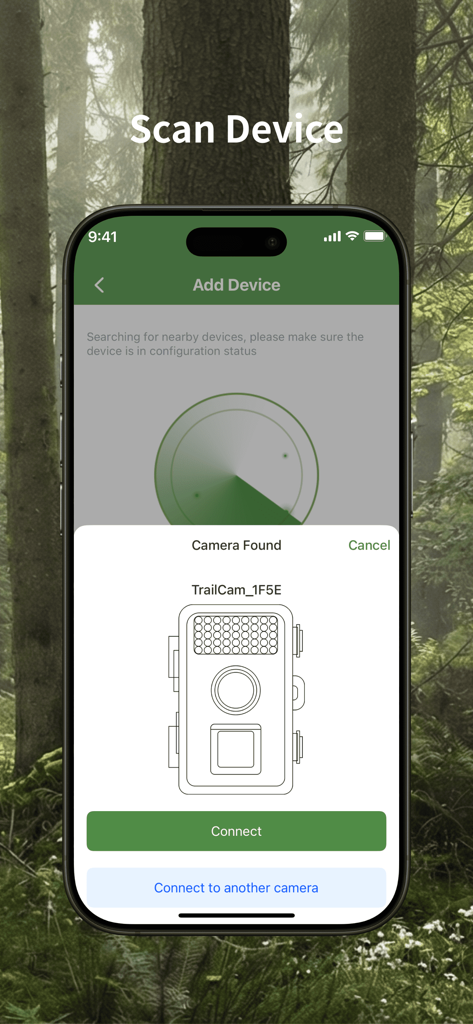
TrailCam Go app Scan Device screen showing a found trail camera ready for connection.
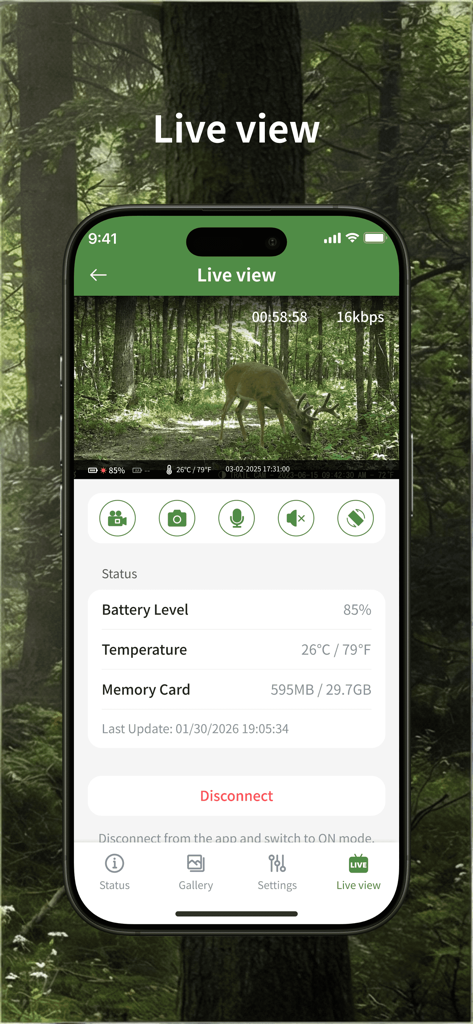
Smartphone screen showing the TrailCam Go app live video feed of a deer in a forest with camera status data
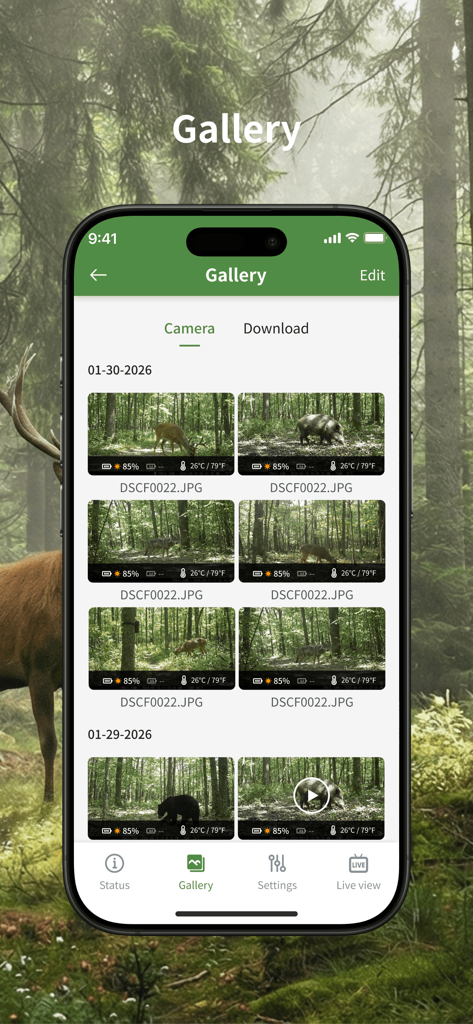
TrailCam Go app gallery interface displaying wildlife photos of deer and bears captured by a remote camera
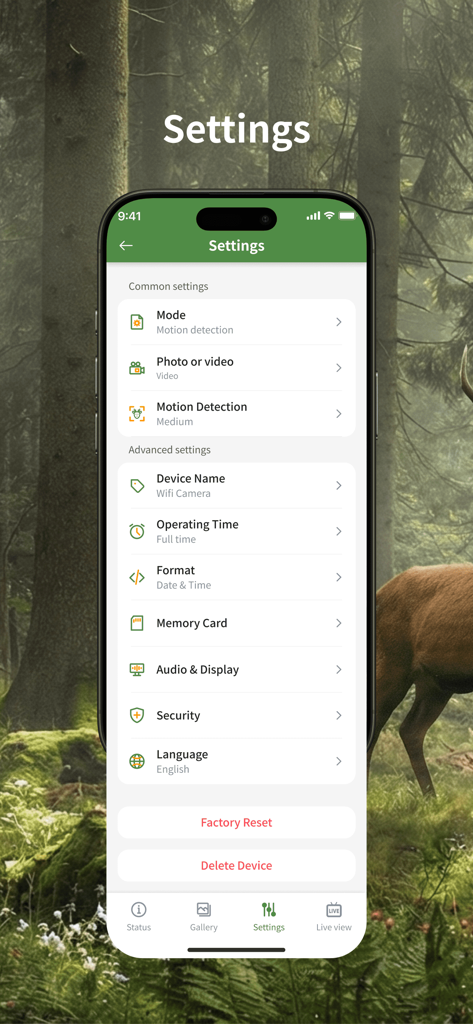
TrailCam Go app settings screen showing motion detection and device configuration options.
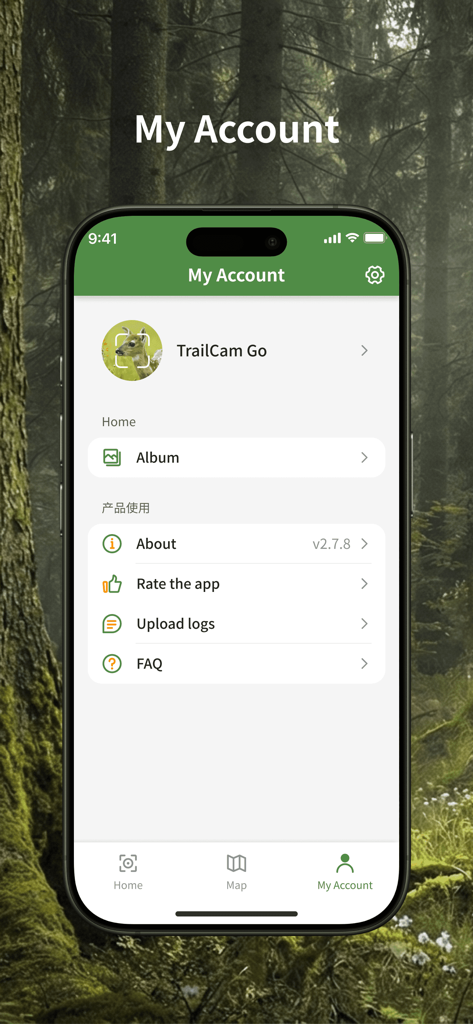
User account settings screen of the TrailCam Go app featuring a forest background
Description
Download
More Like This
Apps with similar features and user experience
Tactacam REVEAL
Tactacam LLC

COMMAND PRO
Good Sportsman Marketing, LLC
Ucon
维巍 方
SPYPOINT
9138-4529 Quebec Inc.
HuntSmart: Trail Cam App
Good Sportsman Marketing, LLC

ICU CLOM APP
NWS NatureWebServices GmbH

HunterCam
Hunter Sales I Stockholm AB

Nordic Hunter
Hunter Sales I Stockholm AB

Camojojo
CAMOJOJO, INC.
This page is not an official page of the app or its developer, but an independent editorial publication created for informational and commentary purposes. Unless expressly stated otherwise, neither the app nor its developer is affiliated with, endorsed by, sponsored by, authorized by, or otherwise officially connected with MWM, Apple, Google Play, the app publisher, or the app's developer, and nothing on this page implies that the app was developed using MWM's services. Any trademarks, logos, screenshots, and other content remain the property of their respective owners.