
This page is not an official page of the app or its developer, but an independent editorial publication created for informational and commentary purposes. Unless expressly stated otherwise, neither the app nor its developer is affiliated with, endorsed by, sponsored by, authorized by, or otherwise officially connected with MWM, Apple, Google Play, the app publisher, or the app's developer, and nothing on this page implies that the app was developed using MWM's services. Any trademarks, logos, screenshots, and other content remain the property of their respective owners.


Connecteam Team Management App
Stop juggling messy spreadsheets and group texts. Effortlessly manage scheduling, time tracking, and team communication in one simple, affordable app built for the non-desk world.
Downloads
3M+User Rating
Total Ratings
60K+Publisher
Category
BusinessLocales
3Latest Version
9.1.5Size
121.9 MBFirst Released
Jun 8, 2016The All-In-One Toolkit for Your Mobile Workforce
Replace paper, spreadsheets, and messy group chats. Connecteam centralizes your daily operations into one simple app your team will actually love to use.
Smart Scheduling & GPS Time Clock
Create shifts in seconds and ensure payroll accuracy with geofenced time tracking that eliminates time theft and manual errors.
Unified Team Communication
Reach every employee instantly with professional 1:1 or group chats and social-style company updates—no more messy WhatsApp groups.
Frequently Asked Questions
Everything you need to know about Connecteam Team Management App
How does Connecteam simplify employee scheduling?
Connecteam simplifies employee scheduling with an auto-scheduling tool to create shifts in one click. It allows for single, multiple, or team shifts, including GPS status updates and job details like location and attachments.
Can Connecteam provide GPS updates for job progress?
Yes, Connecteam provides GPS status updates for visual job progress within its work scheduling feature. This allows users to monitor job completion in real-time.
What features does Connecteam's employee time clock offer?
Connecteam's time clock offers GPS location tracking with Geofence, automated breaks and overtime calculation, push notifications, and easy-to-manage digital timesheets. It also integrates with leading payroll software.
Does Connecteam's time clock track employee location?
Yes, Connecteam's employee time clock includes GPS location tracking with Geofence capabilities and a maps display. Employees can easily clock in from any device.
What communication tools are available in the Connecteam app?
Connecteam provides live chat for 1:1 or group conversations, a chat API, a directory for work contacts, and posts/updates with comments and reactions. It also includes employee feedback surveys.
Does Connecteam have a secure chat feature?
Yes, Connecteam features a secure live chat for 1:1 or group conversations. It also offers a Chat API to connect external data sources, enhancing internal communication securely.
How does Connecteam assist with task management and compliance?
Connecteam offers automated task management with daily checklists and auto-reminders. It supports online forms with read & sign options, image uploads, and geolocation reporting to enhance on-the-job compliance and automate procedures.
Can employees sign forms digitally within Connecteam?
Yes, Connecteam's task management feature includes online forms and checklists with read & sign options. This allows employees to confirm procedures digitally and go paperless.
What training and onboarding tools does Connecteam provide?
Connecteam provides tools for employee training and onboarding, including easy access to files and media, professional courses, and quizzes. It offers premade templates for various industries.
Can Connecteam track employee quiz results for training?
Yes, Connecteam's training feature includes quizzes. The app displays results, showing whether employees passed or did not pass, which aids in tracking training completion and understanding.
Does Connecteam offer an internal help desk system?
Yes, Connecteam includes an internal ticketing system or help desk. It serves as a central hub for all team requests, providing full management oversight on issues.
Can Connecteam's help desk use AI for support?
Yes, Connecteam's Help Desk feature offers AI agents for fast internal support, such as the "Company Bot" with "AI Assist." This provides efficient resolution for team requests.
What are the benefits of Connecteam's digital employee ID card?
Connecteam's digital employee ID card provides easy, accessible, and secure work IDs. It allows instant issuance to staff across locations and includes QR features for access management.
Is Connecteam suitable for managing non-desk employees?
Yes, Connecteam is an employee management app designed as a simple, capable, and affordable solution specifically for managing non-desk employees from one centralized platform.
Is Connecteam easy to learn and use?
Yes, customers report Connecteam is easy to learn and use. One owner stated they learned to use the software in just one day, highlighting its user-friendly design.
Is Connecteam an affordable employee management solution?
Yes, Connecteam aims to be an affordable employee management solution. A customer noted it solved their problems without costing over twice as much as other apps.
The following screenshots and description are sourced directly from the app's official store listing and are the property of the app developer.
App Store
Screenshots
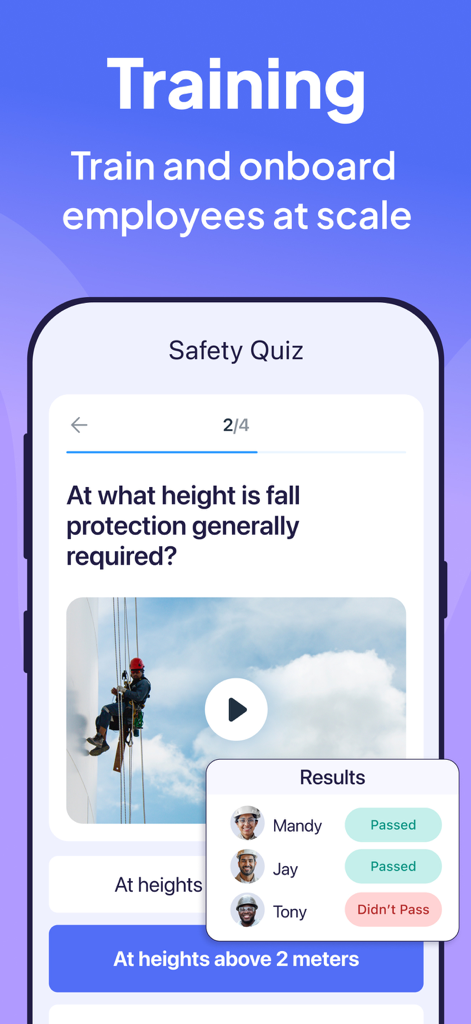
Connecteam app interface showing an employee safety quiz and training results tracking for managers.
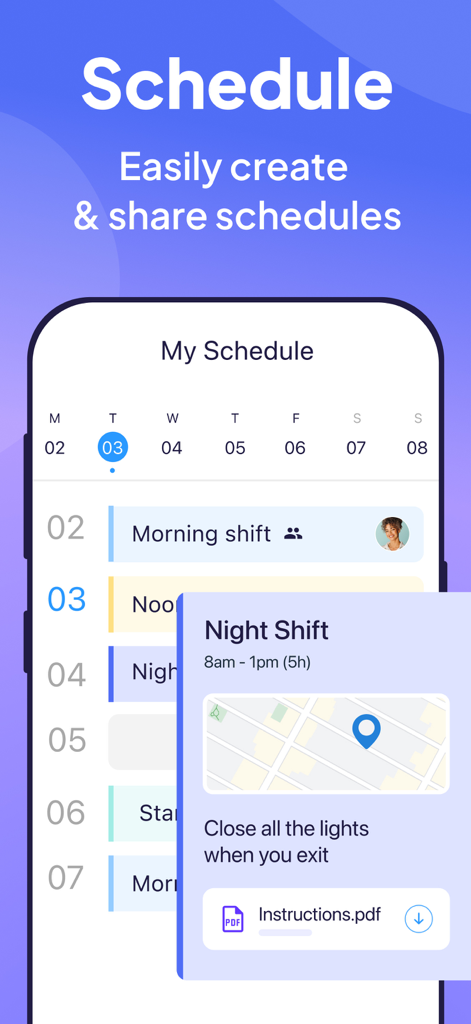
Connecteam mobile app screen showing employee work schedule with shift details map and instructions
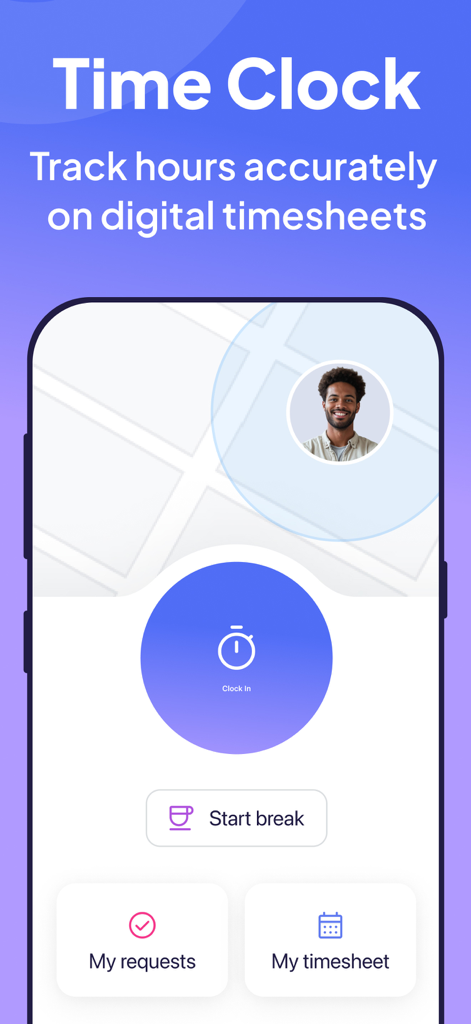
Connecteam mobile app time clock screen with GPS tracking and digital timesheet options
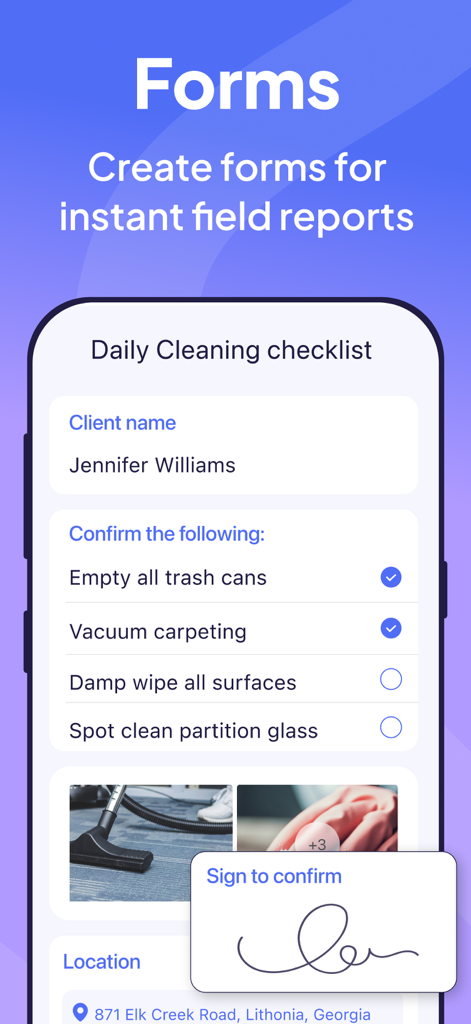
Connecteam mobile app displaying a daily cleaning checklist form with digital signature
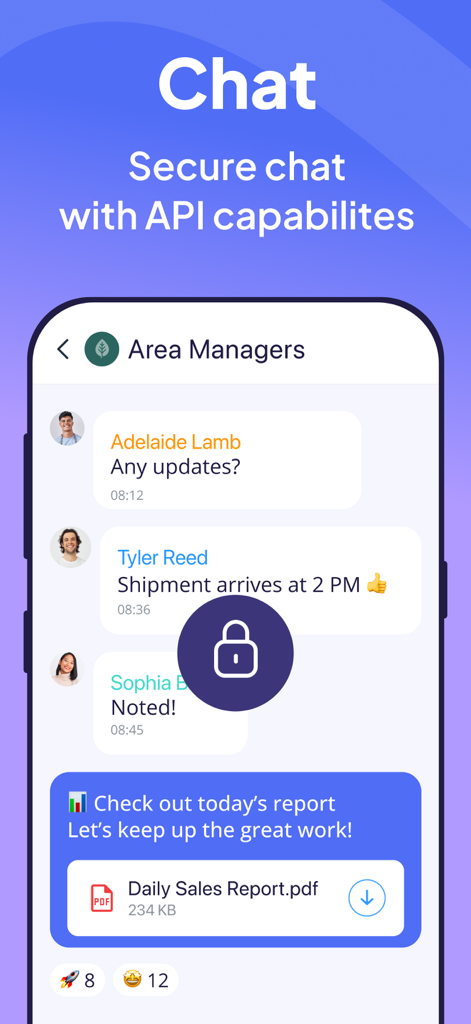
Secure team chat interface within the Connecteam app showing a group conversation between area managers
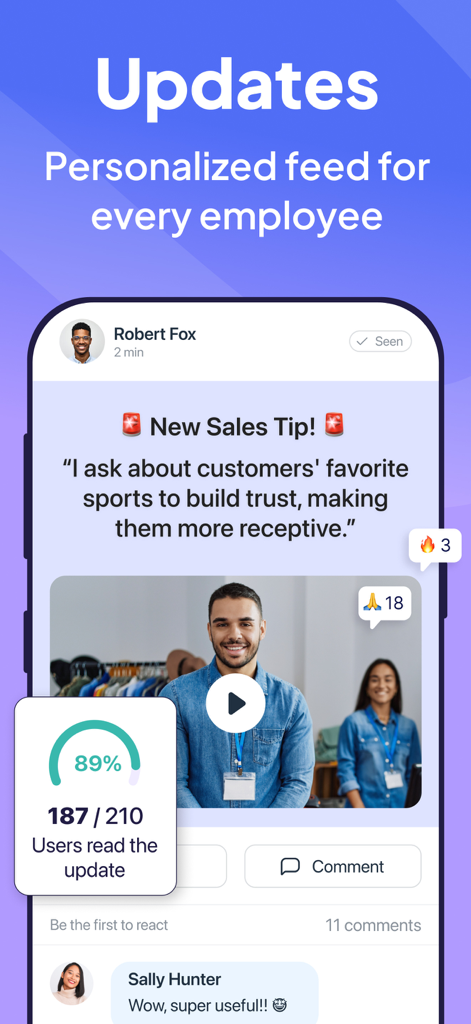
A mobile app screenshot showing a personalized employee update feed with a sales tip post and engagement analytics
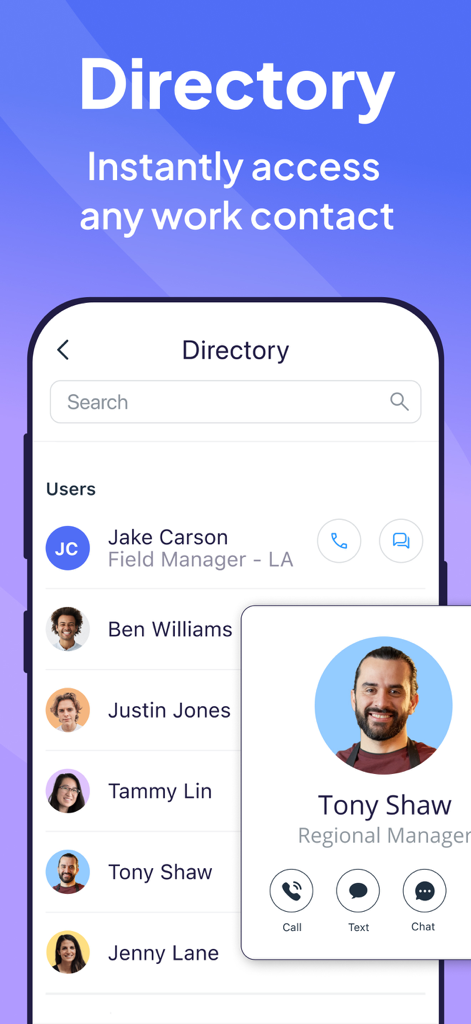
Connecteam app employee directory interface showing a searchable list of team members and a contact profile for a regional manager.
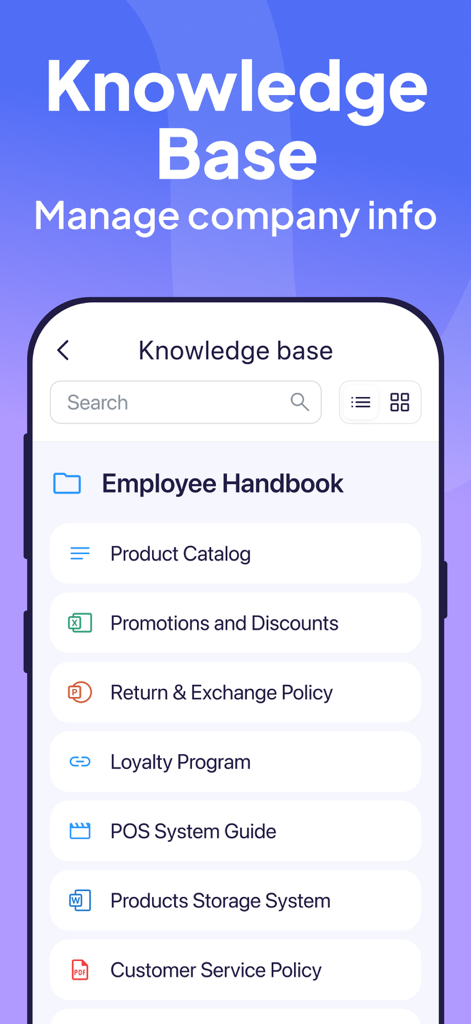
Connecteam mobile app knowledge base interface displaying company documents like employee handbook and product catalog
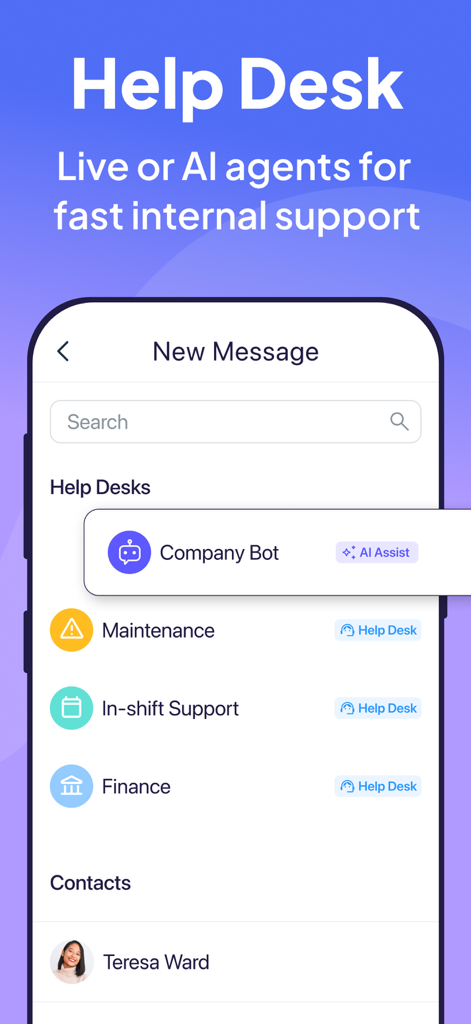
Connecteam mobile app interface displaying internal help desk options with AI bot and department support
Description
Download
More Like This
Apps with similar features and user experience

Homebase: Team Management
Pioneer Works, Inc.
7shifts: Employee Scheduling
7shifts, Inc.

When I Work Staff Scheduling
When I Work, Inc.

Jibble: Attendance Tracker
Jibble Tech Sdn Bhd

Legion Workforce Engagement
Legion Technologies Inc.

Crunchtime Teamworx
CrunchTime Information Systems

Restaurant365
Dynamic Methods, Inc

AxisCare Mobile
Centex Axiscare Inc
Timesheet & Time Track: AtWork
Vien Tran Ngoc
This page is not an official page of the app or its developer, but an independent editorial publication created for informational and commentary purposes. Unless expressly stated otherwise, neither the app nor its developer is affiliated with, endorsed by, sponsored by, authorized by, or otherwise officially connected with MWM, Apple, Google Play, the app publisher, or the app's developer, and nothing on this page implies that the app was developed using MWM's services. Any trademarks, logos, screenshots, and other content remain the property of their respective owners.