
This page is not an official page of the app or its developer, but an independent editorial publication created for informational and commentary purposes. Unless expressly stated otherwise, neither the app nor its developer is affiliated with, endorsed by, sponsored by, authorized by, or otherwise officially connected with MWM, Apple, Google Play, the app publisher, or the app's developer, and nothing on this page implies that the app was developed using MWM's services. Any trademarks, logos, screenshots, and other content remain the property of their respective owners.


Crunchtime Teamworx
Empower your staff with total shift flexibility and give managers hours back in their day. Join 600,000+ users who trust Teamworx for faster, smarter, and compliant scheduling.
Downloads
1M+User Rating
Total Ratings
11K+Publisher
Category
BusinessLocales
1Latest Version
3.7.1Size
48.4 MBFirst Released
Aug 19, 2019Master Your Schedule, Minimize the Chaos
Join over 600,000 restaurant pros using Teamworx to streamline shift management, boost team happiness, and stay ahead of the rush.
Flexible Shift Swapping
Trade shifts or pick up extra hours instantly from your phone. No more awkward phone calls or messy paper lists on the fridge.
Lightning-Fast Scheduling
Managers cut scheduling time by 50% using smart recommendations that balance labor costs with your specific staffing needs.
Frequently Asked Questions
Everything you need to know about Crunchtime Teamworx
What is Crunchtime Teamworx?
Crunchtime Teamworx is a restaurant scheduling application designed to manage staff schedules efficiently. It helps restaurants create balanced schedules, improve staffing, distribute schedules, and maintain labor law compliance.
Does Teamworx help restaurant managers?
Yes, Teamworx assists managers by allowing them to view daily rosters, build optimized schedules, approve shift changes, communicate with teams, and receive alerts for overtime risks and breaks.
Can employees view their schedules using Teamworx?
Yes, employees can easily view their upcoming shifts as soon as they are published within the Teamworx app. They can also manage availability and request time-off.
How does Crunchtime Teamworx help with employee availability and time off?
Crunchtime Teamworx allows employees to manage their availability and request time-off directly within the app. Managers can then review and approve these requests.
Can employees swap shifts using the Teamworx app?
Yes, Teamworx enables employees to swap shifts with coworkers or request to pick up available shifts. Managers can easily approve or deny these schedule changes.
What alerts do managers receive in Teamworx?
Managers receive alerts regarding upcoming overtime risks, breaks (paid and unpaid), and minor status. This helps them maintain compliance and run smooth shifts.
Does Teamworx offer location validation for employee clock-in?
Yes, Teamworx provides location validation to ensure employees clock in on-site and on time. This feature helps managers monitor and confirm employee presence.
Is a subscription required to use Crunchtime Teamworx?
Yes, use of the Crunchtime Teamworx application requires an active subscription to Crunchtime. The app functions as part of the broader Crunchtime service.
The following screenshots and description are sourced directly from the app's official store listing and are the property of the app developer.
App Store
Screenshots
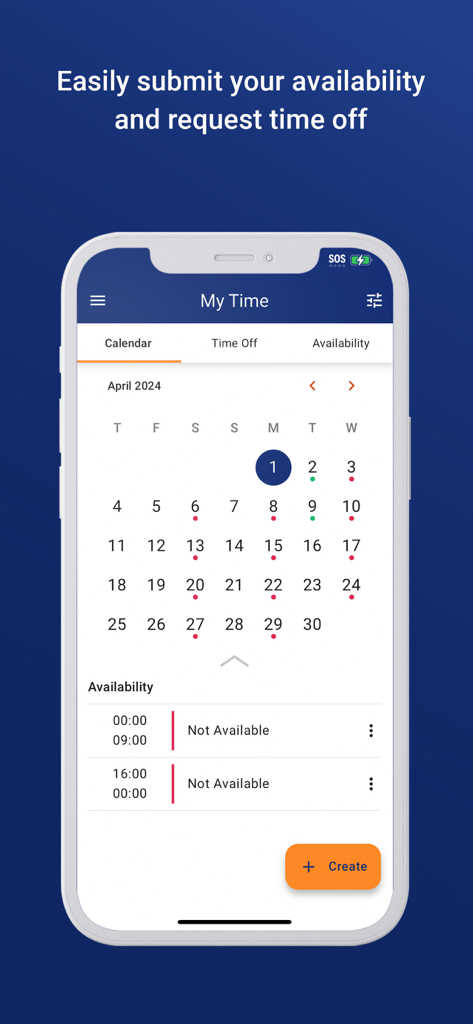
Crunchtime Teamworx mobile app interface showing the employee availability and time off request calendar.
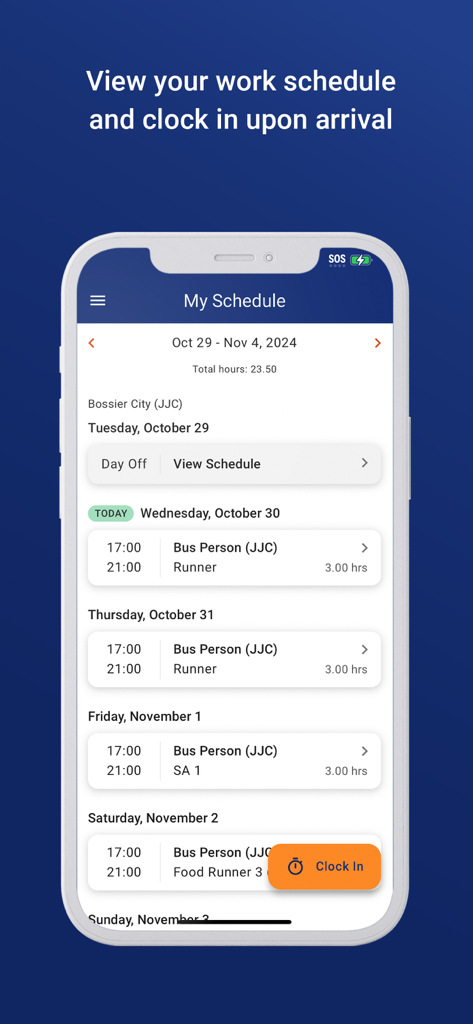
Crunchtime Teamworx app interface showing an employee work schedule with an orange clock in button
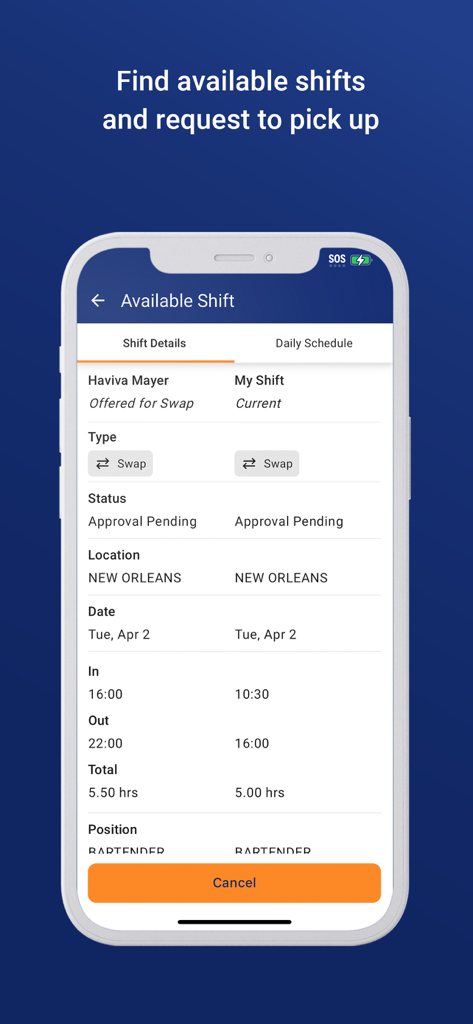
Crunchtime Teamworx mobile interface showing available restaurant shifts and swap requests
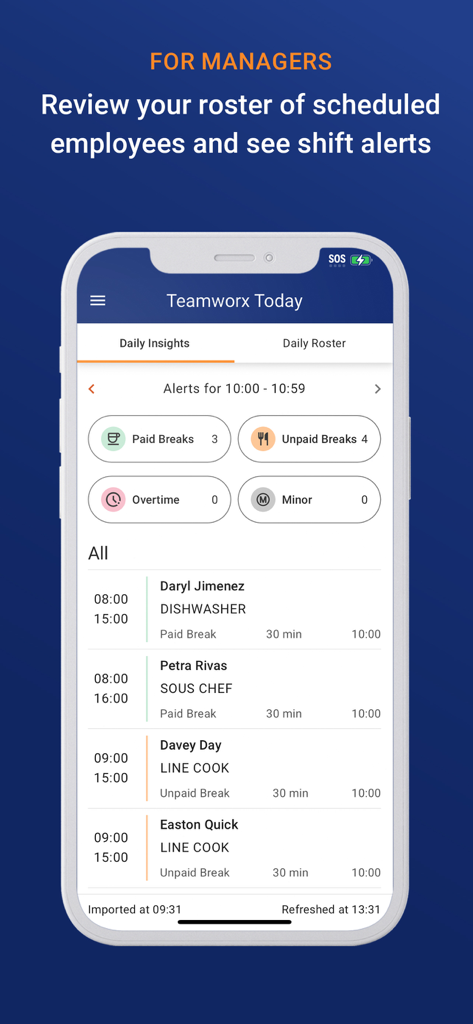
Manager dashboard in Crunchtime Teamworx showing employee roster and shift alerts
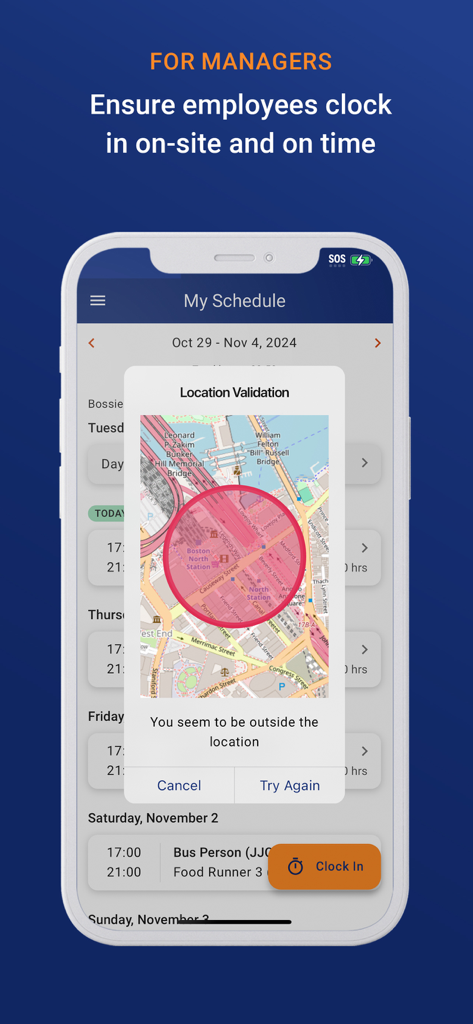
Manager view of the Crunchtime Teamworx app showing a location validation map for employee clock in
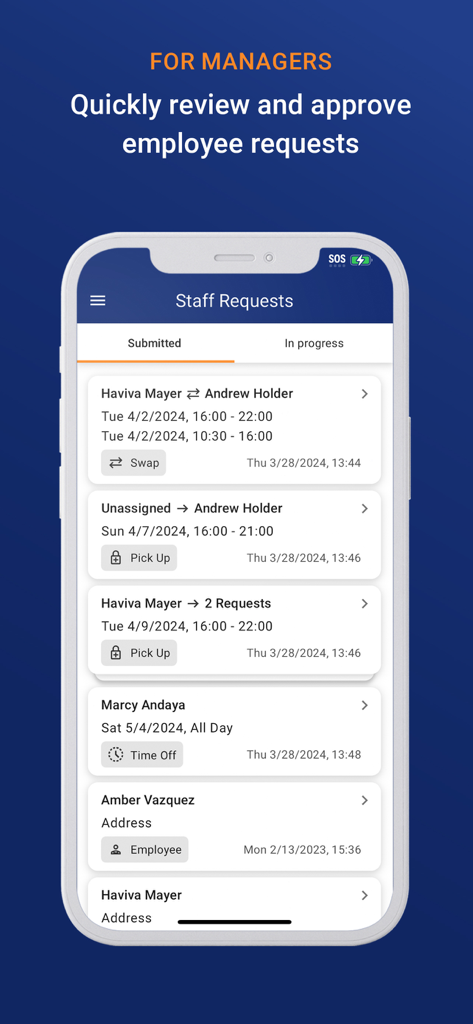
Restaurant manager interface showing employee shift swap and time off requests in the Crunchtime Teamworx app.
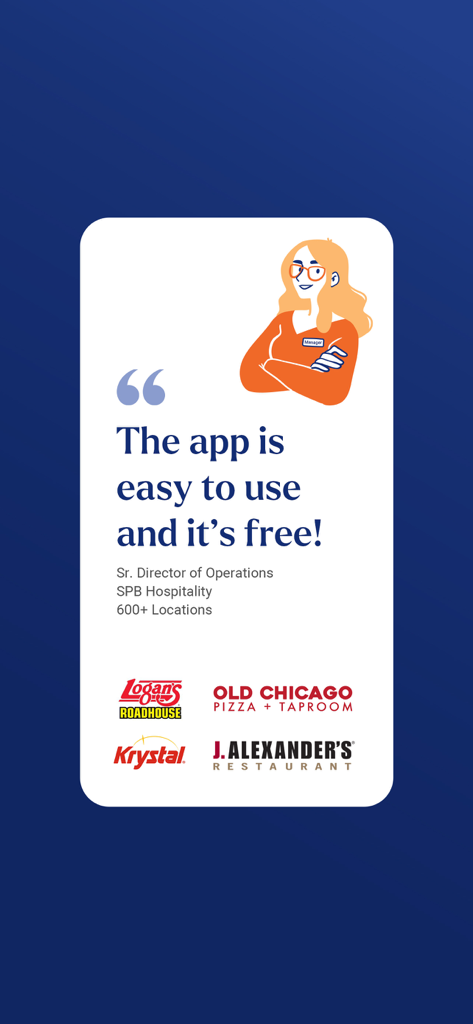
Testimonial from a hospitality director stating the app is easy to use and free with restaurant brand logos
Description
Download
More Like This
Apps with similar features and user experience

Connecteam Team Management App
Connecteam, Inc.

Homebase: Team Management
Pioneer Works, Inc.

7shifts: Employee Scheduling
7shifts, Inc.

When I Work Staff Scheduling
When I Work, Inc.

Jibble: Attendance Tracker
Jibble Tech Sdn Bhd

Legion Workforce Engagement
Legion Technologies Inc.

Restaurant365
Dynamic Methods, Inc

AxisCare Mobile
Centex Axiscare Inc
Timesheet & Time Track: AtWork
Vien Tran Ngoc
This page is not an official page of the app or its developer, but an independent editorial publication created for informational and commentary purposes. Unless expressly stated otherwise, neither the app nor its developer is affiliated with, endorsed by, sponsored by, authorized by, or otherwise officially connected with MWM, Apple, Google Play, the app publisher, or the app's developer, and nothing on this page implies that the app was developed using MWM's services. Any trademarks, logos, screenshots, and other content remain the property of their respective owners.