
This page is not an official page of the app or its developer, but an independent editorial publication created for informational and commentary purposes. Unless expressly stated otherwise, neither the app nor its developer is affiliated with, endorsed by, sponsored by, authorized by, or otherwise officially connected with MWM, Apple, Google Play, the app publisher, or the app's developer, and nothing on this page implies that the app was developed using MWM's services. Any trademarks, logos, screenshots, and other content remain the property of their respective owners.


Counters+
The professional-grade tally tool for small businesses and organized homes. Categorize essentials, track stock with tactile feedback, and export your data instantly.
Downloads
546K+User Rating
Total Ratings
7K+Publisher
Category
BusinessLocales
2Latest Version
2.4Size
4.0 MBFirst Released
Jun 4, 2015Complete Control Over Your Essentials
From medical supplies to business stock, Counters+ provides the professional tools you need to stay organized, prepared, and efficient.
Smart Categorization
Keep everything in its place with custom categories tailored for your specific household or small business inventory needs.
Focus-First Counting
Speed through stock checks using haptic vibration and sound feedback to count items accurately without looking at your screen.
Frequently Asked Questions
Everything you need to know about Counters+
What is the Counters+ app?
Counters+ is an app for tracking any number of items. It allows users to manage and count quantities across various custom categories, suitable for inventory checks and supply monitoring.
How does Counters+ organize counted items?
Counters+ organizes counted items through a category classification system. Users create custom categories like "Grocery" or "Medical supplies" to group and manage different sets of numerical counters.
Can I change the display of items in Counters+?
Yes, Counters+ provides flexible display options. Users can switch between a grid view and a list view to visually manage their counted items according to their preference.
How do I backup my data in Counters+?
Counters+ supports data backup via iTunes file sharing. Users can secure their Settings.dat and DataFile.dat to preserve their counter information and settings.
Can I share data from the Counters+ app?
Yes, Counters+ facilitates data sharing. Users can send their counter data by e-mail directly from the application, allowing for easy export or communication.
Does Counters+ offer customizable feedback options?
Yes, Counters+ offers customizable feedback options. Users can independently enable or disable sound and vibration features within the app settings to personalize their counting experience.
What types of items can I track with Counters+?
Counters+ is designed to track a wide range of items. It is suitable for counting groceries, clothing supplies, livingware, medical supplies, emergency food, and tableware, among other things.
The following screenshots and description are sourced directly from the app's official store listing and are the property of the app developer.
App Store
Screenshots
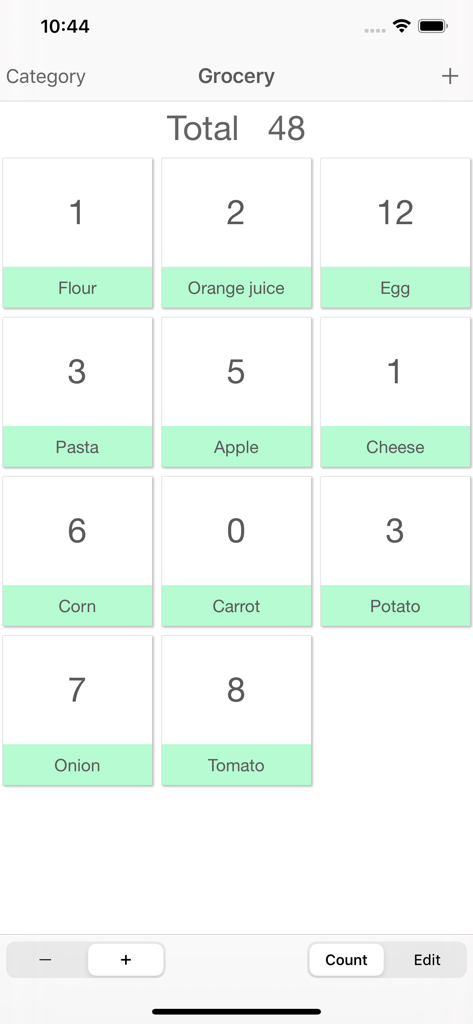
A grid layout in the Counters plus app showing a grocery list with individual item counts and a total sum
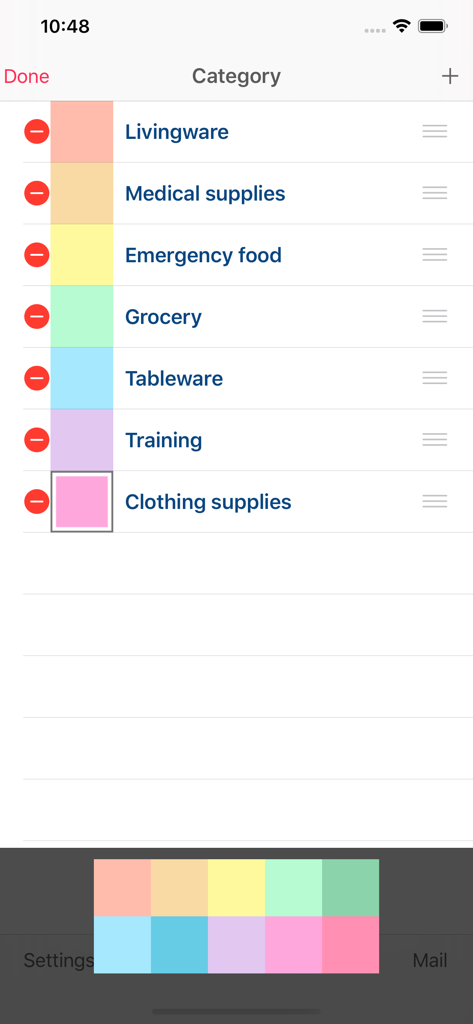
A smartphone screenshot of the Counters+ app showing a list of customizable categories like medical supplies, emergency food, and grocery with color coded labels.
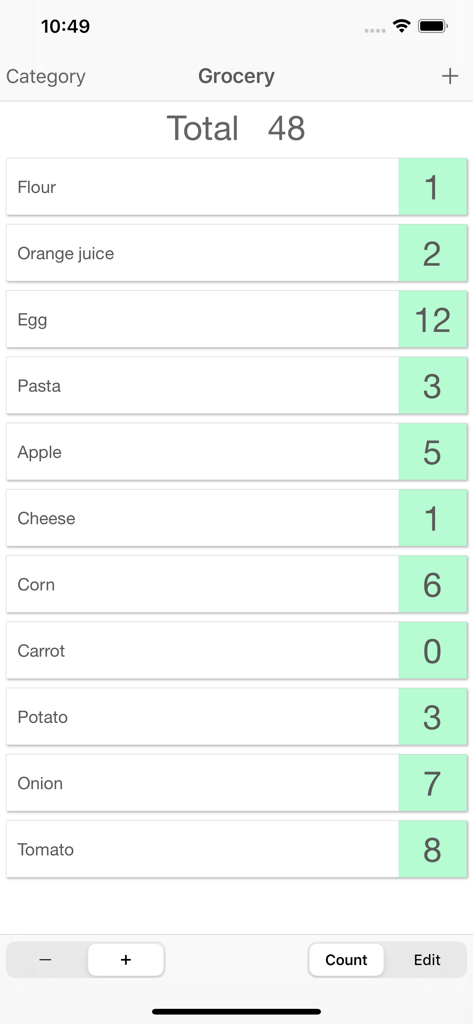
A grocery inventory list in the Counters plus app showing various food items with their current stock counts and a total sum of forty eight.
Description
Download
More Like This
Apps with similar features and user experience

Counter Tally Count
Tevfik Yucek

Kawaii Sushi Counter: Kawashi
JOSE DOMINGO CASTRO CRESPO
Domino Apunte
DMICANO LLC

Sushi Count
Sean Gransee

Sushi Score - Count your sushi
Jonas Boserup

Scoreboard: Keep 2 Teams Score
Edwin Chan

Super Scoreboard
Appcano LLC
Counter+.
Unicom TOV

Point Counter - Scoreboard
One Pixel Studio s. r. o.
This page is not an official page of the app or its developer, but an independent editorial publication created for informational and commentary purposes. Unless expressly stated otherwise, neither the app nor its developer is affiliated with, endorsed by, sponsored by, authorized by, or otherwise officially connected with MWM, Apple, Google Play, the app publisher, or the app's developer, and nothing on this page implies that the app was developed using MWM's services. Any trademarks, logos, screenshots, and other content remain the property of their respective owners.