Cre8 - Photo Editor & Drawing
Download on App Store

This page is not an official page of the app or its developer, but an independent editorial publication created for informational and commentary purposes. Unless expressly stated otherwise, neither the app nor its developer is affiliated with, endorsed by, sponsored by, authorized by, or otherwise officially connected with MWM, Apple, Google Play, the app publisher, or the app's developer, and nothing on this page implies that the app was developed using MWM's services. Any trademarks, logos, screenshots, and other content remain the property of their respective owners.


Logo of Cre8 - Photo Editor & Drawing
Download on App Store

Cre8 - Photo Editor & Drawing

Level up your aesthetic with AI art generation, pro-grade filters, and seamless drawing tools. From viral profile pictures to custom social content, bring your unique vision to life in one powerful app.

Key Figures

Downloads

0

User Rating

4.7/5

Total Ratings

0

Publisher

Vladimirs Matusevics

Category

Photo & Video

Locales

5

Latest Version

3.5

Size

119.9 MB

First Released

Nov 23, 2020
Features

Elevate Your Creative Game

Skip the app-hopping. Cre8 brings AI generation, pro-grade drawing, and aesthetic filters into one powerful studio designed for your next viral post.

AI Art at Your Fingertips

Transform your wildest ideas into high-quality visuals with our intelligent generator. Perfect for unique backgrounds and custom avatars.

The Ultimate Creator Toolkit

From advanced layer blending to instant social media resizing, get all the tools you need to build a professional brand from your phone.

The following screenshots and description are sourced directly from the app's official store listing and are the property of the app developer.

App Store

Screenshots
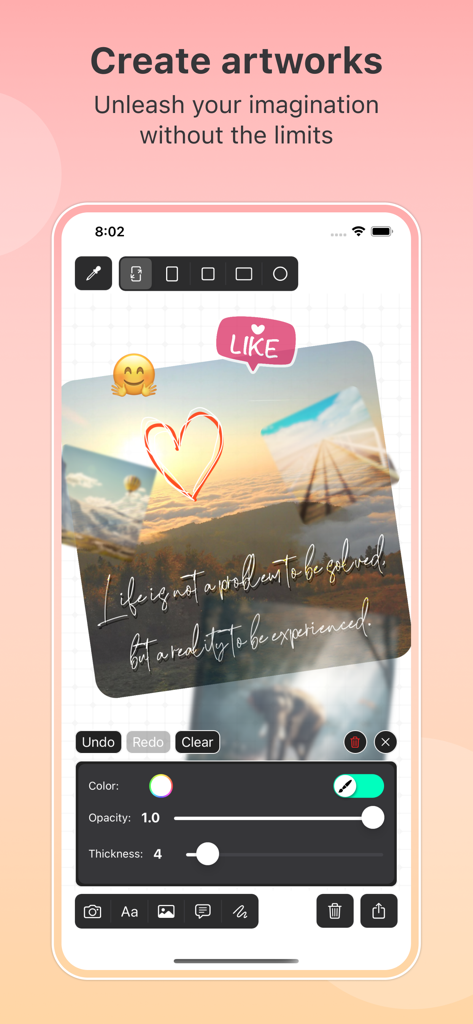
Cre8 - Photo Editor & Drawing - Cre8 mobile app interface showing photo collage editing with stickers and drawing tools
Cre8 mobile app interface showing photo collage editing with stickers and drawing tools

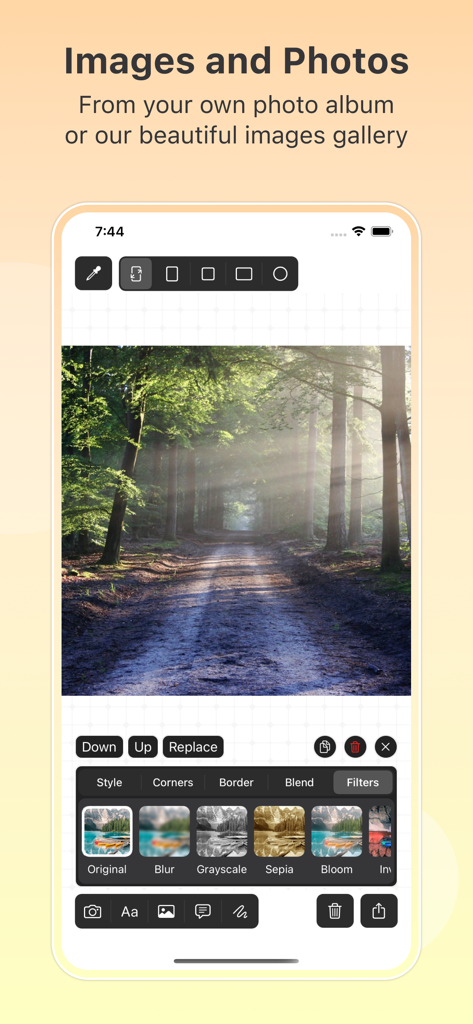
Cre8 - Photo Editor & Drawing - Mobile app interface of Cre8 showing photo editing options and aesthetic filters applied to a nature image.
Mobile app interface of Cre8 showing photo editing options and aesthetic filters applied to a nature image.

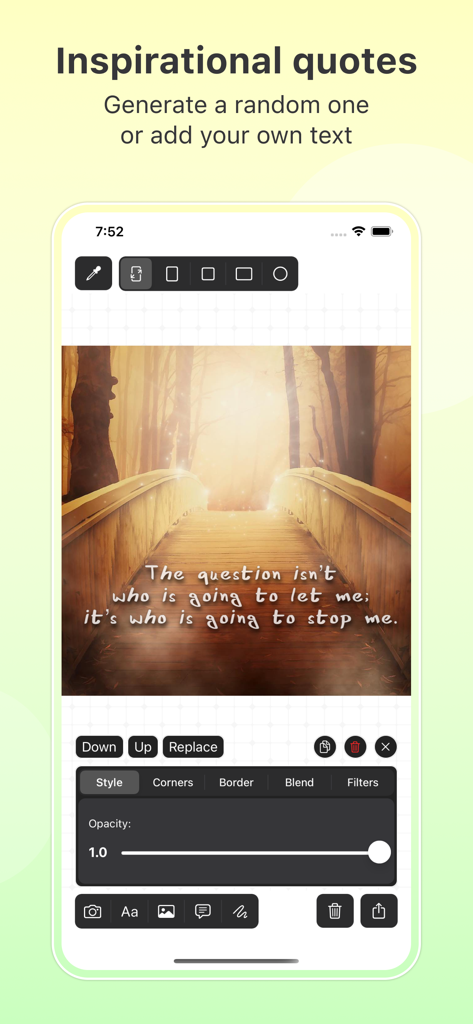
Cre8 - Photo Editor & Drawing - A screenshot of the Cre8 app showing an inspirational quote overlaid on a photo of a wooden bridge.
A screenshot of the Cre8 app showing an inspirational quote overlaid on a photo of a wooden bridge.

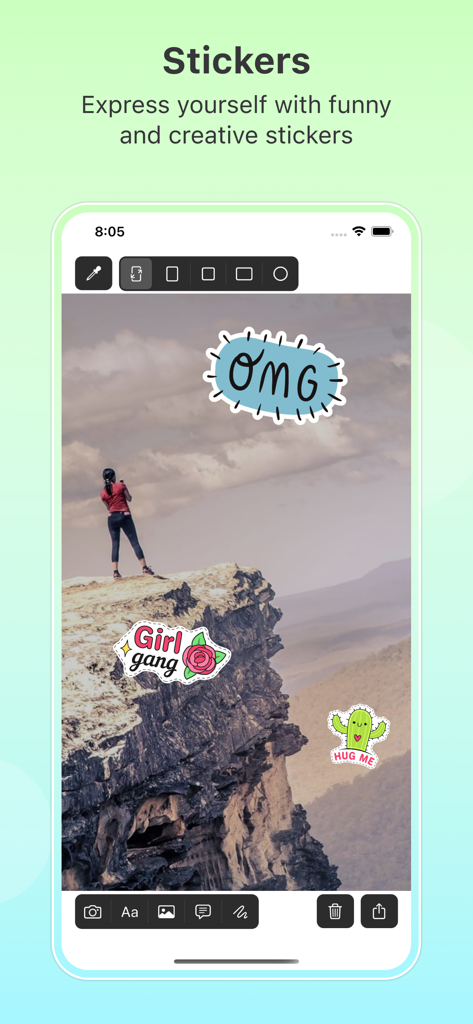
Cre8 - Photo Editor & Drawing - Cre8 app interface showing creative stickers added to a landscape photo
Cre8 app interface showing creative stickers added to a landscape photo

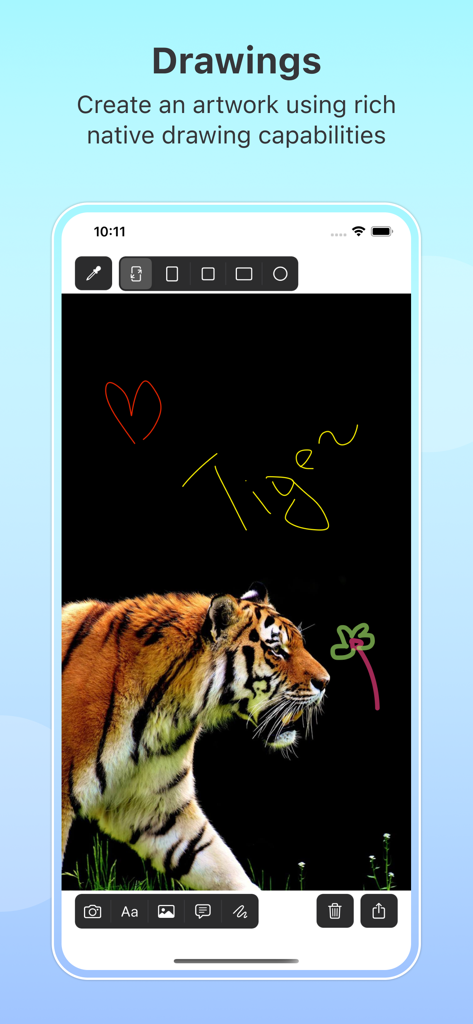
Cre8 - Photo Editor & Drawing - Cre8 app interface showing native drawing tools and a tiger photo with custom sketches.
Cre8 app interface showing native drawing tools and a tiger photo with custom sketches.

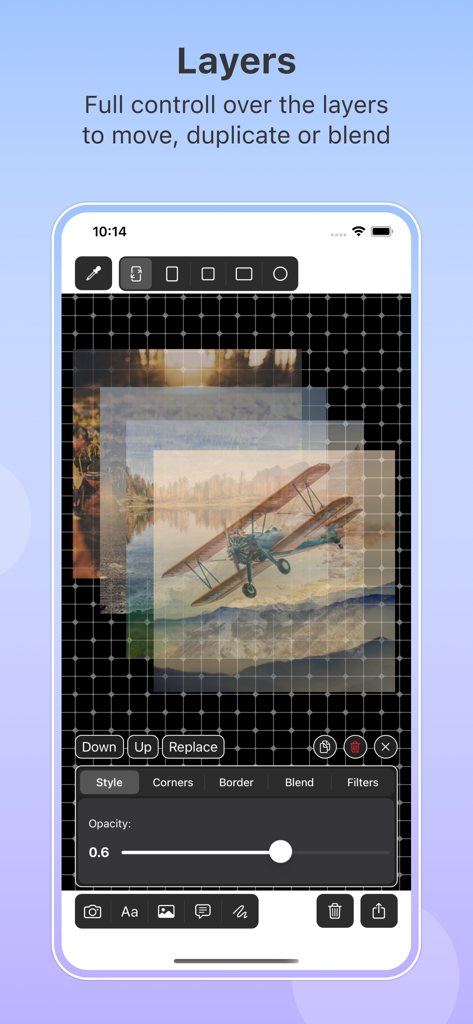
Cre8 - Photo Editor & Drawing - Interface of Cre8 app showcasing advanced layer management with opacity and blending controls for photo editing.
Interface of Cre8 app showcasing advanced layer management with opacity and blending controls for photo editing.

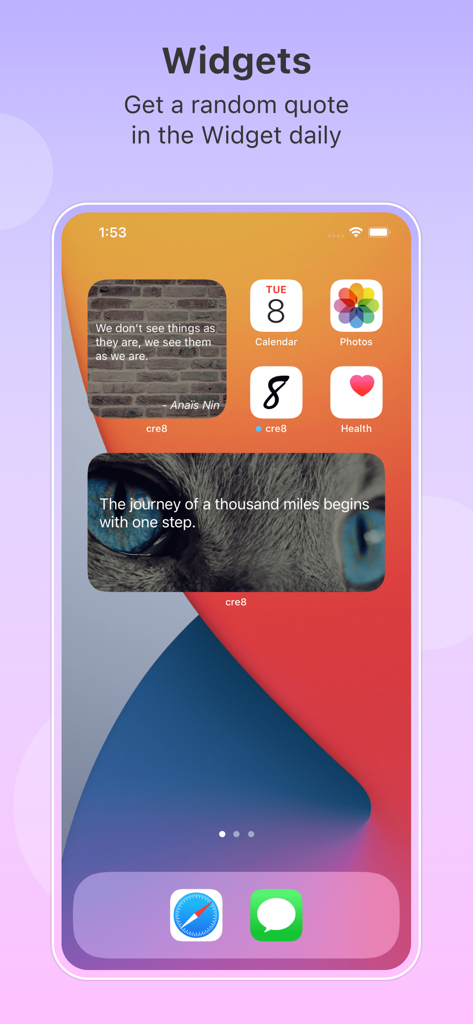
Cre8 - Photo Editor & Drawing - iPhone home screen with Cre8 app widgets displaying daily inspirational quotes

iPhone home screen with Cre8 app widgets displaying daily inspirational quotes

Description

Introducing Cre8 Photo Editor: Your Ultimate Creative Companion! Unlock your inner artist with Cre8, the all-in-one photo editor, profile picture maker, and AI art generator that transforms your memories into masterpieces. Combining powerful photo filters, photo drawing tools, a built-in image resizer, and an intelligent canvas system, Cre8 lets your creativity shine like never before. Key Features: Image Editing and Photo Filters Import multiple photos or choose from our extensive gallery of images and stickers. Apply stunning photo filters, adjust opacity, borders, and more to make your photos truly unique. Duplicate, flip, crop, erase, or restore any portion of the image with ease. Fine-tune every detail using professional-grade editing tools designed for both beginners and experienced creators. Text and Inspirational Quotes Personalize your artwork with custom text or select from our curated library of inspirational quotes. Tweak font size, alignment, opacity, kerning, and line spacing for the perfect finishing touch. Control text shadow, background color, and other options to make your words pop. Whether you are adding a motivational quote to a social media post or designing a custom greeting card, the text tools give you full creative control. Photo Drawing and Brush Tools Unleash your inner Picasso with a variety of brush sizes, colors, and opacities. Use photo drawing tools to sketch, illustrate, and create freehand art directly on your canvas. Edit effortlessly using the undo, redo, clear, and eraser functions. Choose from different brush styles to achieve the exact look you envision, from fine-line illustrations to bold strokes. Layers and Blending Manage layers with simple gestures, moving, zooming, and rotating to your heart's content. Play with blending options, duplicate layers, and define styles for multiple layers simultaneously. The layer system gives you complete control over every element in your composition, making complex designs easy to organize and refine. Resize Image and Canvas Choose from a range of canvas sizes perfect for stories, posts, stickers, and avatars. Use the built-in image resizer to resize images for any platform, including Instagram, Facebook, Twitter, and more. Create the perfect profile picture with custom dimensions. Crop and adjust your images to fit any aspect ratio. Save and restore your work at any point so you never lose your progress. AI-Generated Art Generate unique images using AI by providing a short description. Explore creative possibilities with AI art generation and bring your ideas to life in seconds. Import the AI-generated image into the app and apply the full range of photo filters, drawing tools, text overlays, and sticker effects to customize it further. The AI art feature is perfect for inspiration, quick mockups, or creating entirely original artwork. Gallery and Sticker Collection Browse our built-in gallery filled with images, templates, and stickers to jumpstart your creative projects. Add fun stickers to your photos, layer them with text, and combine with photo filters for unique compositions that stand out. Why Choose Cre8 Photo Editor? Cre8 puts the power of professional photo editing and design in your hands. Whether you need a profile picture maker, an image resizer, a creative canvas for photo drawing, or an AI art generator with photo filters, Cre8 has you covered. The intuitive interface makes it easy to resize images, add inspirational quotes, apply text and stickers, draw with brushes, manage layers, crop photos, and create gallery-worthy artwork all in one app. Download Cre8 today and start crafting stunning visuals that express your unique creative vision. Privacy Policy: https://docs.google.com/document/d/1xna6bCUoEfcZNzggqSO1bF9AqE_1qDt2/edit?usp=sharing&ouid=117759014791809745888&rtpof=true&sd=true

Download

Download on App Store

This page is not an official page of the app or its developer, but an independent editorial publication created for informational and commentary purposes. Unless expressly stated otherwise, neither the app nor its developer is affiliated with, endorsed by, sponsored by, authorized by, or otherwise officially connected with MWM, Apple, Google Play, the app publisher, or the app's developer, and nothing on this page implies that the app was developed using MWM's services. Any trademarks, logos, screenshots, and other content remain the property of their respective owners.