
This page is not an official page of the app or its developer, but an independent editorial publication created for informational and commentary purposes. Unless expressly stated otherwise, neither the app nor its developer is affiliated with, endorsed by, sponsored by, authorized by, or otherwise officially connected with MWM, Apple, Google Play, the app publisher, or the app's developer, and nothing on this page implies that the app was developed using MWM's services. Any trademarks, logos, screenshots, and other content remain the property of their respective owners.


Cross DJ - Music Mixer App
Turn your phone into a professional DJ deck. Stream from SoundCloud, isolate vocals with AI Stems, and perform live with industry-leading MIDI support.
Downloads
3M+User Rating
Total Ratings
6K+Publisher
Category
MusicLocales
2Latest Version
5.0.13Size
492.4 MBFirst Released
Dec 21, 2012Professional Power for the Mobile Creator
Ditch the heavy laptop and expensive gear. Cross DJ brings industry-standard mixing, pro-grade FX, and seamless hardware integration to your mobile device, allowing you to perform anywhere from the subway to the main stage.
Cloud-Native Music Library
Forget managing MP3s. Stream millions of tracks directly from SoundCloud Go+ or access your personal collection via iCloud, Dropbox, and Google Drive for instant mixing.
Next-Gen Remixing with Stems
Create viral-ready mashups by isolating vocals, drums, or instruments with one tap. Use 30+ pro-grade FX and zero-latency scratching to craft your unique sound.
Frequently Asked Questions
Everything you need to know about Cross DJ - Music Mixer App
What is Cross DJ - Music Mixer App?
Cross DJ is a music mixer app designed for DJs. It allows users to stream millions of tracks, mix and perform live with professional tools, and offers high-quality audio features for seamless mixing.
Does Cross DJ support external MIDI controllers?
Yes, Cross DJ provides native support for popular MIDI controllers like DDJ-FLX2, DDJ-FLX4, and various DJControl models. It also supports USB audio interfaces and external mixers.
Can I access my personal music library with Cross DJ?
Yes, Cross DJ allows access to tracks locally or via iCloud, Dropbox, and Google Drive. It supports importing major formats like mp3, mp4, aac, flac, wav, aiff, and ogg.
What audio effects are available in Cross DJ?
Cross DJ includes over 30 pro-grade audio FX. It also features a powerful sampler with 40+ one-shots and 40+ loops from 10+ sample packs for creative sound shaping.
How does the Cross DJ app handle track synchronization and tempo?
Cross DJ features ultra-precise BPM detection and key analysis. It uses keylock to change tempo without affecting pitch and offers auto-sync for instant beat locking and auto-gain for level matching.
Can I record my DJ mixes with Cross DJ?
Yes, Cross DJ allows users to record their mixes directly within the app. After recording, users can share their sets with others.
What is the Cross DJ PRO subscription?
The optional PRO subscription unlocks all Cross DJ Pro features across iOS and Mac. This includes access to exclusive tracks, premium sample packs, and pro-grade FX.
Does Cross DJ offer features for isolating vocals or instruments?
Yes, Cross DJ provides advanced DJ tools that allow users to isolate vocals, drums, or instruments with a single tap, offering precise control over tracks.
Can I customize the visual appearance of the decks in Cross DJ?
Yes, Cross DJ allows users to customize their decks with full artworks or choose from 26 color themes to match their personal style.
Does Cross DJ have an automix feature for continuous music playback?
Yes, Cross DJ includes Smart Automix, which provides smooth, uninterrupted sets. Users can also create and manage their own custom playlists.
The following screenshots and description are sourced directly from the app's official store listing and are the property of the app developer.
App Store
Screenshots
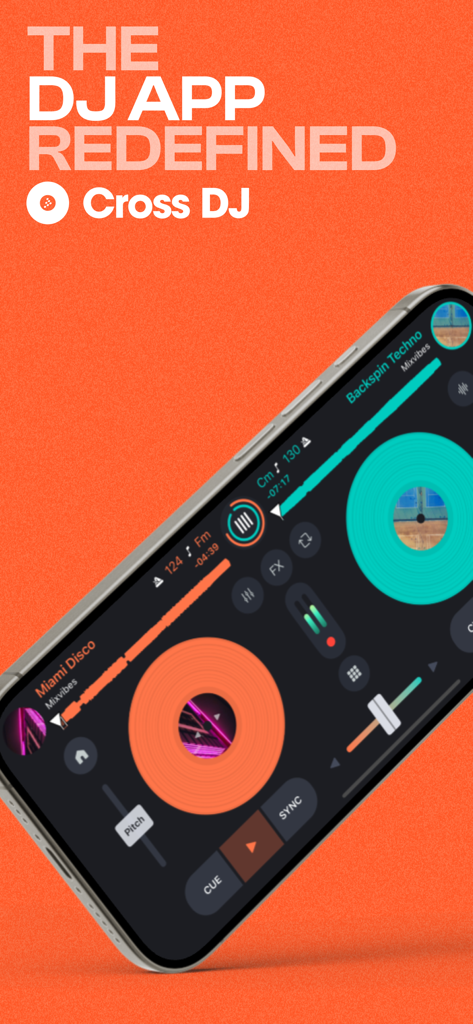
Cross DJ music mixer app interface on a smartphone screen showing dual virtual turntables and professional controls
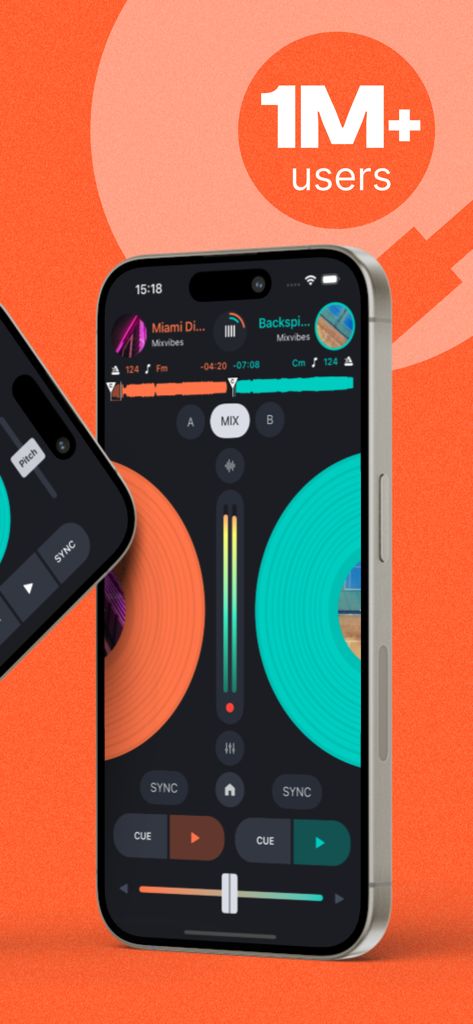
Cross DJ music mixer mobile app interface on iPhone with dual decks and one million plus users badge
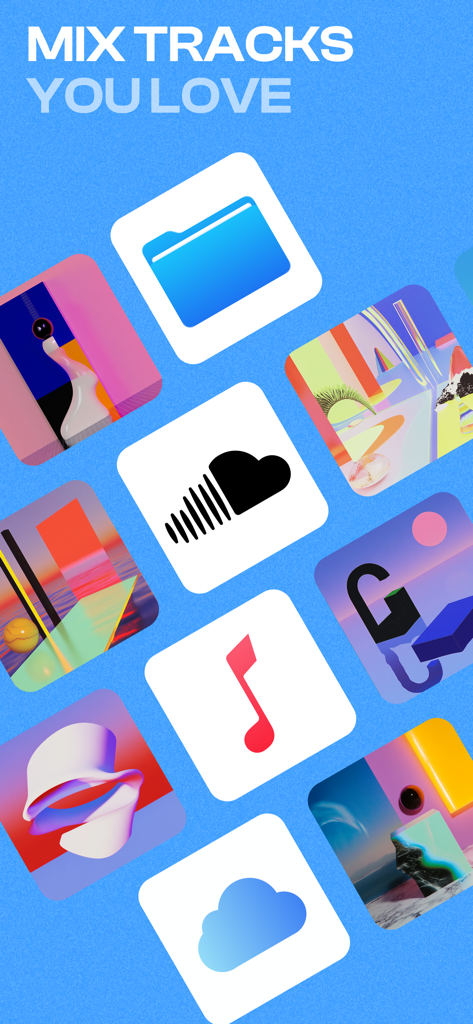
Cross DJ app interface displaying integrated music sources like SoundCloud and cloud storage for mixing tracks
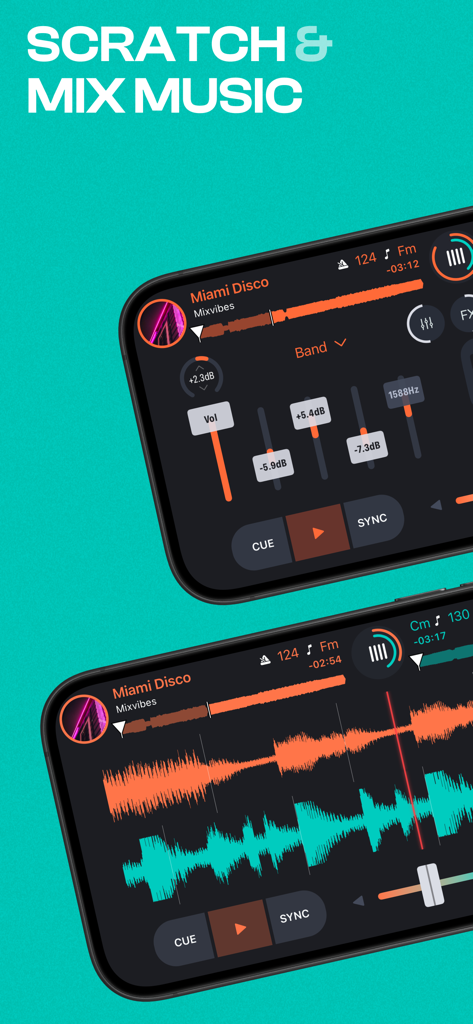
Mobile interface of Cross DJ app with music waveforms and mixing controls
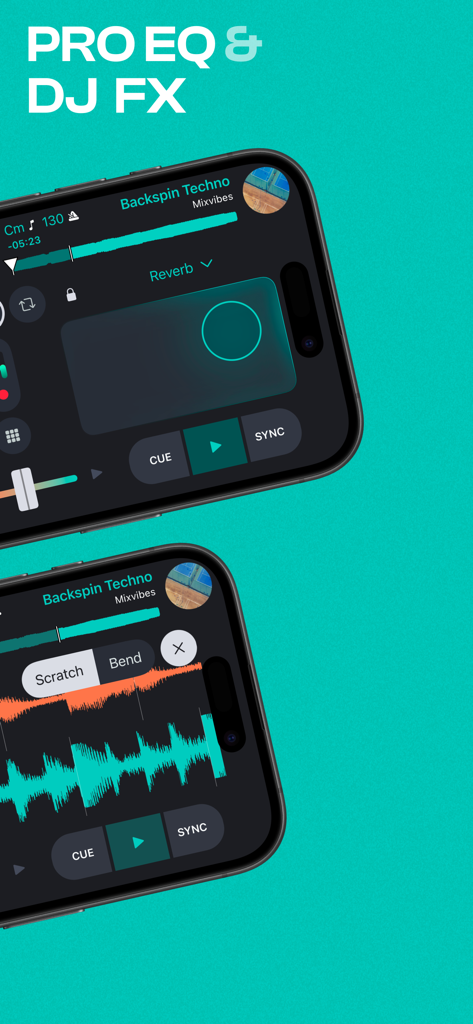
Cross DJ app interface on two smartphones showcasing Pro EQ and professional DJ audio effects.
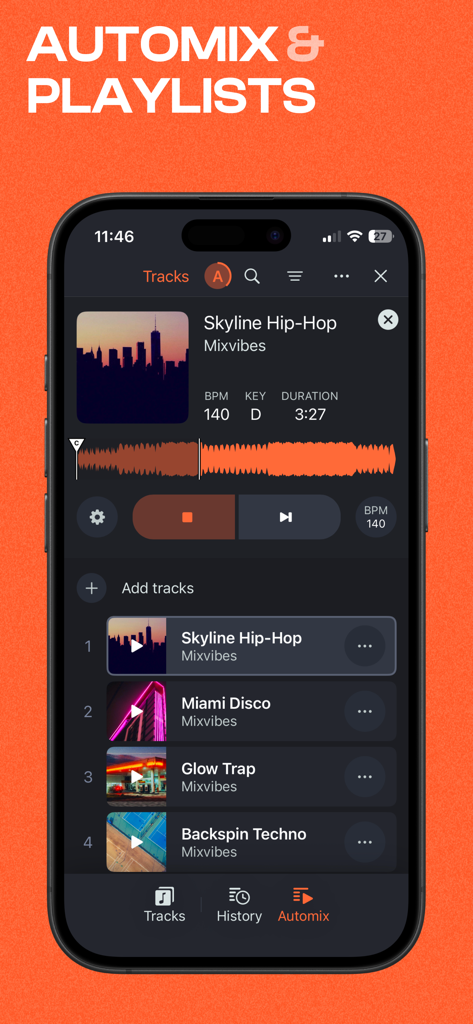
Cross DJ music mixer app showing automix and playlists interface
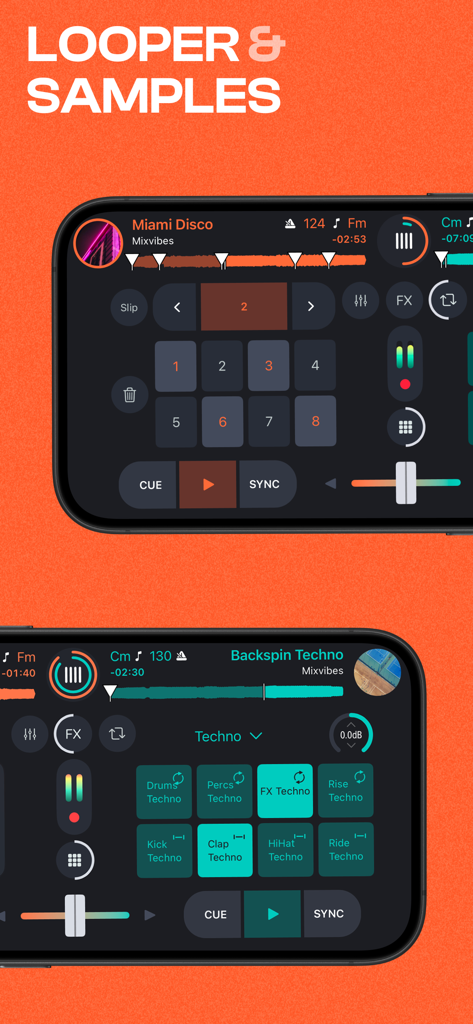
Cross DJ app interface displaying looper pads and sampler triggers for electronic music production.
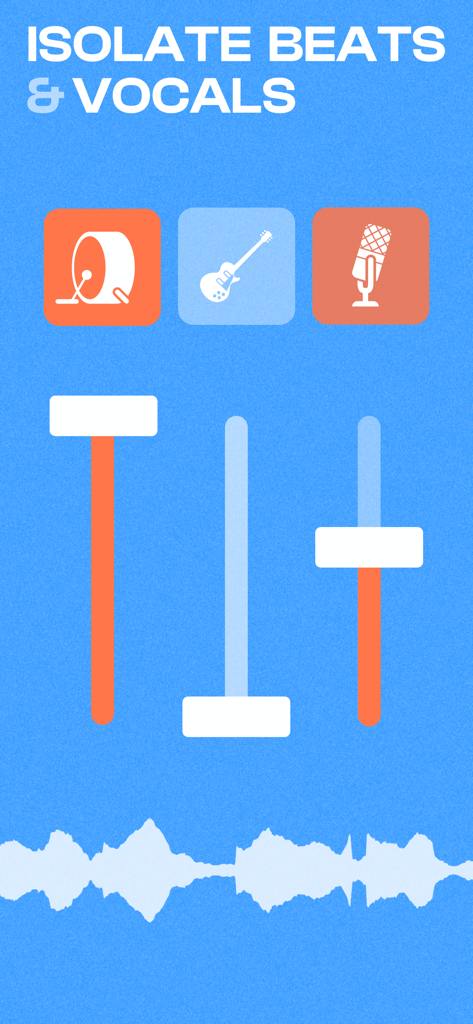
Cross DJ app interface showing the stems feature to isolate beats and vocals with sliders
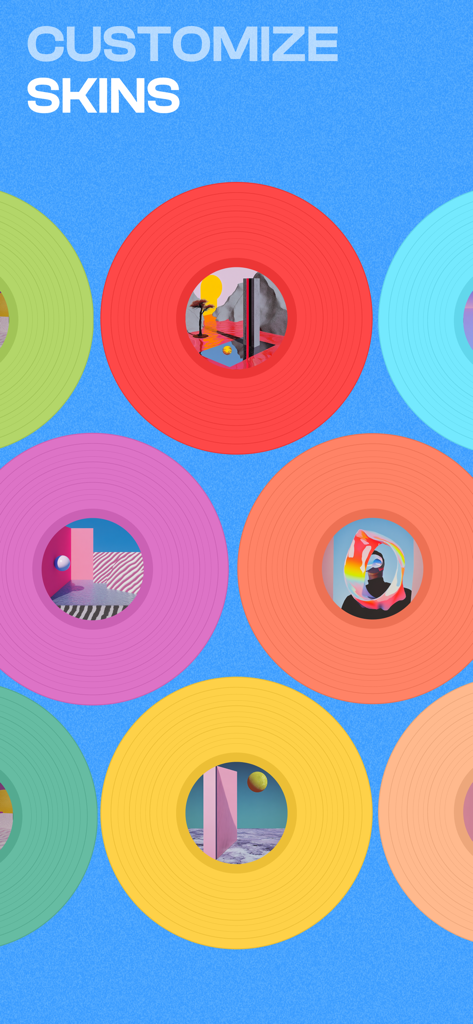
A variety of colorful vinyl records with unique artwork labels representing deck customization options in Cross DJ.
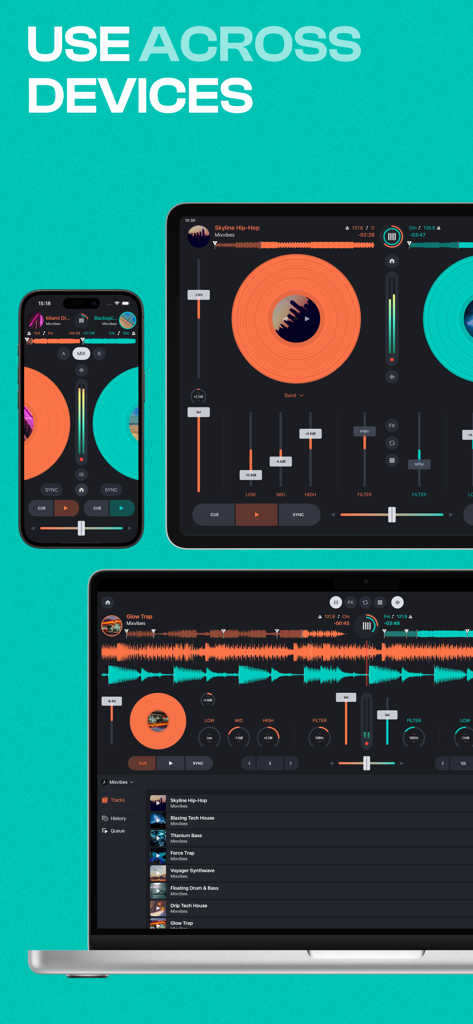
Cross DJ music mixer interface displayed on iPhone, iPad, and MacBook
Description
Download
More Like This
Apps with similar features and user experience
YouDJ Mixer - Easy DJ app
Wurth Adrien
Jammable - Mashups
Jammable Limited
Edjing Mix - DJ Music Mixer
MWM

djay - DJ App & AI Mixer
Algoriddim GmbH
WeDJ for iPhone
AlphaTheta Corporation
DJ Mixer Studio:Remix Music
MVTrail Tech Co., Ltd.

DJDJ Mixing App
Rodrigo Yanez

rekordbox - DJ App & DJ Mixer
AlphaTheta Corporation
DJ it! Virtual Music Mixer app
Gismart Ltd
This page is not an official page of the app or its developer, but an independent editorial publication created for informational and commentary purposes. Unless expressly stated otherwise, neither the app nor its developer is affiliated with, endorsed by, sponsored by, authorized by, or otherwise officially connected with MWM, Apple, Google Play, the app publisher, or the app's developer, and nothing on this page implies that the app was developed using MWM's services. Any trademarks, logos, screenshots, and other content remain the property of their respective owners.