
This page is not an official page of the app or its developer, but an independent editorial publication created for informational and commentary purposes. Unless expressly stated otherwise, neither the app nor its developer is affiliated with, endorsed by, sponsored by, authorized by, or otherwise officially connected with MWM, Apple, Google Play, the app publisher, or the app's developer, and nothing on this page implies that the app was developed using MWM's services. Any trademarks, logos, screenshots, and other content remain the property of their respective owners.

Cruise Nav
Track your speed, position, and ETA without expensive ship Wi-Fi. Works offline in Airplane Mode so you always know exactly where you are at sea.
Downloads
141K+User Rating
Total Ratings
0Publisher
Category
NavigationLocales
1Latest Version
2.0Size
2.8 MBFirst Released
Mar 16, 2016Take Command of Your Cruise Journey
The ultimate companion for the curious voyager. Track your journey in real-time, monitor your speed, and see your ETA to the next port—all without spending a dime on expensive shipboard Wi-Fi.
100% Offline GPS Tracking
Stay connected to your journey even in Airplane Mode. Our app uses your device's built-in GPS to show your exact location anywhere on the ocean without needing an internet connection.
Live Speed & ETA Updates
Stop wondering when you will arrive. Get real-time data on your ship's nautical speed and precise time estimates for your next port of call so you can plan your day perfectly.
Frequently Asked Questions
Everything you need to know about Cruise Nav
How does Cruise Nav provide navigation without internet?
Cruise Nav operates offline by using GPS signals, even in Airplane Mode, to show live position, speed, distance, and estimated time to destination. For optimal offline map viewing, users must first open the app while connected to the internet to cache map details.
What units does Cruise Nav use for distance measurement?
Cruise Nav offers flexible unit options, allowing users to view distances in Kilometers or Nautical Miles. This choice enables navigation data to be displayed in the preferred measurement standard for diverse maritime contexts.
Can users create custom destinations in Cruise Nav?
Yes, Cruise Nav supports adding custom destinations. Users achieve this by performing a long press on the map. This functionality complements the app's existing database of hundreds of worldwide ports.
Does Cruise Nav allow drawing custom routes?
Yes, Cruise Nav enables users to draw their own custom routes directly on the map. This feature helps provide more accurate distance and time estimates tailored to specific travel paths.
What real-time data does Cruise Nav display during a journey?
Cruise Nav displays real-time navigation data, including live position, current speed, total distance to the destination, and estimated time remaining. This critical information is readily accessible on the map interface.
Is it possible to search for specific ports within Cruise Nav?
Yes, Cruise Nav allows users to search hundreds of ports worldwide. The app includes a dedicated search function, as demonstrated by the capability to search for destinations like "Greece" and view related port options.
How does Cruise Nav estimate arrival times?
Cruise Nav estimates arrival times by calculating the time left until the destination. This calculation is dynamic, adjusting based on the vessel's current speed and the remaining distance to the next port of call.
Does Cruise Nav affect my phone's battery life?
Yes, continuous GPS use by Cruise Nav can significantly reduce the device's battery life. Users should consider this impact and manage their power usage, especially during extended voyages, or keep the device charged.
The following screenshots and description are sourced directly from the app's official store listing and are the property of the app developer.
App Store
Screenshots
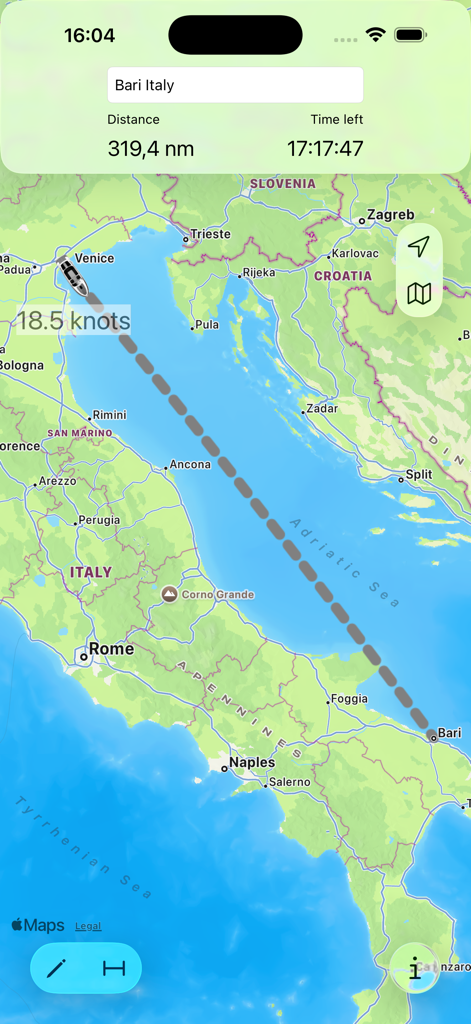
Cruise Nav app interface showing a ship tracking route from Venice to Bari with speed and distance information
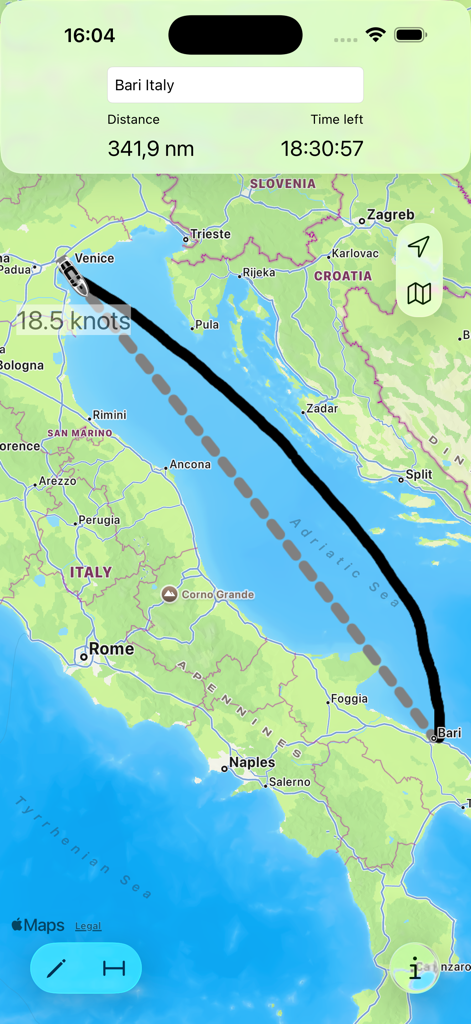
Cruise Nav app interface showing a maritime route from Venice to Bari in the Adriatic Sea with speed and time remaining indicators.
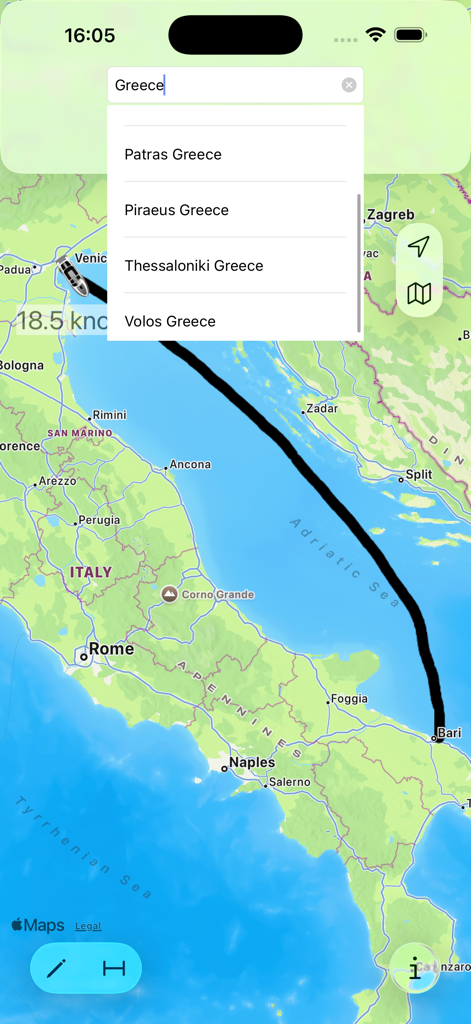
Map view of the Cruise Nav app showing a cruise ship route from Venice to Bari with a port search dropdown menu for Greece.
Description
Download
More Like This
Top-ranked apps in the same category

Google Maps
Google LLC

Waze Navigation & Live Traffic
waze

AMap Global
AutoNavi Information Technology Co. Ltd.

百度地图-路线规划,出行必备
Beijing Baidu Netcom Science & Technology Co.,Ltd

Moovit: Bus & Transit Tracker
Moovit App Global LTD

Transit • Subway & Bus Times
9280-0366 Quebec inc.

ParkMobile: Park. Pay. Go.
Parkmobile USA, Inc

腾讯地图-路线规划,导航地铁打车出行
Shenzhen Tencent Computer Systems Company Limited

Île-de-France Mobilités
Ile de France Mobilites
This page is not an official page of the app or its developer, but an independent editorial publication created for informational and commentary purposes. Unless expressly stated otherwise, neither the app nor its developer is affiliated with, endorsed by, sponsored by, authorized by, or otherwise officially connected with MWM, Apple, Google Play, the app publisher, or the app's developer, and nothing on this page implies that the app was developed using MWM's services. Any trademarks, logos, screenshots, and other content remain the property of their respective owners.