CuadraTurnos PMM PRO - Policía

Download on App Store

This page is not an official page of the app or its developer, but an independent editorial publication created for informational and commentary purposes. Unless expressly stated otherwise, neither the app nor its developer is affiliated with, endorsed by, sponsored by, authorized by, or otherwise officially connected with MWM, Apple, Google Play, the app publisher, or the app's developer, and nothing on this page implies that the app was developed using MWM's services. Any trademarks, logos, screenshots, and other content remain the property of their respective owners.

Logo of CuadraTurnos PMM PRO - Policía
Download on App Store

CuadraTurnos PMM PRO - Policía

Take control of your rotating schedule, track partners and patrol stats, and balance your duty with your life—all in one ad-free, secure app designed for the Thin Blue Line.

Key Figures

Downloads

16K+

User Rating

3.5/5

Total Ratings

0

Publisher

SY Technologies & Computer Solutions Spain, S.L.

Category

Productivity

Locales

2

Latest Version

2.31

Size

36.7 MB

First Released

Dec 2, 2015
Features

Take Command of Your Duty Schedule

The most comprehensive shift management tool designed specifically for law enforcement officers to balance duty, overtime, and life.

Automated Patrol Patterns

Generate your entire year's schedule in seconds by setting up custom rotations like 4-on/2-off or Panama shifts, so you can plan family time months in advance.

Professional Service Logs

Document critical details for every tour, including your partner's name, vehicle ID, and patrol type to ensure you're always prepared for future court testimony.

The following screenshots and description are sourced directly from the app's official store listing and are the property of the app developer.

App Store

Screenshots

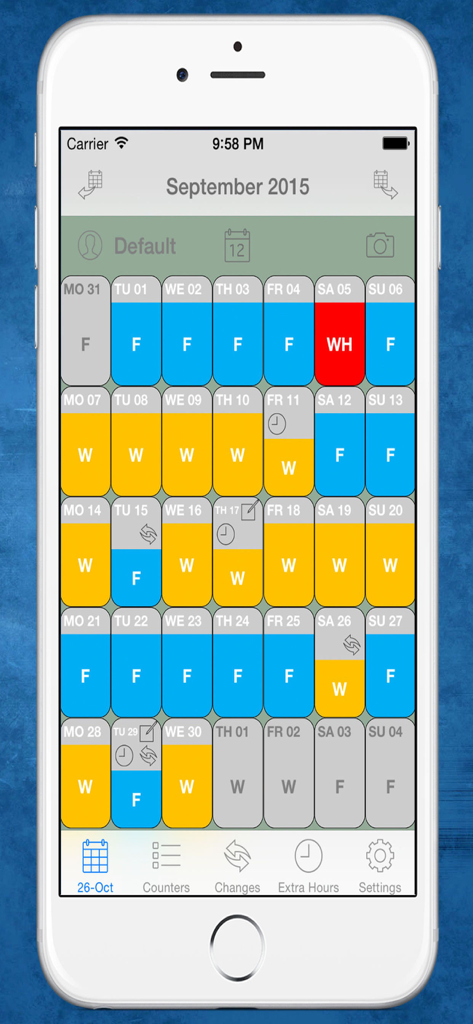
CuadraTurnos PMM PRO - Policía - Monthly calendar view showing color coded work shifts and rest days for police officers

Monthly calendar view showing color coded work shifts and rest days for police officers

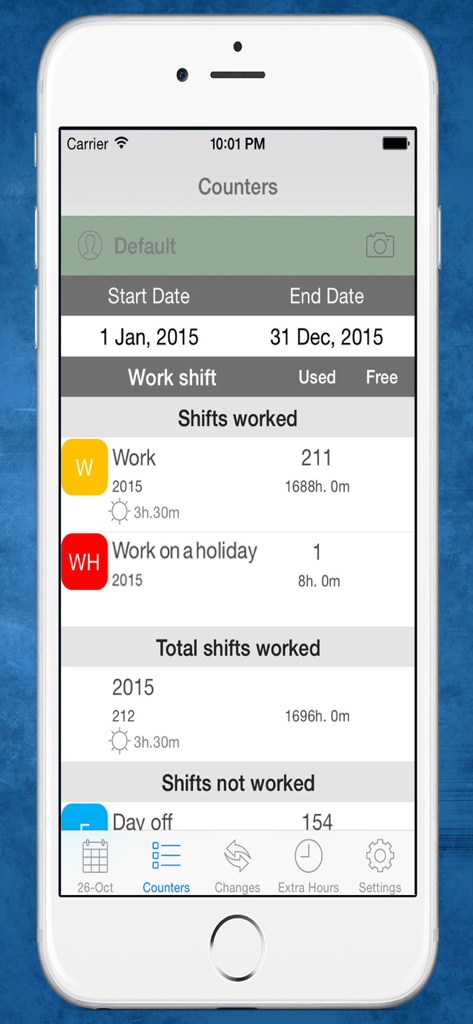
CuadraTurnos PMM PRO - Policía - Statistics screen of the CuadraTurnos PMM PRO app showing police work shifts and total hours worked for the year.

Statistics screen of the CuadraTurnos PMM PRO app showing police work shifts and total hours worked for the year.

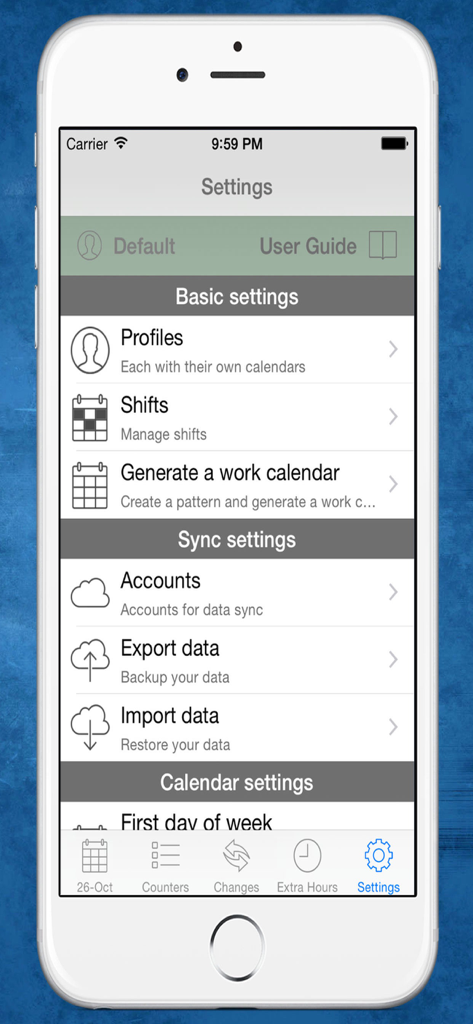
CuadraTurnos PMM PRO - Policía - Settings screen of CuadraTurnos PMM PRO police app showing profile and shift management options

Settings screen of CuadraTurnos PMM PRO police app showing profile and shift management options

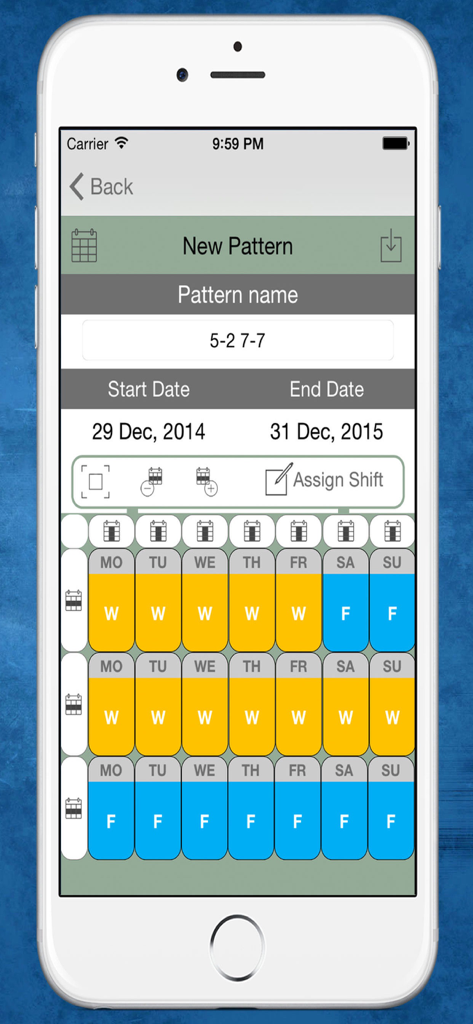
CuadraTurnos PMM PRO - Policía - Interface for creating a new work shift pattern in the CuadraTurnos PMM PRO app showing a multi week schedule of work and free days

Interface for creating a new work shift pattern in the CuadraTurnos PMM PRO app showing a multi week schedule of work and free days

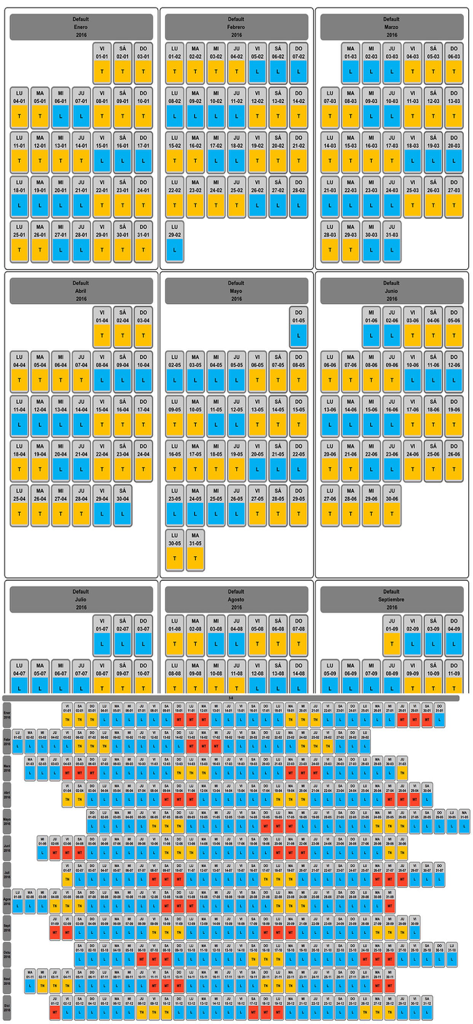
CuadraTurnos PMM PRO - Policía - Monthly and annual shift rotation calendar for police officers with color coded work and rest days

Monthly and annual shift rotation calendar for police officers with color coded work and rest days

Description

Languages: English and Spanish. This version is an adapted version for police, in which, besides having your shift calendar always with you, you can have important policial information associated with each service as the partner with whom to perform the service, type of service provided (patrol by car , by motorbike, on foot, ...), vehicle used, ... You will also have access, apart from statistics of workdays and days off, to other statistics, called productivity, where it shows the number of days they have patrolled by car, by motorbike, on foot, .... Shift Cal - Cuadra Turnos is an essential app designed for people with shift work. This app will help you manage and organize your work schedule in a simple and intuitive way and will let you take it in your iPhone or iPad. - PRO VERSION - No ads. - Create your own work calendar from the 'Settings' tab by clicking 'Generate work calendar' option and setting up a pattern. - Set your work shift in a particular day: just make a long press or a double tap on that day in the calendar and choose among the different types of day available. - PRO VERSION - You can set up to 3 shifts per day. - Create and modify all types of day you need: From the 'Shifts' option in the Settings tab. - App comes with the following 'shifts' already created (T-work, TF-Work on a holiday, L-Day off, LF-Day off on a holiday, V-holidays). - PRO VERSION - Create as many work calendars as you need (peers, family, ...) from the 'Settings' tab by clicking 'Profiles' option. - PRO VERSION - Manages shifts, patterns and notes independently in each profile. - PRO VERSION - Compare work calendars of the existing profiles from the 'Settings' tab by clicking 'Compare Work Calendars' option. - PRO VERSION - Quick access buttons to annual view, compare profiles and screenshot at the top of the main screen. (Filter by months / years) - Manage daily data fields: You can set the visibility and order of data fields in workdays and in days off. - PRO VERSION - It's allow to create new daily data fields and also editing existing data daily fields. - You will find statistics of workdays, hours worked and overtime in COUNTERS tab. - Control your shift changes and the partner with whom you do it from the CHANGES tab, the calendar displays a small icon in the day on which you have made ​​a shift change. - Control overtime you make. The calendar displays a small icon in the day on which you have made overtime, you will find summarized information in day detail and more information in EXTRA HOURS tab. - Write down as many notes as you need for each day of the week and you can even set a start and end time for each note as if it were an organizer. The calendar displays a small icon in the day on which you have notes. - PRO VERSION - Set notifications in the notes to be notified on the date and time specified. - You will have an overview of your year calendar: To access, simply click the 'Year View' button. - You can export and import your data: you can make backups of your data and restore them whenever you want, even in different devices. Backup files are compatible with all Shift Cal - Cuadra Turnos apps. - Export and import your data via Dropbox. - PRO VERSION - To recover data from the Free version just export the data from the Free version and restore it in the PRO version. - Screenshot: generates a png image or pdf file of the tab in which you are or year view which you can share via bluetooth, email, whatsapp ... - Associate images/photos to a day is possible. (Only 1 image/photo by day in free version). - Productivity information available.

Download

Download on App Store

This page is not an official page of the app or its developer, but an independent editorial publication created for informational and commentary purposes. Unless expressly stated otherwise, neither the app nor its developer is affiliated with, endorsed by, sponsored by, authorized by, or otherwise officially connected with MWM, Apple, Google Play, the app publisher, or the app's developer, and nothing on this page implies that the app was developed using MWM's services. Any trademarks, logos, screenshots, and other content remain the property of their respective owners.