
This page is not an official page of the app or its developer, but an independent editorial publication created for informational and commentary purposes. Unless expressly stated otherwise, neither the app nor its developer is affiliated with, endorsed by, sponsored by, authorized by, or otherwise officially connected with MWM, Apple, Google Play, the app publisher, or the app's developer, and nothing on this page implies that the app was developed using MWM's services. Any trademarks, logos, screenshots, and other content remain the property of their respective owners.

Cute CUT Pro
Stand out with one-of-a-kind videos. Draw directly on your footage, layer up to six media types, and master pro-level editing with an interface designed for your unique aesthetic.
Downloads
1M+User Rating
Total Ratings
37K+Publisher
Category
Photo & VideoLocales
12Latest Version
2.6Size
104.6 MBFirst Released
Mar 21, 2013Unleash Your Unique Creative Vision
Move beyond generic templates. Cute CUT Pro provides professional-grade drawing tools and multi-track layering to help you craft videos as unique as your imagination.
Draw Directly on Your Movies
Bring a handcrafted feel to your content with 30+ drawing tools and advanced brushes. Add custom doodles, handwritten notes, or aesthetic sparkles that set your vlogs apart.
Powerful Multi-Layer Editing
Combine up to six types of media simultaneously, including video, photos, and self-drawings. Create professional Picture-in-Picture effects and complex fan edits with a simple drag-and-drop.
The following screenshots and description are sourced directly from the app's official store listing and are the property of the app developer.
App Store
Screenshots
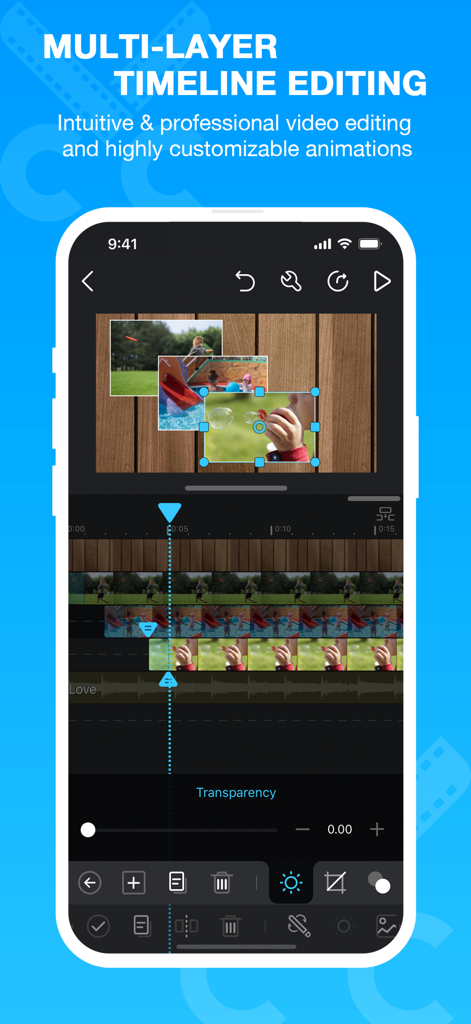
Cute CUT Pro mobile app interface showing multi-layer timeline editing and picture-in-picture video features
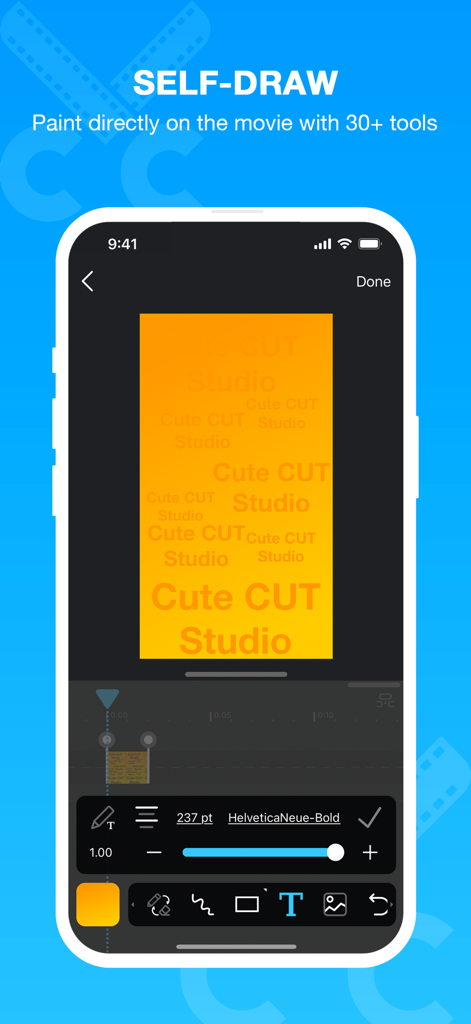
Interface of Cute CUT Pro app showing a user drawing and adding text overlays on a video clip.
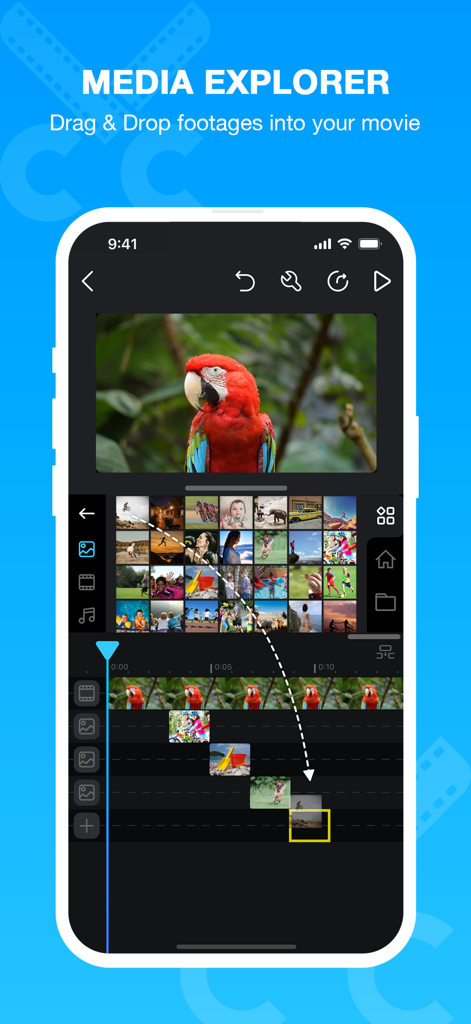
Cute CUT Pro app interface showing the media explorer and drag and drop video editing functionality on a smartphone
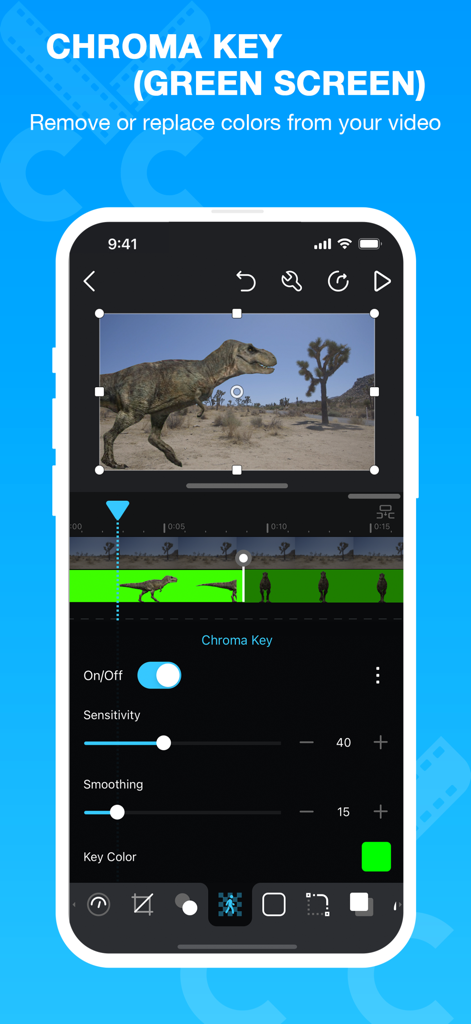
Interface of the Cute CUT Pro app displaying the chroma key and green screen editing feature.
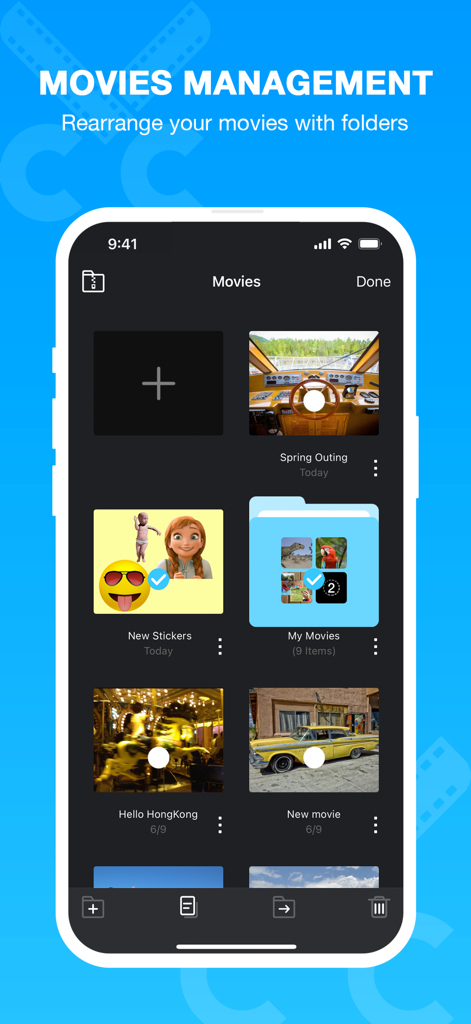
Cute CUT Pro movies management screen showing a grid of video projects and folders
Description
Download
More Like This
Apps with similar features and user experience

VEED Shorts: AI videos
VEED Ltd

AI Video Maker - Renderforest
Renderforest LLC

Slideshow Creator -MovieStudio
立瑗 胡

Filmigo Video Maker & Editor
VIDEOSHOW PTE. LTD.

Slideshow Maker Video & Photo
Honk Honk Punch Pty Ltd

Quick Slideshow Maker + Music
Zipo Apps Ltd.

Salad Video -Video Editor
ChengDu PinGuo Technology Co., Ltd.

Story Swag - Quick Reels
Slider LLC

StoryWave - Video Maker
UNSTATIC LTD
This page is not an official page of the app or its developer, but an independent editorial publication created for informational and commentary purposes. Unless expressly stated otherwise, neither the app nor its developer is affiliated with, endorsed by, sponsored by, authorized by, or otherwise officially connected with MWM, Apple, Google Play, the app publisher, or the app's developer, and nothing on this page implies that the app was developed using MWM's services. Any trademarks, logos, screenshots, and other content remain the property of their respective owners.