CX ToolKit

CX ToolKit

Download on App Store
Logo of CX ToolKit

CX ToolKit: The definitive precision utility for professional aircrew.

Simplify your flight deck operations with 25+ essential tools for FDP compliance, fuel planning, and real-time safety calculations.

Publisher

Stealth Productions Limited

Category

Reference

Downloads

34K+

User Rating

4.5/5

Total Ratings

0

Locales

1

Command the Cockpit

Discover the interface used by 34K+ users.

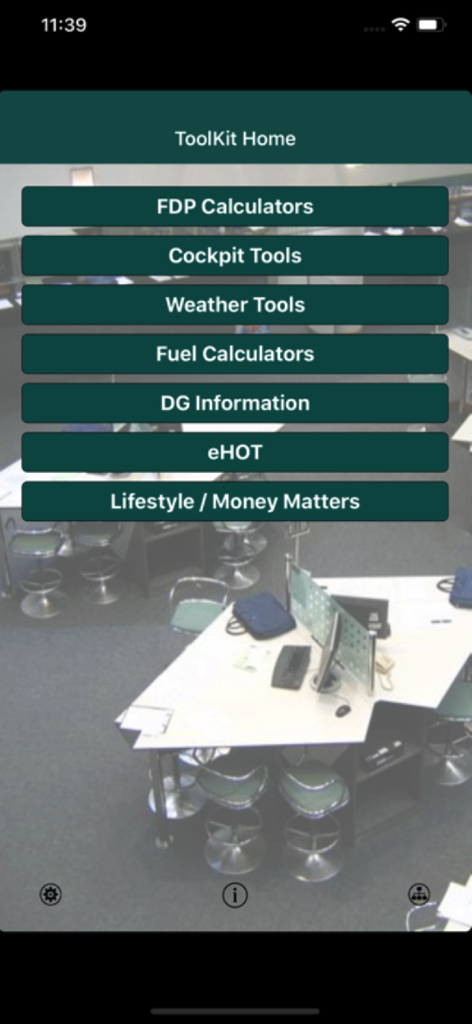
Main menu of CX ToolKit aviation utility app showing buttons for FDP Cockpit and Weather tools
Main menu of CX ToolKit aviation utility app showing buttons for FDP Cockpit and Weather tools

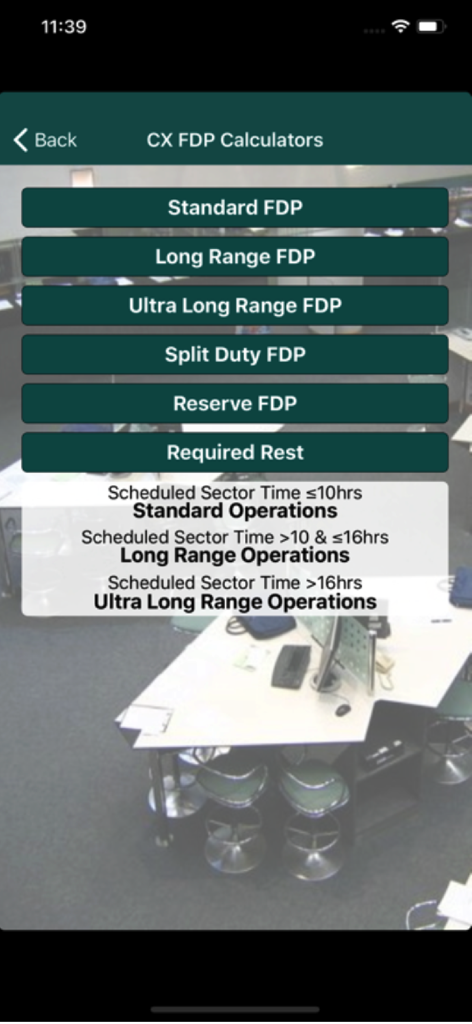
A menu of FDP calculators in the CX ToolKit app for standard long range and ultra long range flight operations
A menu of FDP calculators in the CX ToolKit app for standard long range and ultra long range flight operations

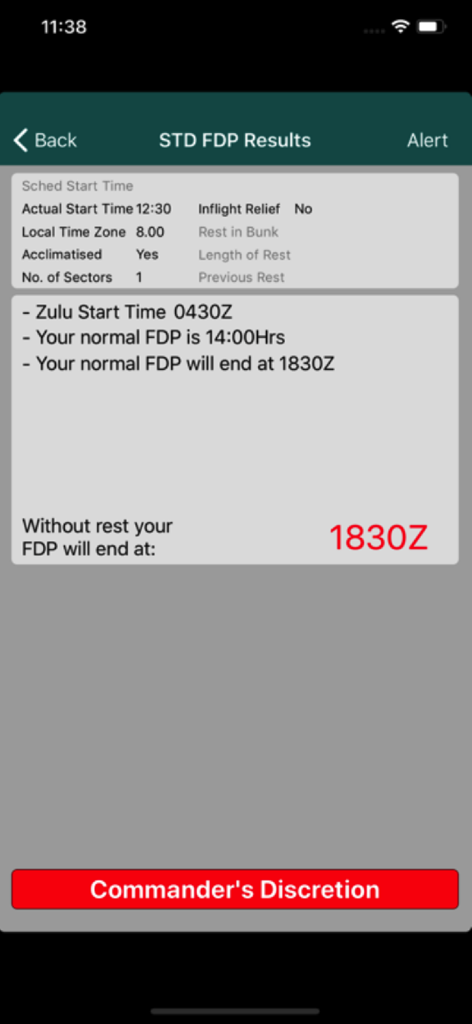
Aviation flight duty period calculation results on the CX ToolKit app screen
Aviation flight duty period calculation results on the CX ToolKit app screen

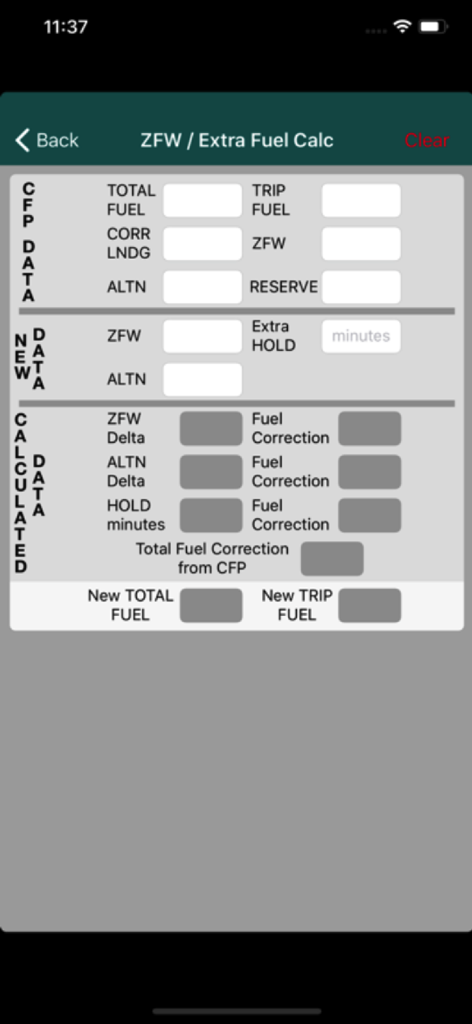
CX ToolKit mobile app interface showing the ZFW and Extra Fuel calculator for airline pilots
CX ToolKit mobile app interface showing the ZFW and Extra Fuel calculator for airline pilots

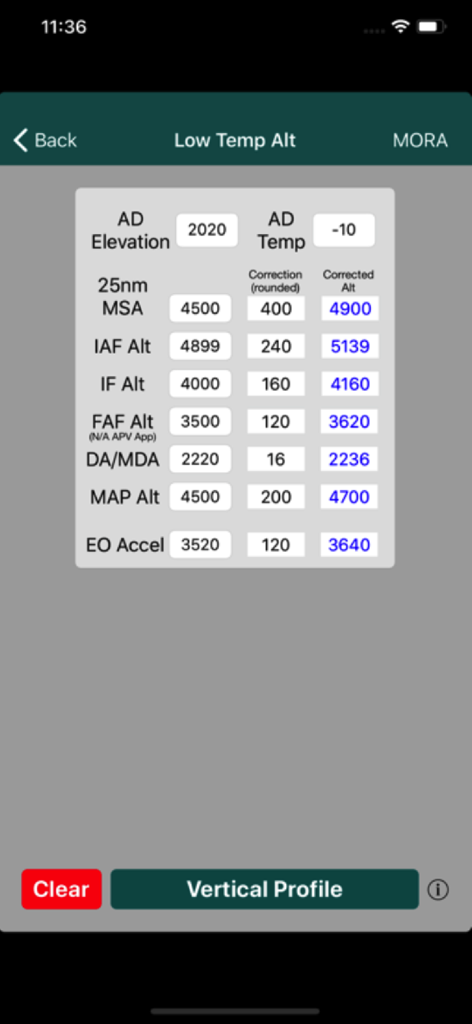
CX ToolKit app screen showing a low temperature altimetry correction calculator with fields for elevation and temperature.
CX ToolKit app screen showing a low temperature altimetry correction calculator with fields for elevation and temperature.

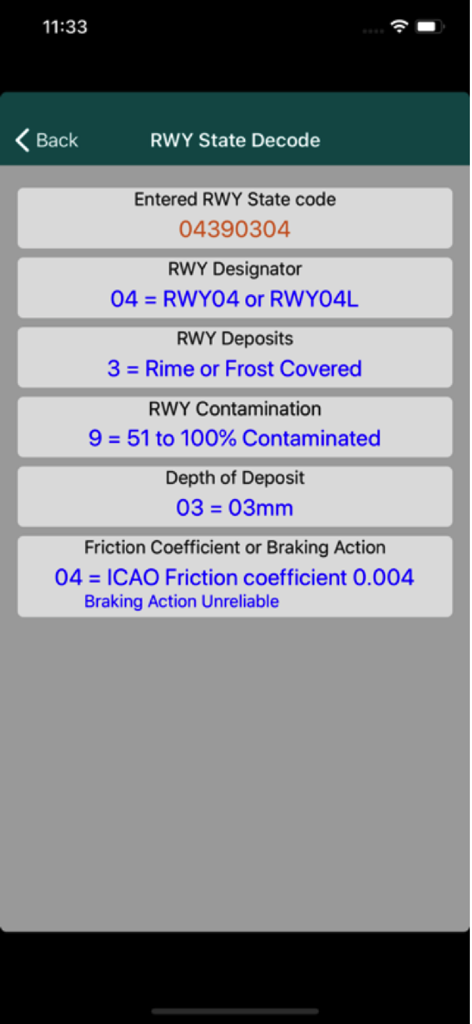
Interface of the CX ToolKit app showing the runway state decoder screen with decoded information for runway contamination and friction coefficients.
Interface of the CX ToolKit app showing the runway state decoder screen with decoded information for runway contamination and friction coefficients.

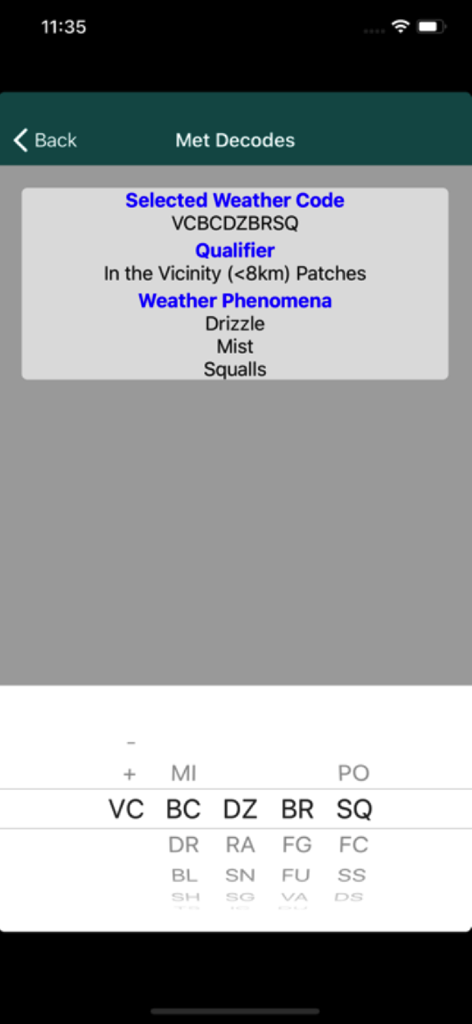
CX ToolKit app interface showing a meteorological code decoder for aviation weather phenomena like drizzle and mist
CX ToolKit app interface showing a meteorological code decoder for aviation weather phenomena like drizzle and mist

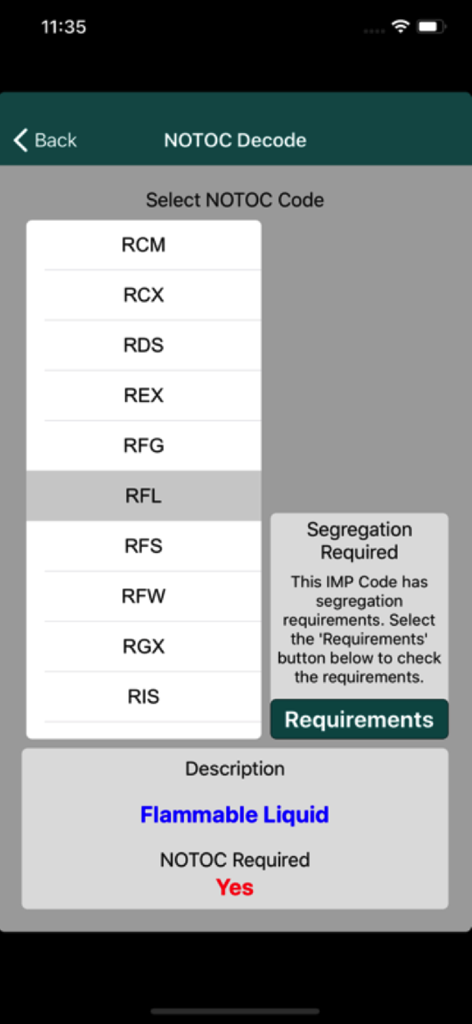
CX ToolKit app screen showing the NOTOC decode feature for identifying flammable liquid dangerous goods and segregation requirements

CX ToolKit app screen showing the NOTOC decode feature for identifying flammable liquid dangerous goods and segregation requirements

The Professional Pilot's Essential Toolkit

The tools that make this app stand out, trusted by 34K+ users.

⏱️

Master Duty & Rest Compliance

Stay within legal limits with automated calculations for FDP, ULR, and Split Duty. Effortlessly manage required rest periods and Commander’s Discretion scenarios.

✈️

Precision Performance Tools

Calculate critical data on the fly, from fuel weight changes and crosswind limits to low-temperature altimetry and complex SNOWTAM decoding.

📊

Smart Logbook & Pay Tracking

Streamline your admin with a built-in logbook and tracking tools for overtime, overnight allowances, and sick days to ensure your professional records are always accurate.

About the app

Everything you need to know about CX ToolKit.

Description

ToolKit is intended to assist aircrew in their day to day activities. Features: • Standard Flight Duty Period calc • LR Flight Duty Period calc • ULR Flight Duty Period calc • Split Duty Flight Duty Period calc • Flight Duty Period following Reserve Duty calc • Required Rest between Flight Duty Periods calc • Simple Logbook • ZFW / Extra Fuel calc • Fuel calc given a specific RTOW, ZFW or Landing weight limit • Cat B/C fuel calc • Common aviation unit conversion calc • Cross Wind and Cross Wind Limit calc • 8 digit Runway State decoder • SNOWTAM decoder • Crew Rest timing calc • Whose Sector random selector • Exchange Rate calc • SMS RTOW composer • Overtime calc • Meteorological Decode • DG Decode and segregation • Low Temperature Altimetry calc • Density Altitude calc • Turn Rate/Radius calc • Generic volume/weight fuel calc • Sick Day, Reserve Day Tracker and G Day Tracker • Leave Tracker for Australian Base • Linear and bilinear integration tool ToolKit can calculate Flight Duty and Extended Flight Duty Periods by use of inflight relief and Commander Discretion for given start times and acclimatised statuses for the various types of operations. The eHOT calc will allow you to determine and calculate the end of the minimum and maximum holdover time for various de-icing fluids. It will also present a visual countdown timer. The ZFW change / Extra fuel calc will allow you to determine final fuel taking into account ZFW change, change of alternate and/or extra holding required. Fuel Calc can be used to determine the change in cargo and fuel weights from flight plan figures to make either a RTOW, ZFW or Landing weight limit. The 'Cat B/C Fuel Calc' will allow you to quickly determine if Full Cat B/C fuel can be carried or not. The logbook tool will allow you to: - Enter flight details - Search for flight details - Edit flight details - Report on various parameters - Send logbook data via email The Cross Wind calc can be used to determine cross wind and head/tail wind values for a given runway and wind direction/speed along with the maximum wind strength from the set wind direction for a given cross wind limit (e.g. JFO limit). The SMS RTOW tool allows you to easily configure the text message required to receive an SMS RTOW. This method will be easier and quicker then trying to amend a previous text you may have stored in your Messages. The Runway State decoder can be used to quickly decode weather reports that may contain the standard 8-digit code. This can be useful for Moscow flights etc. The SNOWTAM tool will provide assistance in decoding standard SNOWTAMs and will decode Japanese SNOWTAMs. The Meteorological Decode tool that will allow you to quickly decode significant present and forecast weather codes (i.e. +TSRA). The Overnight Allowance calc allows you to easily check that the allowances you receive at check in. It will not tell you how much you will receive but it will tell you how many breakfast, lunch, dinner etc allowances you are entitled to. The Last Pushback Time calc will calculate the required pushback time to allow you to achieve an on-blocks time inside your max FDP time taking into consideration sector time and taxi times. You will also be able to set a Notification to alert you that you have passed the Last Pushback Time. The DG tool decodes DG codes and show loading restrictions and segregration requirements for specific DG as requested along with Lithium battery restrictions. The Low Temperature Altimetry calc can be used to determine altitude corrections for MSA and approaches conducted in low temperatures. The MEL Rectification calc will provide the expiry date for a deferred defect given the DD entry date and the rectification interval category. The Linear and bilinear integration tool for those occasions where you have to use tables.

Latest Version

12.1

Size

25.1 MB

First Released

Nov 2, 2012

Elevate Your Flight Deck Efficiency

Join over 34,000 aviation professionals and streamline your duty, fuel, and weather calculations with the ultimate all-in-one cockpit companion.

Download on App Store

App information, icons, screenshots, and descriptions displayed on this page are sourced from the Apple App Store and are the property of their respective developers. Download estimates and rankings are based on MWM's proprietary models and may not reflect actual figures. This page is provided for informational and analytical purposes only.

Believe this page infringes your intellectual property? File a dispute