Data Drop: Instant File Transfer from iPhone to Any Computer
Skip the accounts, cables, and login forms. Securely share photos, videos, and documents to any PC or public computer in seconds with a simple QR scan.
Publisher
Ion Postolachi
Category
Productivity
Downloads
13K+
User Rating
5.0/5
Total Ratings
0
Locales
1
Seamless Sharing Visualized
Discover the interface used by 13K+ users.
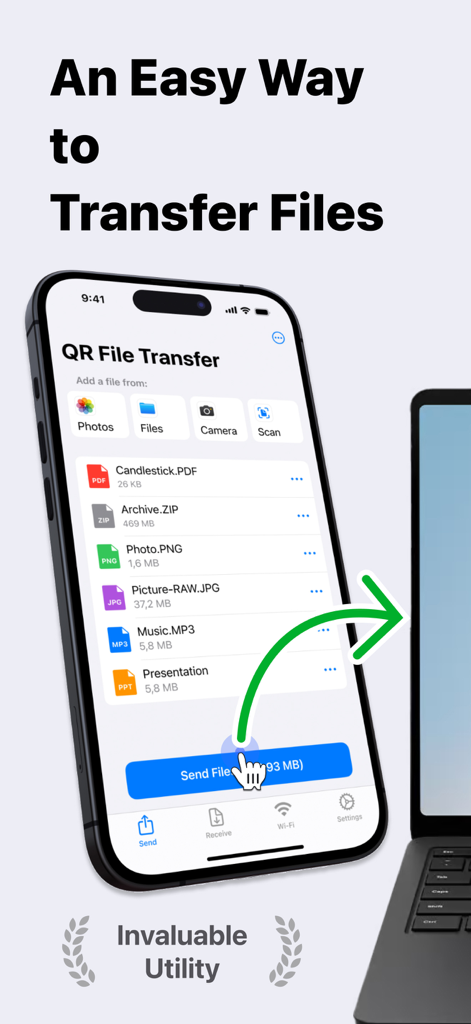
Screenshot of Data Drop app interface showing wireless file transfer from an iPhone to a laptop with various file types
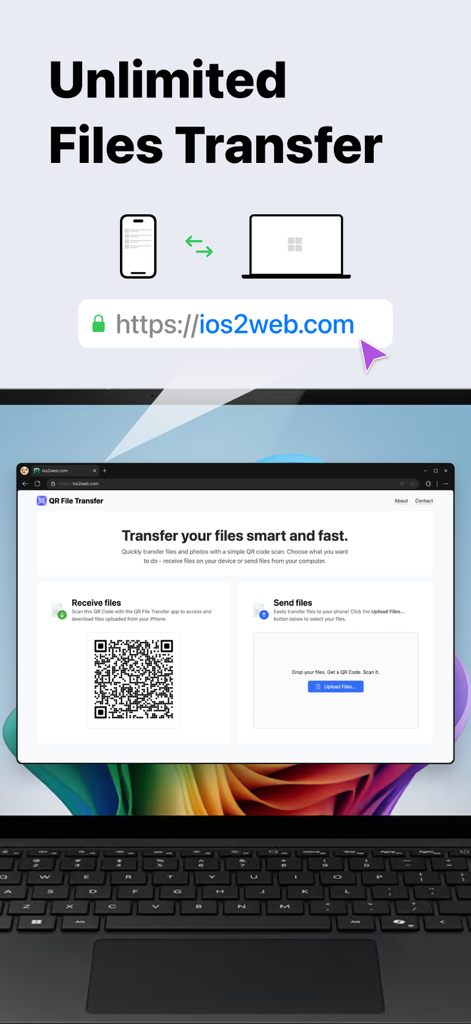
Data Drop app showing unlimited file transfer between iPhone and computer using a QR code scan
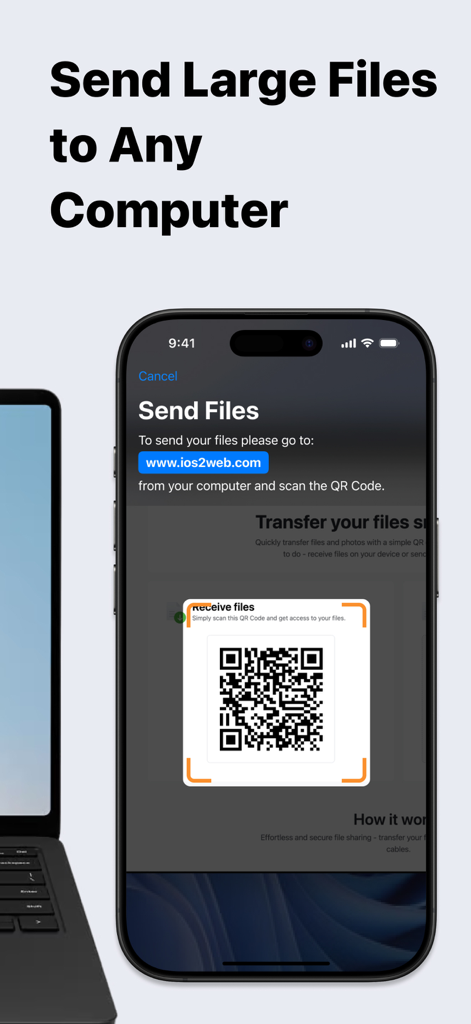
iPhone screen showing the Data Drop app scanning a QR code to transfer files to a nearby laptop
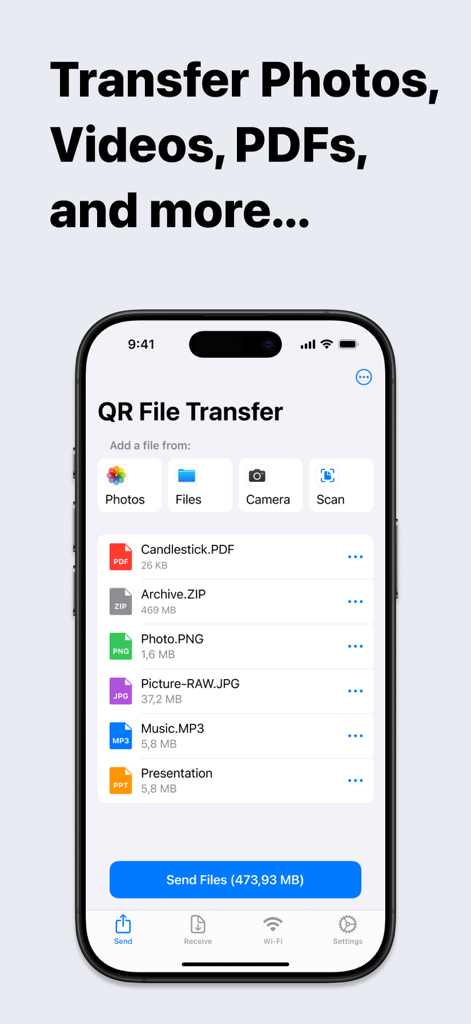
Data Drop mobile app interface showing a list of selected files ready for transfer
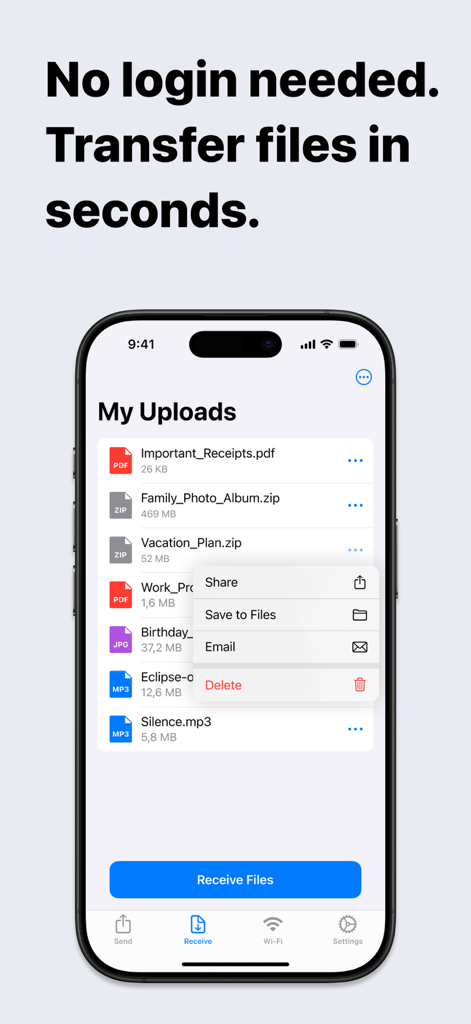
iPhone screen showing the Data Drop app with a list of uploaded files and a sharing menu
Seamless Sharing Between iPhone and Any PC
The tools that make this app stand out, trusted by 13K+ users.
⚡
Zero-Friction Transfer
Skip the hassle of accounts and passwords. Just scan the QR code to move your files in seconds—perfect for when you're in a rush at school or work.
💻
The AirDrop for Windows
Bridge the gap between your iPhone and your PC. Transfer high-res photos, 4K videos, and large archives to any browser without needing a Mac.
🛡️
Secure Public Access
Protect your privacy on shared computers. Share files without ever logging into your personal email or cloud accounts on public terminals.
About the app
Everything you need to know about Data Drop: QR File Transfer.
Description
Effortless File Sharing Made Simple
Sharing files, photos, and documents between your iPhone and any computer has never been easier. With QR File Transfer, you can securely transfer your files in just a few simple steps— no login or complicated setup required.
How It Works:
Upload Your Files: Use the app to quickly upload the files you want to share.
Scan the QR Code: Open a browser on your PC or any device and visit ios2web.com.
Instant Access: Scan the QR code displayed on the website, and instantly access your files.
Why Choose QR File Transfer?
– No Account Required:
Skip the hassle of creating accounts or remembering passwords. Just scan and go!
– Secure and Private:
We prioritize your privacy. Files are shared directly and securely between your devices.
– Universal Access:
Works with any computer or device — Windows PCs, public computers, or even tablets.
– Supports All Popular File Types: QR File Transfer makes sharing all types of files seamless.
Photos and Images: JPG, PNG, GIF, HEIC, BMP, TIFF, WEBP
Videos: MOV, MP4, AVI, MKV, FLV, WMV, 3GP, M4V
Audio: MP3, WAV, M4A, AAC, OGG, FLAC
Documents: PDF, DOC, DOCX, XLS, XLSX, PPT, PPTX, TXT, RTF, ODT, CSV
Archives: ZIP, RAR, 7Z, TAR, GZ, ISO, DMG
If you encounter a file format that is not supported, please let us know by contacting our team.
– Easy-to-Use Interface: Designed for simplicity so anyone can share files with ease.
– No Cables, No Limits: Enjoy a wireless file-sharing experience without the need for USB drives or adapters.
Perfect For:
– Quickly sharing work documents between your iPhone and office computers.
– Uploading personal files to access on a friend’s laptop or public computer.
– Sharing photos, videos, and memories with family and friends without email or messaging limitations.
Getting Started is Easy:
Download QR File Transfer from the App Store.
Install and open the app on your iPhone.
Upload files, visit ios2web.com on any computer, and scan the QR code to transfer your files instantly.
Common Use Cases:
Question:
How can I quickly send files from my phone to a school computer without needing to log in?
Answer:
To send files from your phone to a school computer without logging in, you can use QR File Transfer:
Open the app on your phone and upload the files you want to share.
On the school computer, visit ios2web.com in a browser.
Scan the QR code shown on the website using the app.
Your files will be instantly accessible on the computer.
Question:
How can I quickly send files from a school computer to my phone without needing to log in?
Answer:
To transfer files from a school computer to your phone, use QR File Transfer:
On the computer, go to ios2web.com in a browser and upload the files.
Open the app on your phone and scan the QR code displayed on the website.
The files will be instantly downloaded to your phone.
Why Users Love It:
"No frills, no logins — just quick file sharing when I need it."
"A lifesaver when working on public computers."
"So simple, even my parents figured it out!"
Download QR File Transfer Today
Simplify file sharing and enjoy the freedom to transfer your files anywhere, anytime. Whether you're at work, at home, or on the go, QR File Transfer is the easiest way to keep your files accessible without compromising security or convenience.
– A Great Alternative to Popular Apps:
QR File Transfer is an excellent alternative to apps like Shareit: Transfer, Share Files, Zapya - File Sharing, WeTransfer: Transfer Files, Xender: File Share, Share Music, Send Anywhere - File Transfer, and Transfer my data - MobileTrans, File Transfer - Snapdrop, Copy my data - Smart Transfer, AirDroid - File Transfer&Share, Air Transfer,
Links:
Privacy Policy – https://ios2web.com/privacy-policy/
Terms of Use – https://ios2web.com/terms-of-service/
Get started now and experience the easiest file-sharing solution on the App Store!
Latest Version
2.4.1
Size
38.1 MB
First Released
Apr 15, 2021
Stop Emailing Yourself. Start Sharing Instantly.
Join 13,000+ users who move photos, docs, and videos across any device in seconds—no accounts, no cables, and no friction.
App information, icons, screenshots, and descriptions displayed on this page are sourced from the Apple App Store and are the property of their respective developers. Download estimates and rankings are based on MWM's proprietary models and may not reflect actual figures. This page is provided for informational and analytical purposes only.
Believe this page infringes your intellectual property? File a dispute