
This page is not an official page of the app or its developer, but an independent editorial publication created for informational and commentary purposes. Unless expressly stated otherwise, neither the app nor its developer is affiliated with, endorsed by, sponsored by, authorized by, or otherwise officially connected with MWM, Apple, Google Play, the app publisher, or the app's developer, and nothing on this page implies that the app was developed using MWM's services. Any trademarks, logos, screenshots, and other content remain the property of their respective owners.


DayDew - Journal, Diary, Notes
Simplify your life by bringing your journal, habits, and goals into one beautiful, secure space. No accounts and no cloud servers—just a personal, elegant canvas for the moments that matter most.
Downloads
0User Rating
Total Ratings
0Publisher
Category
LifestyleLocales
7Latest Version
2.1Size
40.8 MBFirst Released
Oct 29, 2024Your Personal Sanctuary for Self-Growth
Master your habits, track your mood, and organize your life in a beautifully customized space designed for total privacy and mental clarity.
Total Privacy by Design
Your data never leaves your device. No accounts, no logins, and no cloud tracking—just a secure, offline vault for your most personal reflections.
The Ultimate Life Dashboard
Eliminate app fatigue by consolidating your to-dos, habit trackers, and expenses into one streamlined space for a calmer, more focused mind.
The following screenshots and description are sourced directly from the app's official store listing and are the property of the app developer.
App Store
Screenshots
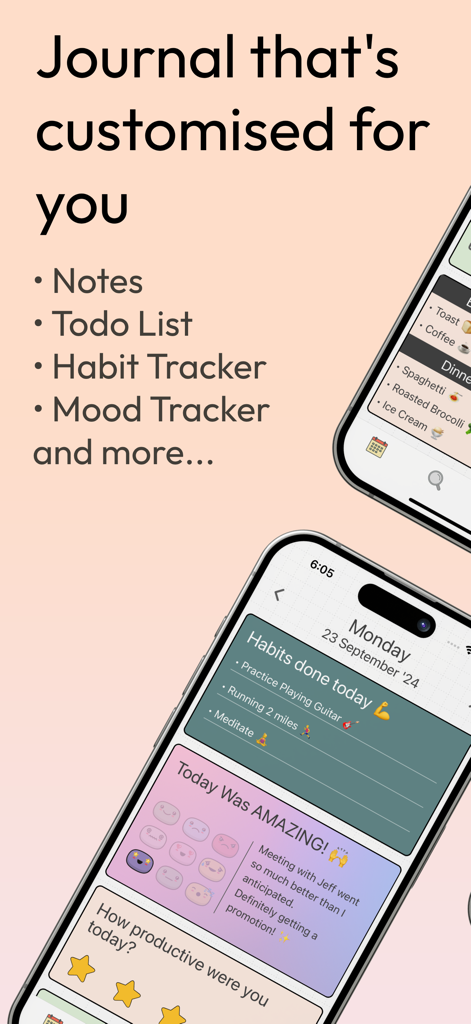
DayDew app screenshot highlighting features like notes, to-do lists, habit tracking, and mood logging on a customized interface.
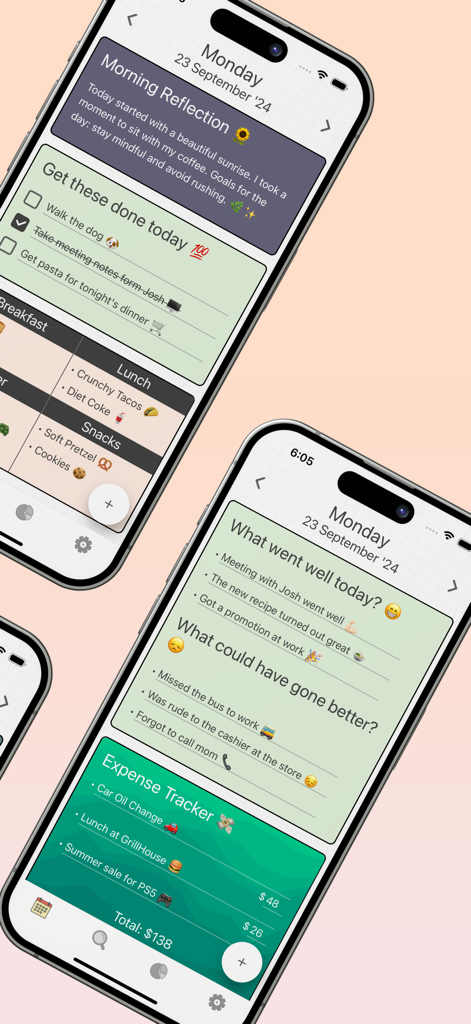
DayDew app screenshots showing morning reflections to do lists and expense tracking
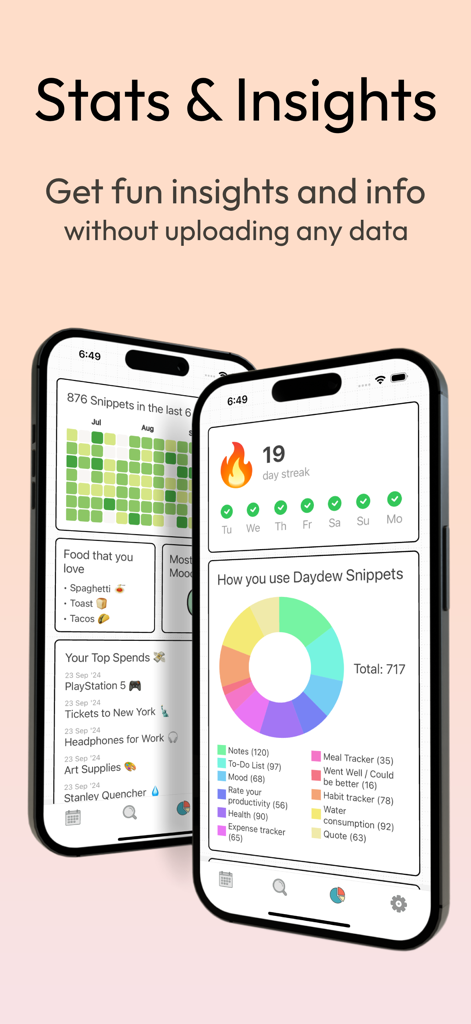
DayDew app interface showing personal insights, a 19 day streak, and a colorful donut chart of user activities.
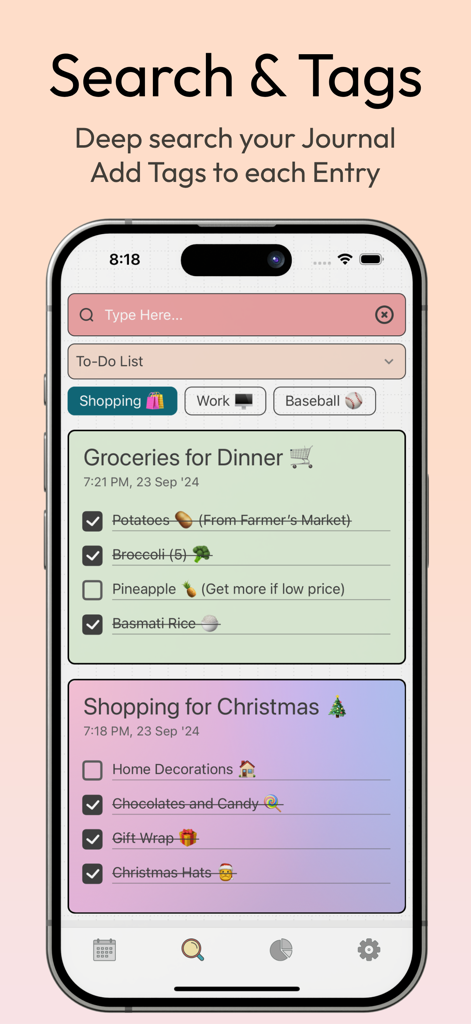
DayDew app screen showing search bar tags and color coded shopping lists
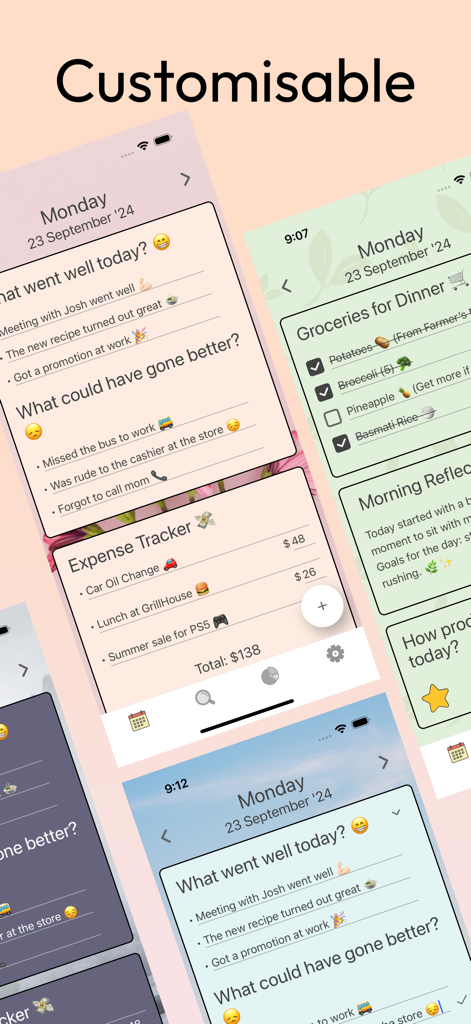
DayDew app screenshot highlighting customizable themes and journaling features
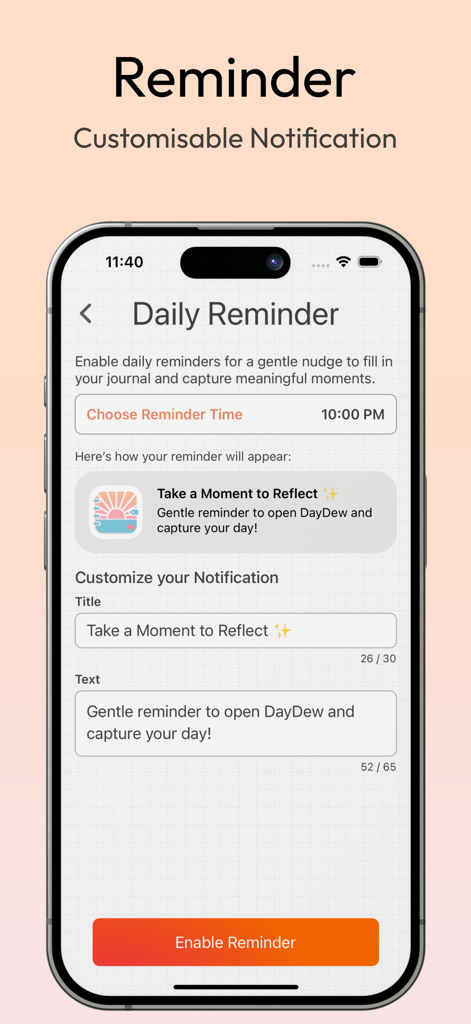
A mobile screen showing the customisable daily notification settings in the DayDew journaling app
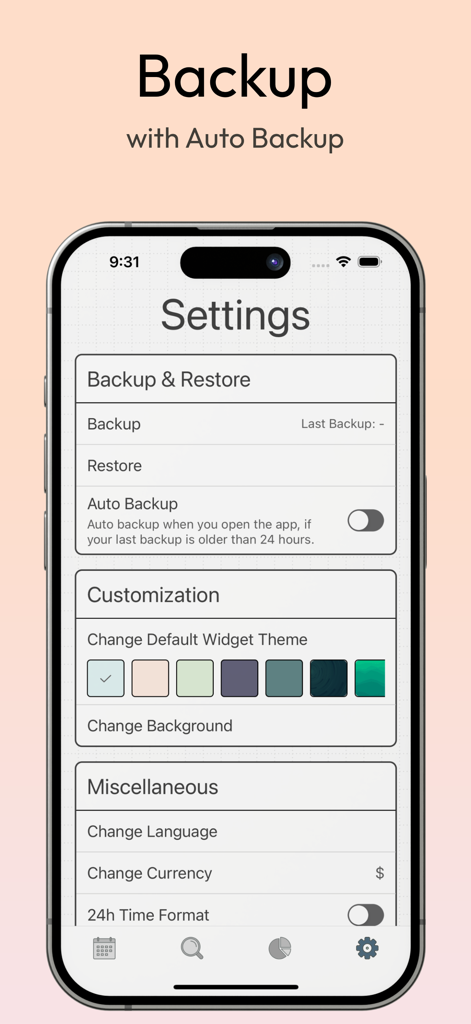
DayDew app settings screen showing backup options, theme color selection, and miscellaneous preferences like language and currency.
Description
Download
More Like This
Top-ranked apps in the same category

Pinterest, Inc.

Alipay - Simplify Your Life
Alipay (Hangzhou) Technology Co., Ltd.

美团-美好生活小帮手
Sankuai Technology Co., Ltd.

Xiaomi Home
Beijing Xiaomi Co., Ltd

Dianping: Discover Good Places
Hanhai Information Technology (Shanghai) Co.Ltd

Tinder Dating App: Date & Chat
Tinder LLC

Lemon8 - Lifestyle Community
TIKTOK PTE. LTD.

58同城-求职招聘找工作租房二手车
Beijing Chengshi Wanglin Information Technology Co., Ltd.

SmartThings
Samsung Electronics Co., Ltd.
This page is not an official page of the app or its developer, but an independent editorial publication created for informational and commentary purposes. Unless expressly stated otherwise, neither the app nor its developer is affiliated with, endorsed by, sponsored by, authorized by, or otherwise officially connected with MWM, Apple, Google Play, the app publisher, or the app's developer, and nothing on this page implies that the app was developed using MWM's services. Any trademarks, logos, screenshots, and other content remain the property of their respective owners.