
This page is not an official page of the app or its developer, but an independent editorial publication created for informational and commentary purposes. Unless expressly stated otherwise, neither the app nor its developer is affiliated with, endorsed by, sponsored by, authorized by, or otherwise officially connected with MWM, Apple, Google Play, the app publisher, or the app's developer, and nothing on this page implies that the app was developed using MWM's services. Any trademarks, logos, screenshots, and other content remain the property of their respective owners.


Detail: AI Video Editor
Join 645K+ creators using the App Store Award winner to record, auto-edit, and share viral shorts, podcasts, and vlogs in seconds.
Downloads
645K+User Rating
Total Ratings
3K+Publisher
Category
Photo & VideoLocales
40Latest Version
5.5.3Size
325.1 MBFirst Released
Mar 10, 2023Produce Pro Content at AI Speed
The all-in-one AI video studio that replaces your camera crew and editor, helping you grow your brand across every platform without the technical hassle.
Instant AI Auto-Editing
Skip hours of manual cutting. Our AI identifies your best highlights and creates polished, captioned shorts for TikTok and Reels in a single tap.
Smart Director & Teleprompter
Deliver your message with confidence. Use the AI Director to guide your storytelling and the built-in teleprompter to ensure a perfect take every time.
Frequently Asked Questions
Everything you need to know about Detail: AI Video Editor
Does Detail: AI Video Editor offer automatic video editing?
Yes, Detail: AI Video Editor uses AI Auto-Edit to automatically find the best moments in your footage and create ready-to-share videos and shorts, from long-form content to short clips.
Does Detail: AI Video Editor have a teleprompter feature?
Yes, Detail includes an integrated teleprompter with an AI Director. This conversational guide helps users record their story without prior preparation, displaying scripts for a seamless recording experience.
Can I live stream to social media platforms using Detail: AI Video Editor?
Yes, Detail enables users to live stream directly to platforms like YouTube, Twitch, Instagram, LinkedIn, Kick, or Facebook via RTMP, turning an iPhone into a professional streaming studio.
Are there free features available in Detail: AI Video Editor, or is it a Pro-only app?
Yes, Detail offers unlimited recording, remote recording, captions, and basic editing for free. Upgrading to the Pro version unlocks advanced AI features such as Auto-Edit and podcast-specific AI tools.
Can Detail: AI Video Editor record with multiple cameras simultaneously?
Yes, Detail supports easy multi-camera recording using two iPhones or iPads. This feature allows users to switch between front and back cameras and record from multiple angles simultaneously.
Does Detail: AI Video Editor support text-based editing to simplify video production?
Yes, Detail provides text-based editing, allowing users to remove silences and edit videos by manipulating the transcribed text. This streamlines the editing process for content creators.
Has Detail: AI Video Editor received any awards or recognition?
Yes, Detail: AI Video Editor is an App Store Awards Winner for 2025. It is recognized for combining simple camera functionality with powerful video editing capabilities.
The following screenshots and description are sourced directly from the app's official store listing and are the property of the app developer.
App Store
Screenshots
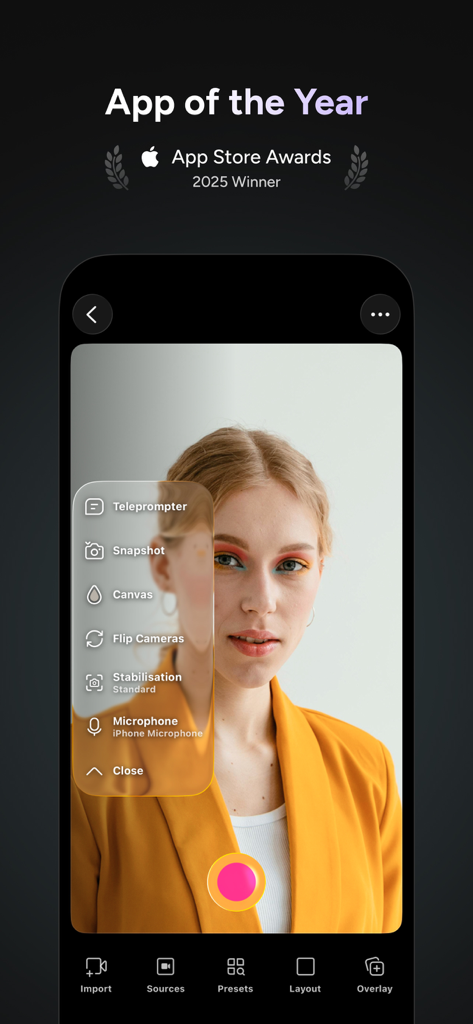
Detail AI Video Editor camera interface featuring a teleprompter menu and professional recording tools

A mobile interface of the Detail AI Video Editor app showing the instant reaction video recording feature with a picture-in-picture layout.
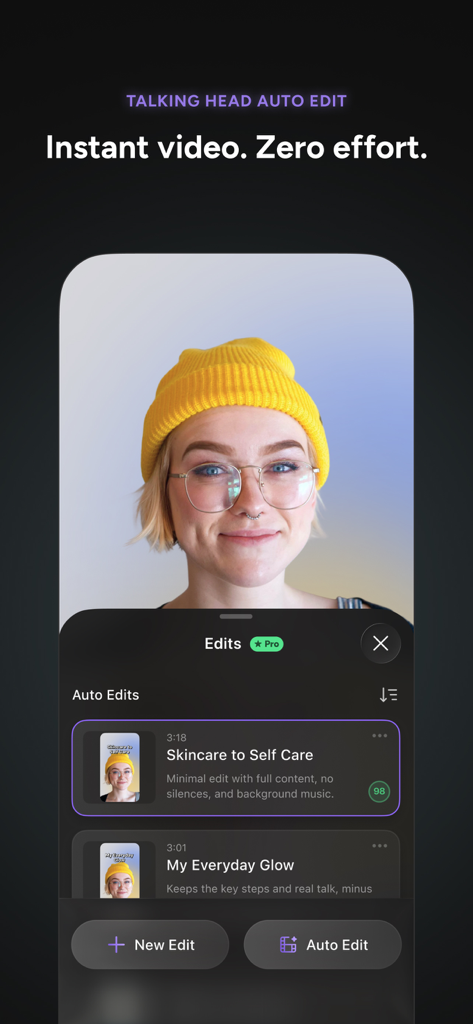
Interface of Detail AI Video Editor showing automated edits for a talking head video creator
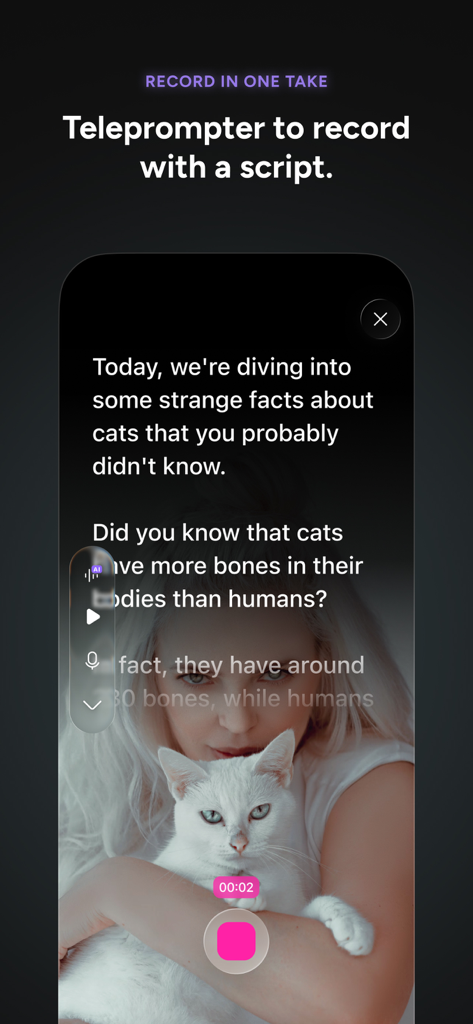
A mobile screen showing the teleprompter feature in Detail AI Video Editor while recording a script
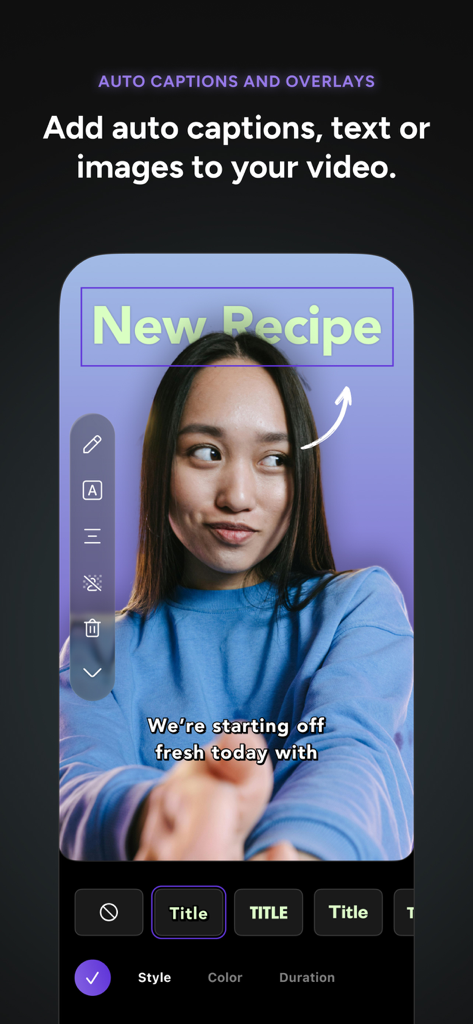
Mobile interface of Detail AI Video Editor showing auto-captions and a New Recipe text overlay on a vlog recording
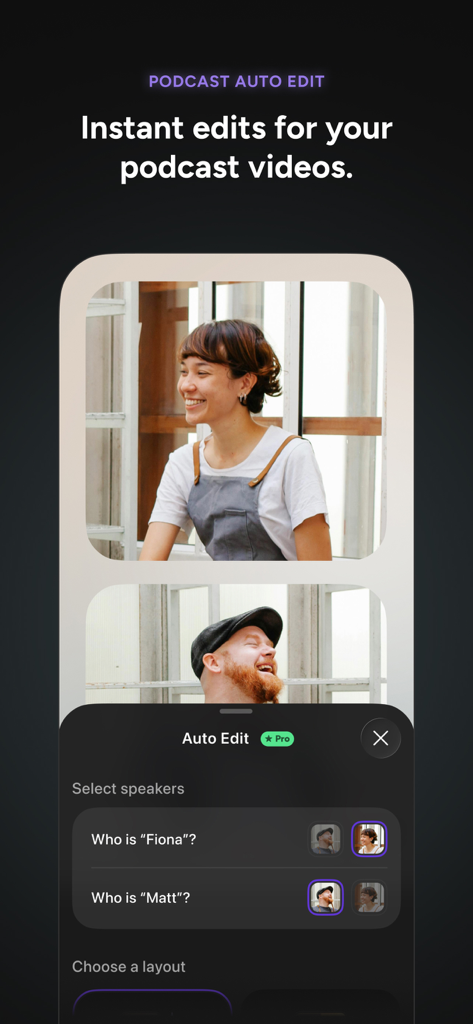
Screenshot of Detail AI Video Editor featuring the Podcast Auto Edit interface with speaker selection for multi-camera video podcasts.
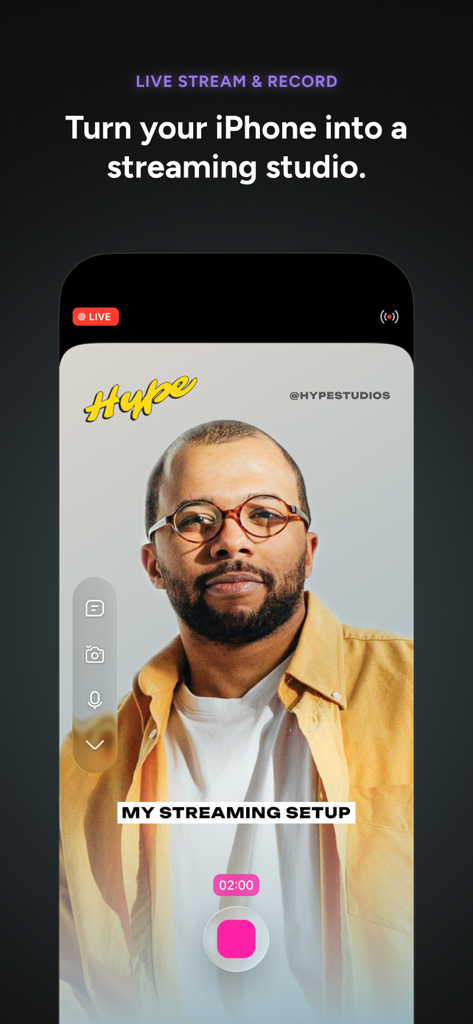
Detail AI Video Editor live streaming and recording interface on iPhone
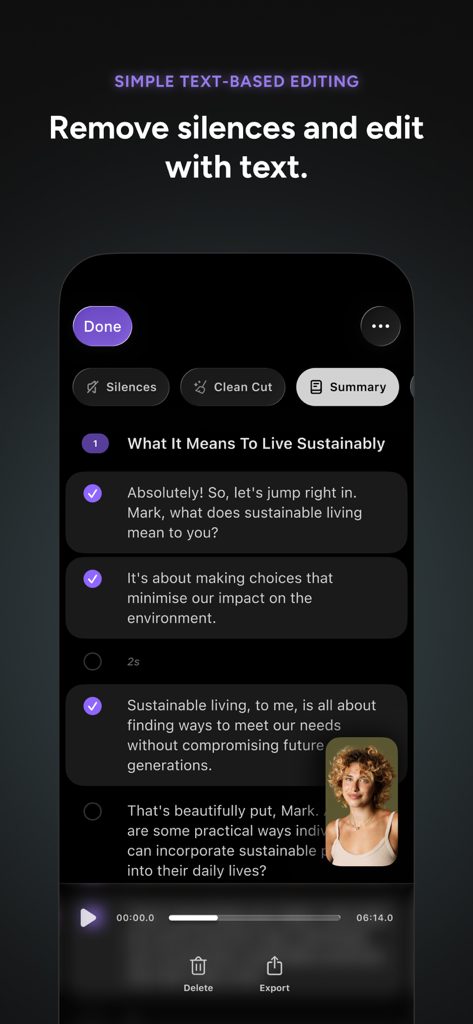
A mobile interface of Detail AI Video Editor showing text-based editing and silence removal features for creators.
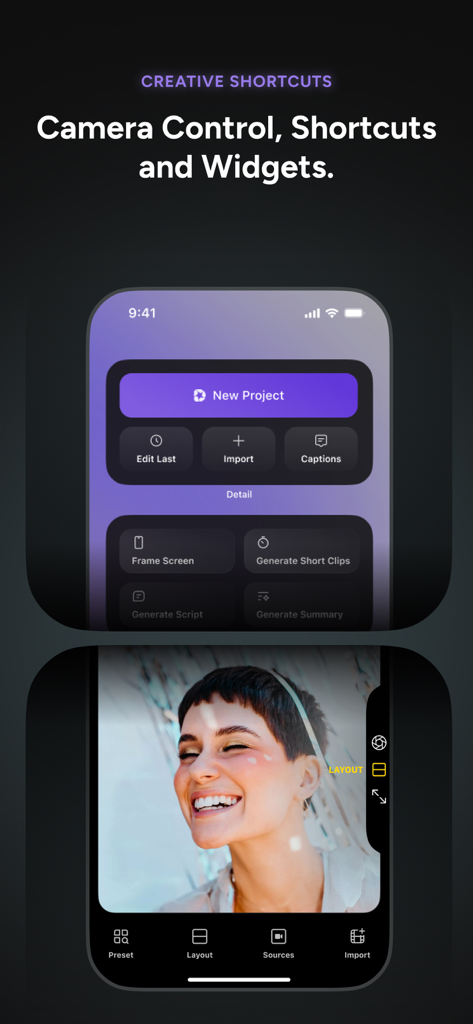
Detail AI Video Editor app interface showing creative shortcuts and camera controls.
Description
Download
More Like This
Apps with similar features and user experience

InShot - Video Editor
SHANTANU PTE. LTD.

快影
Beijing Kwai Technology Co., Ltd.

Leto: Font for Instagram Story
Leto.Fonts FZCO

Templify・ Photo & Video Editor
Templify Media, Inc.

Spring - Video Editor
KineMaster Corporation

Impresso - Video & Logo Maker
PIXERY BILGI TEKNOLOJILERI ANONIM SIRKETI

Movavi - Video Editor
Movavi Emea LLC

Zebra: Photo & Video Editor
Dmitriy Biserov

快剪辑-AI写真&视频大片一键制作
Wenzhou XunChi Digital Technology Co., Ltd.
This page is not an official page of the app or its developer, but an independent editorial publication created for informational and commentary purposes. Unless expressly stated otherwise, neither the app nor its developer is affiliated with, endorsed by, sponsored by, authorized by, or otherwise officially connected with MWM, Apple, Google Play, the app publisher, or the app's developer, and nothing on this page implies that the app was developed using MWM's services. Any trademarks, logos, screenshots, and other content remain the property of their respective owners.