
This page is not an official page of the app or its developer, but an independent editorial publication created for informational and commentary purposes. Unless expressly stated otherwise, neither the app nor its developer is affiliated with, endorsed by, sponsored by, authorized by, or otherwise officially connected with MWM, Apple, Google Play, the app publisher, or the app's developer, and nothing on this page implies that the app was developed using MWM's services. Any trademarks, logos, screenshots, and other content remain the property of their respective owners.

Device Monitor²
Monitor CPU, RAM, and battery health in real-time. Audit sensor privacy and run deep hardware diagnostics with a 100% private, zero-data-collection dashboard.
Downloads
560K+User Rating
Total Ratings
24K+Publisher
Category
Developer ToolsLocales
15Latest Version
26.1.0Size
58.4 MBFirst Released
Jan 16, 2021Master Your Device Performance
Unlock deep technical insights and professional-grade diagnostics to keep your Apple ecosystem running at its absolute peak.
Real-Time System Monitoring
Track CPU load, GPU performance, and RAM usage at a glance with live dashboards designed for precision and clarity.
Comprehensive Sensor Testing
Run 30+ hardware diagnostics—from GPS and Face ID to haptics and microphones—to verify your device's integrity instantly.
Frequently Asked Questions
Everything you need to know about Device Monitor²
What is Device Monitor²?
Device Monitor² is a unique app for iPhone, iPod Touch, iPad, and Apple Watch that provides essential device information. It also shows which sensors apps access, enhancing user privacy control.
Is Device Monitor² a free app?
Yes, Device Monitor² is a free application. It is available to download and use without an initial purchase cost.
Does Device Monitor² collect user data?
No, Device Monitor² does not collect any personal or non-personal data from its users. The app prioritizes user privacy.
What type of information does Device Monitor² display?
Device Monitor² displays detailed information about device, sensors, RAM, storage, CPU, GPU, network, battery, display, and camera. It also supports custom widgets and app icon customization.
Can Device Monitor² test device sensors?
Yes, Device Monitor² offers a 'Test Kit' in-app purchase. This kit enables complete testing of various device sensors, including GPS, Compass, Altimeter, Accelerometer, and many more.
Which devices are compatible with Device Monitor²?
Device Monitor² is compatible with iPhone, iPod Touch, iPad, and Apple Watch. It also supports Mac devices with M1 processors or later, and Apple Vision Pro with limited functions.
Does Device Monitor² have widgets?
Yes, Device Monitor² supports customizable widgets for StandBy Mode, Lock Screen, and Home Screen. This allows users to view data like RAM usage directly on their device screens.
Does Device Monitor² offer in-app purchases?
Device Monitor² offers additional features through 'additional packs'. These include the PRO Kit, Test Kit, Report Kit, Notification Kit, and Ads Kit, which unlock advanced functionalities.
Can Device Monitor² export device data?
The 'Report Kit' in Device Monitor² allows users to export displayed app data. It supports formats such as PDF, CSV, XLSX, or RTF documents for detailed reporting.
The following screenshots and description are sourced directly from the app's official store listing and are the property of the app developer.
App Store
Screenshots
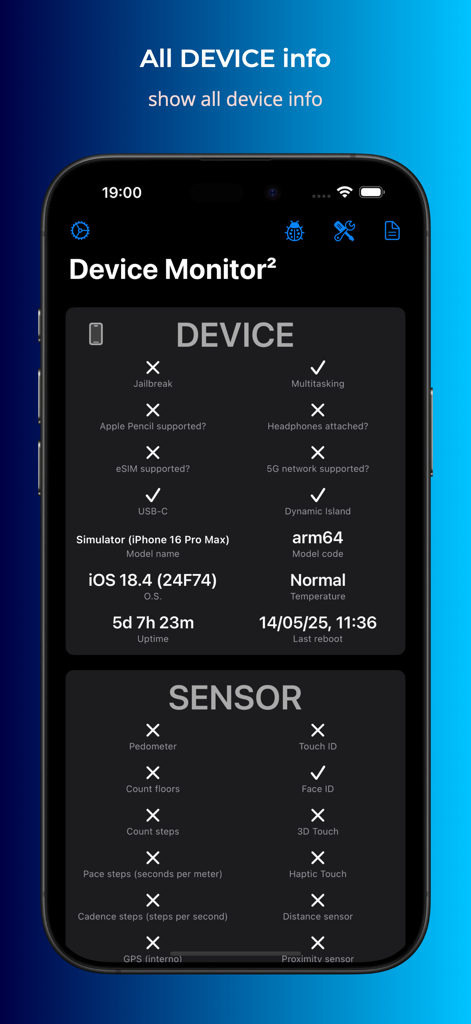
Screenshot of Device Monitor app showing iPhone hardware specifications and sensor status
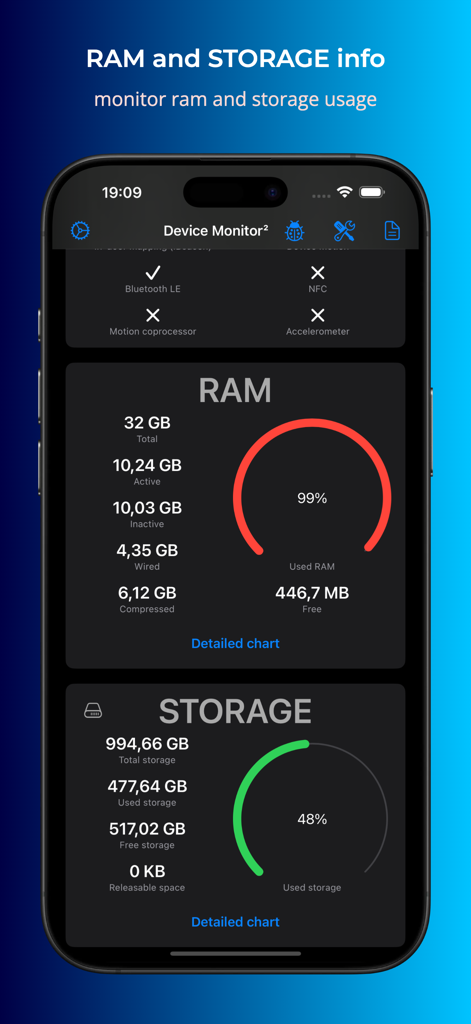
iPhone screen displaying real time RAM and storage statistics with circular usage gauges
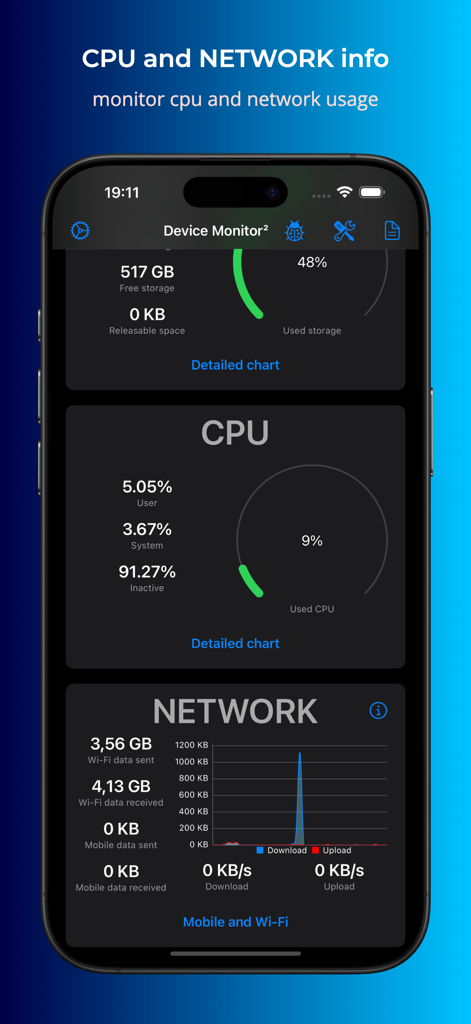
Interface of Device Monitor app displaying CPU performance and network data usage on an iPhone.
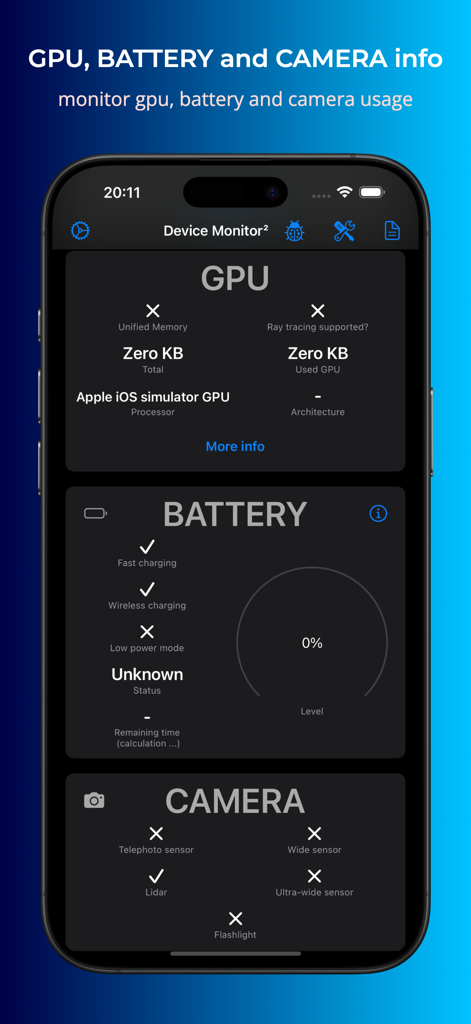
Device Monitor app screen showing hardware details for GPU battery and camera
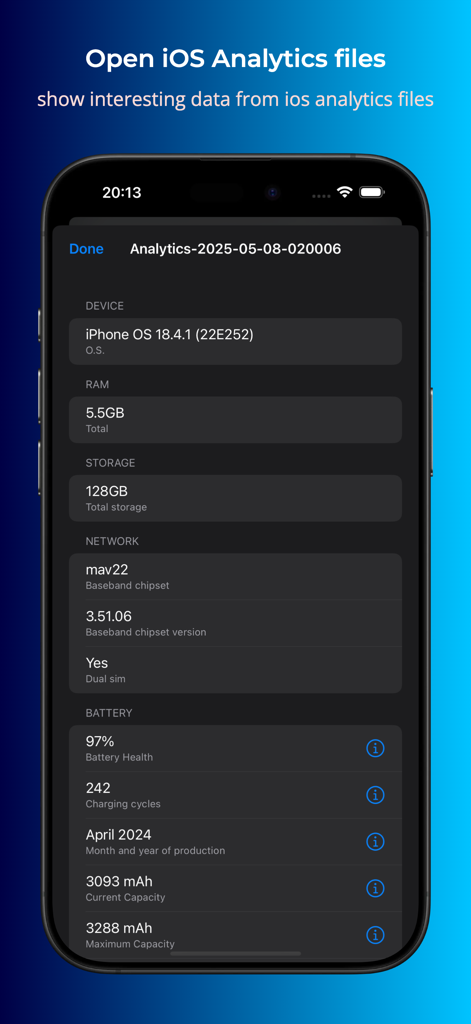
Device Monitor app interface showing detailed iOS analytics data including battery health and hardware specifications
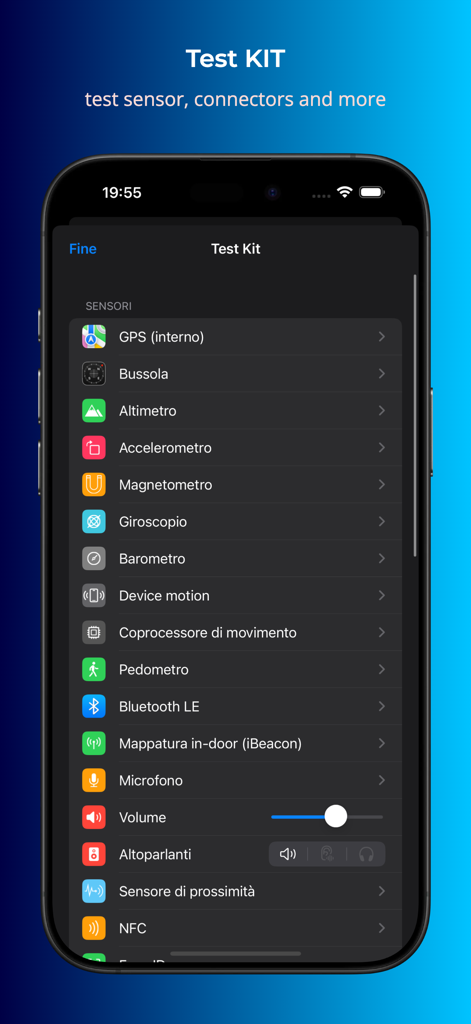
Screenshot of the Device Monitor app showing the Test Kit feature with a list of hardware sensors and diagnostic diagnostic tools for iPhone.
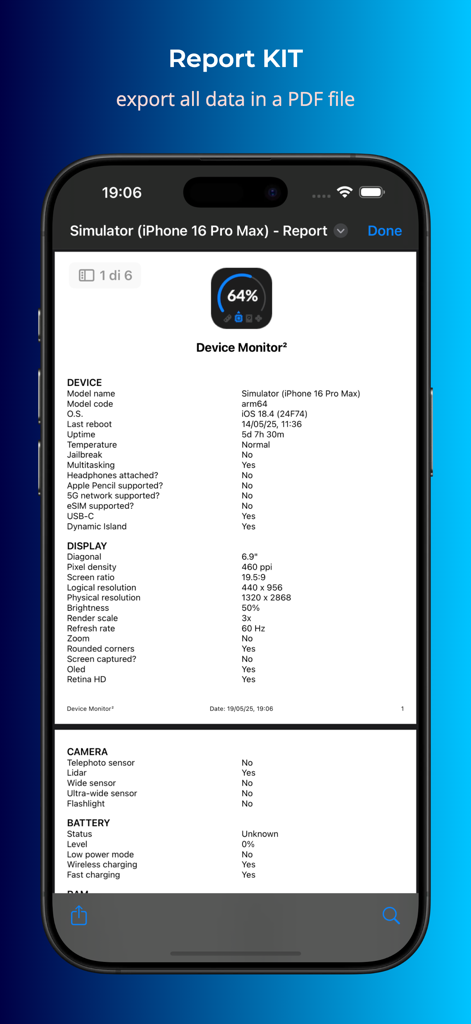
Screenshot of the Report Kit feature in Device Monitor 2 displaying a detailed system specification report in PDF format.
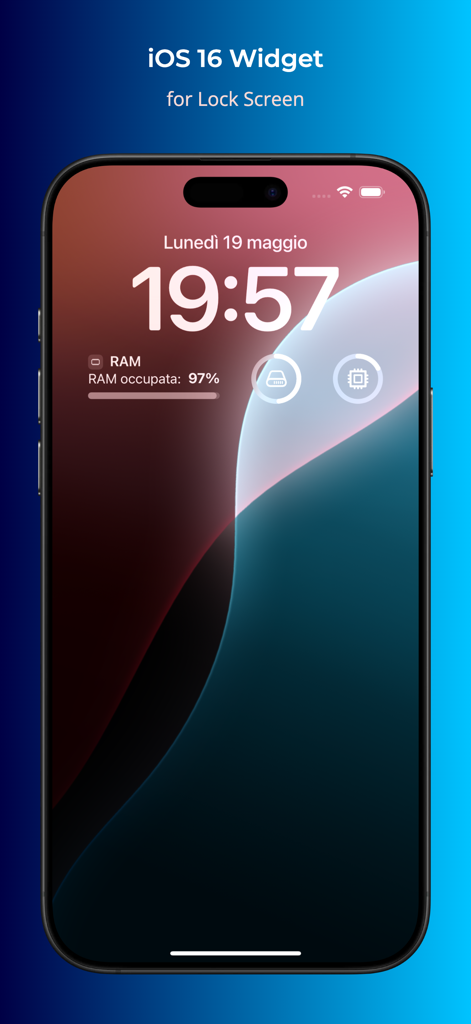
iPhone lock screen displaying Device Monitor² RAM storage and CPU status widgets
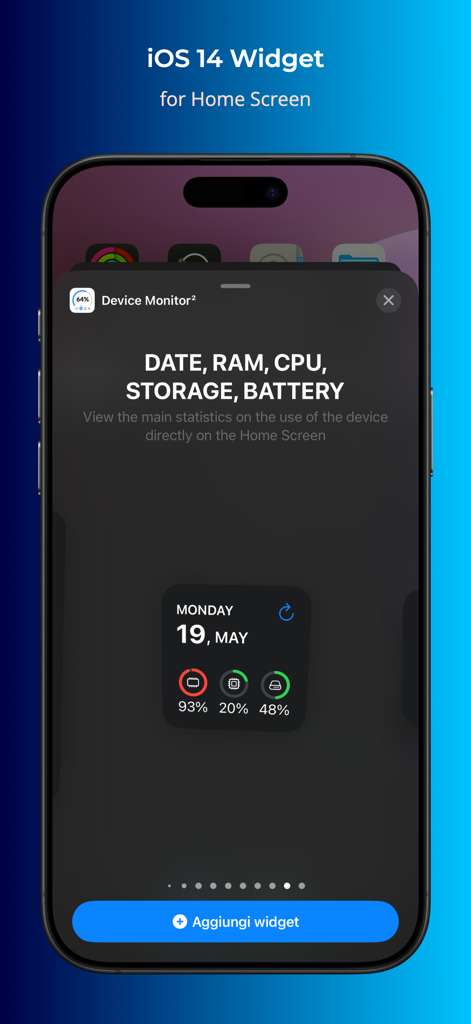
Preview of Device Monitor app widget for iOS home screen displaying real-time system stats like RAM and CPU usage
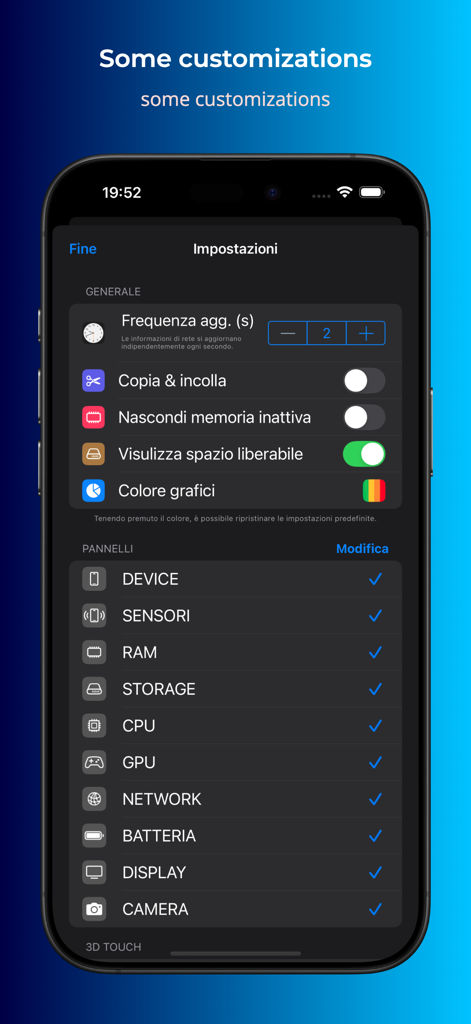
Settings interface of Device Monitor app showing customization options for data refresh frequency and visible hardware monitoring panels
Description
Download
More Like This
Apps with similar features and user experience

AIDA64
FinalWire Korlatolt Felelossegu Tarsasag

AnTuTu Benchmark
Beijing AnTuTu Technology Limited

CPU-x Dasher z Battery life
永刚 陈

Phone Doctor Plus
iDea Mobile Tech Inc.

Battery Testing
Binh Tran
System Status Pro: hw monitor
Jiri Techet

GPS Diagnostic: Satellite Test
David Ryall

Doctor Shield: Security Boost
Raven Panna

GFX Tool for Games
Klaus Haessler
This page is not an official page of the app or its developer, but an independent editorial publication created for informational and commentary purposes. Unless expressly stated otherwise, neither the app nor its developer is affiliated with, endorsed by, sponsored by, authorized by, or otherwise officially connected with MWM, Apple, Google Play, the app publisher, or the app's developer, and nothing on this page implies that the app was developed using MWM's services. Any trademarks, logos, screenshots, and other content remain the property of their respective owners.