
This page is not an official page of the app or its developer, but an independent editorial publication created for informational and commentary purposes. Unless expressly stated otherwise, neither the app nor its developer is affiliated with, endorsed by, sponsored by, authorized by, or otherwise officially connected with MWM, Apple, Google Play, the app publisher, or the app's developer, and nothing on this page implies that the app was developed using MWM's services. Any trademarks, logos, screenshots, and other content remain the property of their respective owners.


System Status Pro: hw monitor
Go beyond the surface with real-time performance tracking. Monitor CPU load, memory page statistics, battery health, and deep network routing in one advanced dashboard designed for power users.
Downloads
446K+User Rating
Total Ratings
7K+Publisher
Category
UtilitiesLocales
1Latest Version
7.0.1Size
6.9 MBFirst Released
Nov 13, 2010Complete Control Over Your Hardware
System Status Pro turns your iPhone or iPad into a professional diagnostic workstation, providing the data Apple hides and the insights you need to optimize performance.
Real-Time Performance Tracking
Monitor CPU load averages and RAM page statistics through live interactive graphs to identify background bottlenecks instantly.
Precision Battery Analytics
Get accurate work-time estimates and adjustable health settings to maximize and monitor the lifespan of your device's battery.
The following screenshots and description are sourced directly from the app's official store listing and are the property of the app developer.
App Store
Screenshots
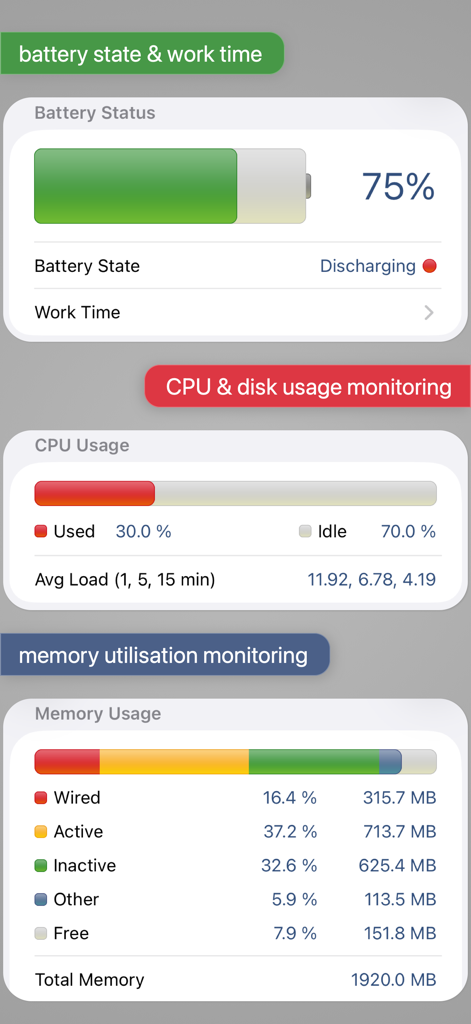
Dashboard showing battery status CPU usage and memory utilization statistics
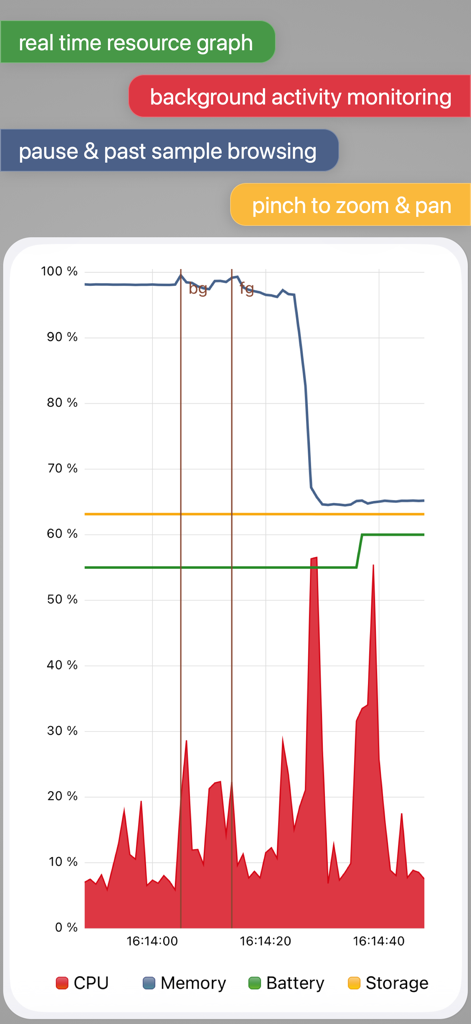
Real time system resource graph showing CPU memory battery and storage monitoring in the System Status Pro app
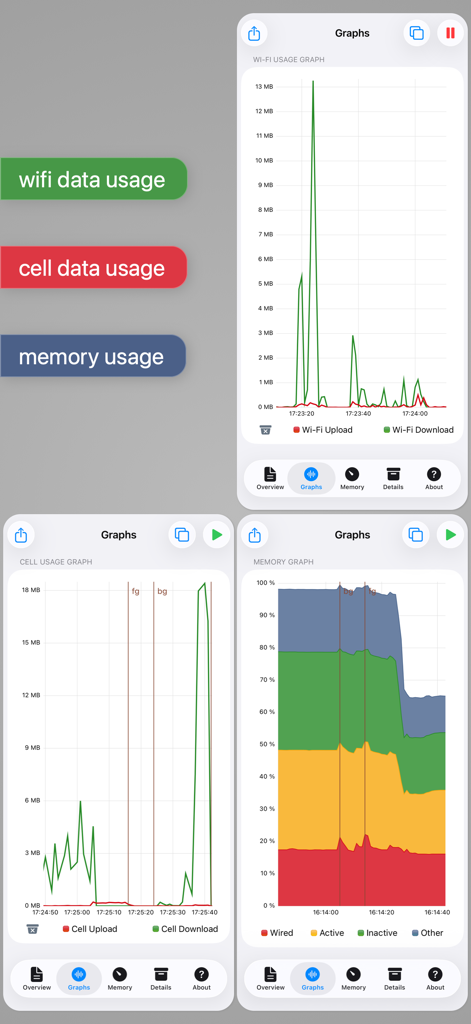
Real-time graphical monitoring of wifi usage cell data and memory usage on iOS
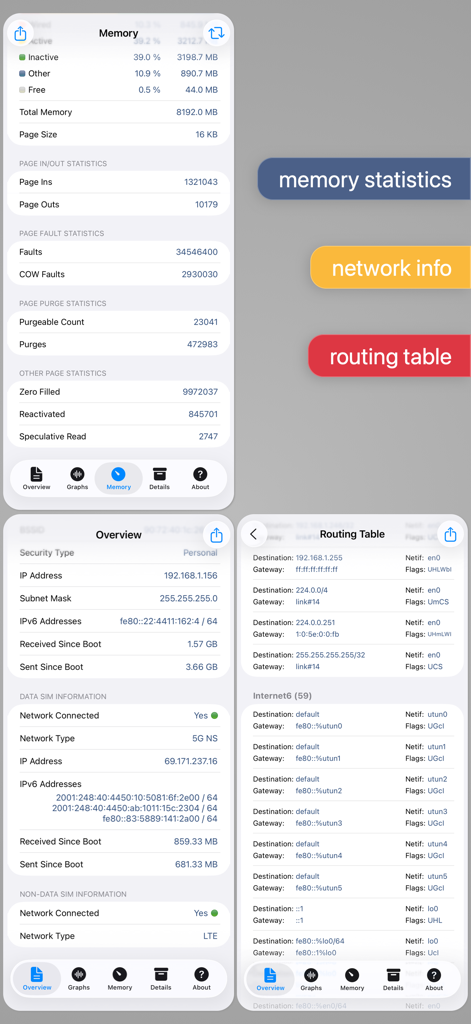
System Status Pro app screens showing memory statistics, network info, and routing table data
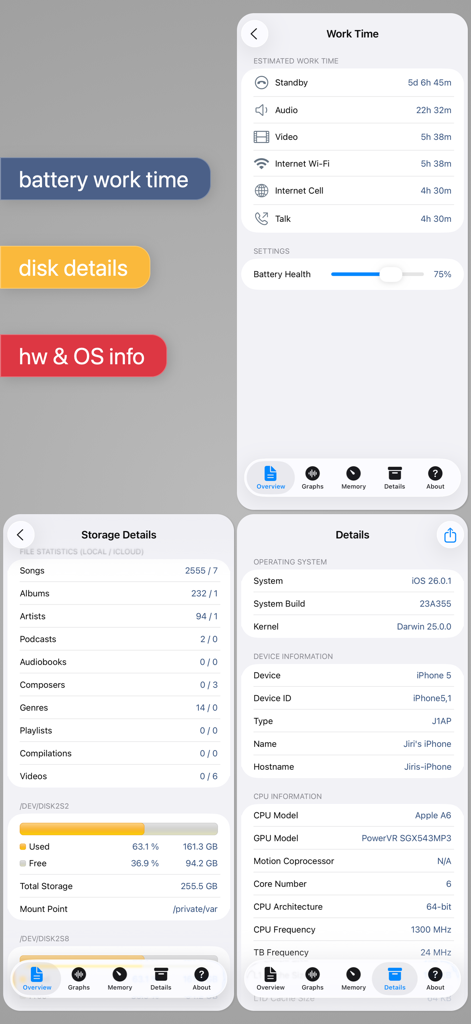
System Status Pro app interface showing battery work time estimates disk storage details and hardware system information
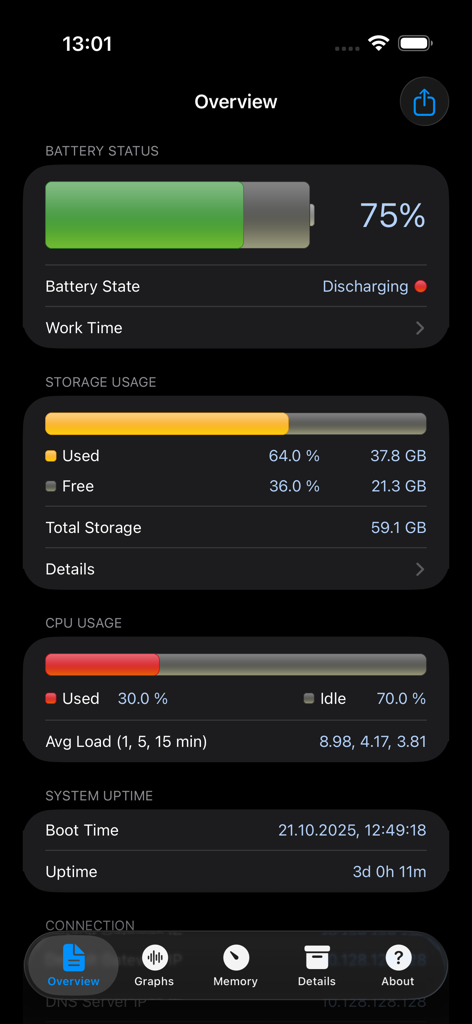
Overview dashboard of System Status Pro showing real-time battery storage and CPU performance metrics
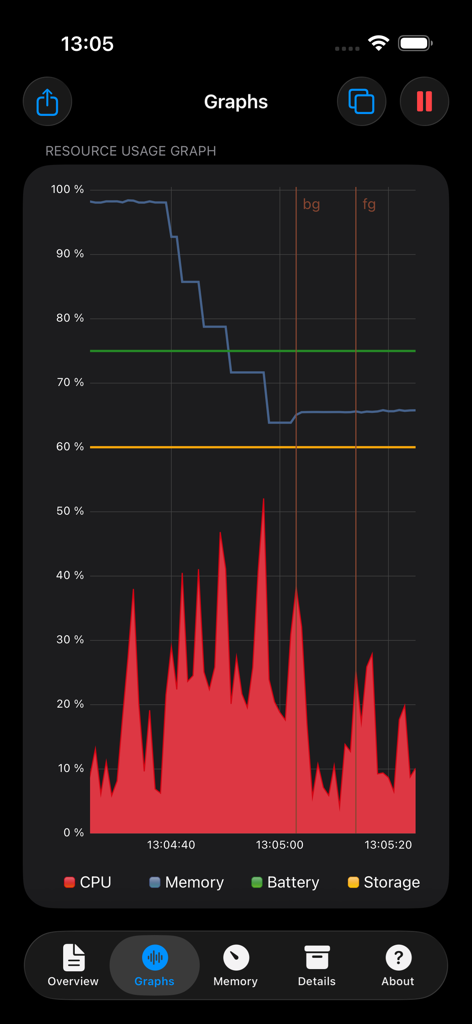
A real-time performance graph displaying CPU memory battery and storage usage on a dark interface
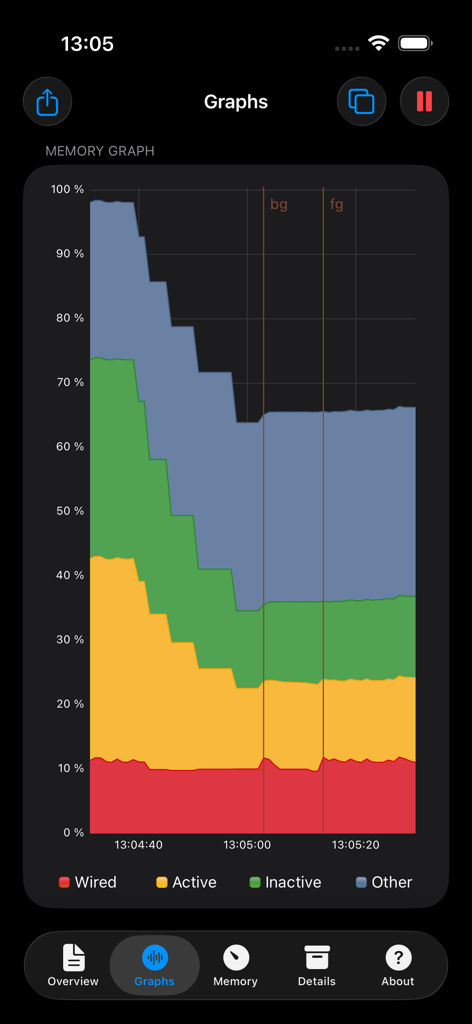
Real-time memory usage graph in the System Status Pro app showing wired active and inactive RAM
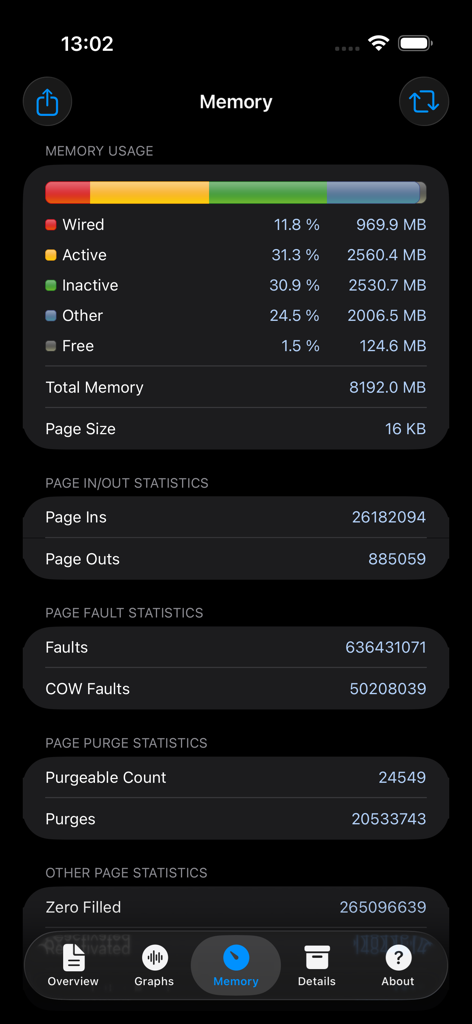
Real-time iOS memory usage dashboard with detailed page statistics and wired memory data
Description
Download
More Like This
Apps with similar features and user experience

AIDA64
FinalWire Korlatolt Felelossegu Tarsasag

AnTuTu Benchmark
Beijing AnTuTu Technology Limited

CPU-x Dasher z Battery life
永刚 陈

Phone Doctor Plus
iDea Mobile Tech Inc.

Battery Testing
Binh Tran

Device Monitor²
Marco Ricca

GPS Diagnostic: Satellite Test
David Ryall

Doctor Shield: Security Boost
Raven Panna

GFX Tool for Games
Klaus Haessler
This page is not an official page of the app or its developer, but an independent editorial publication created for informational and commentary purposes. Unless expressly stated otherwise, neither the app nor its developer is affiliated with, endorsed by, sponsored by, authorized by, or otherwise officially connected with MWM, Apple, Google Play, the app publisher, or the app's developer, and nothing on this page implies that the app was developed using MWM's services. Any trademarks, logos, screenshots, and other content remain the property of their respective owners.