Digital Cockpit - CARID
Download on App Store

This page is not an official page of the app or its developer, but an independent editorial publication created for informational and commentary purposes. Unless expressly stated otherwise, neither the app nor its developer is affiliated with, endorsed by, sponsored by, authorized by, or otherwise officially connected with MWM, Apple, Google Play, the app publisher, or the app's developer, and nothing on this page implies that the app was developed using MWM's services. Any trademarks, logos, screenshots, and other content remain the property of their respective owners.

Logo of Digital Cockpit - CARID
Download on App Store

Digital Cockpit - CARID

Upgrade any vehicle with professional performance stats, off-road inclinometers, and global entertainment. Experience a premium, data-rich cockpit designed for enthusiasts who demand more from every mile.

Key Figures

Downloads

22K+

User Rating

4.5/5

Total Ratings

100

Publisher

Miroslaw Kapalka

Category

Navigation

Locales

25

Latest Version

1.1.1

Size

43.6 MB

First Released

Dec 18, 2022
Features

A Pro-Level Cockpit for Every Drive

Upgrade your dashboard with advanced off-road tools, precision performance tracking, and essential driving utilities in one seamless interface designed for the modern driver.

Pro Inclinometer & Altitude

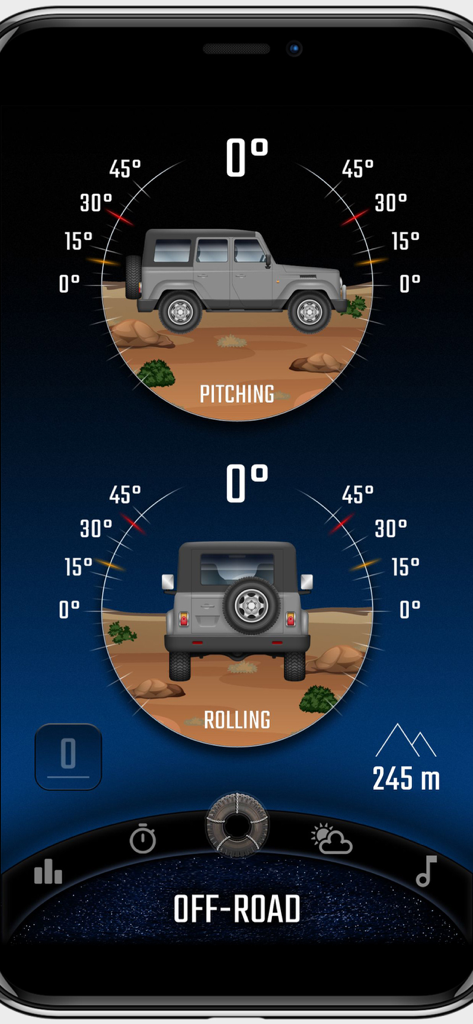
Navigate rough terrain with confidence using real-time pitch and roll monitoring with customizable audible safety alerts for off-road adventures.

GPS Performance Analytics

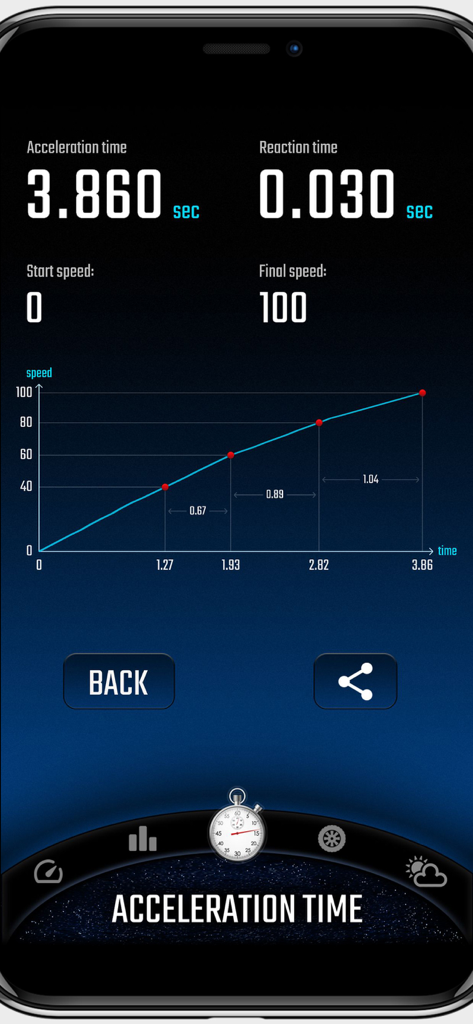
Track your 0-60 acceleration, reaction times, and detailed trip statistics with high-accuracy GPS reporting and visual performance graphs.

The following screenshots and description are sourced directly from the app's official store listing and are the property of the app developer.

App Store

Screenshots
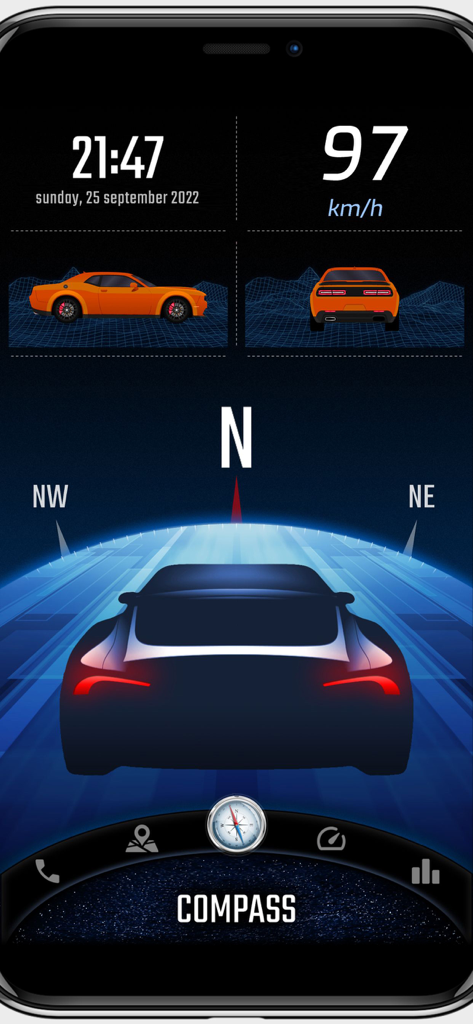
Digital Cockpit - CARID - Digital Cockpit app interface featuring a speedometer GPS compass and vehicle inclinometer
Digital Cockpit app interface featuring a speedometer GPS compass and vehicle inclinometer

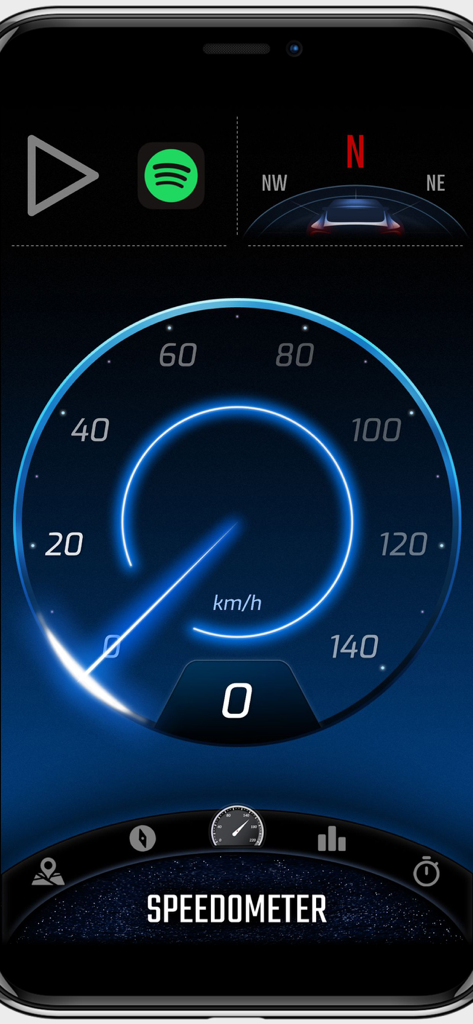
Digital Cockpit - CARID - Digital speedometer interface of the CARID app showing speed in kmh with a blue glow effect.
Digital speedometer interface of the CARID app showing speed in kmh with a blue glow effect.

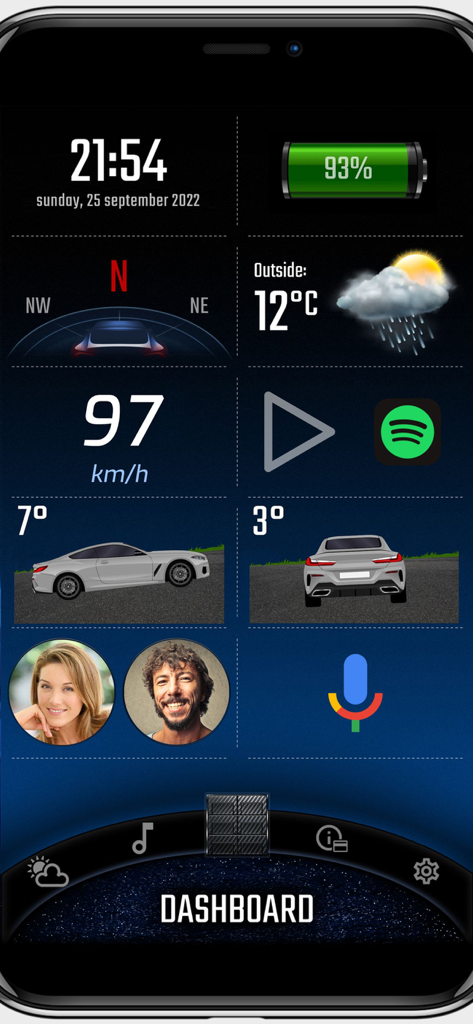
Digital Cockpit - CARID - Digital Cockpit CARID app dashboard with speedometer weather and vehicle inclinometer
Digital Cockpit CARID app dashboard with speedometer weather and vehicle inclinometer

Digital Cockpit - CARID - Digital Cockpit CARID app displaying off-road inclinometer with pitch and roll gauges.
Digital Cockpit CARID app displaying off-road inclinometer with pitch and roll gauges.

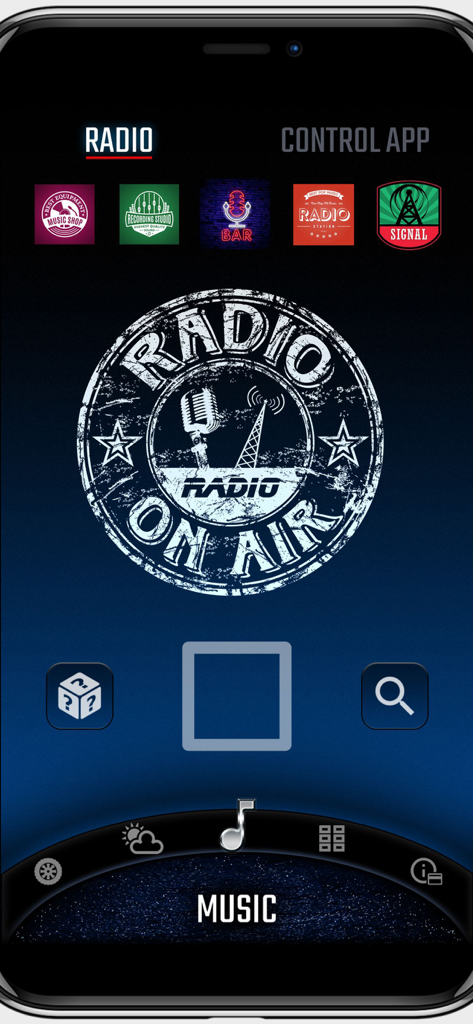
Digital Cockpit - CARID - Digital Cockpit app internet radio screen showing station presets and playback controls
Digital Cockpit app internet radio screen showing station presets and playback controls

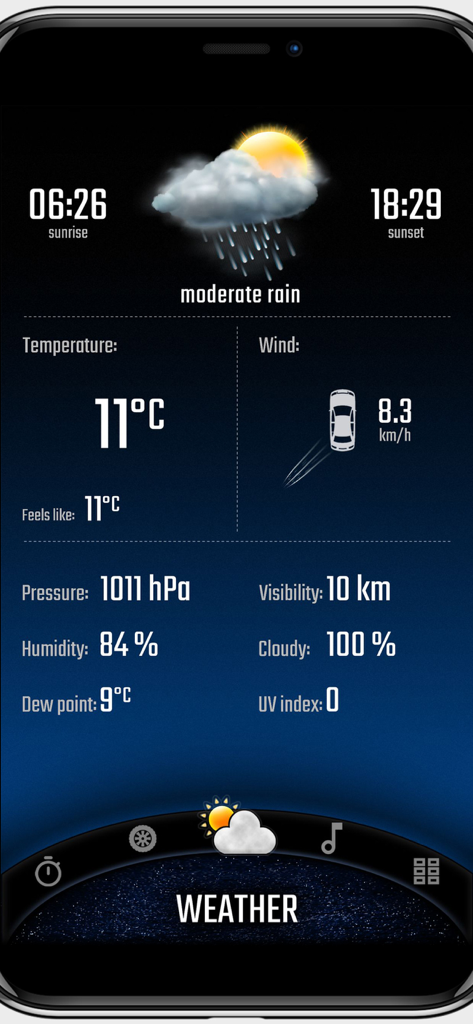
Digital Cockpit - CARID - Weather dashboard displaying temperature and wind info on CARID app
Weather dashboard displaying temperature and wind info on CARID app

Digital Cockpit - CARID - Digital Cockpit app interface showing car acceleration time and performance graph stats
Digital Cockpit app interface showing car acceleration time and performance graph stats

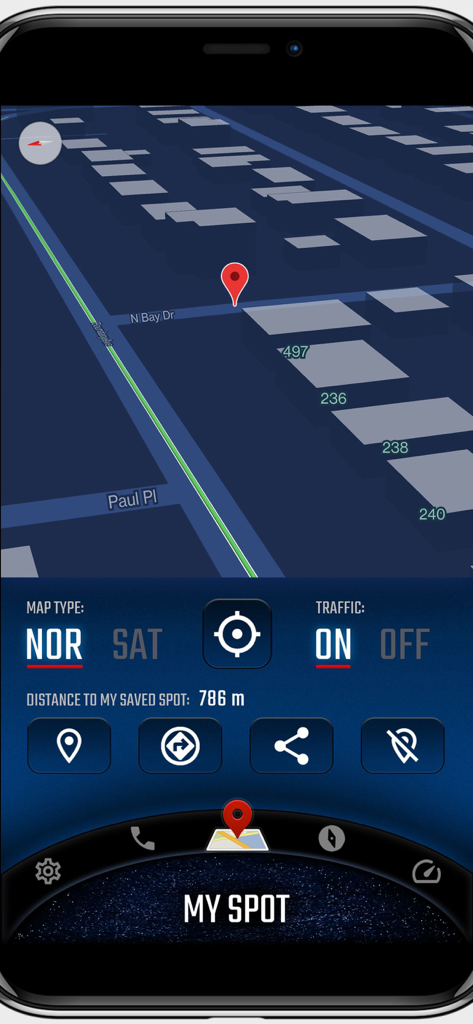
Digital Cockpit - CARID - Digital Cockpit CARID map interface showing 3D view and saved spot tracking
Digital Cockpit CARID map interface showing 3D view and saved spot tracking

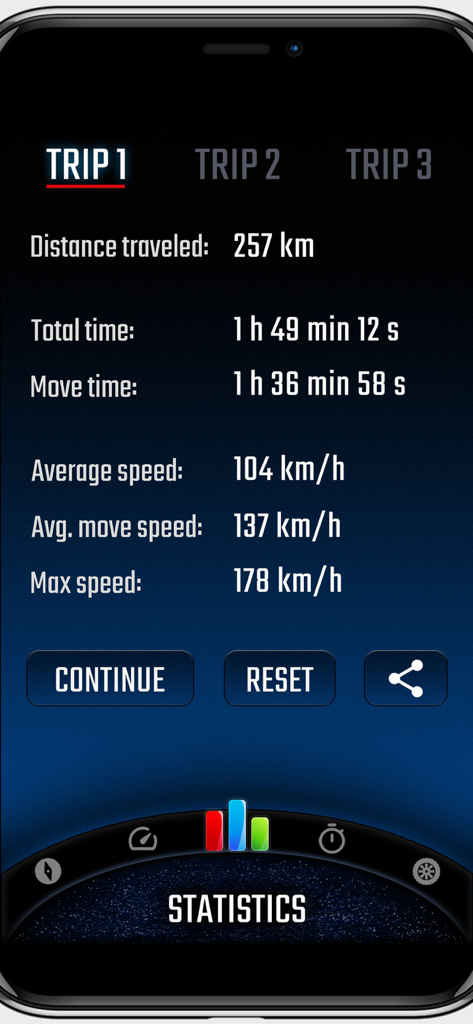
Digital Cockpit - CARID - Digital Cockpit app screen showing detailed trip statistics including distance, travel time, and average speed

Digital Cockpit app screen showing detailed trip statistics including distance, travel time, and average speed

Description

CARID is a set of carefully selected functions that you won't find in the multimedia systems of most cars. Simply and conveniently switch between them while staying safe on the road. You don't have to waste time customizing the layout of our application for your car. Right after launching, a visually attractive application appears ready for use. Our application is one of the few that can work in portrait or landscape mode - adapting to the position of the mounted device in the car. You will find features such as: • Off-road. The inclinometer will tell you how much your vehicle is pitch/roll. You can set visual and sound warnings - necessary for driving in rough terrain. In addition, the altitude above sea level is displayed. You can customize the appearance of your vehicle and terrain. • Statistics. Distance covered, time, average and maximum speed. You can measure all this data for three, independent routes, and then conveniently share with your friends. • Speedometer - an eye-catching display of your current speed. In addition, it shows the current speed limit on the road on which you are traveling (beta version). • Compass - a very reliable way (based on GPS coordinates, not a sensor from the device) to show the direction of the vehicle. • Acceleration times - with this function you will check the acceleration parameters of your car. You can set any starting and ending speed. During the measurement you will see a graph of the speed to time ratio. An interesting feature is also the measurement of reaction time (the moment of detecting movement from the start signal). • Speed dial - add your favorite contacts, then make phone calls with one click. • My place. A map where you can see your current position. You can easily switch between vector view and satellite view (photos) and turn on traffic information. The most important function is to save your current position (or the position selected on the map - by holding the place with your finger for a second). A useful feature to remember the location of your car or a favorite place. Once you save a point, you can very quickly start navigation to that place or share it with friends. • Internet radio stations from around the world. With one click switch between stations, add them to favorites, search by country or keywords. • Current weather that is automatically refreshed based on your location. The most important information for the driver is loaded, including temperature, humidity, cloud cover, visibility and wind direction in relation to the moving car. You can add widgets with the most important information on the home screen (main panel), speedometer and compass views: • Clock (time and date), • Battery charge status, • Compass, • Weather, • Current speed, • Tilt (pitching/rolling) of the car, • Address of the place where you are, • Information on the distance to the saved location, • Statistics information, • Speed dial (phone), • Altitude above sea level. Apple Terms of Use (EULA): https://www.apple.com/legal/internet-services/itunes/dev/stdeula/

Download

Download on App Store

This page is not an official page of the app or its developer, but an independent editorial publication created for informational and commentary purposes. Unless expressly stated otherwise, neither the app nor its developer is affiliated with, endorsed by, sponsored by, authorized by, or otherwise officially connected with MWM, Apple, Google Play, the app publisher, or the app's developer, and nothing on this page implies that the app was developed using MWM's services. Any trademarks, logos, screenshots, and other content remain the property of their respective owners.








