Docker Management

Docker Management

Download on App Store
Logo of Docker Management

Docker Management: Securely Orchestrate Your Infrastructure from Your Pocket

The ultimate tool for DevOps engineers and Home Lab enthusiasts. Manage containers, images, and volumes securely via SSH with real-time event notifications—no open Docker daemon ports required.

Publisher

Nevis Shkenza

Category

Developer Tools

Downloads

59K+

User Rating

3.3/5

Total Ratings

0

Locales

1

Your Infrastructure, Visualized

Discover the interface used by 59K+ users.
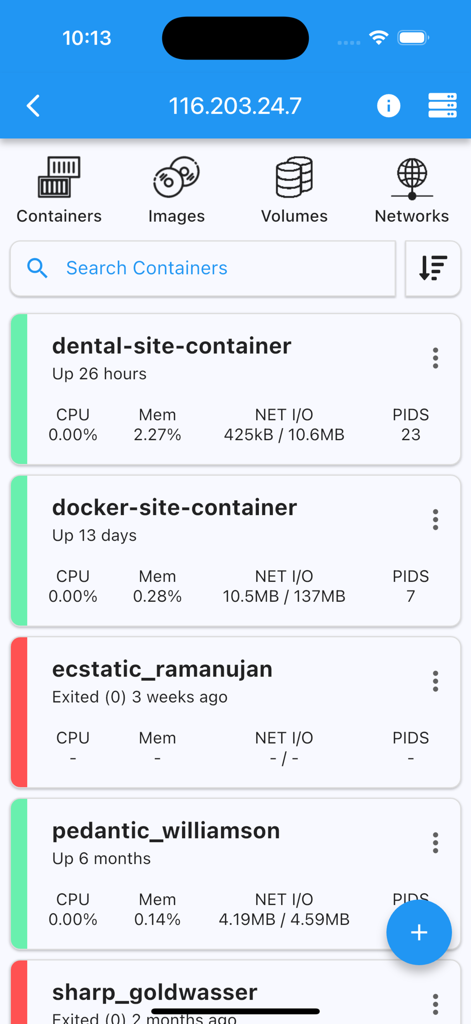
Mobile application interface showing a list of Docker containers with real-time status and resource usage statistics

Mobile application interface showing a list of Docker containers with real-time status and resource usage statistics

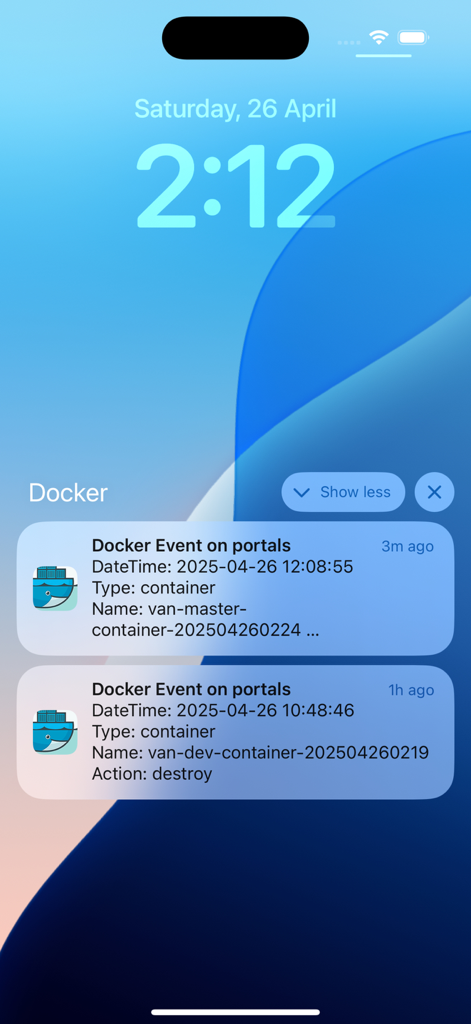
iPhone lock screen displaying real-time Docker container event notifications

iPhone lock screen displaying real-time Docker container event notifications

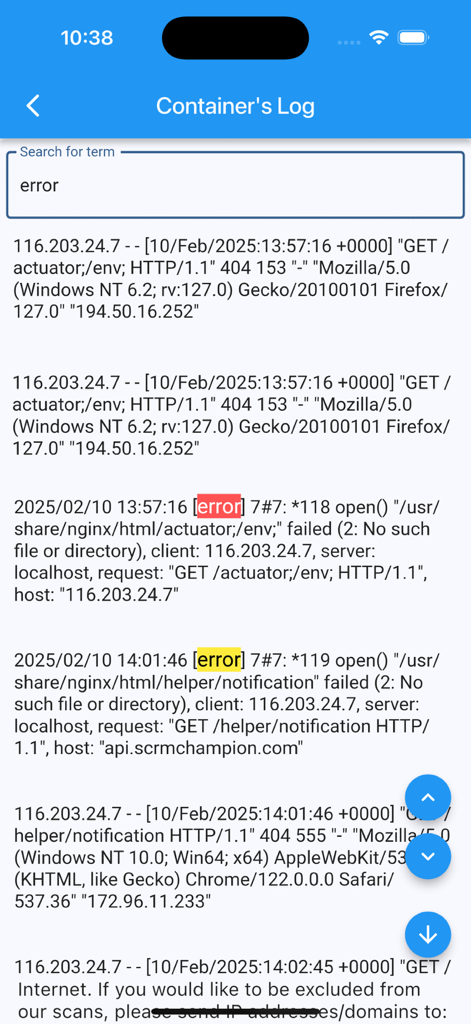
Interface of the Docker Management app showing a container's log with highlighted error messages after a search for the word error.

Interface of the Docker Management app showing a container's log with highlighted error messages after a search for the word error.

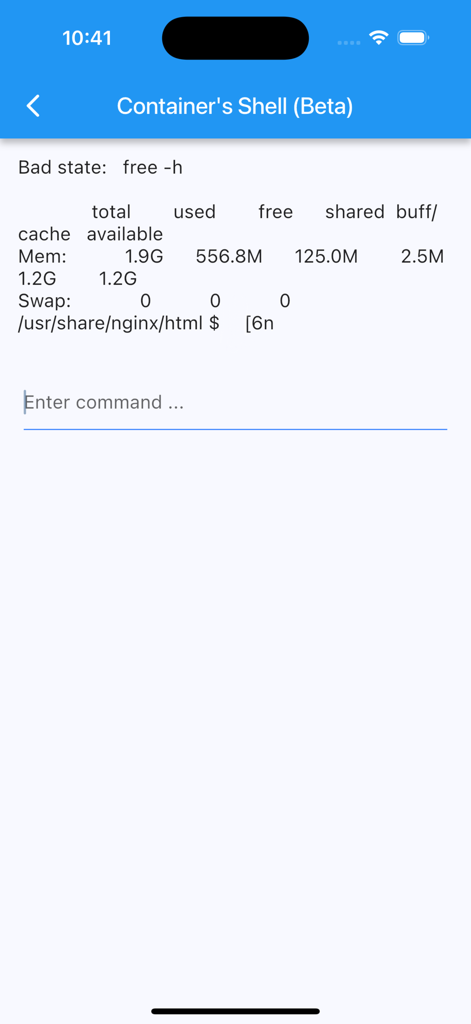
Mobile terminal interface for a Docker container showing system memory usage and a command prompt.

Mobile terminal interface for a Docker container showing system memory usage and a command prompt.

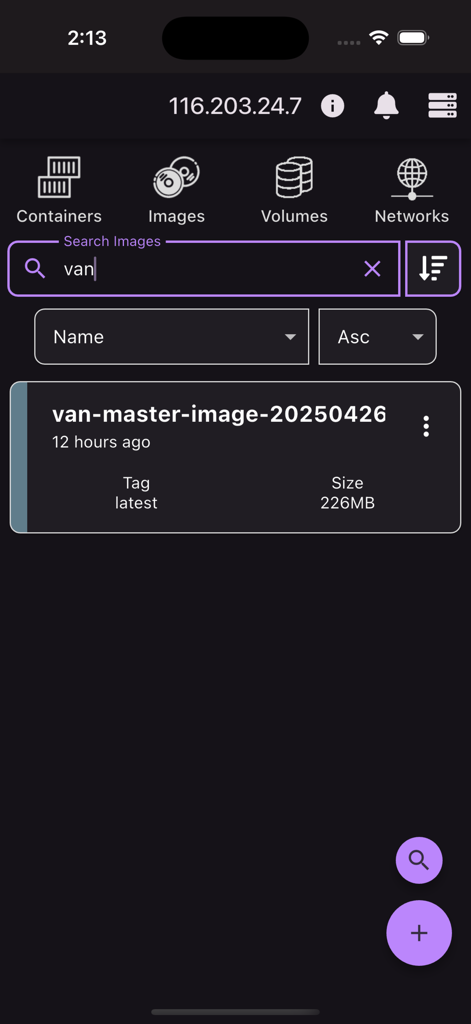
Mobile app interface showing the search results for Docker images including name tag and size details

Mobile app interface showing the search results for Docker images including name tag and size details

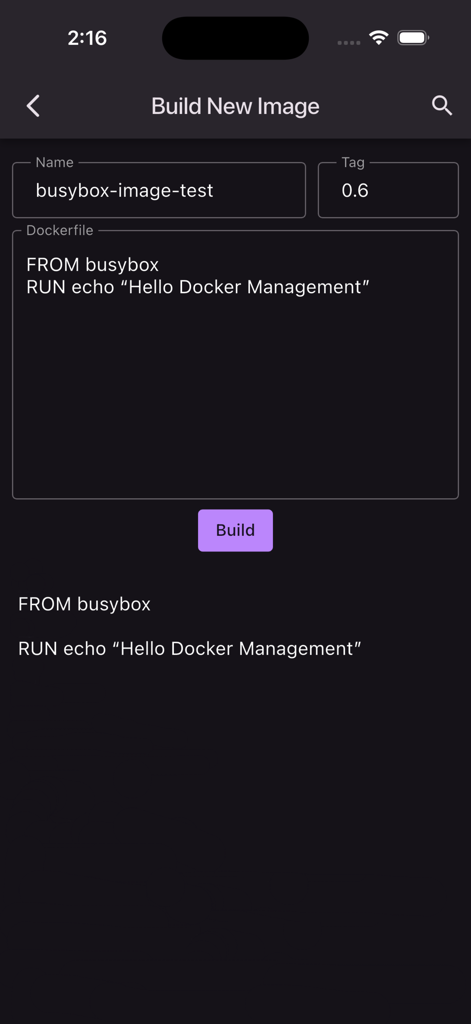
Interface for building a new Docker image from a Dockerfile in the Docker Management app

Interface for building a new Docker image from a Dockerfile in the Docker Management app

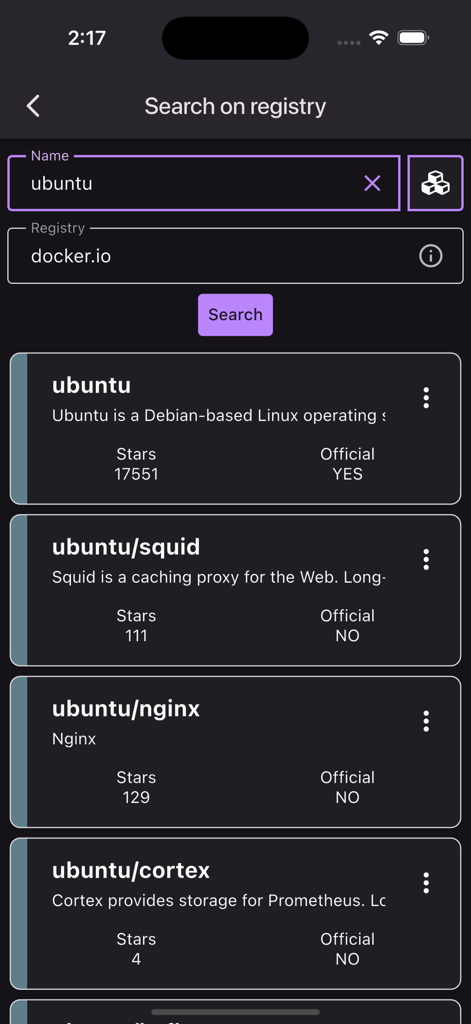
Mobile app screen showing search results for ubuntu container images on the docker registry

Mobile app screen showing search results for ubuntu container images on the docker registry

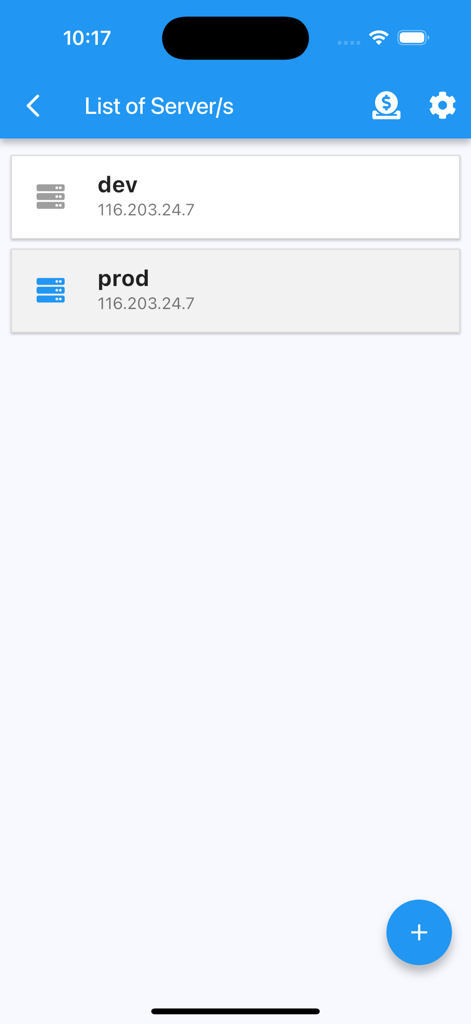
Interface of Docker Management app showing a list of servers labeled dev and prod with their IP addresses

Interface of Docker Management app showing a list of servers labeled dev and prod with their IP addresses

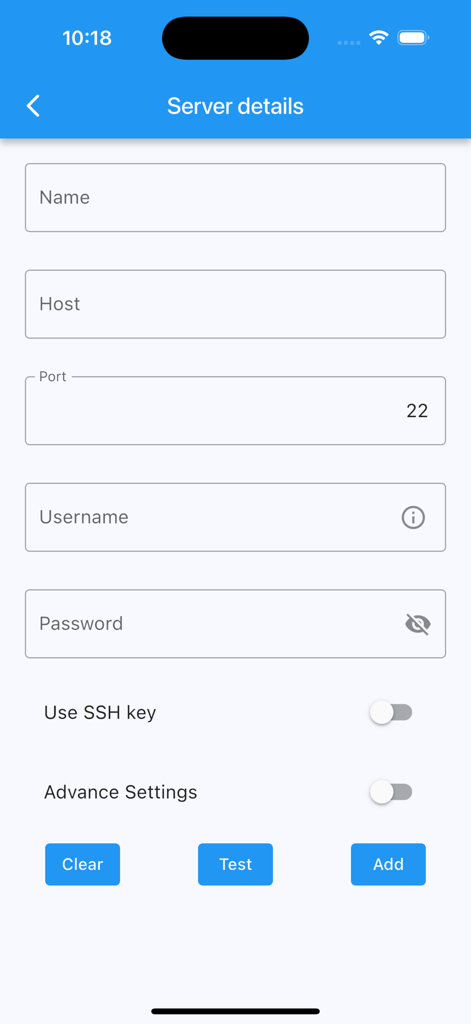
Form for adding server details including host name port and credentials for SSH connection

Form for adding server details including host name port and credentials for SSH connection

Your Infrastructure in Your Pocket

The tools that make this app stand out, trusted by 59K+ users.

🛡️

Privacy-First Security

Connect via SSH with password or keys. No Docker API exposure required, and your sensitive server credentials never leave your device.

đź””

Real-Time Event Alerts

Stay ahead of downtime with customizable push notifications for container crashes, creations, or deletions, even when you are away from your desk.

⚡

Full Lifecycle Management

Start, stop, restart containers, view live logs, and prune system resources with a tap—eliminating the need for complex terminal commands on a mobile screen.

About the app

Everything you need to know about Docker Management.

Description

Receive notifications of docker events such as "start,create,delete,tag etc" of "container/image/volume/network" directly to your mobile. Connect via ssh to your Linux/MacOS machine to monitor/manage your docker. This application allows you to: - add multiple servers - connect through password or ssh key - receive notifications on docker events - ability to customize notification triggers - select events to be notified - choose what to exclude/include - pick a silence window (to not receive notifications) - list containers - create containers - start containers (multiple at once) - stop containers (multiple at once) - restart containers (multiple at once) - remove containers (multiple at once) - inspect containers - view resource usage of containers - view logs of containers (real time) - search on logs of containers - enter shell of containers - list images - build images - search images on registries - pull images (also from private registries) - remove images (multiple at once) - inspect images - list volumes - remove volumes (multiple at once) - inspect volumes - list networks - remove networks (multiple at once) - inspect networks Features - Server info is stored on phone only (the data is wiped out once the app is removed) - Receive notifications on docker events - Run "docker system prune" to clean up unnecessary resources NOTE No docker daemon or docker api is required to be enabled for this app, simply connect via ssh. It is strongly recommended NOT to open unnecessary ports on your server (such as enabling docker daemon) as it can expose your server to more security threads. Q/A Q: Why I can not connect with non-root users? A: The docker commands are executed by the app without "sudo" so you will need to add your non-root user to the docker group with the following command: sudo usermod -aG docker $USER sudo reboot Q: How to connect to Docker Desktop on MacOS? A: On MacOS, enable 'Remote Login' and if using non-root user, add user to the docker group. Q: How to connect to Synology server? A: If using non-root user, then add user to docker group on your server: sudo synogroup --add docker sudo synogroup --memberadd docker $USER sudo chown root:docker /var/run/docker.sock Q: How to connect to QNAP server? A: If non-root user, then add user to docker group on your server: sudo addgroup $USER administrators Terms of Use (EULA) - https://www.apple.com/legal/internet-services/itunes/dev/stdeula/ Found a bug? Send an email to: nevis.applications@gmail.com

Latest Version

5.9.1

Size

49.4 MB

First Released

Aug 28, 2021

Your Infrastructure, in Your Pocket

Join 59,000+ DevOps professionals and home lab enthusiasts. Securely manage your containers, images, and volumes via SSH without ever exposing your Docker daemon.

Download on App Store

App information, icons, screenshots, and descriptions displayed on this page are sourced from the Apple App Store and are the property of their respective developers. Download estimates and rankings are based on MWM's proprietary models and may not reflect actual figures. This page is provided for informational and analytical purposes only.

Believe this page infringes your intellectual property? File a dispute