Doo: Get Things Done

Doo: Get Things Done

Download on App Store
Logo of Doo: Get Things Done

Doo: Get Things Done, one focused card at a time.

Stop the scroll of overwhelming lists. Transform your tasks into a simple stack of cards designed to help you focus, reduce anxiety, and finally conquer procrastination.

Publisher

Ciarlo Software, LLC

Category

Productivity

Downloads

25K+

User Rating

4.2/5

Total Ratings

100

Locales

9

Clarity at a Glance

Discover the interface used by 25K+ users.
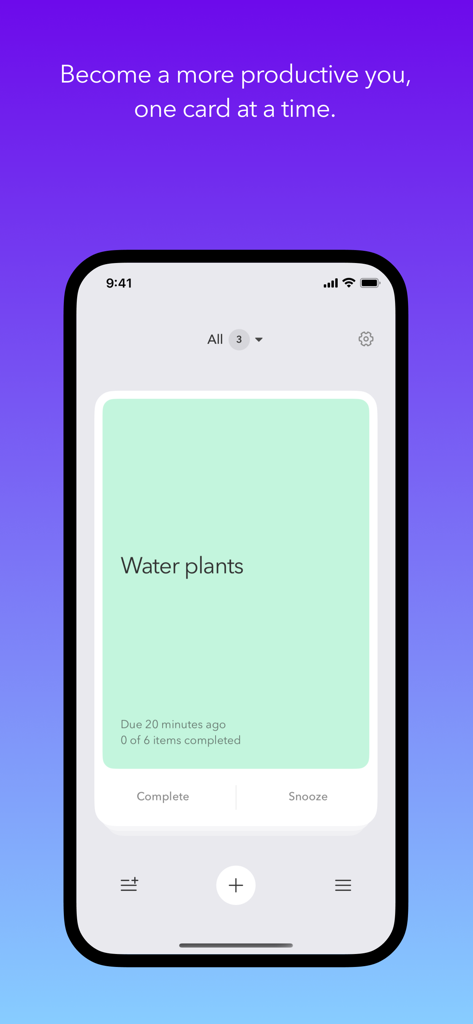
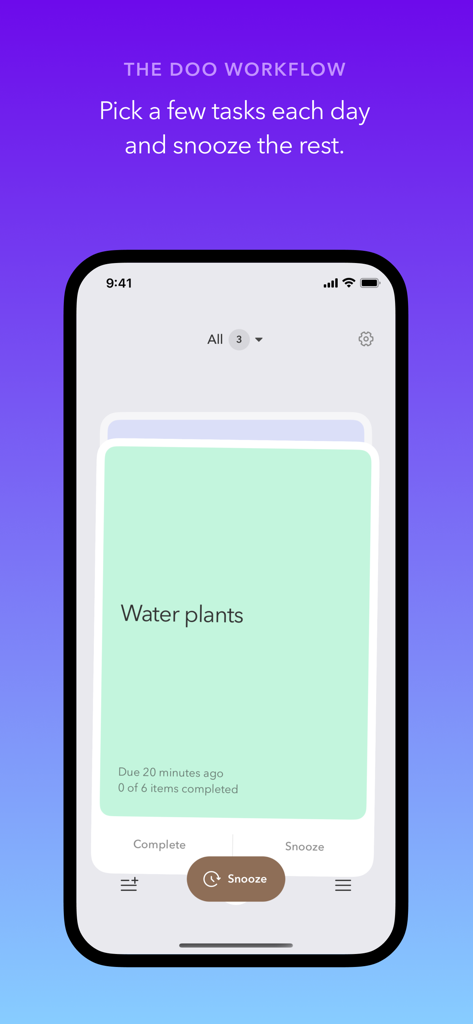
Doo app interface on an iPhone showing a minimalist task card for watering plants

Doo app interface on an iPhone showing a minimalist task card for watering plants

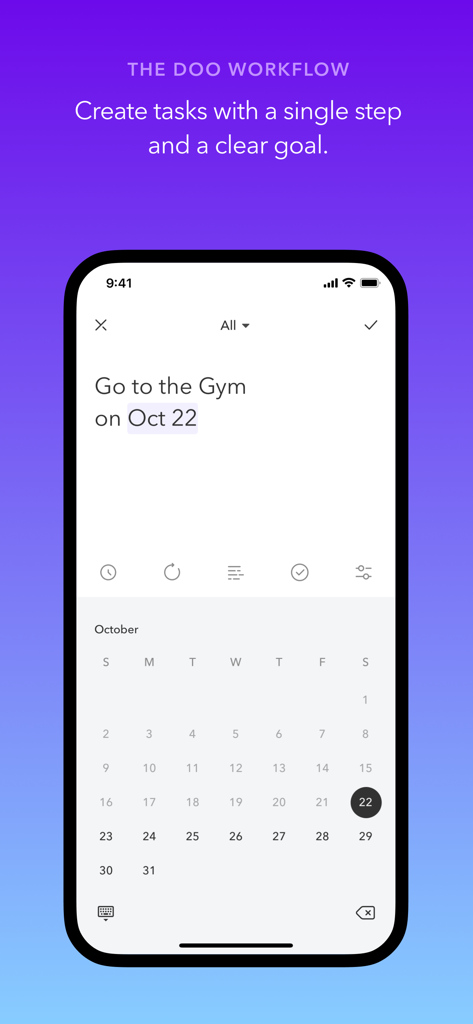
Interface of the Doo app showing how to create a simple task with a calendar date.

Interface of the Doo app showing how to create a simple task with a calendar date.

Doo app screenshot showing a card-based task management interface for watering plants

Doo app screenshot showing a card-based task management interface for watering plants

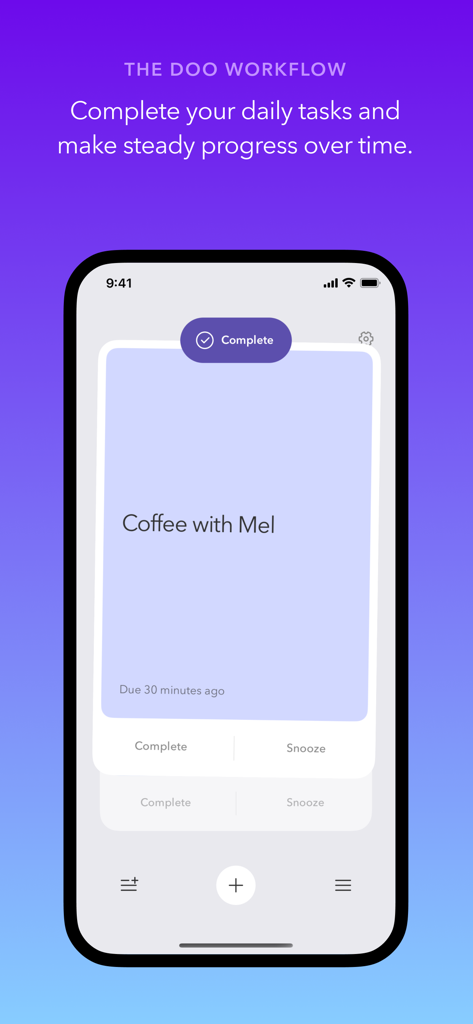
Doo app interface on an iPhone displaying a single task card for coffee with Mel with a complete button

Doo app interface on an iPhone displaying a single task card for coffee with Mel with a complete button

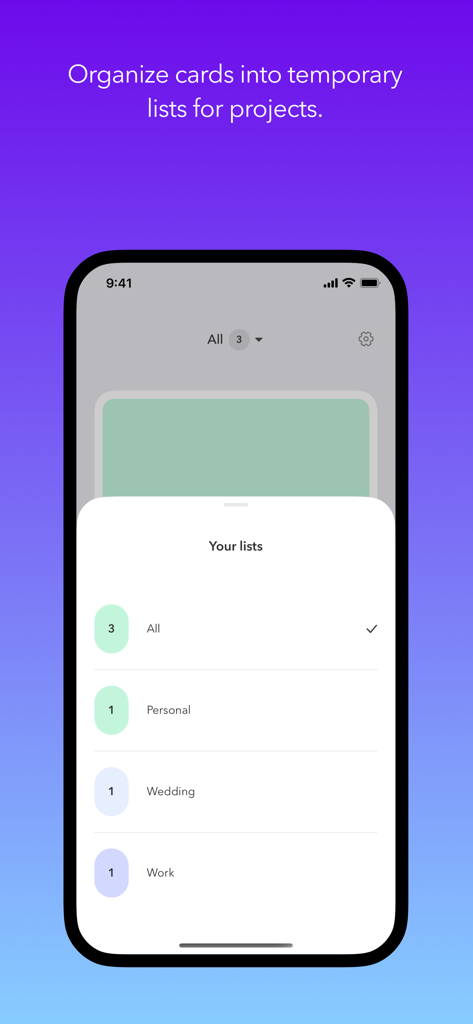
Interface of the Doo app showing how to organize task cards into different lists for projects.

Interface of the Doo app showing how to organize task cards into different lists for projects.

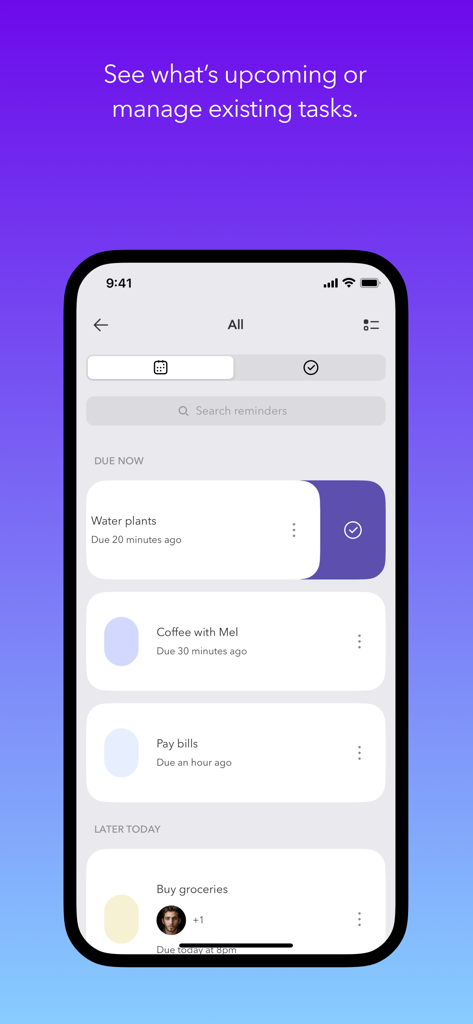
Task management screen of the Doo app showing upcoming reminders in a clean card layout

Task management screen of the Doo app showing upcoming reminders in a clean card layout

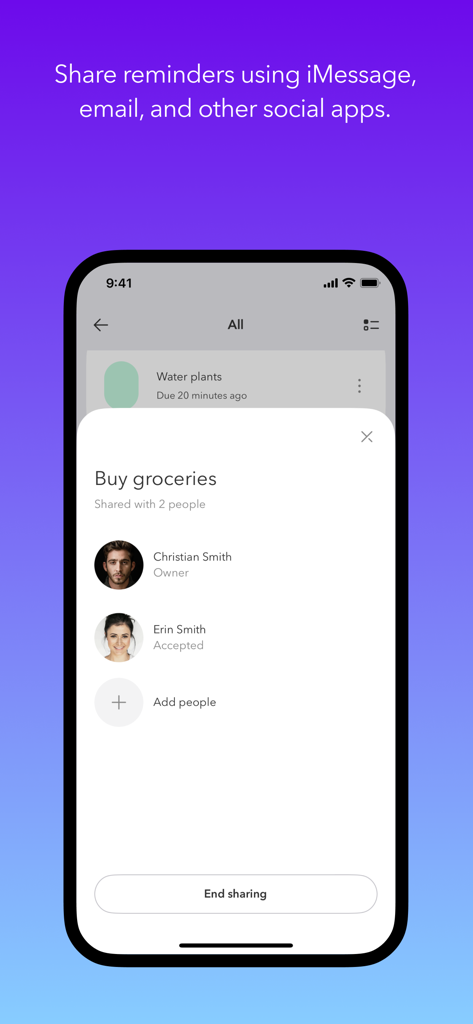
iPhone screen showing Doo app sharing reminders with contacts for a shared grocery list task.

iPhone screen showing Doo app sharing reminders with contacts for a shared grocery list task.

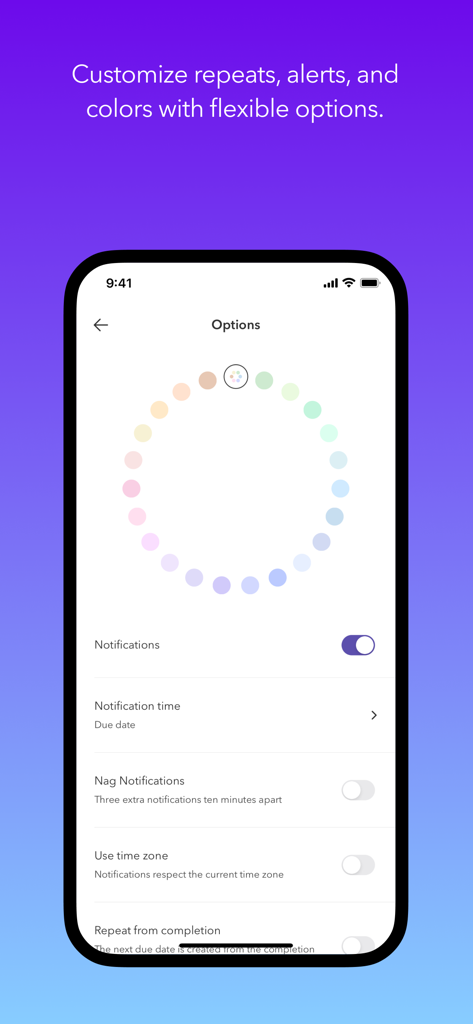
The Doo app options screen featuring a pastel color wheel for task categorization and notification settings.

The Doo app options screen featuring a pastel color wheel for task categorization and notification settings.

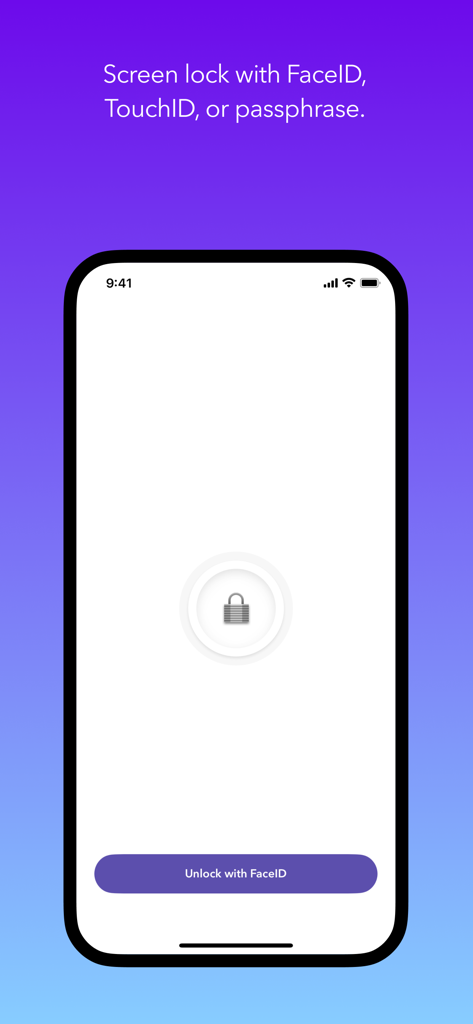
Doo app screen showing a security lock interface with a button to unlock using FaceID.

Doo app screen showing a security lock interface with a button to unlock using FaceID.

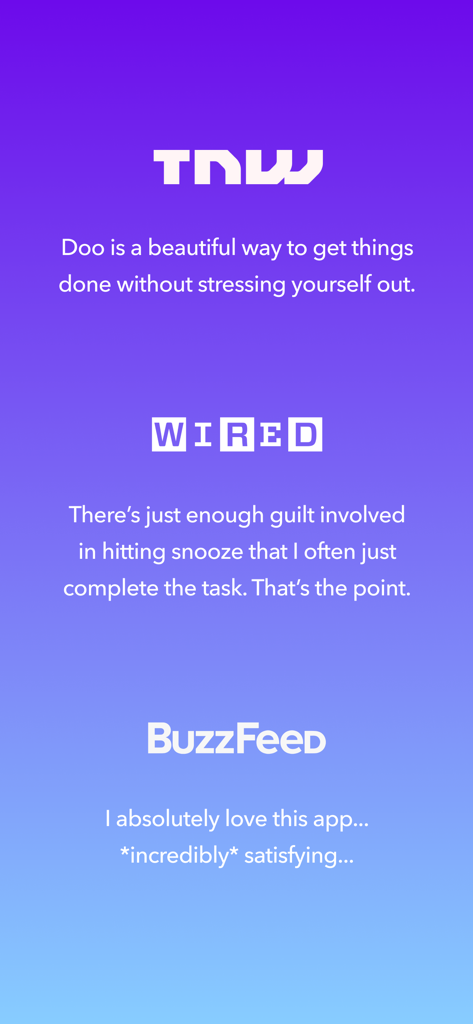
A collection of positive media reviews for the Doo productivity app from TNW, WIRED, and BuzzFeed on a purple gradient background.

A collection of positive media reviews for the Doo productivity app from TNW, WIRED, and BuzzFeed on a purple gradient background.

Master Your Day, One Card at a Time

The tools that make this app stand out, trusted by 25K+ users.

🎯

Single-Task Focus

Avoid analysis paralysis with a card-based view that highlights your immediate next step instead of a daunting, overwhelming list.

😌

Guilt-Free Productivity

Reduce anxiety by snoozing non-essentials and prioritizing your daily wins with smart, flexible reminders that feel like a supportive coach.

☁️

Seamless Apple Ecosystem

Stay on task everywhere with Home Screen widgets, Siri shortcuts, and instant iCloud sync across your iPhone, Mac, and Apple Watch.

About the app

Everything you need to know about Doo: Get Things Done.

Description

Become a more productive you, one card at a time. WHY DOO? It’s easy to procrastinate your to-do list without a clear first step. Tasks with large goals can feel impossible to finish. Doo helps you procrastinate less. Your reminders become cards that are easy to start and easy to finish. The streamlined edit screen encourages you to create tasks that can fit on a digital index card. Each card shows up in a stack — instead of a list — so you can focus on one thing at a time. BUILD BETTER HABITS Pick a few tasks each day and snooze the rest. Doo helps you create more consistent, sustainable habits. Reduce your anxiety and become a more productive you, one card at a time. *** 2021 Webby Award Nominee *** Best App - Work & Productivity *** 2021 Webby Award Honoree *** Best App User Interface REVIEWS “I absolutely love this app... *incredibly* satisfying...” – Doo 2 Review, Buzzfeed “There’s just enough guilt involved in hitting snooze that I often just complete the task. That’s the point." – WIRED “Doo is a beautiful way to get things done without stressing yourself out.” – Doo 2 Review, The Next Web FEATURE HIGHLIGHTS • Be more productive with a unique, card-based interface • Separate cards into custom groups • Create open-ended, calendar, or location-based tasks • Create tasks within other apps with the share extension • Schedule tasks with custom intervals and alerts • Sync with iCloud across iOS and Mac devices • Collaborate on tasks with other Doo users (requires iCloud) • Support for VoiceOver, Dynamic Text, and keyboard shortcuts • Stay on task with Home Screen & Lock Screen widgets • Complete or snooze tasks from notifications • Drag and drop text, locations, and URLs to create tasks • Screen lock with FaceID, TouchID, or passphrase • Create and complete reminders with Siri • Multitask with Split View and Slide Over

Latest Version

3.6.0

Size

18.7 MB

First Released

Aug 25, 2020

Ready to trade the overwhelm for focus?

Join thousands of mindful achievers who have swapped endless lists for simple, satisfying cards. Download Doo today and reclaim your calm, one card at a time.

Download on App Store

App information, icons, screenshots, and descriptions displayed on this page are sourced from the Apple App Store and are the property of their respective developers. Download estimates and rankings are based on MWM's proprietary models and may not reflect actual figures. This page is provided for informational and analytical purposes only.

Believe this page infringes your intellectual property? File a dispute