
This page is not an official page of the app or its developer, but an independent editorial publication created for informational and commentary purposes. Unless expressly stated otherwise, neither the app nor its developer is affiliated with, endorsed by, sponsored by, authorized by, or otherwise officially connected with MWM, Apple, Google Play, the app publisher, or the app's developer, and nothing on this page implies that the app was developed using MWM's services. Any trademarks, logos, screenshots, and other content remain the property of their respective owners.


DrawPlan
Finally, precision planning without the headache. DrawPlan arms users with the power to materialize visions, moving from concept to concrete layout with undeniable speed.
Downloads
1M+User Rating
Total Ratings
6.0KPublisher
Category
ProductivityLocales
1Latest Version
5.0.7Size
73.9 MBFirst Released
Mar 3, 2019An evaluation of key features driving user efficiency and precision in design and planning workflows.
DrawPlan: Core Functionality and Strategic Advantages
Precision Drawing with Auto-dimensions
It allows users to create accurate, to-scale floor plans with automatic dimensioning, ensuring professional-grade precision without requiring extensive drafting expertise.
AI-Powered Design Assistance
The app provides advanced AI capabilities to help users plan, layout, and learn design principles faster, significantly reducing the effort required for complex diagrams.
Cloud Synchronization & Unlimited Projects
This tool features cloud sync across all devices, enabling users to manage an unlimited number of projects and access their plans from anywhere, facilitating collaborative and flexible work.
Professional Export Options
The app supports high-resolution exports in formats like PNG and PDF, which is crucial for presenting plans to clients, contractors, or regulatory bodies with clarity and detail.
Extensive Object Library
It offers a rich library of pre-defined objects including doors, windows, furniture, and fixtures, allowing users to quickly populate their plans with essential details and context.
Image Tracing and Import
This feature enables users to import existing images or plans and trace directly over them, providing a convenient way to digitize old blueprints or work from inspirational sketches.
Custom Object Creation
The app allows users to create and save their own custom objects, offering flexibility to tailor designs with unique elements specific to their projects or professional needs.
Freehand Sketching for Quick Layouts
The app provides the ability to sketch freely with a finger for quick layouts, making it ideal for brainstorming initial concepts or rapidly capturing ideas on the go.
Frequently Asked Questions
Everything you need to know about DrawPlan
How can users create floor plans in DrawPlan?
Users create floor plans in DrawPlan by sketching freely with their finger for quick layouts or drawing precise, to-scale plans with automatic dimensions. AI also assists in planning and layout.
Does DrawPlan utilize AI technology?
Yes, DrawPlan utilizes AI technology. Users describe what they want to draw, and the AI helps with planning, layout, and learning faster within the app.
Can I add objects like doors and furniture in DrawPlan?
Yes, users add various objects in DrawPlan, including doors, windows, furniture, fixtures, labels, and dimensions. The app also allows for the creation and saving of custom objects.
Is it possible to create custom objects within DrawPlan?
Yes, DrawPlan allows users to create and save their own custom objects. This feature enables personalization of floor plans beyond the standard library.
Does DrawPlan allow tracing over imported images?
Yes, DrawPlan supports tracing. Users import images or existing plans and then trace or draw directly over these backgrounds to refine their designs.
For what professions is DrawPlan suitable?
DrawPlan is built for professionals and individuals in trades, design, real estate, renovations, and general planning. It creates clean plans for effective communication.
Does DrawPlan support an unlimited number of projects?
Yes, DrawPlan supports unlimited projects. Users create and manage as many floor plans as they need, with cloud sync available across devices.
Is cloud synchronization available in DrawPlan?
Yes, cloud synchronization is available in DrawPlan. This premium feature allows users to access and manage their plans across all their devices, ensuring continuity.
What features are included in DrawPlan's premium subscription?
DrawPlan's premium subscription unlocks cloud sync across all devices, high-resolution PNG/PDF exports, clean exports without grids or watermarks, priority support, and early access to new features.
How does DrawPlan handle exports of floor plans?
DrawPlan offers high-resolution exports in PNG and PDF formats as a premium feature. Exports without a premium subscription may include grids or watermarks, as indicated.
Can users try DrawPlan for free?
Yes, users can try DrawPlan for free. Payment is charged to their Apple ID account after the free trial period ends, if they proceed with a subscription.
How can I cancel my DrawPlan subscription?
Users manage or cancel their DrawPlan subscription anytime in their App Store account settings. Cancellation must occur at least 24 hours before the current period ends.
Does DrawPlan create accurate and to-scale floor plans?
Yes, DrawPlan creates accurate and to-scale floor plans. The app supports precise drawing with automatic dimensions, ensuring professional and reliable outputs.
Do DrawPlan exports include watermarks?
Yes, DrawPlan exports generated without a premium subscription include watermarks. Upgrading to a Monthly or Yearly plan unlocks clean exports without grids or watermarks.
The following screenshots and description are sourced directly from the app's official store listing and are the property of the app developer.
App Store
Screenshots
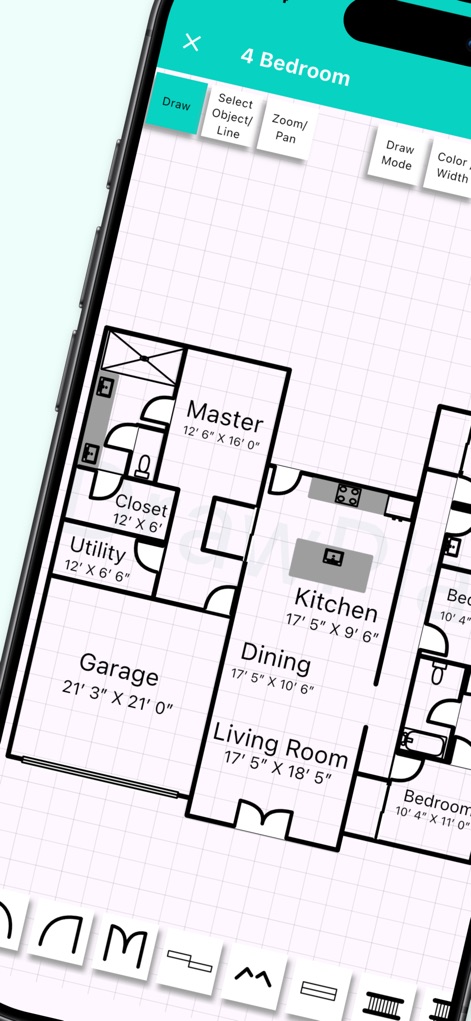
The app simplifies the creation of comprehensive floor plans, featuring clearly labeled rooms and precise automatic dimensions.
Detailed Floor Plans
This tool leverages intuitive touch input and intelligent AI assistance to streamline the generation of professional floor plans.
Touch & AI
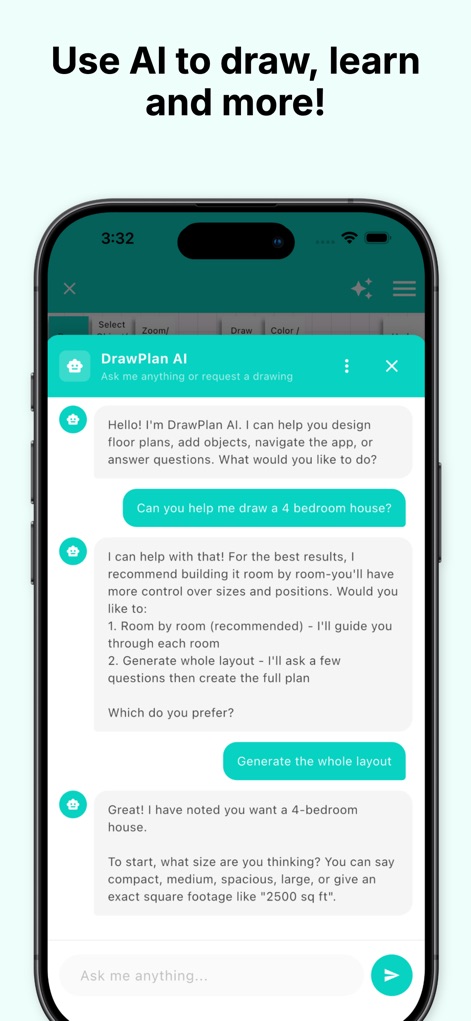
Users can interact with the AI assistant to receive guided planning suggestions and easily generate entire layouts based on their needs.
AI Design Assistant
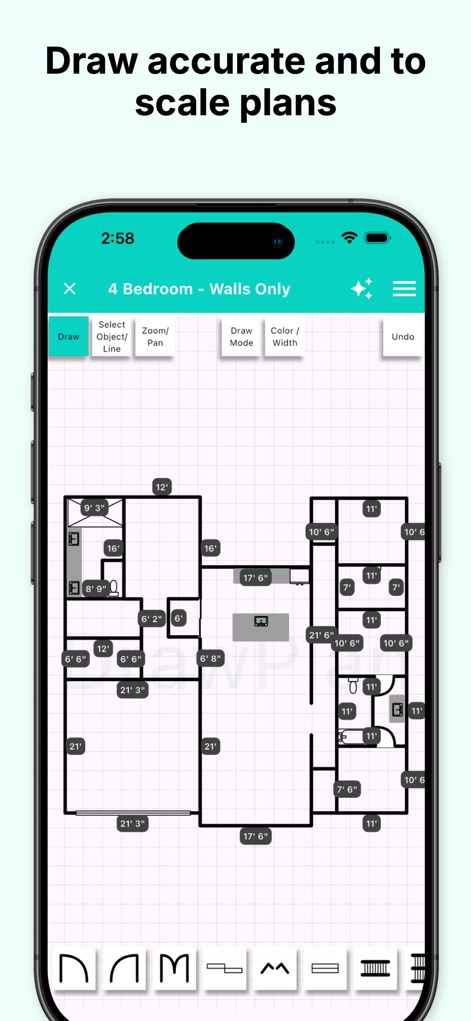
The app allows for the creation of precise, to-scale floor plans, where every wall segment displays its exact dimensional measurement.
Accurate Scaling
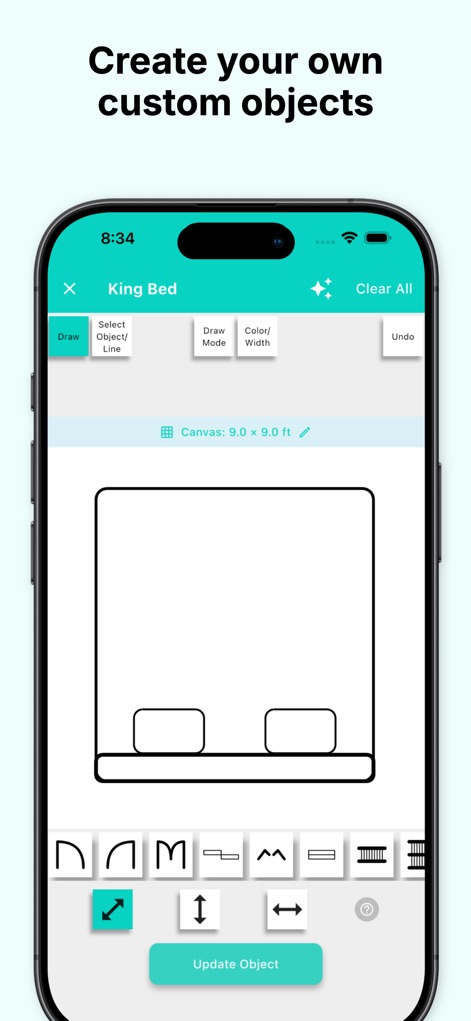
Users are empowered to design and save personalized objects, exemplified by the adjustable king bed and various drawing tools.
Create Custom Objects
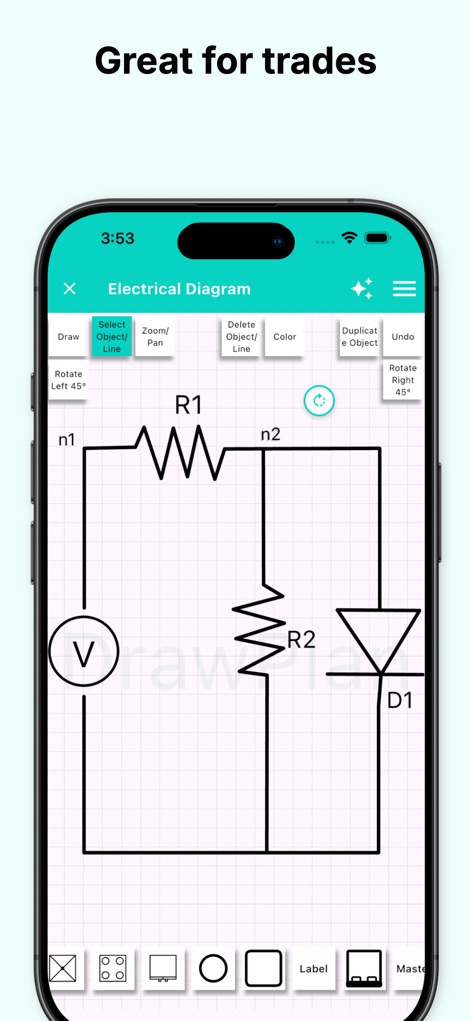
This tool excels in generating diverse technical diagrams, including detailed electrical schematics with components and specific rotation controls.
Versatile Diagrams
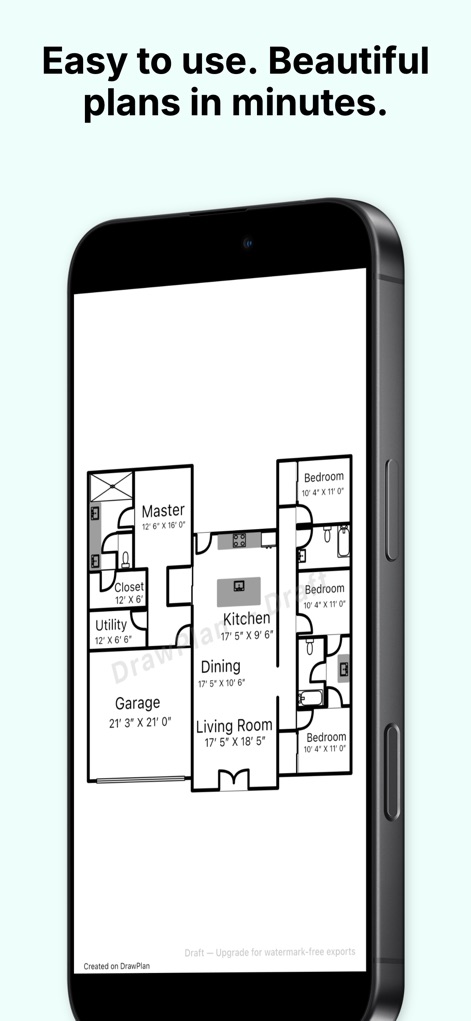
Observe the clean and professional output of completed floor plans, ready for clear communication and impressive presentation.
Polished Plans
Description
Download
More Like This
Apps with similar features and user experience

Floor Plan & AI Home - CamPlan
CamPlan AI Ltd

SketchUp - 3D Modeling
Trimble Inc.

ArcSite: Floor Plans and CAD
Arctuition LLC

Morpholio Trace - Sketch CAD
Morpholio LLC

Keyplan 3D Lite - Home design
Quasarts LLC

Smart Home Design 3D
Sebastian Kemper

Keyplan 3D - Home design
Quasarts LLC

Home Design 3D: Draw & Plan
Anuman

Homestyler-3D Home Decor
Homestyler (Shanghai) Technology Co., Ltd.
This page is not an official page of the app or its developer, but an independent editorial publication created for informational and commentary purposes. Unless expressly stated otherwise, neither the app nor its developer is affiliated with, endorsed by, sponsored by, authorized by, or otherwise officially connected with MWM, Apple, Google Play, the app publisher, or the app's developer, and nothing on this page implies that the app was developed using MWM's services. Any trademarks, logos, screenshots, and other content remain the property of their respective owners.