
This page is not an official page of the app or its developer, but an independent editorial publication created for informational and commentary purposes. Unless expressly stated otherwise, neither the app nor its developer is affiliated with, endorsed by, sponsored by, authorized by, or otherwise officially connected with MWM, Apple, Google Play, the app publisher, or the app's developer, and nothing on this page implies that the app was developed using MWM's services. Any trademarks, logos, screenshots, and other content remain the property of their respective owners.


Home Design 3D: Draw & Plan
The app obliterates design guesswork. Users gain the power to craft, visualize, and reconfigure any space in instant, explorable 3D.
Downloads
12.5M+User Rating
Total Ratings
334.4KPublisher
Category
ProductivityLocales
16Latest Version
5.8.0Size
802.2 MBFirst Released
Oct 25, 2011Key Features of Home Design 3D: Draw & Plan
An Analytical Overview for Home Improvement & Design Enthusiasts
Intuitive 2D to 3D/5D Visualization
It allows users to quickly draw floor plans in 2D and instantly view them in immersive 3D and 5D perspectives, facilitating rapid design iteration.
Professional Construction Planning
This tool features professional capabilities for creating multi-story projects, adjusting wall specifics, and performing precise measurements, suitable for detailed construction planning.
Extensive Interior & Exterior Furnishing
The app provides access to thousands of customizable items to furnish and decorate various spaces, offering extensive design freedom with adjustable sizes and colors.
Rapid Redecoration & Layout Comparison
It allows users to instantly redecorate entire rooms and compare different styles and layouts, streamlining the decision-making process for interior design.
Realistic 3D Walkthroughs & VR
This tool features photorealistic 3D rendering and virtual reality (VR) export capabilities, enabling users to experience their designs as if they were physically present.
Real-time Lighting Previews
The app provides a day/night slider to simulate natural lighting conditions, allowing users to preview how light affects their design throughout different times.
Blueprint & Material Import
It allows users to import existing blueprints and custom textures, enhancing personalization and enabling the integration of pre-existing plans into new designs.
Cross-Platform Project Sync
The app supports cross-platform compatibility, allowing users to export and continue their design projects seamlessly across various devices.
Frequently Asked Questions
Everything you need to know about Home Design 3D: Draw & Plan
What is Home Design 3D: Draw & Plan?
Home Design 3D is a leading app used by over 60 million users to create 3D house designs. It features an intuitive planner for drawing floor plans, furnishing, decorating, and visualizing dream homes for construction and interior design.
Can users create multi-story designs with Home Design 3D?
Yes, Home Design 3D allows users to create multi-story home renovation design projects. The app supports unlimited floors and provides professional tools for precise construction measurements and adjustments.
Does Home Design 3D work without an internet connection?
Yes, Home Design 3D works offline. Users do not require an internet connection to use the application. An illustrated tutorial is also included to guide users through the features.
Can I furnish and decorate rooms using Home Design 3D?
Yes, Home Design 3D provides thousands of items to furnish and decorate various spaces like living rooms, kitchens, bedrooms, and gardens. Users can customize furniture size, color, and placement.
Does Home Design 3D offer 3D visualization and walk-throughs?
Yes, Home Design 3D offers photorealistic 3D rendering and real-time 3D exploration. Users can walk through their dream house, experience it in 5D through virtual reality with VR export, and adjust natural lighting.
Can Home Design 3D import existing blueprints or custom textures?
Yes, Home Design 3D allows users to import existing projects and blueprints to draw directly on top. It also supports importing custom textures to personalize design spaces with unique materials.
Is Home Design 3D suitable for both beginners and professional designers?
Yes, Home Design 3D is an intuitive design tool suitable for both beginners and professional house designers. It offers a streamlined workflow for construction planning, remodeling, and interior design projects.
How can I share my projects created with Home Design 3D?
Home Design 3D allows users to share architecture projects via email, Dropbox, or OneDrive. Users can also publish to the community for feedback and connect with other designers on homedesign3d.net.
How many downloads does the Home Design 3D app have?
The Home Design 3D app has over 30 million downloads. It is promoted as 'THE #1 DESIGN APP' according to the visual assets.
Can Home Design 3D help with redecorating entire rooms instantly?
Yes, Home Design 3D facilitates redecorating entire rooms instantly. Users can compare different styles in seconds, offering a quick way to test layouts before starting home renovation.
The following screenshots and description are sourced directly from the app's official store listing and are the property of the app developer.
App Store
Screenshots
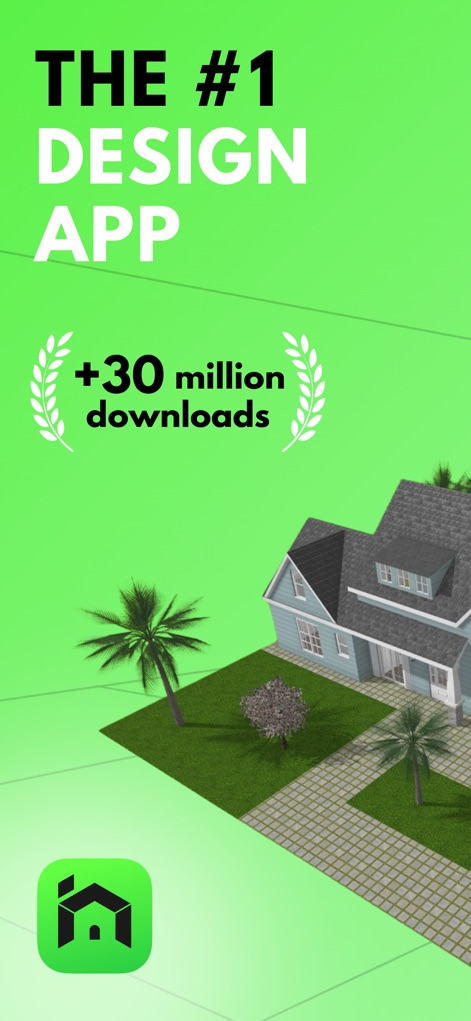
Top Design App
Discover why millions trust this app, highlighting its prominent "THE #1 DESIGN APP" badge and the exterior view of a realistic house design.
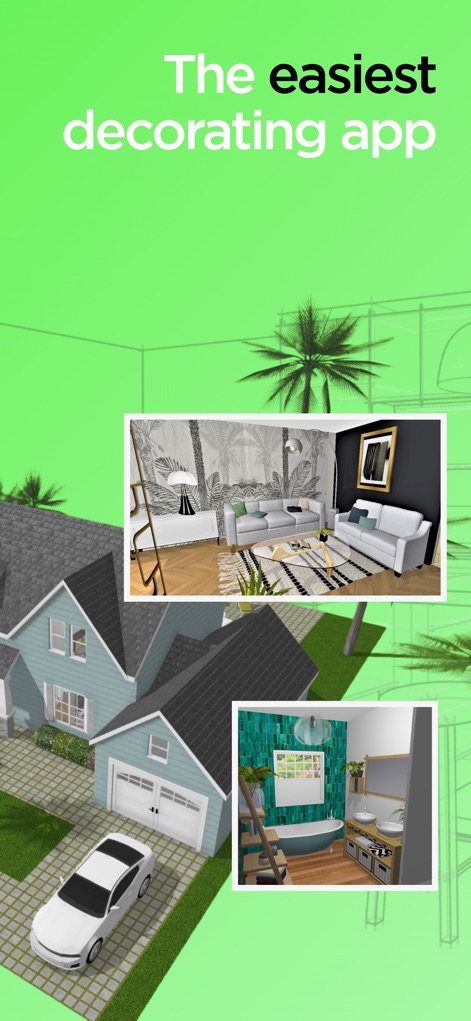
Effortless Decorating
Observe how the app simplifies interior decoration, showcasing both a contemporary living room and a modern bathroom design within the broader exterior house context.

Project Gallery
Explore the streamlined interface for managing designs, featuring a clear "New project" button and a diverse gallery of pre-existing home layouts.
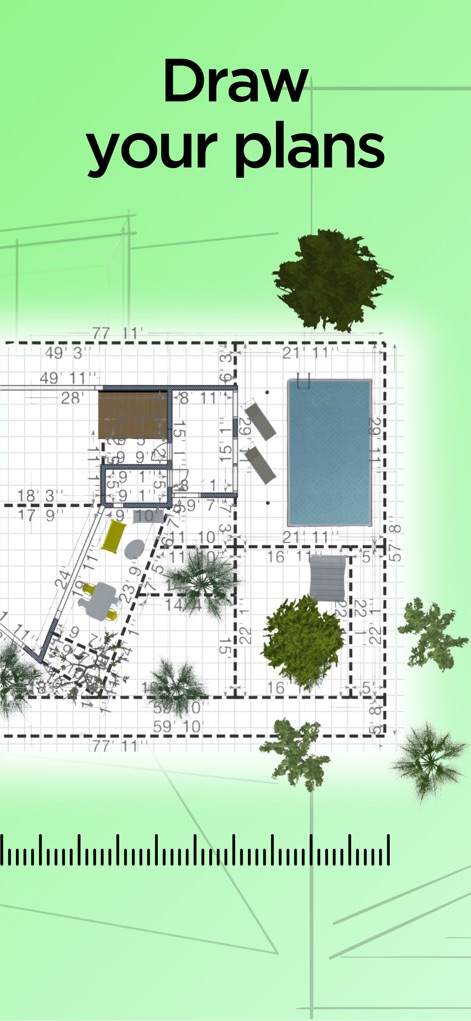
Precise Floor Plans
Witness the precision in 2D planning with detailed measurements and the inclusion of various landscape elements for comprehensive project views.
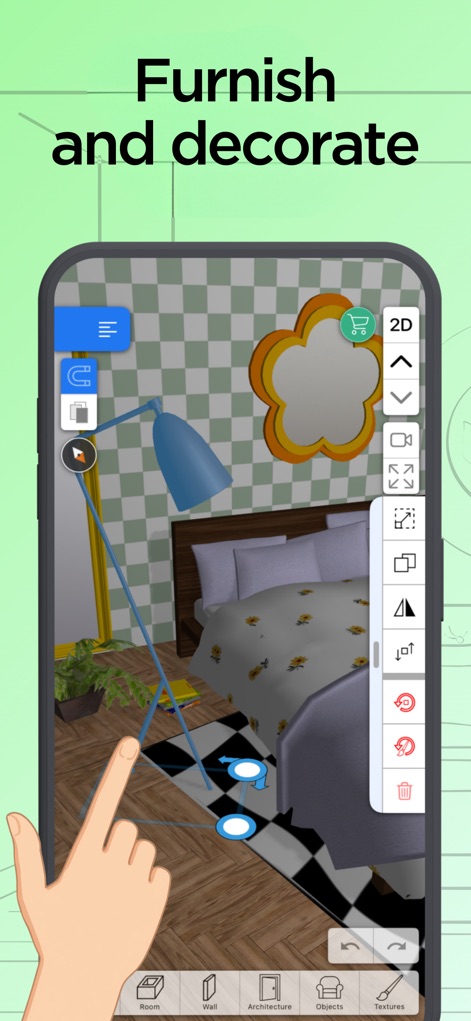
Furnish & Customize
See how users can intuitively place and adjust furniture in 3D, demonstrated by the interactive controls for a bed and a floor lamp.
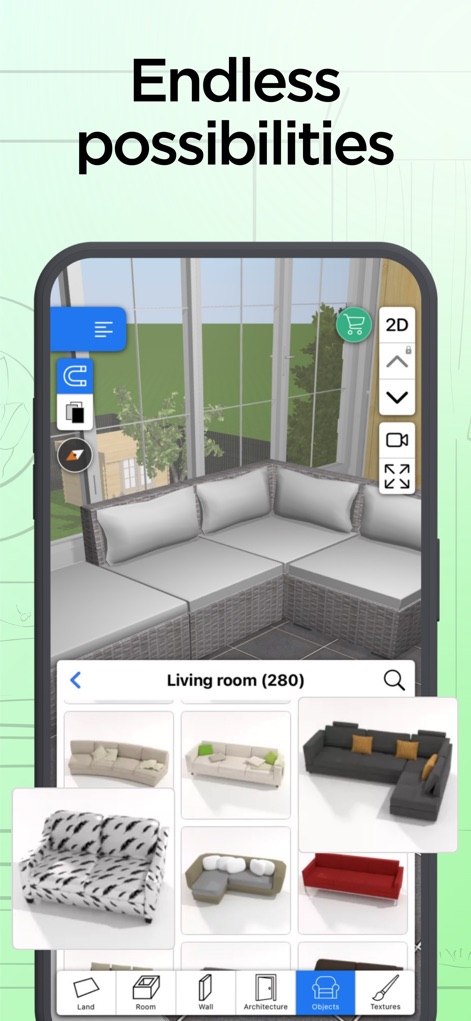
Infinite Customization
Delve into the vast customization options, illustrating a spacious living room and an extensive catalog of sofa designs ready for selection.
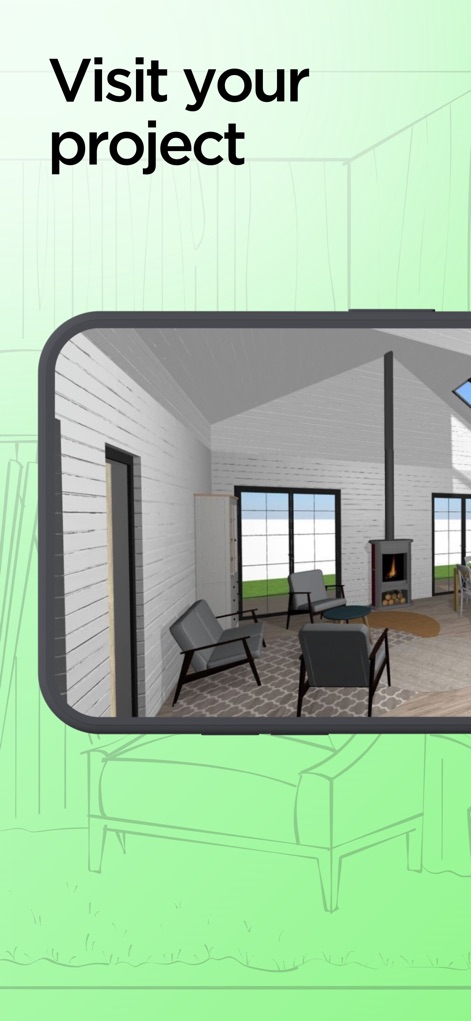
Virtual Walkthroughs
Experience immersive 3D visualization, allowing users to virtually walk through their designed living spaces, complete with detailed furniture and window placements.
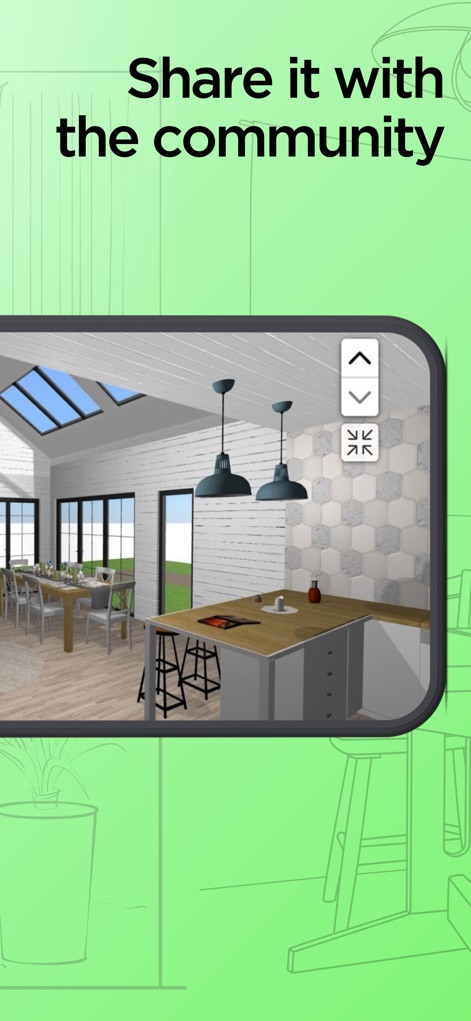
Community Showcase
Visualize how completed designs can be shared, featuring a modern kitchen and dining area in a bright, open-plan setting.
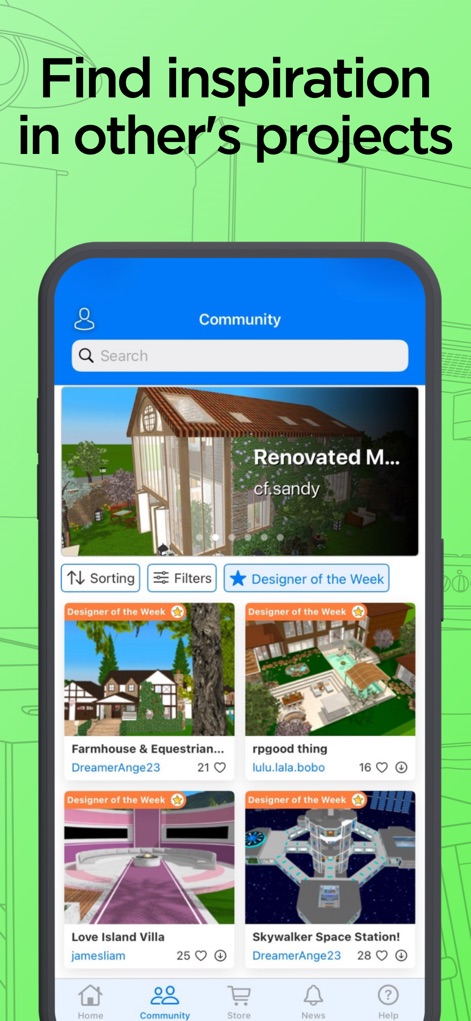
Community Inspiration
Explore the vibrant community aspect, displaying a feed of user-created projects and highlighting the 'Designer of the Week' section for new ideas.
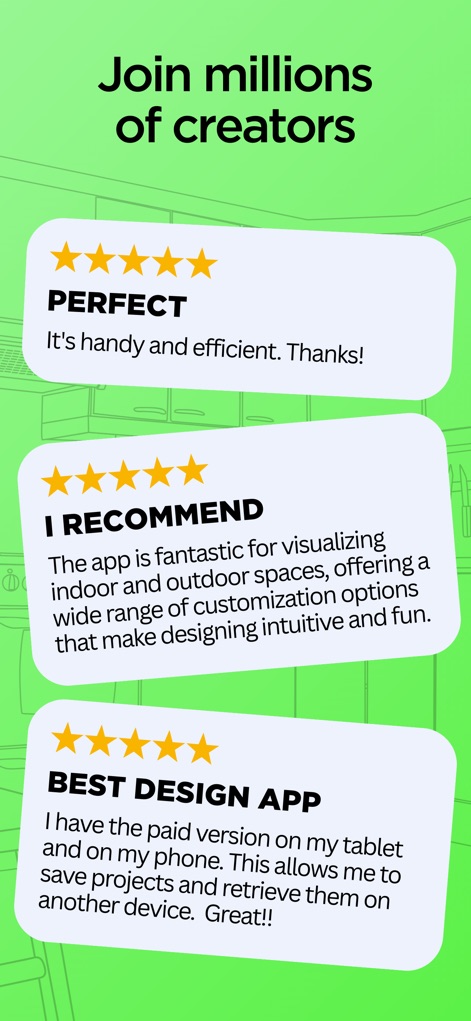
User Testimonials
Read authentic feedback from the app's user base, showcasing multiple positive reviews and high star ratings from satisfied creators.
Description
Download
More Like This
Apps with similar features and user experience

Floor Plan & AI Home - CamPlan
CamPlan AI Ltd

SketchUp - 3D Modeling
Trimble Inc.

ArcSite: Floor Plans and CAD
Arctuition LLC

Morpholio Trace - Sketch CAD
Morpholio LLC

Keyplan 3D Lite - Home design
Quasarts LLC

Smart Home Design 3D
Sebastian Kemper

Keyplan 3D - Home design
Quasarts LLC

Homestyler-3D Home Decor
Homestyler (Shanghai) Technology Co., Ltd.
Sweet Home 3D: Plan Your House
AI Photo Editor Lab SRL
This page is not an official page of the app or its developer, but an independent editorial publication created for informational and commentary purposes. Unless expressly stated otherwise, neither the app nor its developer is affiliated with, endorsed by, sponsored by, authorized by, or otherwise officially connected with MWM, Apple, Google Play, the app publisher, or the app's developer, and nothing on this page implies that the app was developed using MWM's services. Any trademarks, logos, screenshots, and other content remain the property of their respective owners.