
This page is not an official page of the app or its developer, but an independent editorial publication created for informational and commentary purposes. Unless expressly stated otherwise, neither the app nor its developer is affiliated with, endorsed by, sponsored by, authorized by, or otherwise officially connected with MWM, Apple, Google Play, the app publisher, or the app's developer, and nothing on this page implies that the app was developed using MWM's services. Any trademarks, logos, screenshots, and other content remain the property of their respective owners.

Whats Web Scanner: Quick Chat
Finally, one app grants the mastery to command your messaging empire, offering unparalleled control and efficiency.
Downloads
5M+User Rating
Total Ratings
10.2KPublisher
Category
Social NetworkingLocales
1Latest Version
7.1.6Size
26.1 MBFirst Released
Jan 31, 2018An analysis of core functionalities enhancing mobile messaging productivity and user experience.
Key Features of Whats Web Scanner: Quick Chat
Dual Chat Sync (Web Scanner)
It enables users to seamlessly sync and manage multiple messaging accounts across different devices or within a single phone, facilitating both personal and professional communication.
AI Chat Assistant
It provides an intelligent AI assistant to help users draft replies, summarize conversations, and get instant answers, streamlining communication and improving efficiency.
Privacy & Security Features
The app provides robust privacy and security features, including offline OCR and passcode protection with FaceID/TouchID, ensuring user data is stored locally and securely.
Offline OCR Text Scanner
This tool features an offline OCR scanner that converts text from images into editable text, enhancing privacy and enabling quick copying and sharing for various uses.
Status Saver & Downloader
The app allows users to easily save and repost photo and video statuses from friends, ensuring valuable memories are never lost and can be shared effortlessly.
Direct Chat without Saving Contact
It enables users to initiate direct chats with any phone number without the need to save it to their contacts beforehand, boosting communication efficiency for quick interactions.
The following screenshots and description are sourced directly from the app's official store listing and are the property of the app developer.
App Store
Screenshots
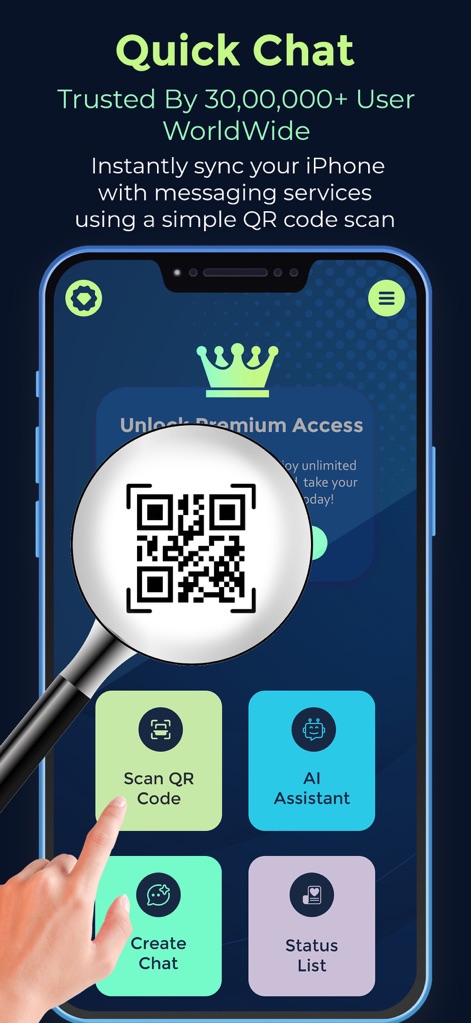
See how the app facilitates instant account syncing with a prominent "Scan QR Code" button and a magnified QR code visual.
Instant Sync Hub
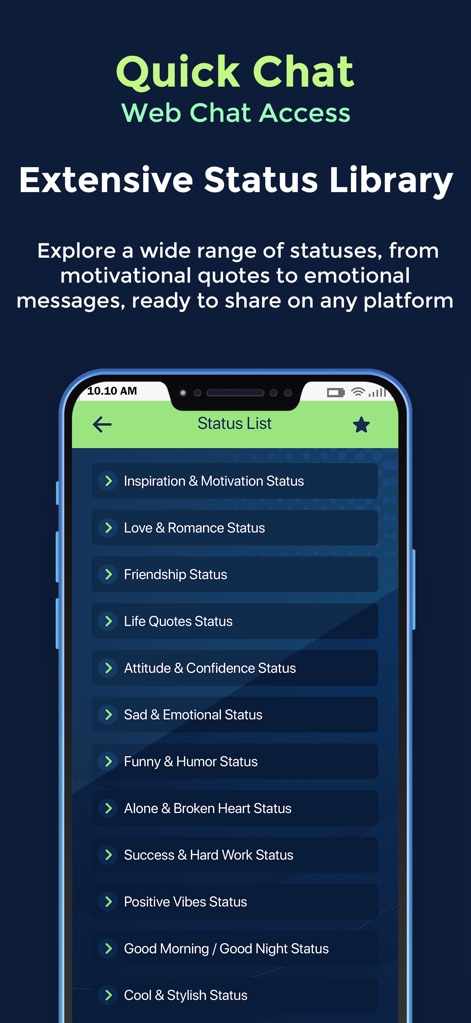
Explore the app's extensive "Status List", featuring diverse categories such as "Inspiration & Motivation Status" and "Love & Romance Status".
Status Gallery
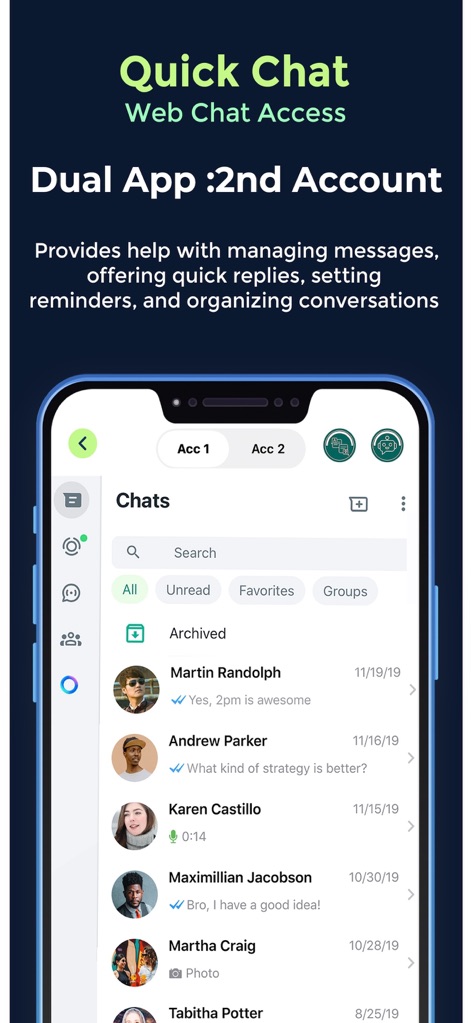
Discover the app's dual account management, enabling users to switch between "Acc 1" and "Acc 2" and view their chat conversations seamlessly.
Dual Account Chat
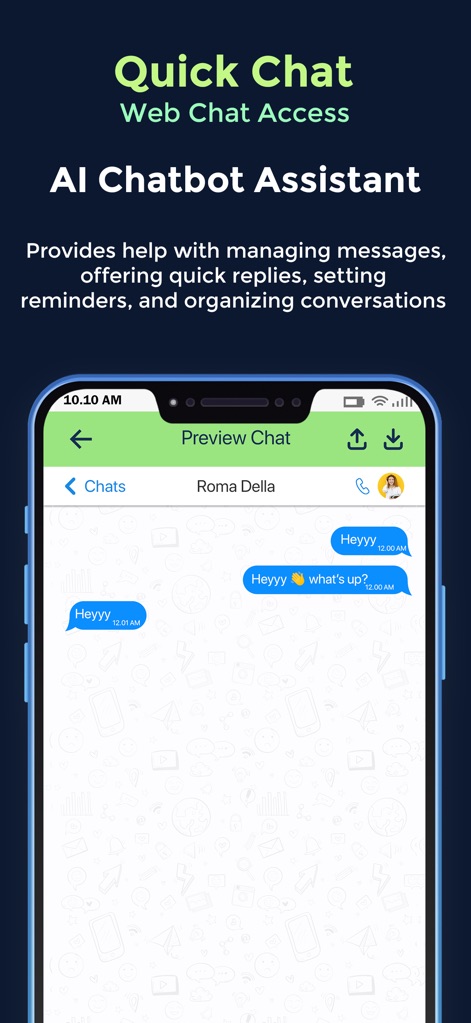
Witness the AI Chatbot Assistant at work, generating smart responses within message bubbles on the "Preview Chat" screen.
AI Chat Assistance
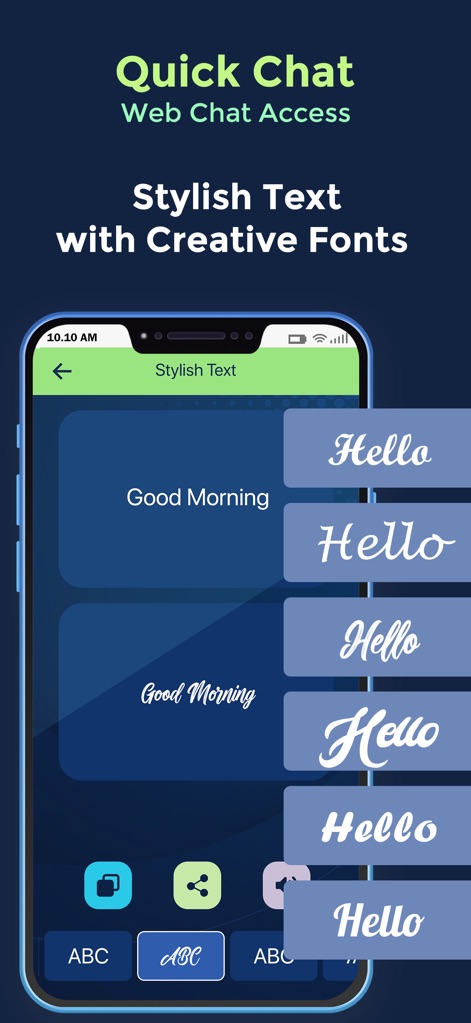
Personalize messages using the "Stylish Text" feature, showcasing various unique font options and an accessible font selection keyboard.
Custom Fonts
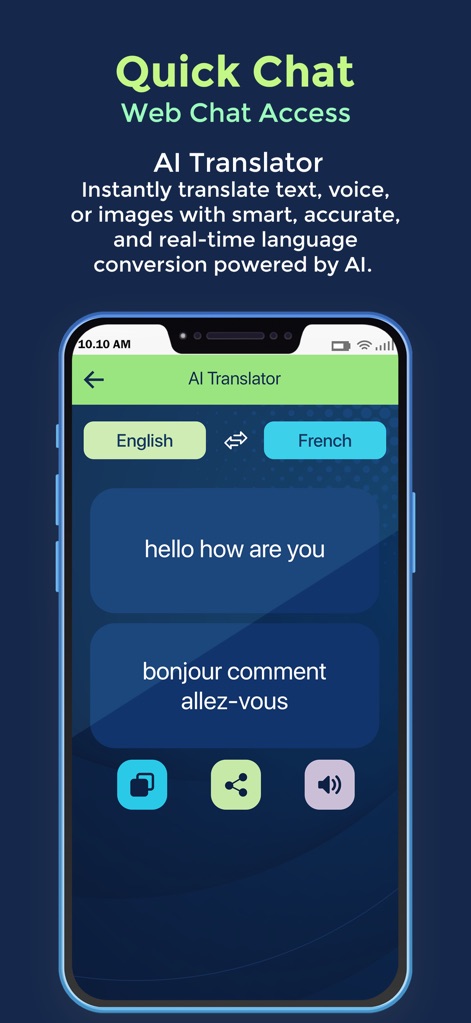
Experience the AI Translator's capability to instantly convert text, as shown by the "English" and "French" language selectors and corresponding translated phrases.
AI Language Translate
Description
Download
More Like This
Top-ranked apps in the same category

Threads
Instagram, Inc.

Telegram Messenger
Telegram FZ-LLC

WhatsApp Messenger
WhatsApp Inc.

Meta Platforms, Inc.

Messenger
Meta Platforms, Inc.
Google Meet
Google LLC

Discord - Talk, Play, Hang Out
Discord Inc.

rednote
Xingin Information Technology (Shanghai) Co., Ltd

Tencent Technology (Shenzhen) Company Limited
This page is not an official page of the app or its developer, but an independent editorial publication created for informational and commentary purposes. Unless expressly stated otherwise, neither the app nor its developer is affiliated with, endorsed by, sponsored by, authorized by, or otherwise officially connected with MWM, Apple, Google Play, the app publisher, or the app's developer, and nothing on this page implies that the app was developed using MWM's services. Any trademarks, logos, screenshots, and other content remain the property of their respective owners.