
DyCut- Dynamic Cutting Layouts


Get the most out of every sheet with instant, visual cutting layouts. Designed for professional trades and serious makers to eliminate waste and maximize your profit.
Publisher
Category
ProductivityDownloads
2K+User Rating
Total Ratings
200Locales
1Discover the interface used by 2K+ users.
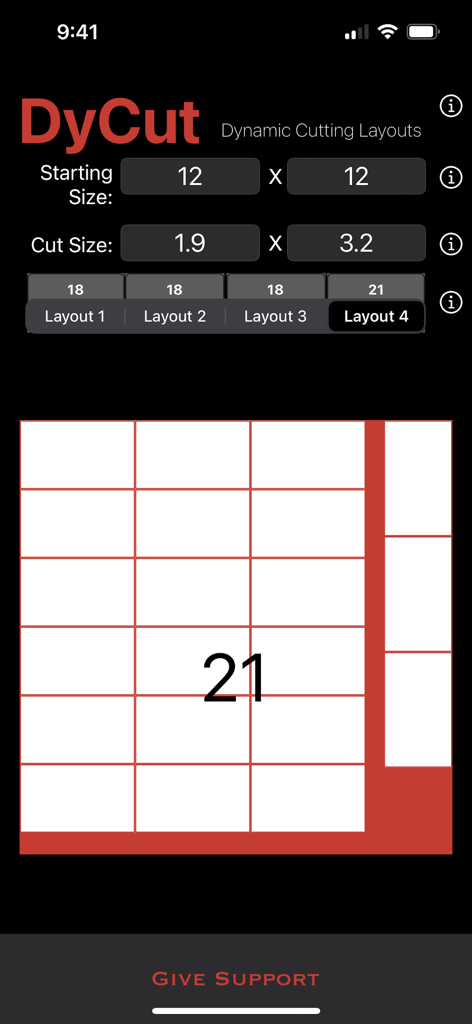
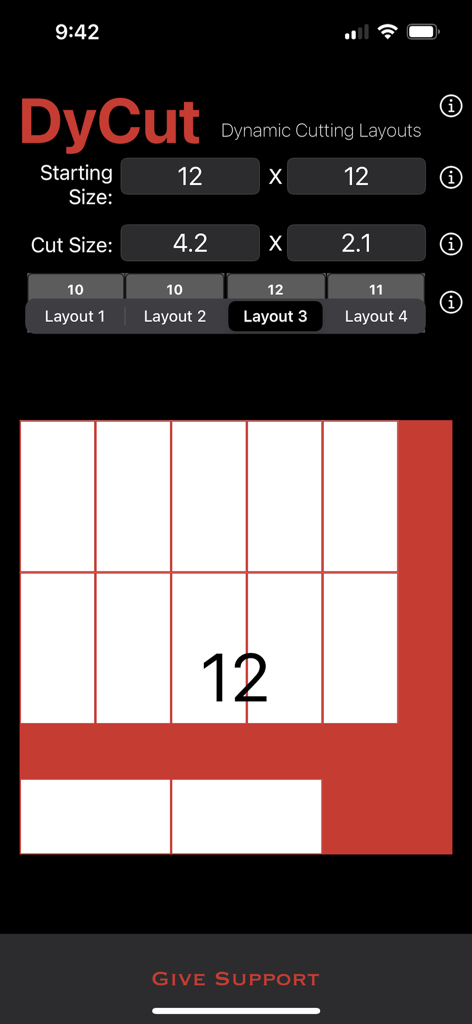
The tools that make this app stand out, trusted by 2K+ users.
Stop throwing money in the scrap bin. Our algorithms find the perfect fit, helping you get extra pieces out of every sheet of plywood, metal, or fabric.
Skip the complex napkin math. Simply enter your dimensions and instantly compare four optimized layout strategies to find your perfect workflow.
See exactly how your project fits on the material before you touch your tools. Gain the confidence of a 'measure once' precision on your iPad or iPhone.
Everything you need to know about DyCut- Dynamic Cutting Layouts.
Description
Latest Version
1.10
Size
3.9 MB
First Released
Dec 10, 2012
Stop guessing and start saving. Join thousands of makers using DyCut to eliminate waste and optimize every sheet of material today.
Everything you need to know about DyCut- Dynamic Cutting Layouts
DyCut is a material optimizer that calculates cutting layouts using powerful algorithms. It helps users maximize material usage, reduce waste, and increase efficiency in various production environments.
DyCut generates four dynamic cutting layouts. This feature allows users to explore multiple options and select the most suitable arrangement for their material optimization needs.
Yes, DyCut provides a visual preview feature. Users see their generated layouts directly within the application before making a final decision on which layout to implement.
Yes, DyCut reduces material waste by optimizing material usage. Its algorithms calculate efficient cutting layouts to maximize the quantity of usable pieces from each sheet.
Users input material dimensions by entering the "Starting Size" for the sheet and "Cut Size" for the desired pieces into dedicated fields in the DyCut interface.
DyCut serves professional manufacturers, hobbyist crafters, and anyone working with sheet materials. It is ideal for optimizing cuts and maximizing usable pieces.
Yes, DyCut allows users to customize its settings. This enables tailoring the application to specific project requirements, ensuring optimal performance for diverse needs.
Top-ranked apps in the same category

OpenAI OpCo, LLC

Google LLC

X.AI Corporation

Google LLC

Shanghai Zhixin Puhui Technology Co., Ltd.

Google LLC

Microsoft Corporation

Google LLC

Google LLC
App information, icons, screenshots, and descriptions displayed on this page are sourced from the Apple App Store and are the property of their respective developers. Download estimates and rankings are based on MWM's proprietary models and may not reflect actual figures. This page is provided for informational and analytical purposes only.
Believe this page infringes your intellectual property? File a dispute