Educreations Whiteboard
Download on App Store

This page is not an official page of the app or its developer, but an independent editorial publication created for informational and commentary purposes. Unless expressly stated otherwise, neither the app nor its developer is affiliated with, endorsed by, sponsored by, authorized by, or otherwise officially connected with MWM, Apple, Google Play, the app publisher, or the app's developer, and nothing on this page implies that the app was developed using MWM's services. Any trademarks, logos, screenshots, and other content remain the property of their respective owners.


Logo of Educreations Whiteboard
Download on App Store

Educreations Whiteboard

Turn your iPad into a powerful digital whiteboard. Create narrated lessons, animate concepts in real-time, and share engaging videos that help students master content anytime, anywhere.

Key Figures

Downloads

268K+

User Rating

4.6/5

Total Ratings

4K+

Publisher

Educreations, Inc

Category

Education

Locales

6

Latest Version

2.4.4

Size

53.6 MB

First Released

Dec 12, 2011
Features

Unlock the Power of Interactive Instruction

Designed for the modern educator, Educreations combines a powerful digital canvas with simple recording tools to amplify your impact in and out of the classroom.

Narrate and Animate

Bring complex concepts to life by recording your voice and digital ink simultaneously, creating personalized video lessons that students can replay anytime.

Master the Flipped Classroom

Save valuable class time for hands-on projects by sharing instructional screencasts for at-home viewing, allowing every student to learn at their own pace.

The following screenshots and description are sourced directly from the app's official store listing and are the property of the app developer.

App Store

Screenshots
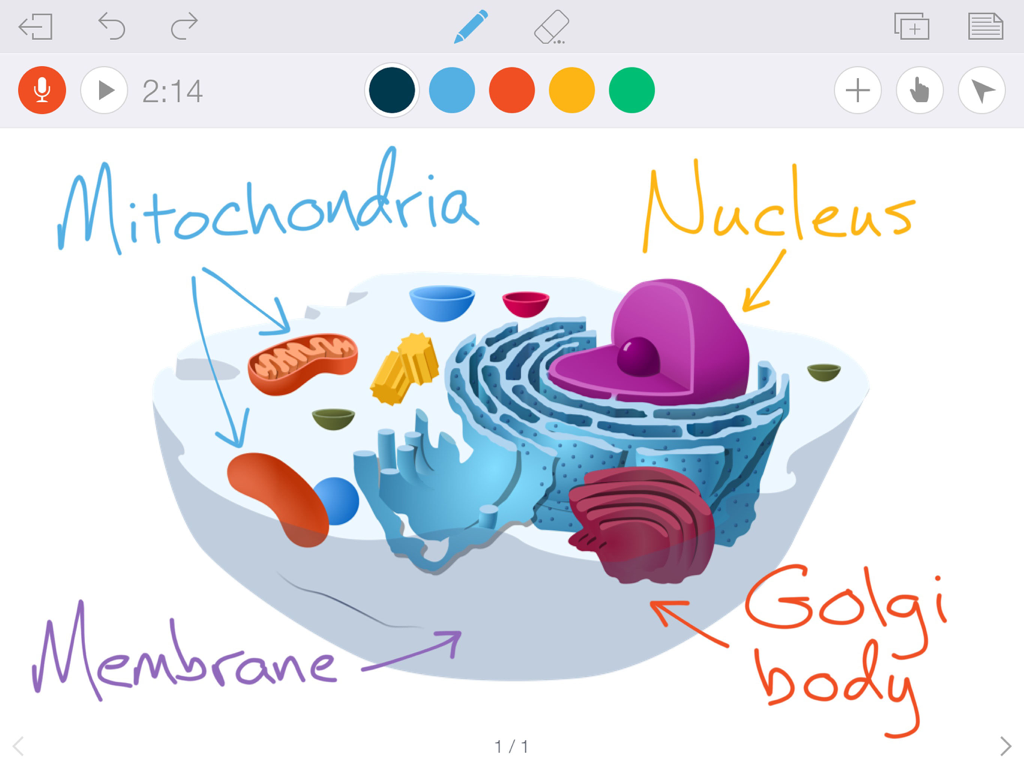
Educreations Whiteboard - A digital whiteboard showing a biological cell diagram with handwritten labels for mitochondria and nucleus.
A digital whiteboard showing a biological cell diagram with handwritten labels for mitochondria and nucleus.

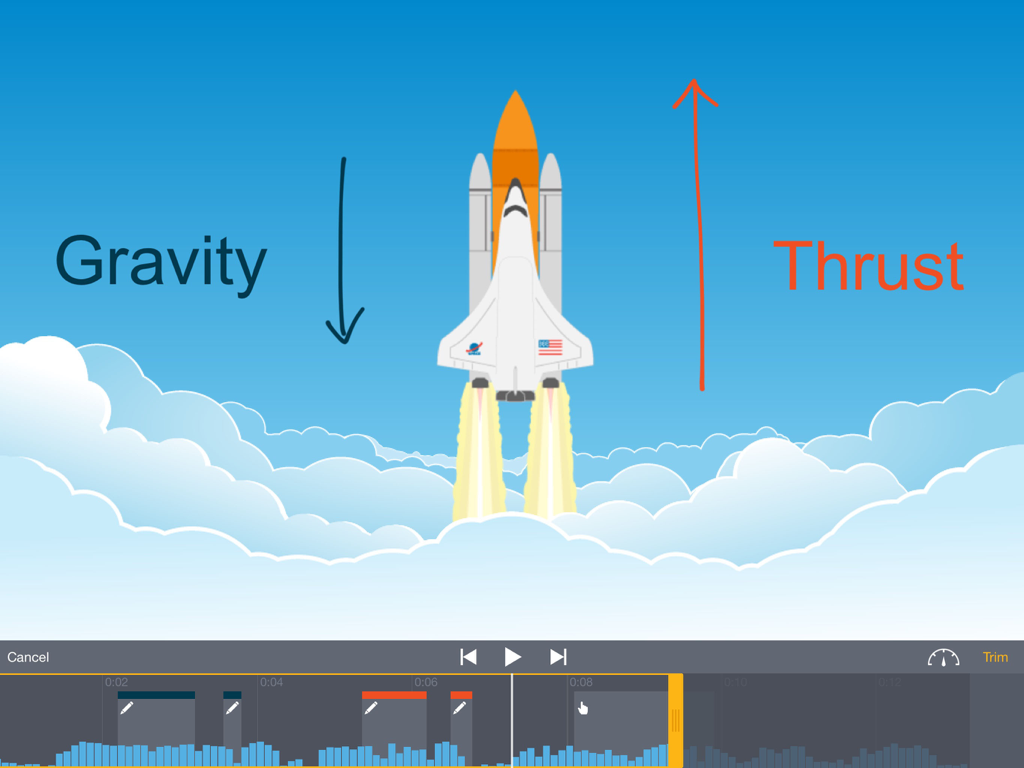
Educreations Whiteboard - Space shuttle science lesson being edited in the Educreations Whiteboard app showing gravity and thrust annotations.
Space shuttle science lesson being edited in the Educreations Whiteboard app showing gravity and thrust annotations.

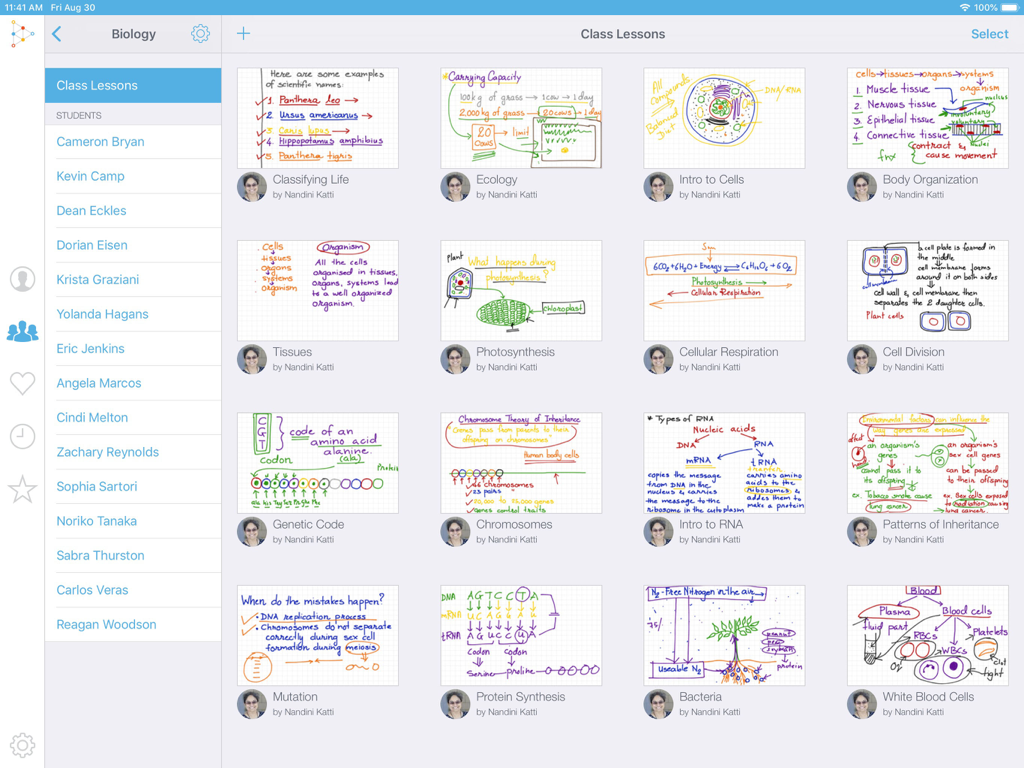
Educreations Whiteboard - A dashboard view of the Educreations Whiteboard app showing a grid of digital biology lessons and a student list.
A dashboard view of the Educreations Whiteboard app showing a grid of digital biology lessons and a student list.

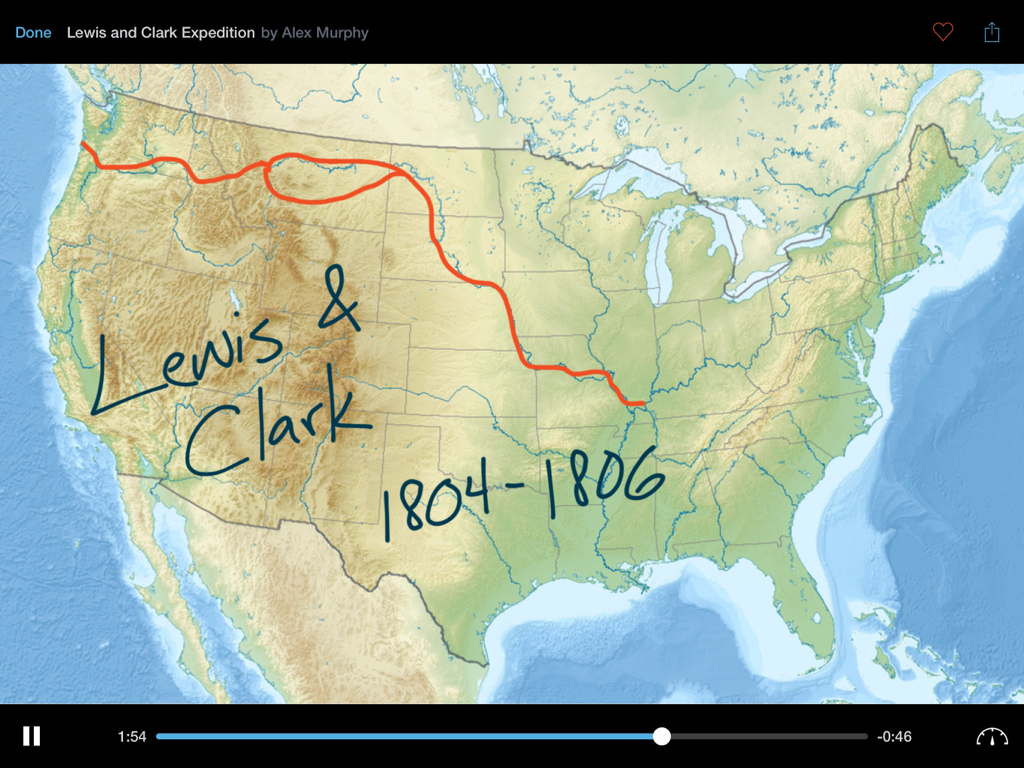
Educreations Whiteboard - A narrated history lesson on the Educreations Whiteboard app showing handwritten annotations on a US map tracing the Lewis and Clark expedition.

A narrated history lesson on the Educreations Whiteboard app showing handwritten annotations on a US map tracing the Lewis and Clark expedition.

Description

Educreations is a unique interactive whiteboard and screencasting tool that's simple, powerful, and fun to use. Annotate, animate, and narrate nearly any type of content as you explain any concept. Teachers can create short instructional videos and share them instantly with students, or ask students to show what they know and help friends learn something new. INSTRUCTION THAT'S READY WHENEVER YOU ARE Finished lessons are stored securely in your online Educreations account, so they're available whenever and wherever you need them. You control who sees what. Even if something happens to your iPad, all of your videos are safe. DESIGNED FOR THE DIGITAL CLASSROOM Create classes that students can join right within the app. Lessons sync automatically between teacher and student iPads, so it's easy for students to access teacher instruction and for teachers to monitor student work. Students without iPads can access classes and lessons on the Educreations website. SHARE INSTANTLY Lessons can also be shared via link, email, Messages, Facebook, Twitter, or by embedding them on your blog or website. Upgrade to Pro to export your videos to the Camera Roll, open them in other apps, and use them in other video projects. SUPPORT AND ENGAGE STUDENTS • Offer students additional instruction outside the classroom • Enable students to control the pace of their learning • Provide rich audio/video feedback on student work • Gain deep insights into student comprehension • Free up class time for hands-on learning and projects • Tutor someone remotely INCREDIBLE FREE FEATURES • Record and replay your voice, handwriting, and drawings • Snap a photo or import images from Photos, Dropbox, Google Drive, or the Web • Add typed text in a variety of colors and sizes • Draw on top of everything with brilliant colors of beautifully rendered digital ink • Animate images and text by tapping and dragging while recording • Edit out any recording mistakes with the built-in video editor • Scroll pages up or down when you need extra space • Save a draft of your work and finish it later on other devices • Store your lessons securely in the cloud and control who can see what • Create and manage classes that students can join • Share your lessons with your classes, or via link, email, Messages, Facebook, or Twitter • Embed your lessons on your blog or website EVEN MORE WITH PRO • Export videos to the Camera Roll or open in other apps • Import documents, presentations, webpages, and custom maps • Whiteboard pointer tool • Save unlimited drafts so you can work on multiple projects at once • 5GB of cloud storage, enough to store over 150 hours of lessons • Share Pro benefits with your entire class (up to 40 students) Educreations offers the following Pro subscriptions: 1 month: $11.99 (auto-renewing) 1 year: $99.99 (not auto-renewing) These prices are for United States customers. Pricing in other countries may vary and actual charges may be converted to your local currency depending on your country of residence. If you purchase a monthly plan, your Educreations Pro subscription will automatically renew at the end of each period unless auto-renew is turned off at least 24 hours before the end of the current period. Your iTunes account will be charged for renewal within 24 hours prior to the end of the current period. You can turn off auto-renew at any time from your iTunes account settings, but refunds will not be provided for the unused portion of the current period. Yearly plans do not auto-renew. Privacy Policy: https://www.educreations.com/privacy/ Terms of Use: https://www.educreations.com/terms/

Download

Download on App Store

This page is not an official page of the app or its developer, but an independent editorial publication created for informational and commentary purposes. Unless expressly stated otherwise, neither the app nor its developer is affiliated with, endorsed by, sponsored by, authorized by, or otherwise officially connected with MWM, Apple, Google Play, the app publisher, or the app's developer, and nothing on this page implies that the app was developed using MWM's services. Any trademarks, logos, screenshots, and other content remain the property of their respective owners.








