eFax – Receive and Send Fax

eFax – Receive and Send Fax


Download on App StoreDownload on Google Play
Logo of eFax – Receive and Send Fax
eFax – The World’s Most Trusted Mobile Fax Solution

Join 25 million professionals who send and receive secure, HIPAA-compliant faxes directly from their iPhone. Seamlessly integrate with Gmail and Outlook to manage your documents on the go without ever needing a physical fax machine.

Publisher

j2 Cloud Services LLC

Category

Business

Downloads

1M+

User Rating

4.6/5

Total Ratings

29K+

Locales

7

Your Mobile Office in Action

Discover the interface used by 1M+ users.
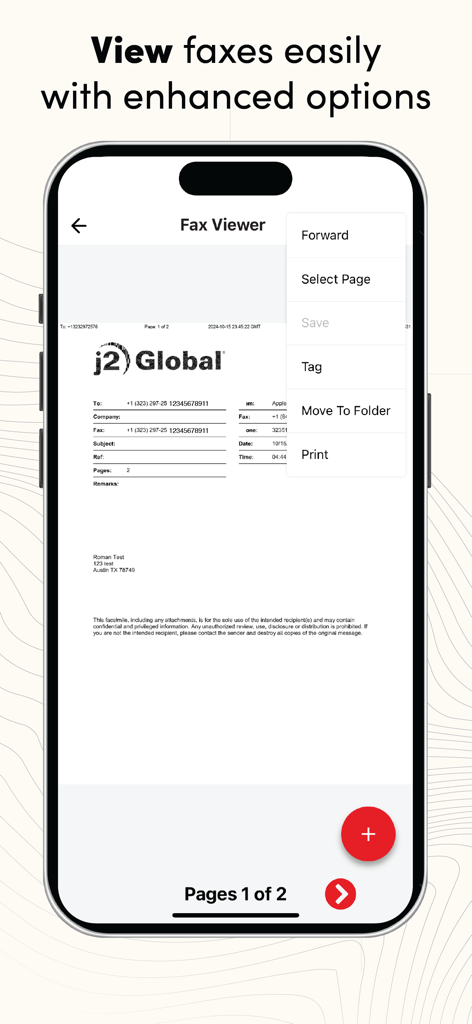
eFax app Fax Viewer interface on iPhone showing document management tools

eFax app Fax Viewer interface on iPhone showing document management tools

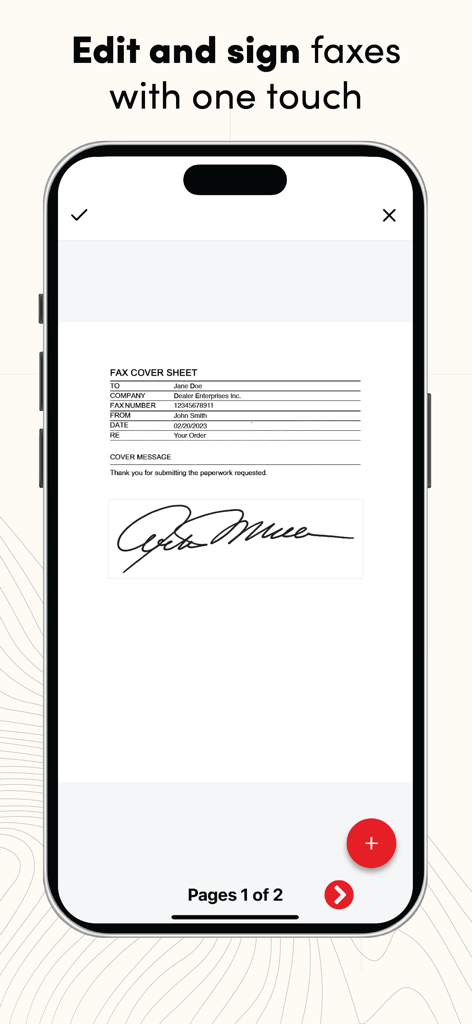
iPhone displaying the eFax app feature to edit and sign fax documents with one touch

iPhone displaying the eFax app feature to edit and sign fax documents with one touch

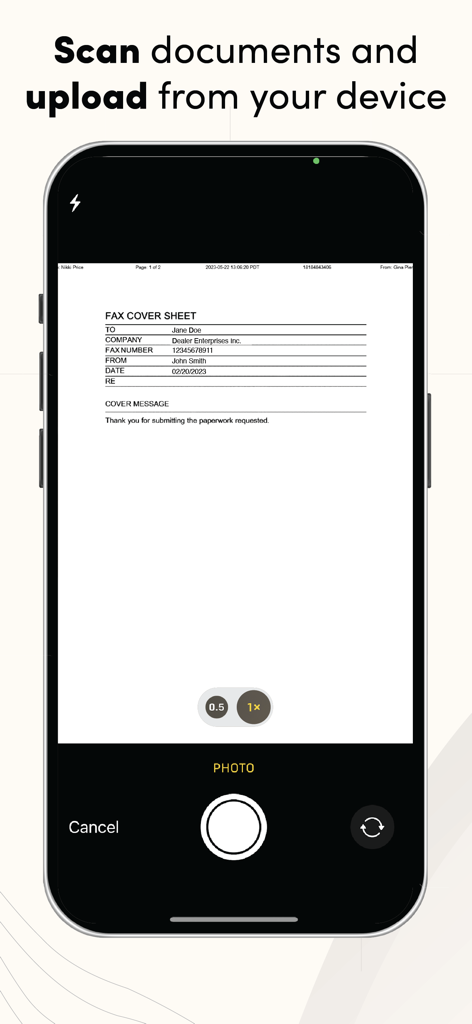
Scanning a fax cover sheet with the eFax mobile app on an iPhone.

Scanning a fax cover sheet with the eFax mobile app on an iPhone.

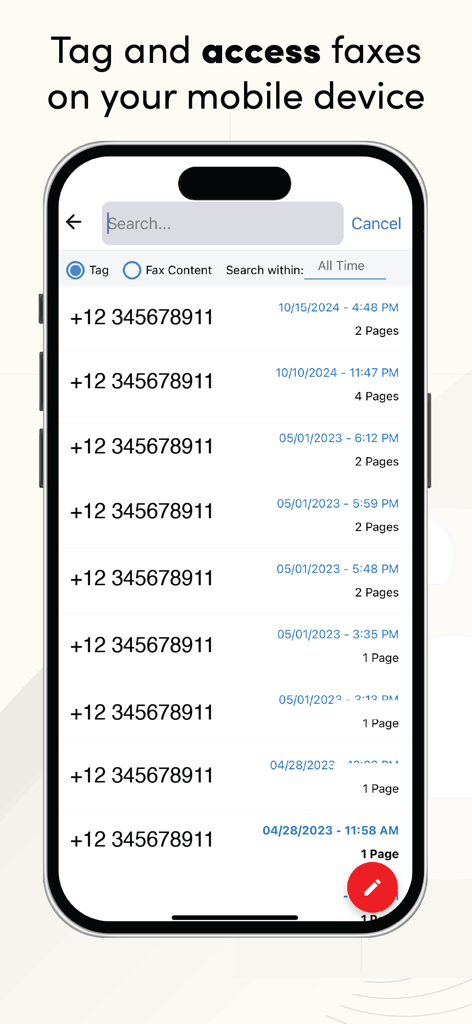
eFax app interface displaying a searchable list of faxes with dates and page numbers

eFax app interface displaying a searchable list of faxes with dates and page numbers

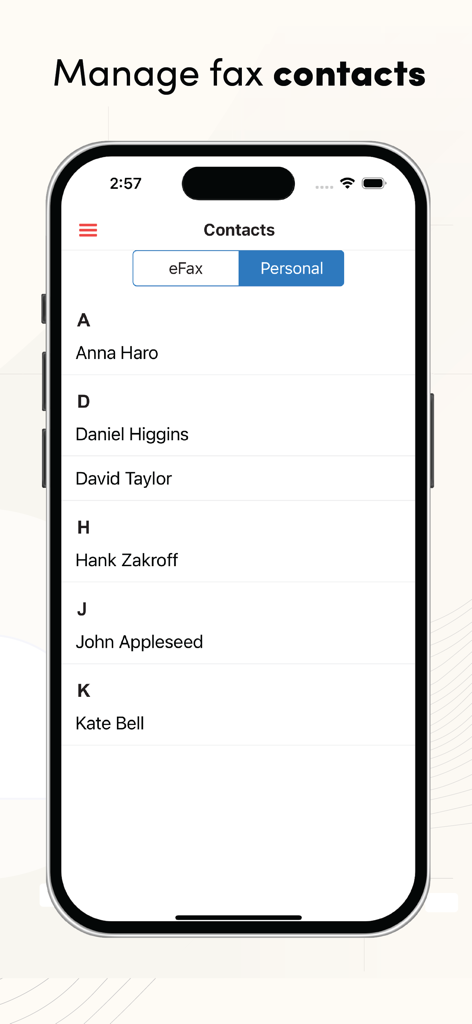
iPhone screen showing the eFax app contact management list with personal and eFax tabs

iPhone screen showing the eFax app contact management list with personal and eFax tabs

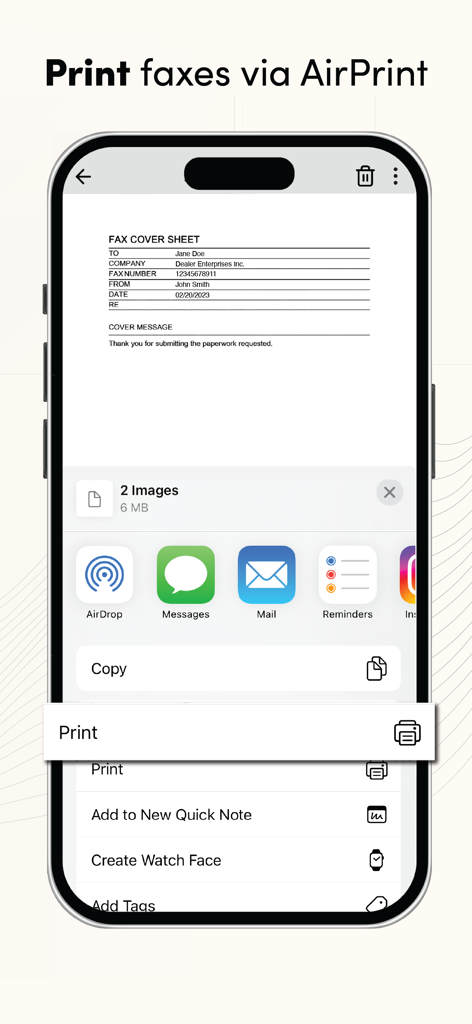
A mobile interface showing the print faxes via AirPrint feature with a document preview and share menu

A mobile interface showing the print faxes via AirPrint feature with a document preview and share menu

Professional Faxing for the Modern Workflow

The tools that make this app stand out, trusted by 1M+ users.

💼

Your Office in Your Pocket

Send and receive high-quality faxes anywhere. Perfect for realtors, lawyers, and consultants who need to close deals on the move.

🛡️

Secure & HIPAA Compliant

Protect sensitive client data with enterprise-grade encryption and HIPAA-compliant plans tailored for medical and legal professionals.

📧

Seamless Inbox Integration

Fax directly from your Gmail, Outlook, or Yahoo account. Transform your email into a powerful faxing hub with zero setup required.

About the app

Everything you need to know about eFax – Receive and Send Fax.

Description

Transform your iPhone into a portable mobile fax machine with the official eFax app, designed to simplify your faxing needs. Send and receive faxes directly from your iPhone. The eFax app supports various platforms, allowing you to fax from Gmail, Yahoo, or even Outlook with just a few taps. Whether you're sending a fax from Gmail, Yahoo, Outlook, or directly from your phone, eFax has you covered. Enjoy the convenience of a hassle-free online fax service with a user-friendly interface and robust features that make it simple to send and receive faxes. Key Features: - Fax from iPhone: Easily send and receive faxes from your iPhone. - Hassle-free online fax service: Enjoy mobile faxing wherever you are without the need for a fax machine - Fax from Gmail, Yahoo, and Outlook: Whether you're using Gmail, Yahoo, or Outlook, eFax app supports faxing from these platforms seamlessly. Why Choose Our Fax App? - eFax is a world leader in online faxing: More than 25 million users have turned to eFax for their faxing needs. - Convenience: Fax from your phone, without the need for a traditional fax machine. - Ease of Use: Our user-friendly interface ensures you can send and receive faxes with minimal effort. - Reliability: Our app provides secure and reliable faxing, with fax capabilities that ensure your documents are transmitted safely. - No set-up fees or long-term commitment: eFax makes mobile faxing easy. - Multiple fax options: eFax includes options to fax from Gmail, Yahoo and Outlook, as well as the eFax website. - Security: eFax offers HIPAA-compliant plans for regulated industries. FAQs Q. Can you tell me how to fax from an iPhone device? A. Yes, you can easily send a fax from your iPhone using our eFax app. Q. What is eFax? A. eFax allows you to send and receive faxes electronically, without the need for a physical fax machine. Our app supports e-faxing, providing a seamless faxing experience. Q. Is there a free fax app for iPhone? A. The eFax app is included free with any eFax subscription. New users can download the app and sign up through iTunes (USA only) or the eFax website. eFax subscription details: $18.99 USD monthly subscription fee includes a personal fax number and 300 fax pages per month. Fee will be charged through iTunes when you confirm your purchase in the app. Manage your subscription in your iTunes account. Monthly subscription will renew automatically unless your subscription is canceled in your iTunes account by turning off auto-renew 24-hours before the end of the current period. Your account will be charged $18.99 for renewal within 24-hours prior to the end of the current period. No cancellation of the current month allowed during the active subscription period. For terms and conditions see https://www.efax.com/legal#agreement. Download the eFax faxing app today and experience the future of faxing. Send and receive faxes from your iPhone or iPad, enjoy hassle-free online faxing, and benefit from a reliable and efficient fax service. Revolutionize your faxing experience with our eFax fax app for iPhone. We appreciate your eFax reviews and feedback.

Latest Version

6.2.7

Size

31.6 MB

First Released

Oct 31, 2010

Join 25 Million Professionals Modernizing Their Workflow

Get your dedicated fax number today and experience the security of the world's leading HIPAA-compliant mobile fax solution. Send, sign, and receive critical documents directly from your iPhone.

Download on App StoreDownload on Google Play
FAQ

Frequently Asked Questions

Everything you need to know about eFax – Receive and Send Fax

What is the eFax app?

The eFax app transforms your iPhone into a portable mobile fax machine. It allows users to send and receive faxes electronically, removing the need for a physical fax machine.

Can I send faxes from my iPhone using the eFax app?

Yes, the eFax app allows you to easily send and receive faxes directly from your iPhone. It offers a convenient and hassle-free online fax service.

Does eFax support faxing from email platforms like Gmail or Outlook?

Yes, the eFax app supports faxing directly from popular email platforms such as Gmail, Yahoo, and Outlook, making the process seamless.

Is there a monthly fee for the eFax app?

Yes, the eFax app requires a monthly subscription fee of $18.99 USD. This includes a personal fax number and 300 fax pages per month.

What is included in the eFax monthly subscription?

The $18.99 USD monthly eFax subscription includes a personal fax number and allows for sending and receiving up to 300 fax pages per month.

How do I manage my eFax subscription?

You manage your eFax subscription in your iTunes account. Monthly subscriptions renew automatically unless canceled at least 24-hours before the current period ends.

Can I sign documents within the eFax app?

Yes, the eFax app allows you to edit and sign faxes with one touch directly within the application, enhancing convenience.

Does the eFax app allow scanning of documents?

Yes, the eFax app enables users to scan documents directly using their device's camera and upload them for faxing.

Can I organize and access faxes in the eFax app?

Yes, the eFax app provides options to tag and organize faxes, allowing users to easily access them on their mobile device.

Is the eFax app HIPAA compliant?

Yes, eFax offers HIPAA-compliant plans for industries that require adherence to regulatory standards for secure faxing.

Can I print faxes from the eFax app?

Yes, you print faxes directly from the eFax app using AirPrint or other available sharing options on your iPhone.

Does the eFax app manage contacts?

Yes, the eFax app includes functionality to manage fax contacts, with separate tabs for "eFax" and "Personal" contacts.

App information, icons, screenshots, and descriptions displayed on this page are sourced from the Apple App Store and are the property of their respective developers. Download estimates and rankings are based on MWM's proprietary models and may not reflect actual figures. This page is provided for informational and analytical purposes only.

Believe this page infringes your intellectual property? File a dispute