
This page is not an official page of the app or its developer, but an independent editorial publication created for informational and commentary purposes. Unless expressly stated otherwise, neither the app nor its developer is affiliated with, endorsed by, sponsored by, authorized by, or otherwise officially connected with MWM, Apple, Google Play, the app publisher, or the app's developer, and nothing on this page implies that the app was developed using MWM's services. Any trademarks, logos, screenshots, and other content remain the property of their respective owners.


FaxFree: Send Fax From iPhone
Physical fax lines are dead. This app hands users the power to fax from anywhere, making archaic machines obsolete.
Downloads
2.5M+User Rating
Total Ratings
171.1KPublisher
Category
BusinessLocales
12Latest Version
3.30Size
71.6 MBFirst Released
Sep 16, 2016A detailed evaluation of the application's core functionalities for mobile productivity.
Key Features Analysis: FaxFree: Send Fax From iPhone
Mobile Fax Machine Functionality
The app provides comprehensive faxing capabilities directly from an iPhone or iPad, replacing the need for traditional hardware.
Hardware-Free Solution
The app eliminates the need for a physical fax machine or a dedicated phone line, streamlining the faxing process for mobile users.
Integrated Document Scanner
This tool features a built-in scanner that utilizes the device's camera to digitize physical documents for immediate faxing.
Two-Way Fax Communication
The app allows users to both send and receive faxes seamlessly, providing a complete two-way communication solution.
Global Faxing Reach
It allows users to send faxes to over 90 countries worldwide, supporting international communication needs for professionals and businesses.
In-App Document Editing
The app enables users to perform basic document editing, such as signing pages, directly within the application before sending a fax.
Flexible Document Import
The app provides the ability to import documents from the device's photo gallery or various cloud storage services for faxing.
Advanced Image Processing
This tool features advanced algorithms for image enhancement, noise removal, and automatic perspective correction to ensure high-quality faxes.
Frequently Asked Questions
Everything you need to know about FaxFree: Send Fax From iPhone
What is FaxFree: Send Fax From iPhone?
FaxFree transforms your iPhone or iPad into a powerful fax machine. It allows users to scan documents, import files, edit, sign, and send/receive faxes worldwide without a physical fax machine.
Can I send faxes with FaxFree without a physical fax machine?
Yes, FaxFree allows you to send and receive faxes using your iPhone or iPad without needing a physical fax machine or a dedicated phone line.
Does FaxFree support sending faxes to other countries?
Yes, FaxFree supports sending and receiving faxes in over 90 countries worldwide. It functions as a global fax solution directly from your iPhone or iPad.
How does FaxFree scan documents for faxing?
FaxFree features an integrated document scanner that uses your device's camera. It includes advanced algorithms for image enhancement, noise removal, and automatic perspective correction.
Can I receive faxes using the FaxFree app on my iPhone?
Yes, FaxFree allows you to both send and receive faxes directly on your iPhone or iPad. Received faxes are accessible within the app's inbox.
Can I edit documents before sending them with FaxFree?
Yes, FaxFree allows users to edit documents, sign pages, and create cover pages before faxing. You can preview documents within the app prior to sending.
Does FaxFree require a subscription for full access?
Yes, FaxFree offers unlimited access to all features via subscription. Options include weekly, monthly, quarterly, or annual plans, which automatically renew unless canceled.
What types of documents can I fax using FaxFree?
FaxFree allows you to fax documents scanned with your camera, imported from your Photos library, or from cloud services. It also supports various file types like PDF and JPEG.
Where can I find the Privacy Policy for FaxFree?
The Privacy Policy for FaxFree is available on the official website. You agree to it and the Terms of Use by using the app, accessible via the provided links.
Does FaxFree allow me to track the status of sent faxes?
Yes, FaxFree provides functionality to track sent faxes. The app displays statuses such as Drafts, Pending Delivery, and Delivered for your documents, accessible through the interface.
The following screenshots and description are sourced directly from the app's official store listing and are the property of the app developer.
App Store
Screenshots
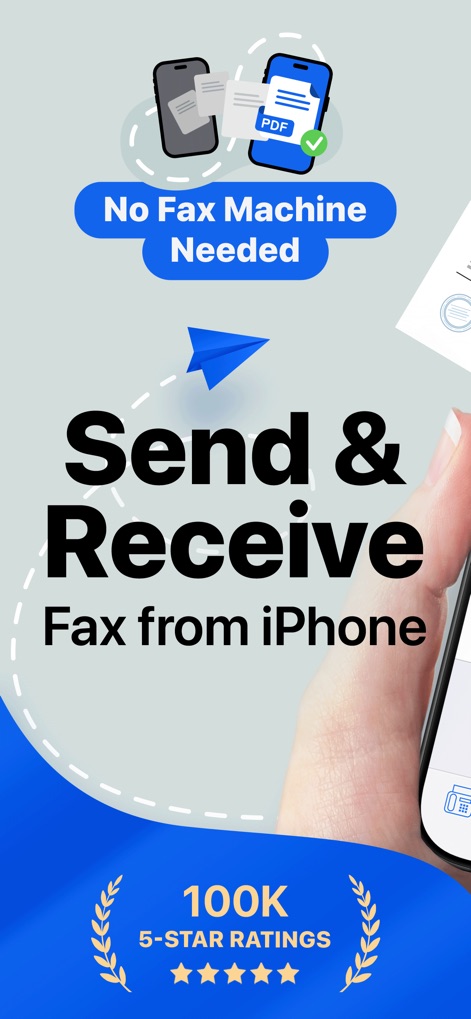
This tool showcases its core value proposition of sending and receiving faxes directly from an iPhone, emphasizing the elimination of a traditional fax machine and its impressive 100K 5-star ratings.
Effortless Mobile Fax
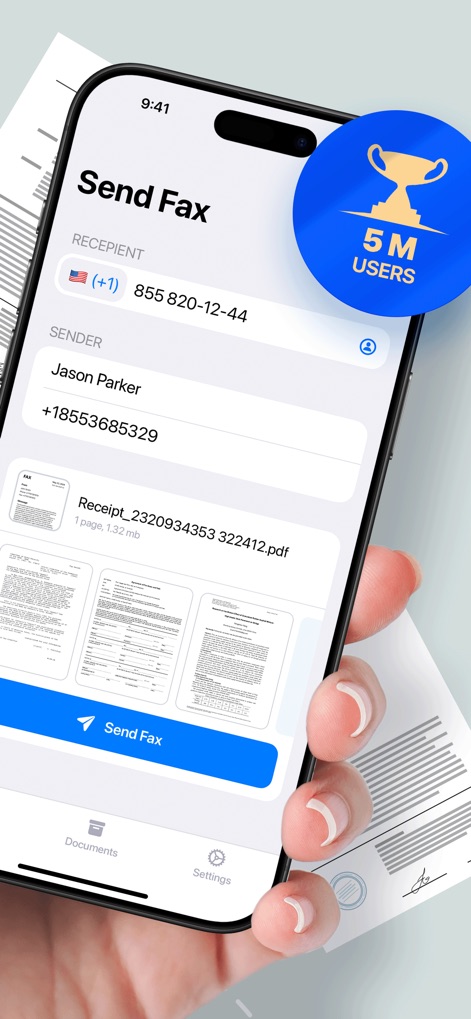
Users can observe the intuitive 'Send Fax' interface, complete with fields for recipient and sender information and a clear preview of the document, highlighting the app's popularity with 5 million users.
Streamlined Fax Sending
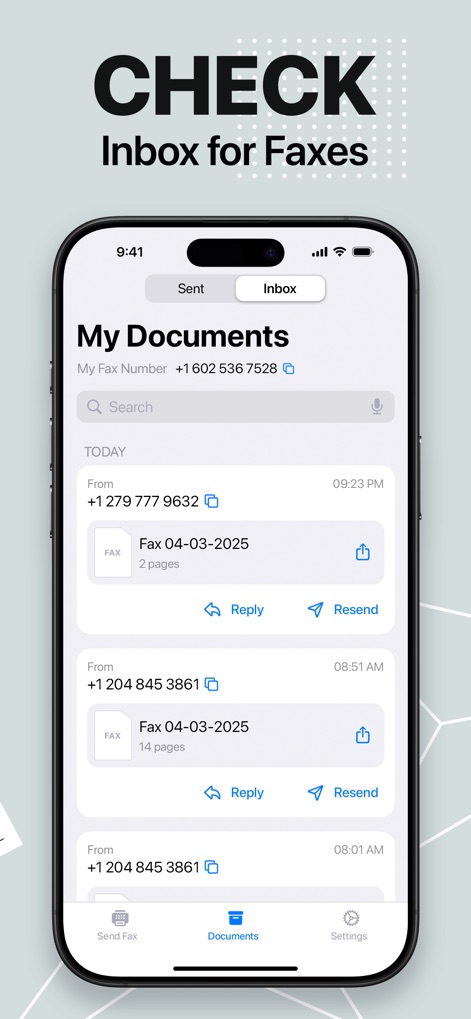
The app provides a dedicated 'My Documents' inbox where users can easily check and manage received faxes, displaying sender details and offering quick reply or resend functionalities.
Inbox Management
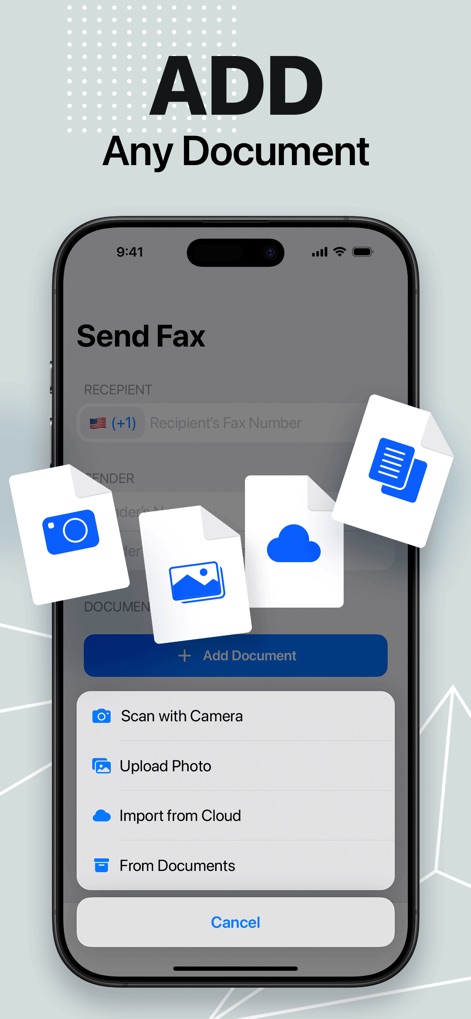
This screen illustrates the versatile options for adding documents, allowing users to 'Scan with Camera' or 'Import from Cloud' files seamlessly for faxing.
Flexible Document Import
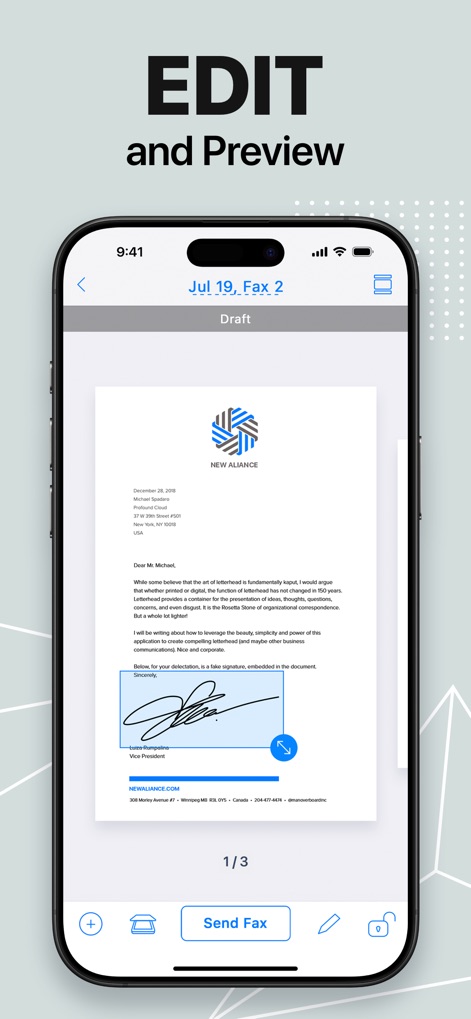
The app enables users to 'EDIT and Preview' their documents, showcasing features like adding a signature field and navigating through multi-page documents before sending.
Document Customization
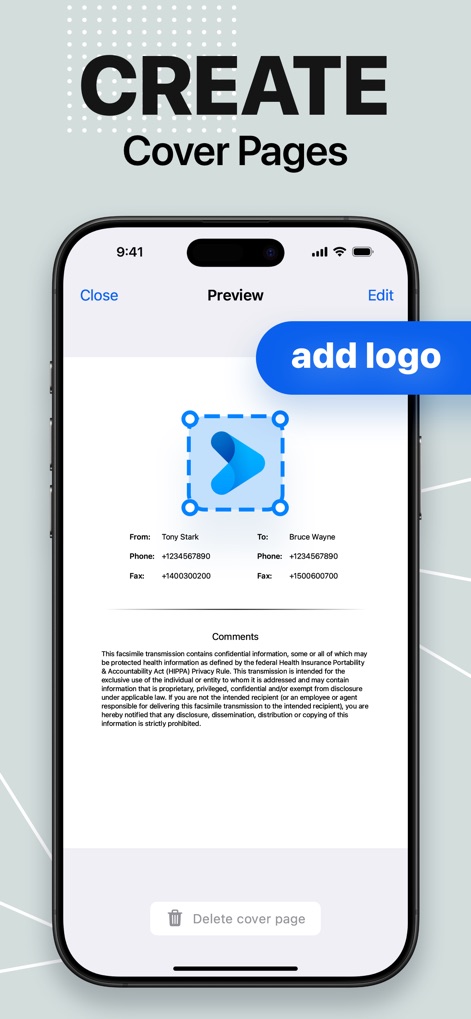
Users can easily 'CREATE Cover Pages' for their faxes, customizing them with an 'add logo' option and inputting essential sender and recipient information.
Professional Cover Pages
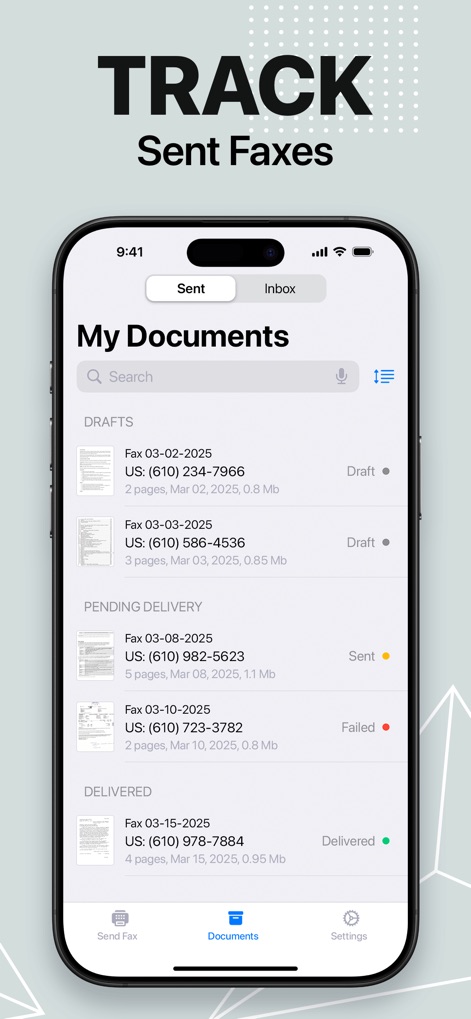
This tool offers robust tracking capabilities, allowing users to monitor the status of 'Sent Faxes' with clear indicators for draft, pending, and delivered items, along with date and page details.
Comprehensive Fax Tracking
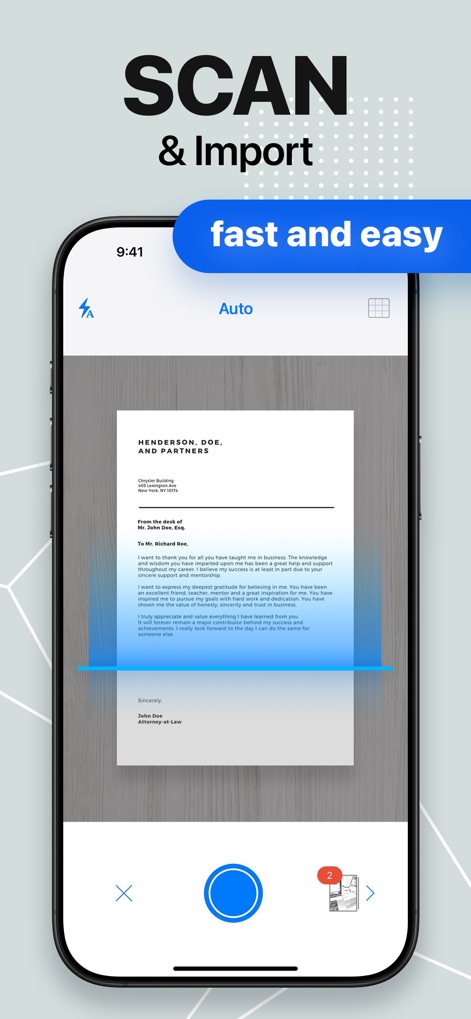
The app features an integrated 'SCAN & Import' function, demonstrating its advanced automatic edge detection and quick, user-friendly scanning capabilities for documents.
Advanced Document Scan
Description
Download
More Like This
Apps with similar features and user experience

FAX ®
Trendest Insight SRL

FAX from iPhone: Send Doc App
Municorn Limited

Fax from iPhone - Send Docs
OCTAGON LAB - FZCO

Fax From iPhone - Receive Fax
Caprinix LLC

Snapfax: Pay-as-you-go Fax
Extracomm Inc

Fax Burner: iPhone Fax App
Paul Rydell

FAX for iPhone: Send & Receive
7270356 Canada Inc

#FAX from iPhone: free sending
Vahagn Gevorgyan

Genius Fax - Faxing app
The Grizzly Labs
This page is not an official page of the app or its developer, but an independent editorial publication created for informational and commentary purposes. Unless expressly stated otherwise, neither the app nor its developer is affiliated with, endorsed by, sponsored by, authorized by, or otherwise officially connected with MWM, Apple, Google Play, the app publisher, or the app's developer, and nothing on this page implies that the app was developed using MWM's services. Any trademarks, logos, screenshots, and other content remain the property of their respective owners.