
This page is not an official page of the app or its developer, but an independent editorial publication created for informational and commentary purposes. Unless expressly stated otherwise, neither the app nor its developer is affiliated with, endorsed by, sponsored by, authorized by, or otherwise officially connected with MWM, Apple, Google Play, the app publisher, or the app's developer, and nothing on this page implies that the app was developed using MWM's services. Any trademarks, logos, screenshots, and other content remain the property of their respective owners.


Endless Zoom Canvas - ZoomArt
No more creative boundaries. The app delivers infinite space and precise tools for the unhindered digital artist.
Downloads
250k+User Rating
Total Ratings
7.2KPublisher
Category
Graphics & DesignLocales
3Latest Version
2.9.0Size
211.3 MBFirst Released
Nov 8, 2024An evaluation of core functionalities for digital artists and visual thinkers.
Key Features Analysis: Endless Zoom Canvas - ZoomArt
Infinite Canvas & Zoom
The app provides an infinite canvas with seamless scroll and zoom capabilities, enabling users to explore and develop their creations without spatial constraints.
Multi-Layer Organization
This tool supports multiple layers, allowing users to organize complex designs, manage different elements independently, and maintain a flexible and non-destructive workflow.
Vector Precision
The app features vector-based drawing, ensuring lines and shapes remain crisp and high-quality at any zoom level, crucial for professional design work.
High-Resolution Export
It allows users to export their creations as high-resolution images or animated videos, facilitating sharing and integration into other creative pipelines.
Apple Pencil & Touch Support
This tool offers natural drawing with either a finger or a stylus, including full Apple Pencil integration, providing a seamless and intuitive creative experience on iPad.
Customizable Brushes
The app enables users to customize brush settings, providing granular control over every stroke to achieve desired artistic effects and styles.
Undo & Redo History
It provides comprehensive undo and redo functionality, offering users complete control to correct mistakes and experiment freely without fear of irreversible changes.
Advanced Color Tools
This tool includes a color picker and eyedropper, allowing users to accurately select, match, and refine their color palettes for precise artistic control.
Canvas Bookmarks
The app features bookmarks, enabling users to save and revisit specific points on the infinite canvas, facilitating navigation and focused development of intricate areas.
Intelligent Autosave
It incorporates an intelligent autosave function, ensuring that creative work is continuously saved, preventing data loss and providing peace of mind during long creative sessions.
Frequently Asked Questions
Everything you need to know about Endless Zoom Canvas - ZoomArt
What is ZoomArt?
ZoomArt is an iPad app designed for creative drawing and exploration. It features infinite scroll and zoom, vector drawing capabilities, and comprehensive Apple Pencil support for artists and designers.
Does ZoomArt support Apple Pencil?
Yes, ZoomArt fully supports the Apple Pencil for drawing naturally on your iPad. Users can also draw with their finger or another stylus for a seamless creative experience.
Can I create vector drawings with ZoomArt?
Yes, ZoomArt enables the creation of crisp, precise vector drawings. This ensures that designs maintain their high quality and sharpness regardless of the zoom level.
How do ZoomArt subscriptions work?
ZoomArt subscriptions are charged to your App Store account upon purchase confirmation. Subscriptions automatically renew unless canceled at least 24 hours before the current period ends.
Can ZoomArt export finished artwork?
Yes, ZoomArt allows users to easily share their creations. You can export your artwork as high-resolution images or animated videos.
Does ZoomArt include layer functionality?
Yes, ZoomArt incorporates multiple layers. This feature provides a flexible workflow, enabling users to organize complex designs effectively.
How does ZoomArt protect user data privacy?
ZoomArt's data privacy practices are detailed in its official Privacy Policy. Users can access the full policy document via the provided link in the app description.
Is the toolbar customizable in ZoomArt?
Yes, ZoomArt allows users to customize the toolbar layout. This adjustment helps create a comfortable and personalized workspace tailored to individual preferences.
What drawing tools are available in ZoomArt?
ZoomArt offers customizable brush settings for stroke control, along with color picker and eyedropper tools. These features allow precise color selection and palette refinement.
Does ZoomArt have an autosave feature?
Yes, ZoomArt includes intelligent autosave functionality. This feature automatically saves your progress, allowing you to focus on creativity without worrying about losing work.
The following screenshots and description are sourced directly from the app's official store listing and are the property of the app developer.
App Store
Screenshots
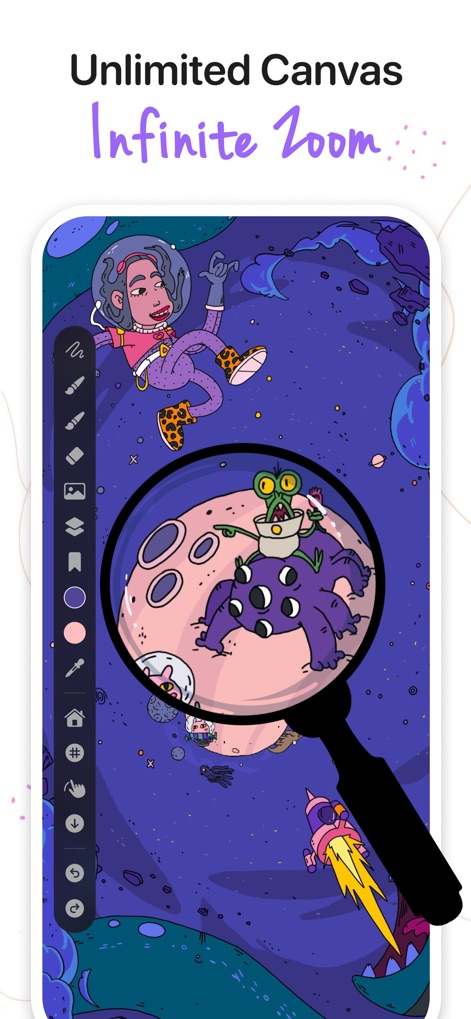
See how the app provides an expansive workspace with infinite zoom functionality, allowing users to delve into intricate details of their creations.
Infinite Canvas View
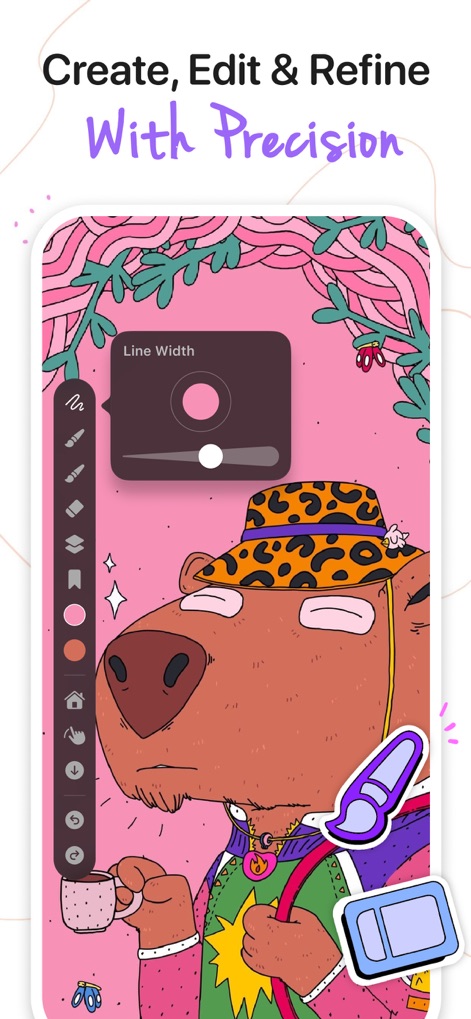
This tool offers precise control over brush settings, such as line width adjustment, and features a color picker for refining artistic details.
Precision Editing Tools
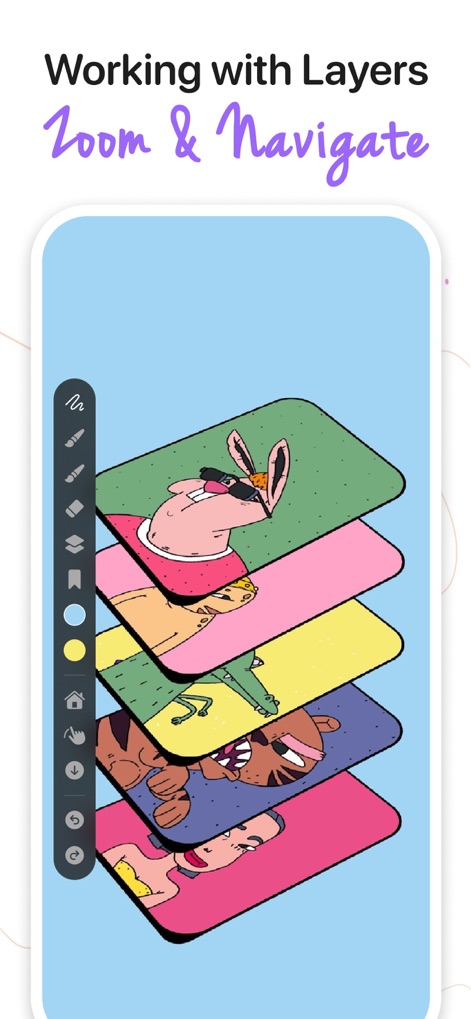
Users can organize complex designs with ease, leveraging multiple layers for flexible workflow and detailed composition management.
Layered Creativity
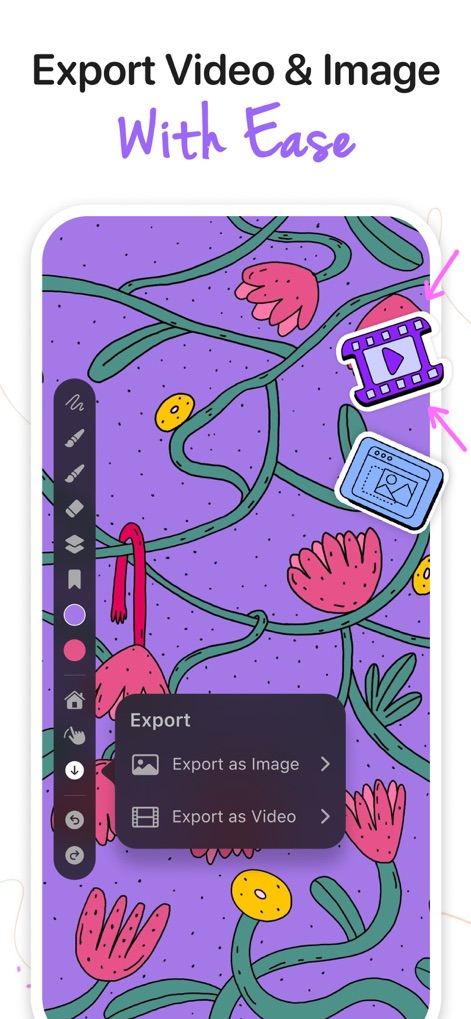
The app simplifies sharing by providing clear options to export creations as high-resolution images or animated videos for diverse content needs.
Seamless Export Options
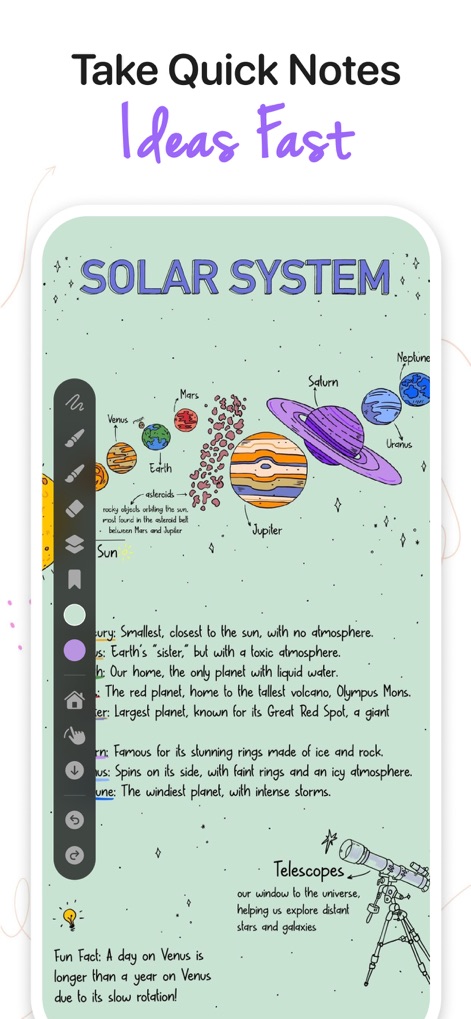
This canvas allows users to quickly capture and organize ideas, from detailed scientific diagrams to spontaneous creative thoughts.
Visual Note-Taking
Description
Download
More Like This
Apps with similar features and user experience

Penned: Private Notes
Edwing H Santos Mena

MindLine Mind Map
Shenzhen Brown Bear Technology Co., LTD

MindNode: Mind Map & Outline
IdeasOnCanvas GmbH

Post-it®
3M Company

MindSpace - Mind Map
佳文 潘

SimpleMind Pro - Mind Mapping
xpt Software & Consulting B.V.

Ayoa MindMaps for Kids
OpenGenius Limited

TouchMind-handwritten mind map
红霞 鲁

Mind Map Maker - Mindomo
Expert Software Applications Srl
This page is not an official page of the app or its developer, but an independent editorial publication created for informational and commentary purposes. Unless expressly stated otherwise, neither the app nor its developer is affiliated with, endorsed by, sponsored by, authorized by, or otherwise officially connected with MWM, Apple, Google Play, the app publisher, or the app's developer, and nothing on this page implies that the app was developed using MWM's services. Any trademarks, logos, screenshots, and other content remain the property of their respective owners.