Epson DocumentScan

Epson DocumentScan

Download on App StoreDownload on Google Play
Logo of Epson DocumentScan

Epson DocumentScan: Professional Scanning Power for Your Mobile Workflow

Turn your Epson scanner into a mobile productivity hub. Scan high-quality documents directly to your iPhone or iPad, edit multi-page files on the fly, and sync instantly with your favorite cloud services like Google Drive and Dropbox.

Download on App Store

Publisher

Seiko Epson Corporation

Category

Productivity

Downloads

466K+

User Rating

1.9/5

Total Ratings

300

Locales

12

Efficiency at a Glance

Discover the interface used by 466K+ users.
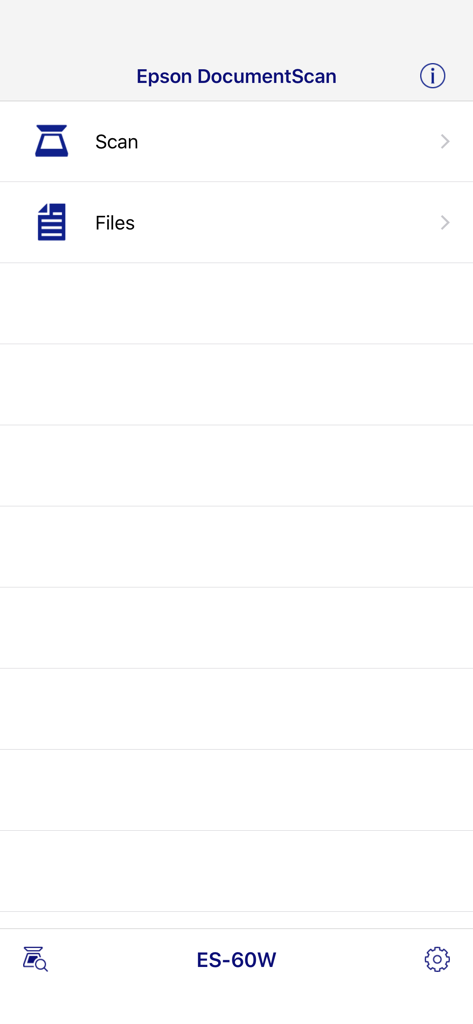
Main interface of the Epson DocumentScan app showing scan and files options for the ES 60W model

Main interface of the Epson DocumentScan app showing scan and files options for the ES 60W model

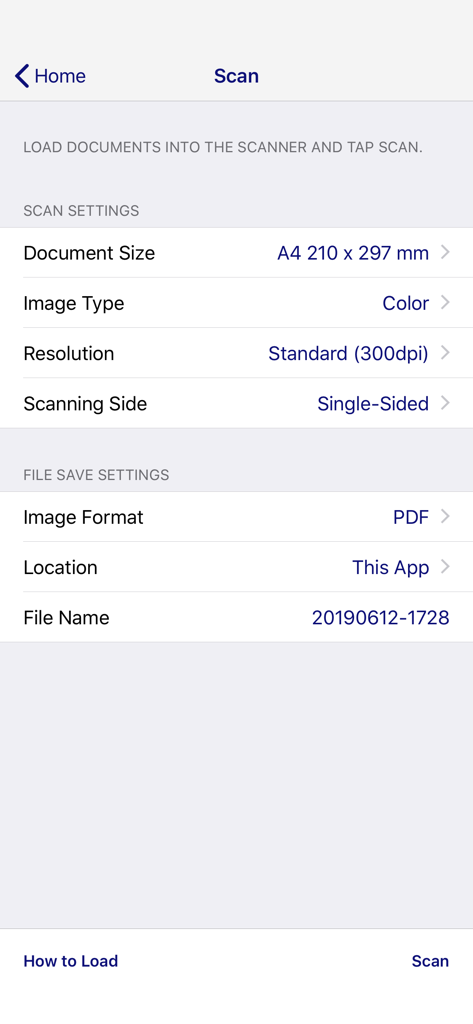
Epson DocumentScan mobile app screen displaying scan settings and file save options.

Epson DocumentScan mobile app screen displaying scan settings and file save options.

Scanning progress screen in the Epson DocumentScan mobile app with a loading spinner

Scanning progress screen in the Epson DocumentScan mobile app with a loading spinner

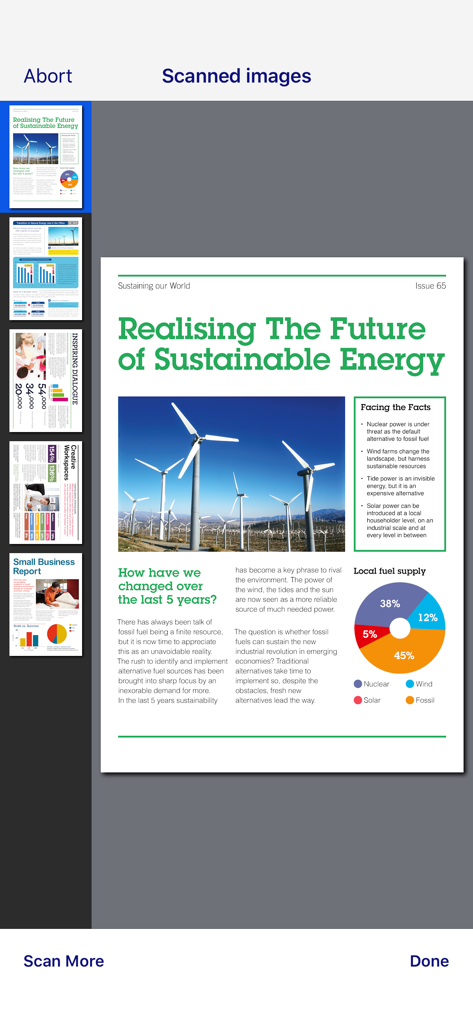
Preview of multiple scanned documents within the Epson DocumentScan app interface

Preview of multiple scanned documents within the Epson DocumentScan app interface

A screen in the Epson DocumentScan app displaying a gallery of scanned documents in JPG and PDF formats.

A screen in the Epson DocumentScan app displaying a gallery of scanned documents in JPG and PDF formats.

Streamline Your Paperless Workflow

The tools that make this app stand out, trusted by 466K+ users.

📱

Wireless Mobile Scanning

Trigger high-quality scans directly from your Epson device to your mobile, removing the need for a desktop computer.

🔄

Pro Multi-Page Editing

Easily rotate and re-order pages within the app to create perfectly structured documents every time.

🚀

Instant Cloud Archiving

Seamlessly send your scans to Dropbox, Google Drive, or Evernote to keep your team and files in sync.

About the app

Everything you need to know about Epson DocumentScan.

Description

This app is only for Epson scanners. Make sure that your scanner is supported. Scan documents directly to your iPhone®, iPod touch or iPad®. You can preview scanned data and send it to email, directly to other applications or to cloud services like Box®, DropBox™, Evernote®, Google Drive™ and Microsoft® OneDrive. Scanners Supported https://support.epson.net/appinfo/documentscan/en/index.html Key Features - Directly scan to your iPhone, iPod touch or iPad - Edit scanned pages – multi-page rotation or re-ordering - Send scanned files via email - Send saved data to other applications, or to cloud services including Box, DropBox, Evernote, Google Drive and Microsoft OneDrive*. *Applications must be installed on your iPhone, iPod Touch or iPad. - Send saved data to your PC via iTunes® - Get help with a built-in FAQ section Advanced features - Autosize recognition, auto image type recognition - Multi-page rotation and re-ordering How to Connect Follow your scanner guide to connect your scanner via Wi-Fi® or AP direct connect mode. EPSON and WorkForce are registered trademarks. All other product and brand names are trademarks and/or registered trademarks of their respective companies. Epson disclaims any and all rights in these marks.

Latest Version

1.9.0

Size

21.3 MB

First Released

Mar 6, 2014

Simplify Your Workflow Today

Experience the power of pro-grade scanning on your mobile device. Download Epson DocumentScan and take your paperless office anywhere.

Download on App StoreDownload on Google Play

App information, icons, screenshots, and descriptions displayed on this page are sourced from the Apple App Store and are the property of their respective developers. Download estimates and rankings are based on MWM's proprietary models and may not reflect actual figures. This page is provided for informational and analytical purposes only.

Believe this page infringes your intellectual property? File a dispute