
This page is not an official page of the app or its developer, but an independent editorial publication created for informational and commentary purposes. Unless expressly stated otherwise, neither the app nor its developer is affiliated with, endorsed by, sponsored by, authorized by, or otherwise officially connected with MWM, Apple, Google Play, the app publisher, or the app's developer, and nothing on this page implies that the app was developed using MWM's services. Any trademarks, logos, screenshots, and other content remain the property of their respective owners.


eSchool Connect
Finally, a direct line to every school update. This app gives you total command over the chaos of K-12 communication.
Downloads
100k+User Rating
Total Ratings
449Publisher
Category
EducationLocales
4Latest Version
10.2.0Size
77.2 MBFirst Released
Dec 4, 2015An Analysis of eSchool Connect's Core Offerings for K-12 Educational Stakeholders
Key Functional Capabilities
Centralized Communication Hub
The app provides a unified platform for instant messaging and announcements, facilitating seamless communication among students, parents, and teachers.
Comprehensive Academic Tracking
It allows students and parents to easily access and monitor grades, exam schedules, and results, ensuring transparency in academic progress.
Parental Engagement & Oversight
This tool features dedicated functionalities that empower parents to manage their child's educational data, mirroring student access for proactive involvement.
Attendance & Behavior Monitoring
The app enables stakeholders to track student attendance records and behavior reports, contributing to a disciplined and accountable learning environment.
Teacher Administrative Support
It offers specific features for educators, such as an attendance check-in system utilizing location-based technology for streamlined record-keeping.
Educational Resource Access
This tool features a centralized repository where students can download educational materials and resources provided by their teachers.
Frequently Asked Questions
Everything you need to know about eSchool Connect
What is eSchool Connect?
eSchool Connect is part of the eSchool app suite. It facilitates communication among teachers, parents, and students, providing a centralized platform for school-related interactions.
What features does eSchool Connect offer for students?
Students can view grades, attendance, and behavior reports using eSchool Connect. They also send and receive messages, check exams, and download educational resources through the app.
What actions can parents perform using eSchool Connect?
Parents can perform all actions available for their children within eSchool Connect. This includes viewing grades, attendance, behavior, sending messages, checking exams, and downloading resources.
How do teachers use eSchool Connect?
Teachers use eSchool Connect to communicate with students and parents via messages. They can also check attendance at school, which requires fine location permissions for beacon device connection.
Does eSchool Connect support messaging between users?
Yes, eSchool Connect supports messaging between teachers, parents, and students. Users can send and receive messages, as well as attach and save files.
Does eSchool Connect track attendance?
Yes, eSchool Connect tracks attendance. Students can view attendance records, and teachers can check in attendance at school using fine location services.
What permissions does eSchool Connect require?
eSchool Connect requires permissions for local storage, camera, audio, and fine location. Local storage is for file handling, camera and audio are for multimedia messages, and fine location is for teachers' attendance.
Can eSchool Connect users view their grades?
Yes, eSchool Connect users can view grades. Students have access to "View grades," and parents can also see their children's evaluation grades through the app.
Does eSchool Connect access location data?
Yes, eSchool Connect accesses fine location data. This permission is specifically for teachers to check in attendance at school by connecting to beacon devices.
Can I send photos or audio messages with eSchool Connect?
Yes, you can send photos and audio messages with eSchool Connect. The app requests camera permission to capture images/videos and audio permission to record audio for sending.
The following screenshots and description are sourced directly from the app's official store listing and are the property of the app developer.
App Store
Screenshots
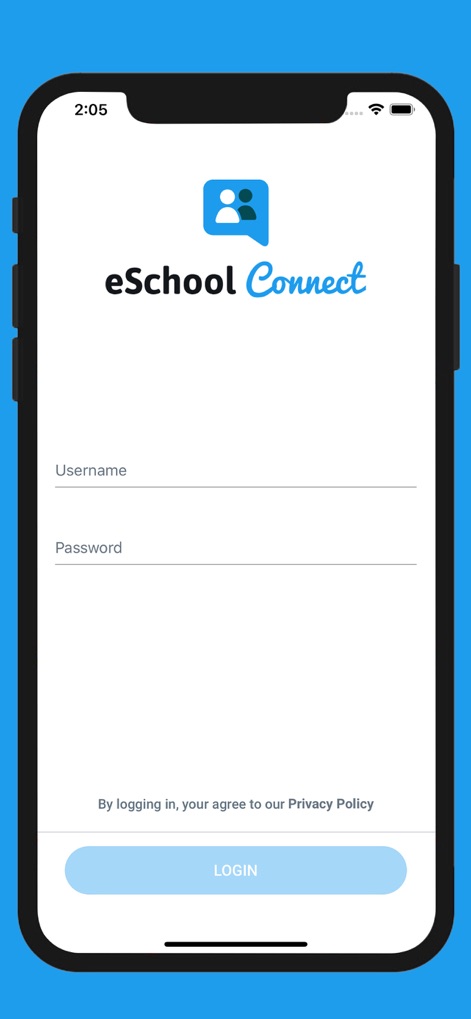
The app ensures secure entry with a clean interface, featuring dedicated fields for 'Username' and 'Password' to manage secure access.
Secure Login Portal
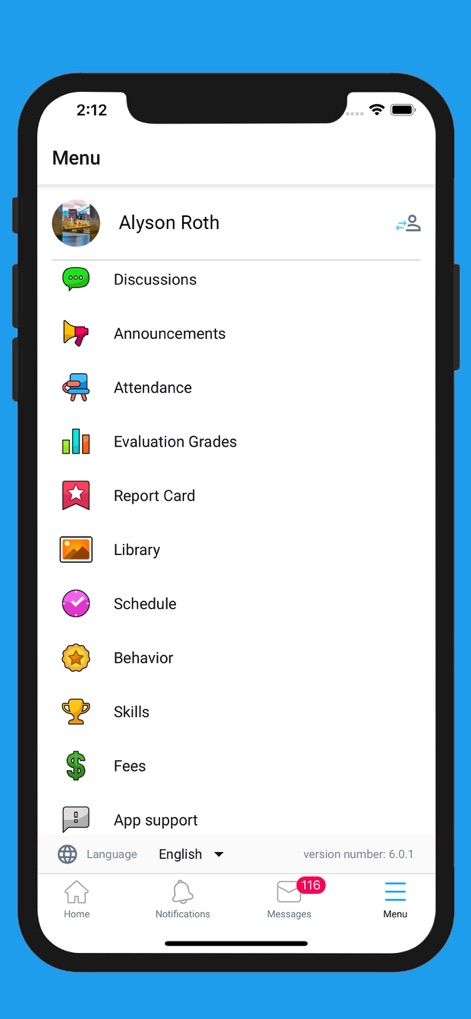
This comprehensive menu provides users with a streamlined overview, showcasing key sections like 'Evaluation Grades' and 'Attendance' for efficient information access.
Centralized Feature Hub
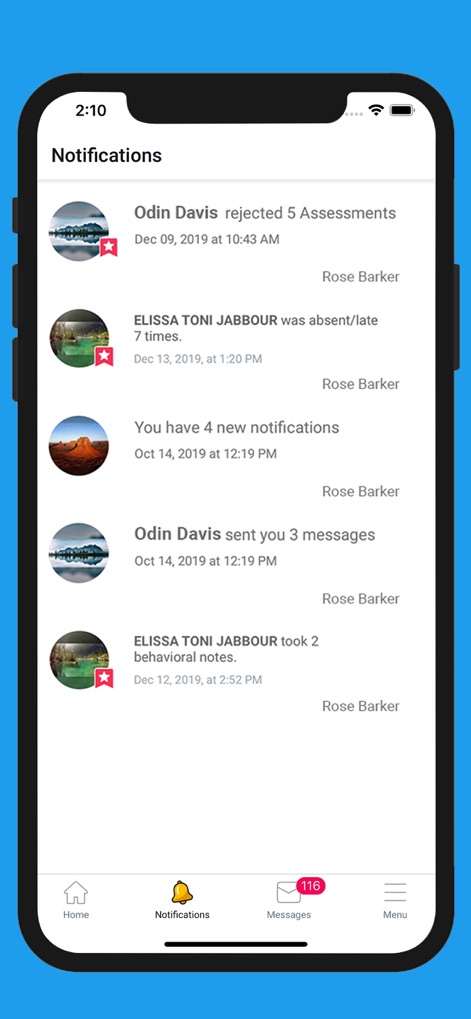
The platform keeps users informed with real-time notifications, clearly displaying alerts for 'rejected assessments' and 'absence/late' statuses for prompt action.
Instant Activity Updates
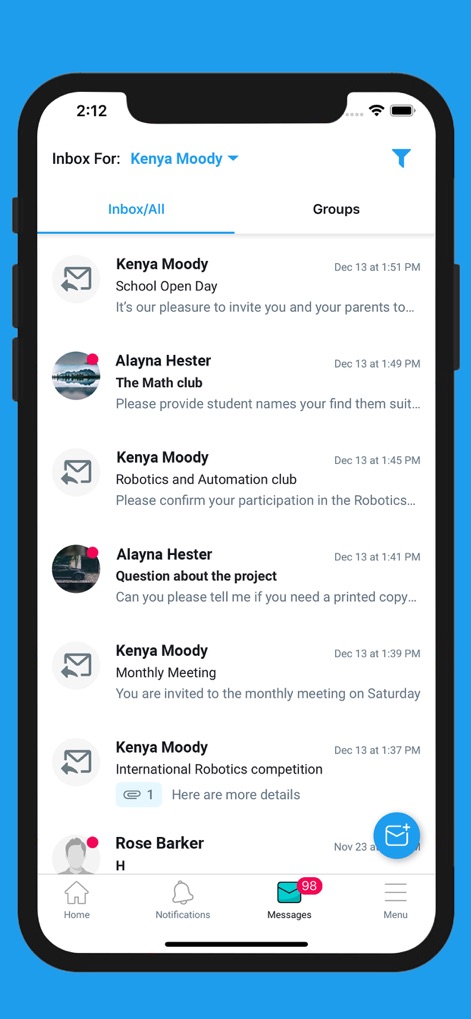
Users can efficiently manage their communications within the app's organized message inbox, utilizing clear tabs for 'Inbox/All' and 'Groups' to sort conversations.
Organized Message Center
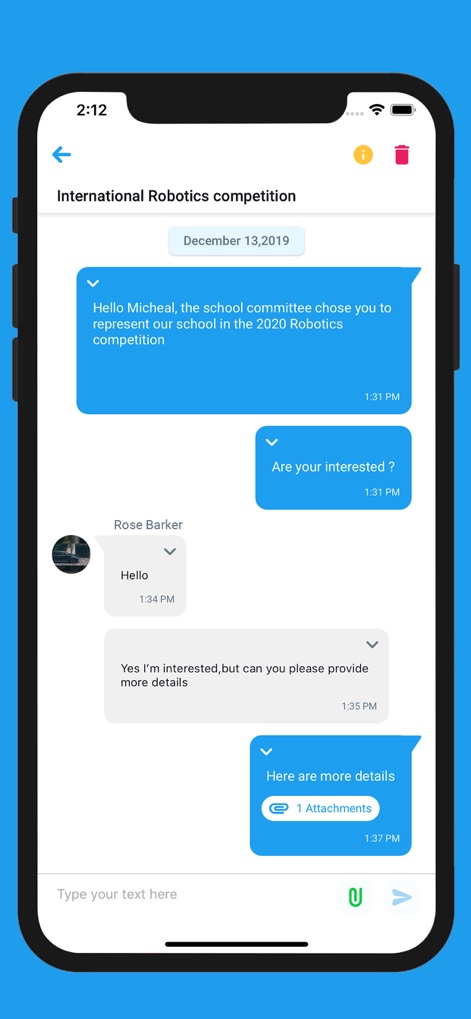
The tool facilitates interactive discussions through detailed chat threads, enabling users to send messages and include 'Attachments' for richer communication.
Dynamic Communication Threads
Description
Download
More Like This
Top-ranked apps in the same category

Duolingo - Language Lessons
Duolingo, Inc

Speak & Learn English: Learna
DEEP FLOW SOFTWARE SERVICES - FZCO

驾考宝典-科一科四驾驶证考试驾考通
Wuhan Jiakaobaodian Information Service Co., Ltd.

Toca Boca World
Toca Boca AB

Google Classroom
Google LLC

作业帮-中小学家长作业检查和辅导工具
Guangzhou Polar Future Culture Technology Co., Ltd

学信网
Student Information Consultation Service Co., Ltd.

Gauth: AI Study Companion
GAUTHTECH PTE. LTD.

ArtWorkout: Learn How to Draw
Aleksandr Ulitin
This page is not an official page of the app or its developer, but an independent editorial publication created for informational and commentary purposes. Unless expressly stated otherwise, neither the app nor its developer is affiliated with, endorsed by, sponsored by, authorized by, or otherwise officially connected with MWM, Apple, Google Play, the app publisher, or the app's developer, and nothing on this page implies that the app was developed using MWM's services. Any trademarks, logos, screenshots, and other content remain the property of their respective owners.