
This page is not an official page of the app or its developer, but an independent editorial publication created for informational and commentary purposes. Unless expressly stated otherwise, neither the app nor its developer is affiliated with, endorsed by, sponsored by, authorized by, or otherwise officially connected with MWM, Apple, Google Play, the app publisher, or the app's developer, and nothing on this page implies that the app was developed using MWM's services. Any trademarks, logos, screenshots, and other content remain the property of their respective owners.


eSign App: Sign PDF Documents
The professional mobile solution to scan, e-sign, and share PDF contracts from anywhere. Turn your iPhone into a powerful paperless office and close deals on the go.
Downloads
1M+User Rating
Total Ratings
1K+Publisher
Category
BusinessLocales
10Latest Version
1.3.2Size
66.5 MBFirst Released
Mar 29, 2023Empower Your Professional Workflow
Turn your iPhone into a high-performance mobile office. Sign, scan, and manage critical documents with professional-grade tools designed for the modern on-the-go lifestyle.
Instant e-Signatures
Create your secure signature and finalize contracts, NDAs, or tax forms in seconds—even without an internet connection.
Pro Scanner & Editor
Skip the printer. Use your camera to scan physical documents into high-quality PDFs and fill out forms with precision directly on your screen.
Frequently Asked Questions
Everything you need to know about eSign App: Sign PDF Documents
What is eSign App?
eSign App transforms an iPhone or iPad into a powerful tool for e-signing PDF and other document formats. It allows users to import, sign, and share documents easily.
Can eSign App function without an internet connection?
Yes, eSign App functions offline. It does not require an Internet connection because all documents are stored locally on your device for convenient access.
What are the core features of eSign App?
eSign App's core features include signing, filling, and editing documents, creating e-signatures, importing, sending for signing, and integrating with cloud services.
How can I create an e-signature in eSign App?
Users can create their e-signature directly within eSign App. The interface allows for custom signature creation, which can then be applied to documents.
Does eSign App support cloud storage integrations?
Yes, eSign App supports cloud integrations. It works seamlessly with iCloud, Dropbox, Evernote, Box, OneDrive, and Google Drive for document management.
What are the subscription costs for eSign App?
eSign App subscriptions are $4.99 for one week (with a 3-day trial), $9.99 for one month, and $49.99 for twelve months. Prices may vary by location.
Is a free trial available for eSign App?
Yes, eSign App offers a free trial. A 3-day trial version is included with the 1-week subscription plan, as stated in the app's details.
How do eSign App subscriptions auto-renew?
eSign App subscriptions automatically renew unless auto-renewal is turned off 24 hours before the current period ends. Users manage this in iTunes Account Settings.
What file formats can eSign App export?
eSign App can export documents as PDF or JPG files. This allows users flexibility in sharing and storing their signed documents.
Can I request signatures from others using eSign App?
Yes, eSign App allows you to send documents for signature to another party. This feature simplifies collecting multiple signatures efficiently.
Where can I find the privacy policy for eSign App?
The privacy policy for eSign App is available at e-sign.co/privacy. This link provides details on data handling and user privacy practices.
The following screenshots and description are sourced directly from the app's official store listing and are the property of the app developer.
App Store
Screenshots
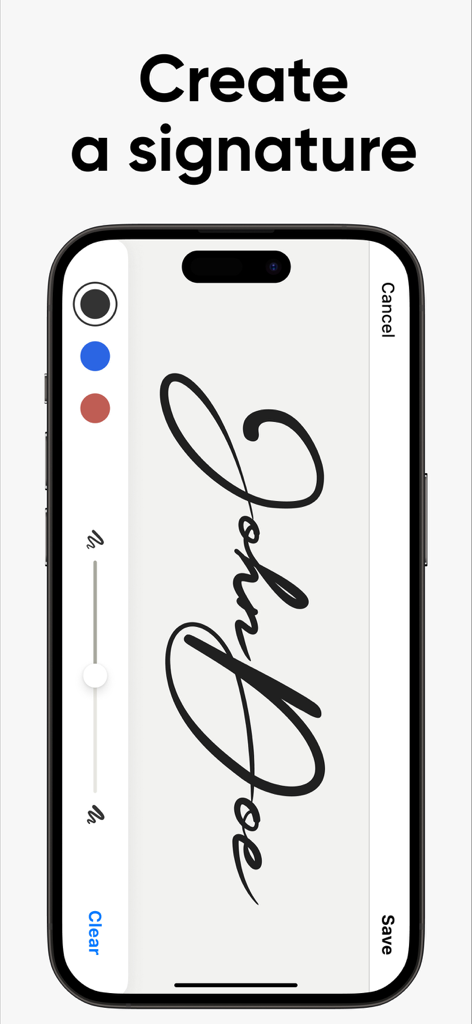
Interface of the eSign app showing a user creating a digital signature on an iPhone
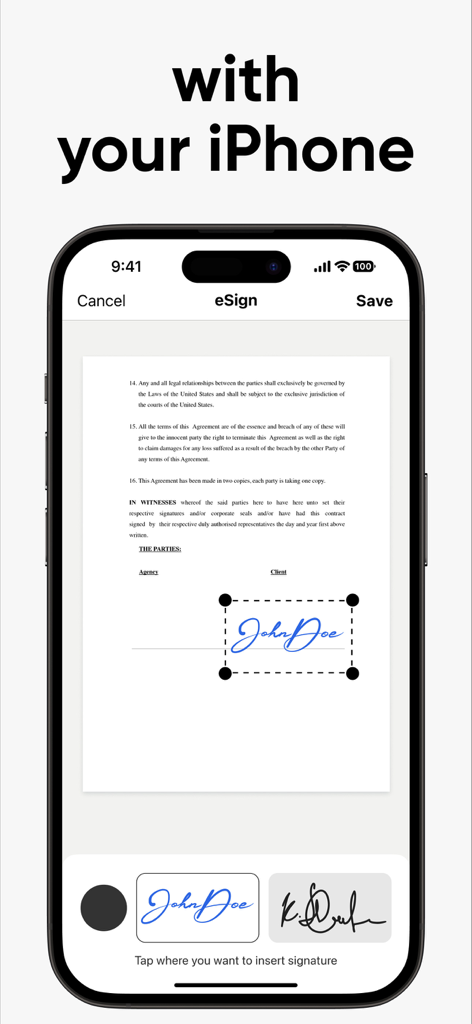
An iPhone screen showing the eSign app interface being used to add a digital signature to a PDF document.

Text reading EASY TO USE above a blue handwritten signature sample on a white background.
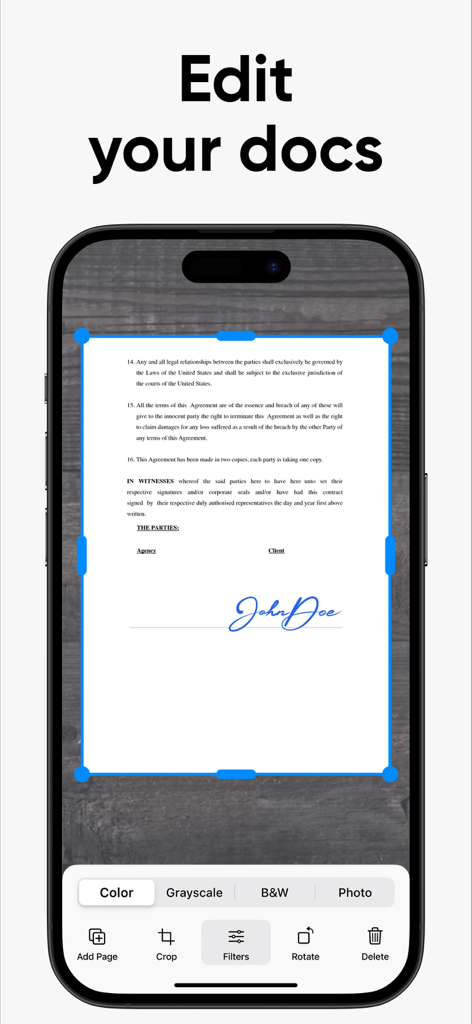
iPhone screenshot of eSign App showing document editing and cropping features
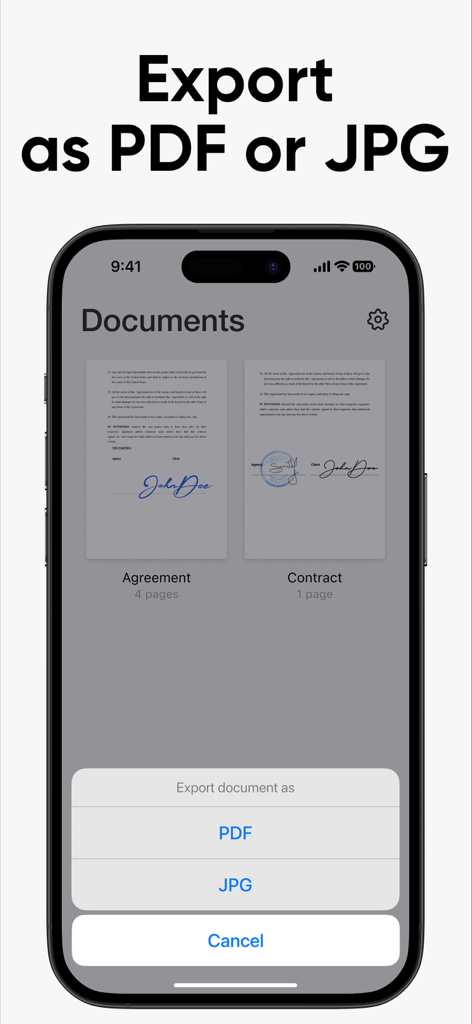
Interface of eSign app showing options to export documents as PDF or JPG
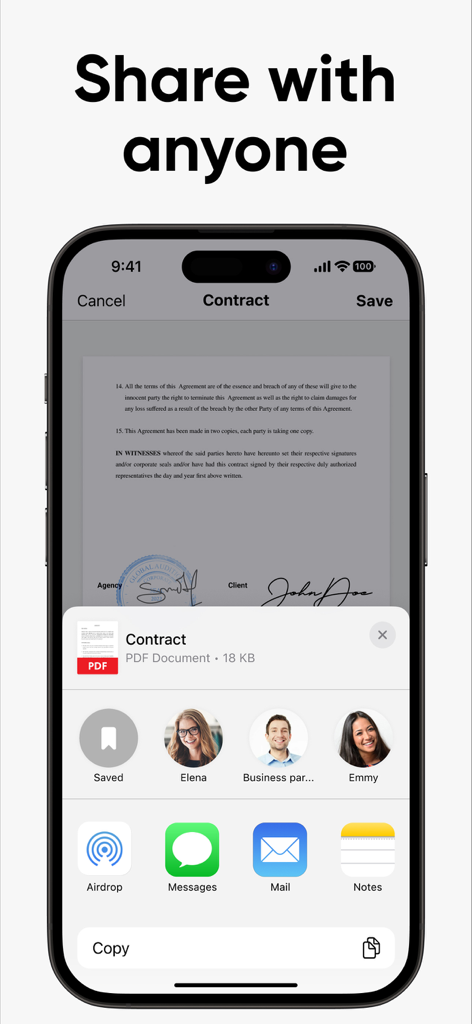
iPhone screen showing the share sheet for a signed PDF contract with options to send via Mail or Messages
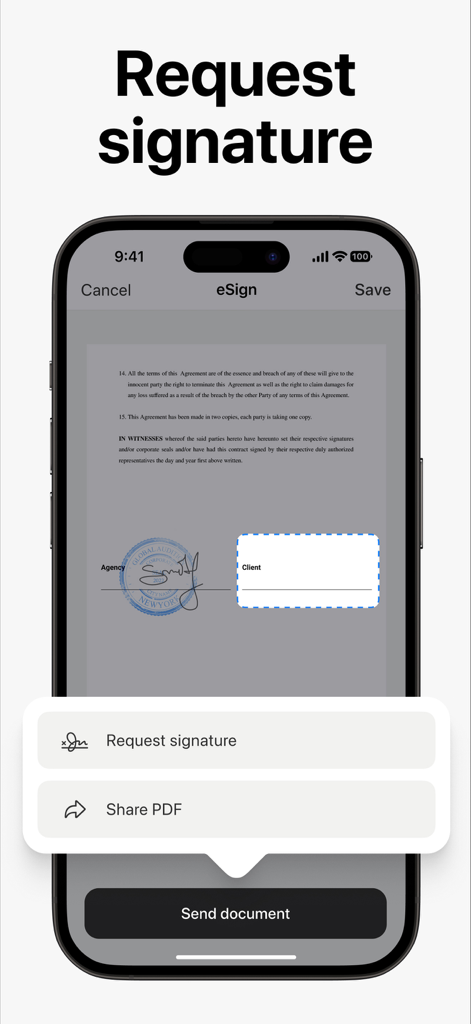
Mobile app interface for requesting a digital signature on a PDF document
Description
Download
More Like This
Apps with similar features and user experience

Docusign - Upload & Sign Docs
Docusign

Sign.Me
SM, OOO (Apps)

Signeasy-Sign Documents App
Glykka LLC

Genius Sign: PDF doc signature
The Grizzly Labs

eSign - Fill & Sign Form Docs
B TO J PTY LTD

Sign Documents: PDF Signature
MR BIKRAMJIT SINGH

Fill & Sign Documents PDF Scan
Upsquare Technosys Private Limited

Receipt Maker - Sign & Send
SVG Apps

Sign Documents - eSign PDF
Tola Marciniak
This page is not an official page of the app or its developer, but an independent editorial publication created for informational and commentary purposes. Unless expressly stated otherwise, neither the app nor its developer is affiliated with, endorsed by, sponsored by, authorized by, or otherwise officially connected with MWM, Apple, Google Play, the app publisher, or the app's developer, and nothing on this page implies that the app was developed using MWM's services. Any trademarks, logos, screenshots, and other content remain the property of their respective owners.