eSign Documents - SigPDF

eSign Documents - SigPDF

Logo of eSign Documents - SigPDF

eSign Documents - SigPDF: The fastest way to sign and fill PDFs without an account.

Professional signatures made simple. Scan your hand-drawn ink, fill forms instantly, and sync across your Apple devices with iCloud—no sign-in required.

Publisher

Havard Tryman

Category

Utilities

Downloads

500+

User Rating

4.5/5

Total Ratings

0

Locales

1

Frictionless Signing

Discover the interface used by 500+ users.
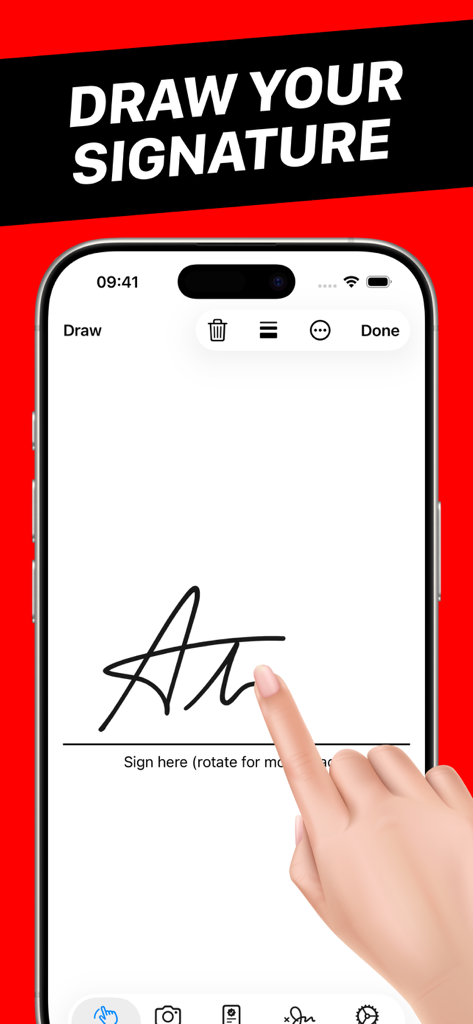
A hand drawing a digital signature on an iPhone screen using the SigPDF app

A hand drawing a digital signature on an iPhone screen using the SigPDF app

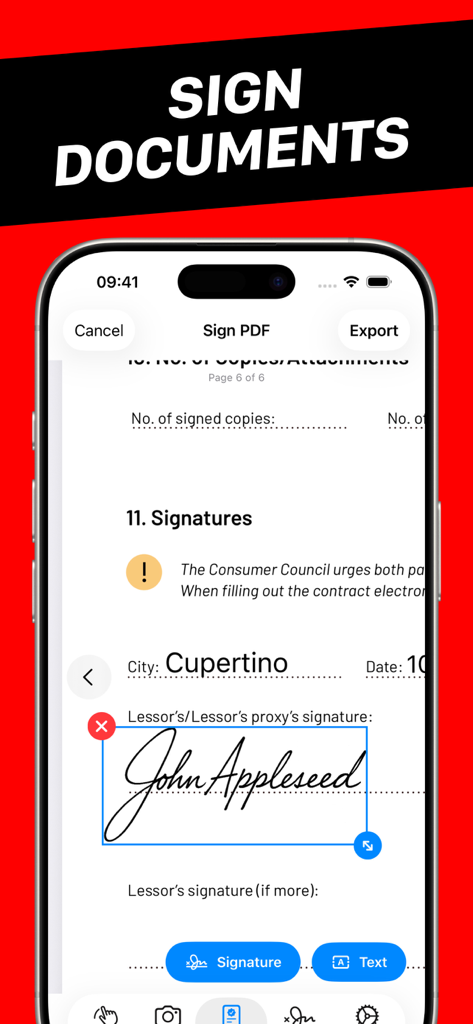
A smartphone interface showing a PDF document being signed with a digital signature

A smartphone interface showing a PDF document being signed with a digital signature

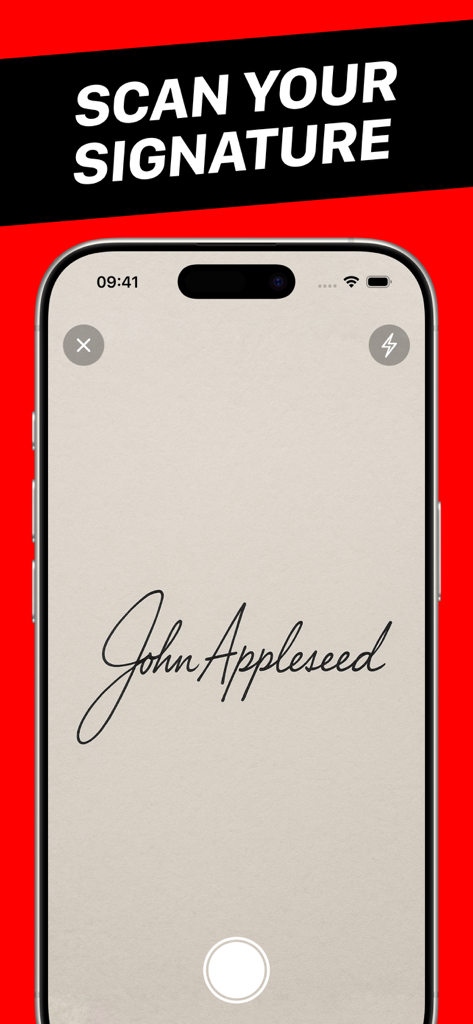
iPhone screen demonstrating scanning a handwritten signature using the SigPDF app interface

iPhone screen demonstrating scanning a handwritten signature using the SigPDF app interface

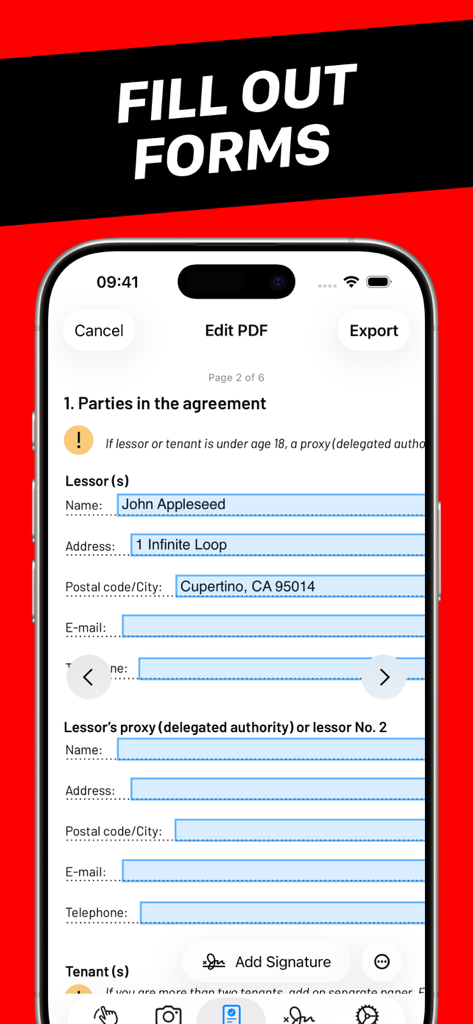
A mobile interface showing the SigPDF app being used to fill out a digital PDF form.

A mobile interface showing the SigPDF app being used to fill out a digital PDF form.

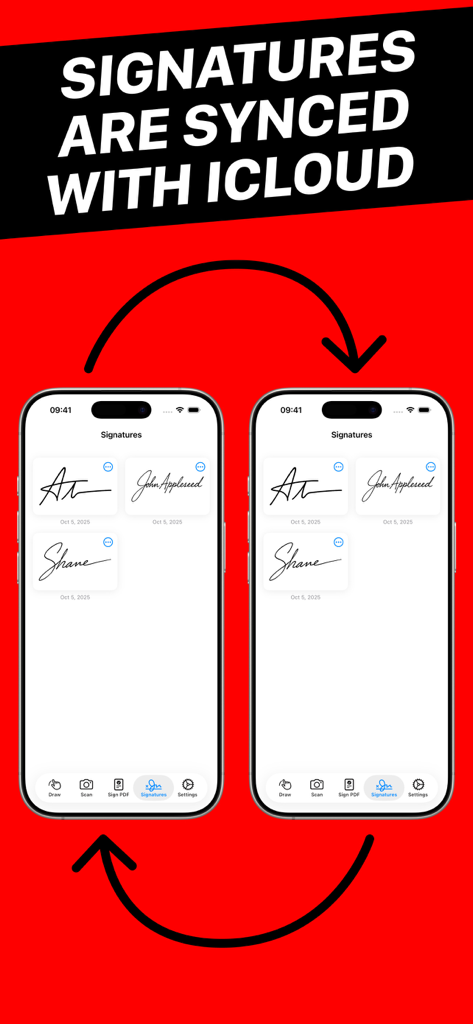
Two iPhones displaying synchronized digital signatures using iCloud sync feature.

Two iPhones displaying synchronized digital signatures using iCloud sync feature.

Streamline Your Paperwork in Seconds

The tools that make this app stand out, trusted by 500+ users.

Zero Friction, No Sign-In

Skip the account creation. Open the app and start signing immediately so you can get back to your real work.

✍️

Professional Ink Signatures

Scan your real-world signature for a perfect look every time, or draw a fresh one with adjustable precision tools.

☁️

Seamless iCloud Sync

Your signatures are securely backed up and synchronized across your iPhone and iPad for an effortless multi-device workflow.

About the app

Everything you need to know about eSign Documents - SigPDF.

Description

SigPDF makes it easy to fill out and add professional signatures to documents. You can either scan a hand-drawn signature or draw a signature in the app. No sign-in is required. Fill out forms: Quickly fill out PDF forms with the built-in editor. Sign documents: Add your signature to documents, no printing required. Scan your signature: Snap a picture or choose from Photos. Draw your signature: You can adjust pen type, thickness and color. Signatures are backed up: Your signatures are backed up securely in your iCloud and synchronized across your devices. Export signatures: You can save signatures to Photos if you need to use them in a different app. If you have any suggestions on how to improve eSign Documents - SigPDF, feel free to contact the App Support email. Terms of use: https://www.apple.com/legal/internet-services/itunes/dev/stdeula/

Latest Version

1.2.2

Size

9.8 MB

First Released

Oct 6, 2025

Sign and Send in Seconds—No Account Needed

Experience the fastest way to handle paperwork. Secure, professional, and built for your Apple devices. Get started for free today.

App information, icons, screenshots, and descriptions displayed on this page are sourced from the Apple App Store and are the property of their respective developers. Download estimates and rankings are based on MWM's proprietary models and may not reflect actual figures. This page is provided for informational and analytical purposes only.

Believe this page infringes your intellectual property? File a dispute