
This page is not an official page of the app or its developer, but an independent editorial publication created for informational and commentary purposes. Unless expressly stated otherwise, neither the app nor its developer is affiliated with, endorsed by, sponsored by, authorized by, or otherwise officially connected with MWM, Apple, Google Play, the app publisher, or the app's developer, and nothing on this page implies that the app was developed using MWM's services. Any trademarks, logos, screenshots, and other content remain the property of their respective owners.


eSign
The all-in-one mobile platform to manage inventory distribution, digital contracts, and store activities—even when you’re offline.
Downloads
477K+User Rating
Total Ratings
100Publisher
Category
BusinessLocales
1Latest Version
2.4.4Size
20.5 MBFirst Released
May 7, 2020Complete Field Execution Control
Streamline your retail operations from inventory distribution to contract signing with an all-in-one mobile solution designed for the field.
Offline-Ready Execution
Record inventory levels and marketing activities even in retail dead zones. Your data saves locally and syncs automatically when you regain connection.
Mobile Contract Management
Close deals faster by submitting contract applications and managing renewals directly from the store floor with real-time status tracking.
Frequently Asked Questions
Everything you need to know about eSign
What is the eSign app?
The eSign app is a business application. It centralizes functions for store queries, merchandise distribution, contract management, and activity execution. It supports offline operations for distribution and activity tracking, streamlining business processes.
Does the eSign app support offline functionality?
Yes, the eSign app supports offline operation for specific functions. Users can manage store data and report merchandise distribution status in the "鋪貨專區" (Merchandise Distribution Zone). Activity execution also functions offline, ensuring continuity without an internet connection.
How does eSign manage contracts?
The eSign app manages contracts through its "合約專區" (Contract Zone). Users can apply for new contracts, request early terminations, and check application progress. This dedicated zone streamlines contract management, though it requires an internet connection for operation.
Can I view activity upload status in eSign?
Yes, the eSign app provides an "上傳紀錄" (Upload Record) feature. This allows users to view the upload status of activities and any associated error information. The app automatically clears records for activities that are no longer available.
What functions are available in eSign's '店家查詢' (Store Query)?
eSign's "店家查詢" (Store Query) centralizes store-related operations. It enables users to search for stores by name or ID. Filters are available to view "全部" (All), "已完成" (Completed), or "未完成" (Not Completed) tasks for each store.
Does eSign allow modification of store basic information?
Yes, the eSign app allows modification of store basic information. This feature is integrated within the "鋪貨專區" (Merchandise Distribution Zone). It is designed to support offline operations, enhancing user flexibility and data management capabilities.
Is an internet connection always required for the eSign app?
No, an internet connection is not always required. The "鋪貨專區" and "活動執行" features support offline use. However, functionalities within the "合約專區," such as applying for contracts, specifically require an internet connection for operation.
The following screenshots and description are sourced directly from the app's official store listing and are the property of the app developer.
App Store
Screenshots
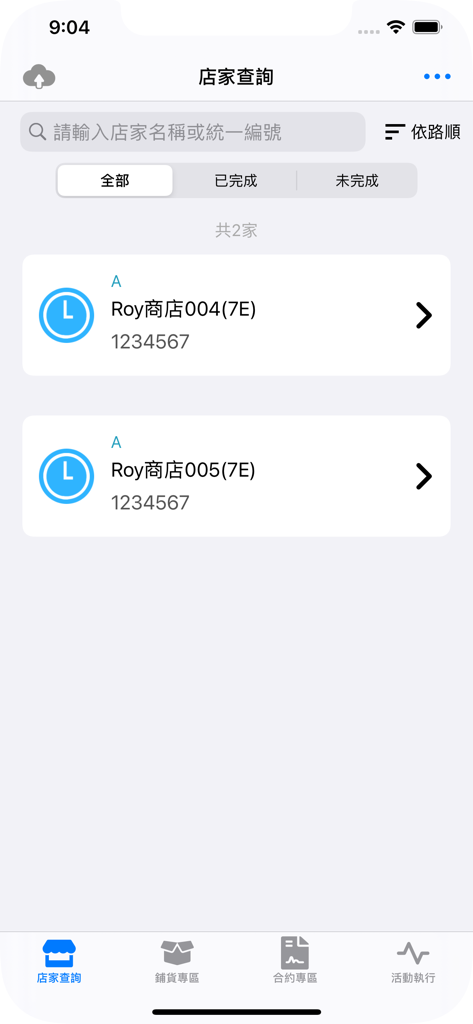
B2B field management app interface showing a searchable list of retail stores for sales representatives
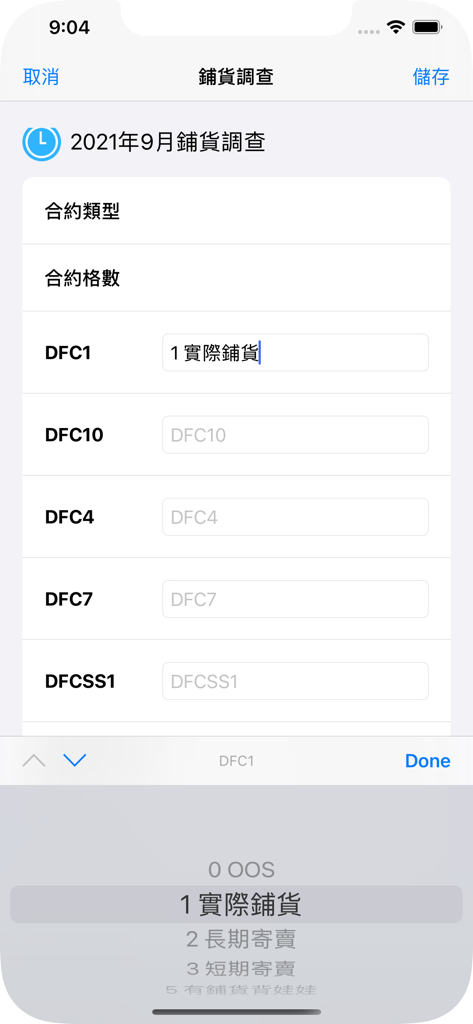
eSign app screenshot showing a retail inventory and distribution survey form
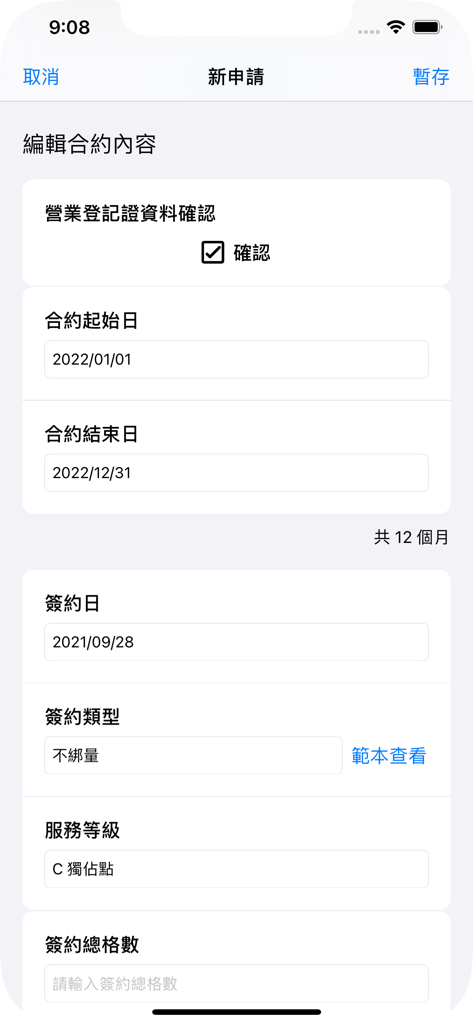
eSign mobile app interface for editing and applying for business contracts
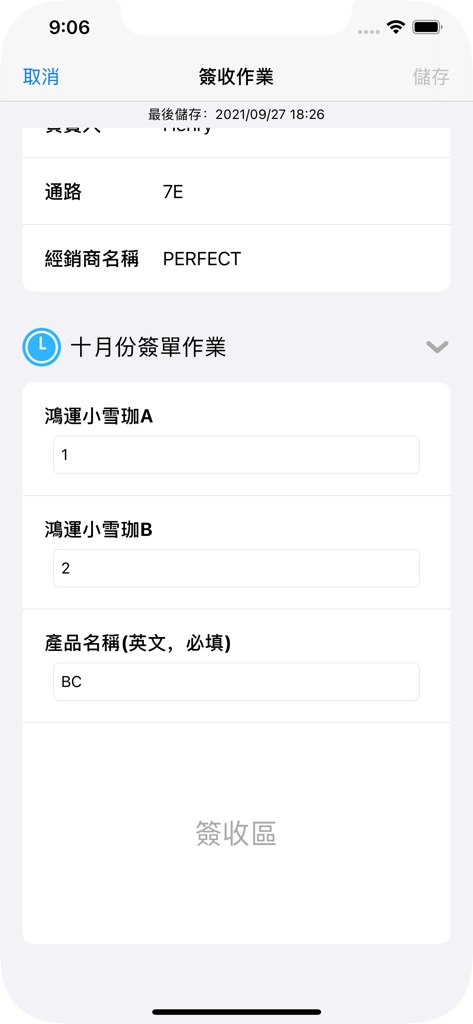
Mobile interface of the eSign app displaying a receipt signing task with fields for distributor name and product quantities
Description
Download
More Like This
Apps with similar features and user experience

Uber Conta
Banco digio SA

iPolsat Box
Cyfrowy Polsat S.A.

Goods Flow
Dogan Universe ApS

Badger Maps: #1 Route Planner
Badger Maps, Inc.

fieldmargin: manage your farm
FIELD MARGIN LTD

Knock It Pro
FINAL EXPENSE PRO LTD

美团骑手-美团骑手送餐工具
Beijing Sankuai Online Technology Co., Ltd.

MiniVAN Touch
NGP VAN

巧房
Shanghai Qiaofang Information Technology Co., Ltd.
This page is not an official page of the app or its developer, but an independent editorial publication created for informational and commentary purposes. Unless expressly stated otherwise, neither the app nor its developer is affiliated with, endorsed by, sponsored by, authorized by, or otherwise officially connected with MWM, Apple, Google Play, the app publisher, or the app's developer, and nothing on this page implies that the app was developed using MWM's services. Any trademarks, logos, screenshots, and other content remain the property of their respective owners.