fieldmargin: manage your farm
Download on App Store

This page is not an official page of the app or its developer, but an independent editorial publication created for informational and commentary purposes. Unless expressly stated otherwise, neither the app nor its developer is affiliated with, endorsed by, sponsored by, authorized by, or otherwise officially connected with MWM, Apple, Google Play, the app publisher, or the app's developer, and nothing on this page implies that the app was developed using MWM's services. Any trademarks, logos, screenshots, and other content remain the property of their respective owners.


Logo of fieldmargin: manage your farm
Download on App Store

fieldmargin: manage your farm

Stop losing notes on scraps of paper. Map your fields, track work with your team, and maintain perfect records from your pocket—even when you're offline in the bottom fields.

Key Figures

Downloads

120K+

User Rating

4.5/5

Total Ratings

500

Publisher

FIELD MARGIN LTD

Category

Productivity

Locales

4

Latest Version

11.4.4

Size

132.1 MB

First Released

Jan 26, 2017
Features

Run Your Entire Farm from Your Pocket

Replace messy paperwork and scattered notebooks with a centralized digital hub. fieldmargin helps you map fields, coordinate your crew, and record every input with ease—even when you are working offline in the back forty.

Precision Digital Farm Mapping

Visualize your land with GPS-accurate field boundaries. Track crop rotations and identify hazards on a live map that your whole team can access.

Seamless Team Coordination

Stop the constant 'where are you?' calls. Assign tasks, share live locations, and chat with workers or agronomists directly within the field context.

The following screenshots and description are sourced directly from the app's official store listing and are the property of the app developer.

App Store

Screenshots
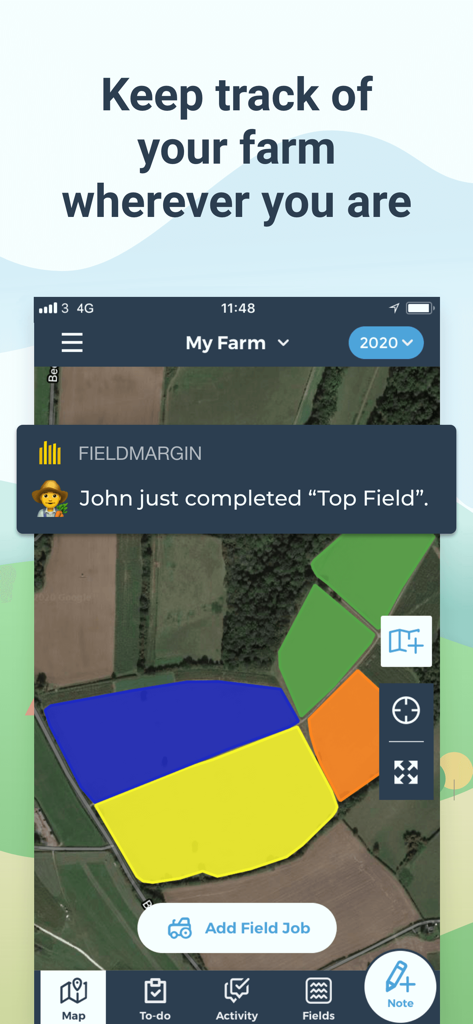
fieldmargin: manage your farm - Mobile app interface showing a satellite map of farm fields with a notification for a completed field job
Mobile app interface showing a satellite map of farm fields with a notification for a completed field job

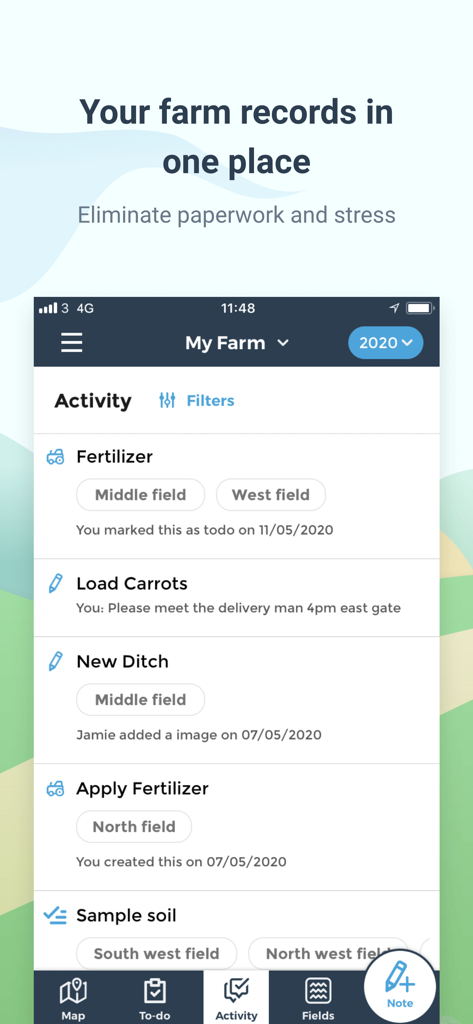
fieldmargin: manage your farm - A screenshot of the fieldmargin app showing a farm activity feed with tasks like fertilizing and loading carrots for different fields.
A screenshot of the fieldmargin app showing a farm activity feed with tasks like fertilizing and loading carrots for different fields.

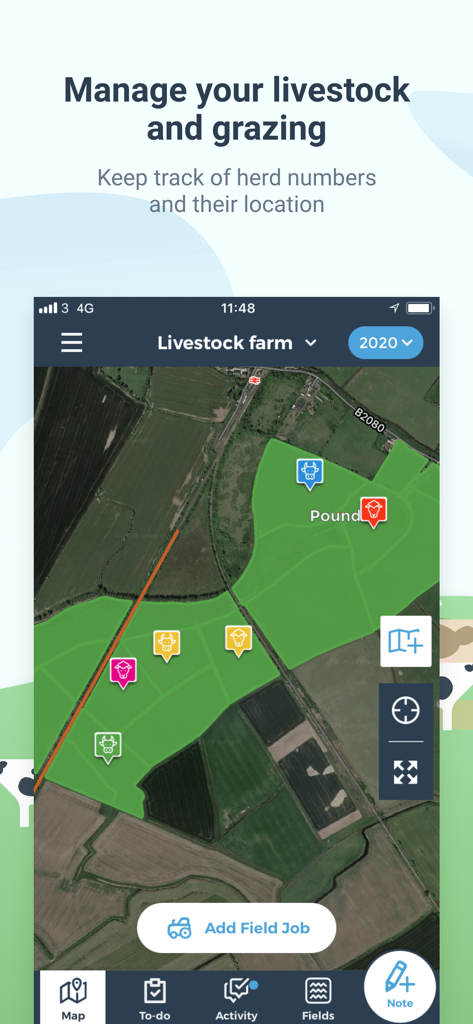
fieldmargin: manage your farm - Mobile app screen showing a satellite map of a farm with livestock location pins and highlighted grazing fields
Mobile app screen showing a satellite map of a farm with livestock location pins and highlighted grazing fields

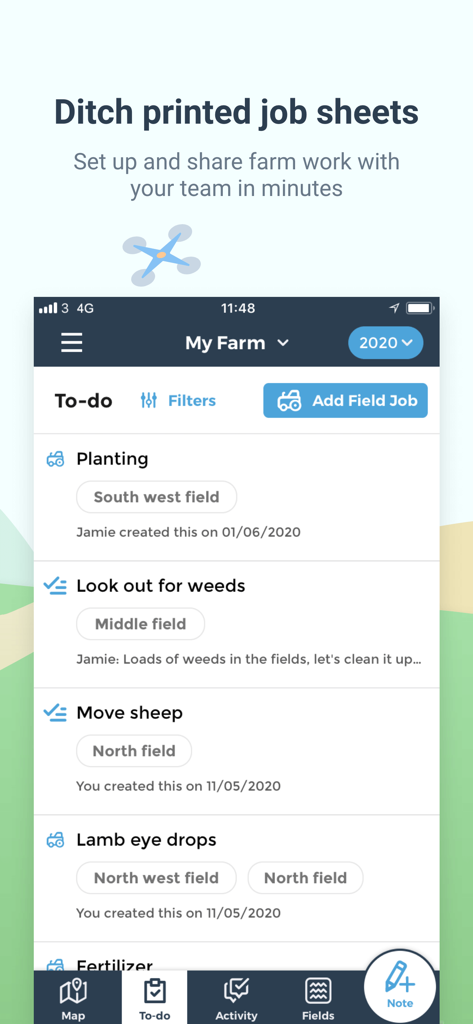
fieldmargin: manage your farm - Digital to-do list in the fieldmargin app for managing farm tasks and team collaboration
Digital to-do list in the fieldmargin app for managing farm tasks and team collaboration

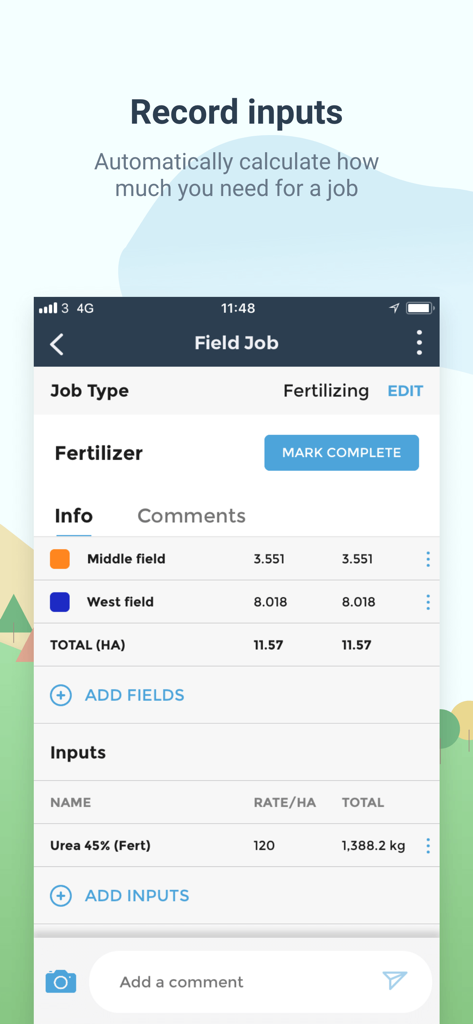
fieldmargin: manage your farm - A screenshot of the fieldmargin app showing a fertilizing job record with calculated urea input amounts for different fields.
A screenshot of the fieldmargin app showing a fertilizing job record with calculated urea input amounts for different fields.

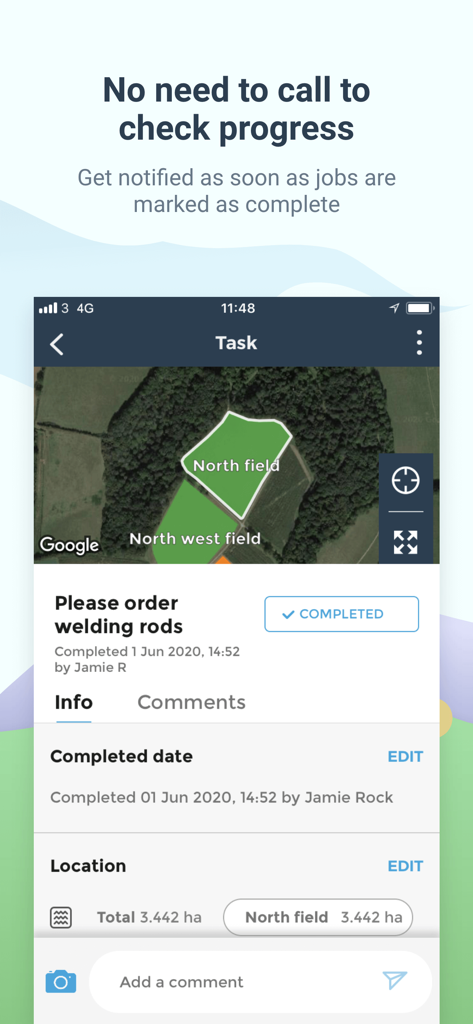
fieldmargin: manage your farm - Fieldmargin app interface showing a completed farm task and field location map
Fieldmargin app interface showing a completed farm task and field location map

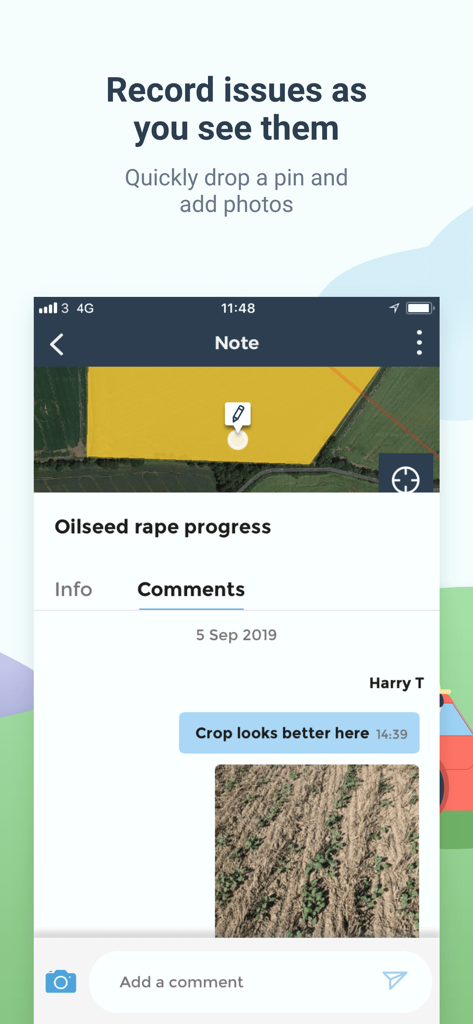
fieldmargin: manage your farm - Mobile app interface showing a farm note with a GPS pin on a map and a field photo of crop progress.
Mobile app interface showing a farm note with a GPS pin on a map and a field photo of crop progress.

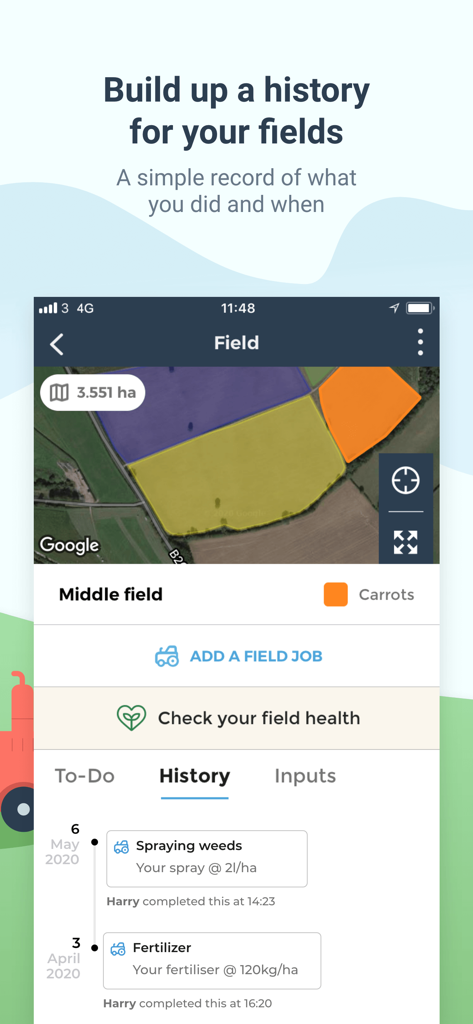
fieldmargin: manage your farm - A screenshot of the fieldmargin app showing a satellite field map and a detailed activity history log for spraying and fertilizing tasks.
A screenshot of the fieldmargin app showing a satellite field map and a detailed activity history log for spraying and fertilizing tasks.

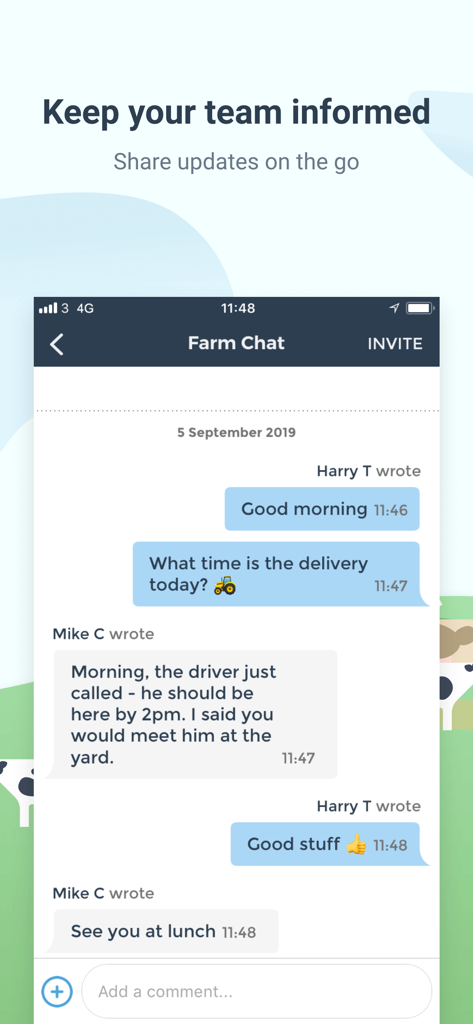
fieldmargin: manage your farm - A mobile interface of the fieldmargin app showing a team chat for coordinating farm deliveries and updates.
A mobile interface of the fieldmargin app showing a team chat for coordinating farm deliveries and updates.

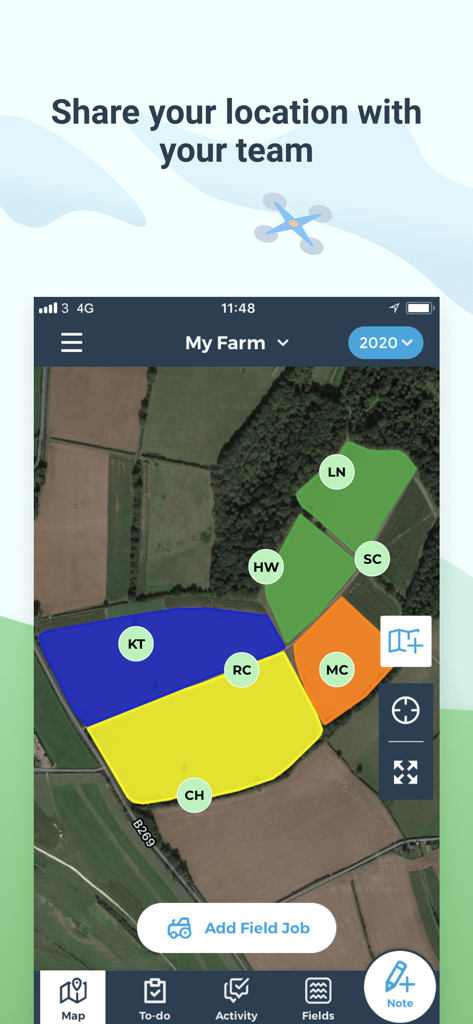
fieldmargin: manage your farm - Fieldmargin app interface showing color coded farm fields on a satellite map for team location sharing

Fieldmargin app interface showing color coded farm fields on a satellite map for team location sharing

Description

“The app farmers have been waiting for.” A modern, easy to use farming app that lets you keep track of everything that happens on your farm in one place. Map fields, plan work and record observations; all shared with your team so everyone stays up to date. Data is synced to the cloud so it stays safe and is accessible from your phone, tablet or laptop. Spend less time dealing with paperwork and more getting farm work done. A DIGITAL FARM MAP - Quickly map and measure your farm’s fields and features by drawing or using GPS - Record field usages and plan rotations - Share with your team to help them navigate and avoid hazards - Add more detail with drone and satellite imagery KEEP TRACK OF WORK - Plan work to be done in your fields and around the farm - Assign to team members, add planned dates and record when they’ve been completed - All accessible on your phone so no more printed job sheets - (coming soon) Add inputs such as spray or fertiliser RECORD ISSUES AND MEASUREMENTS - Make notes for issues and observations with location and photos - Keep a log of data recorded such as rainfall or pest counts A HISTORY OF WHAT’S BEEN DONE ON YOUR FARM - Simple record keeping for your farming business - Easily look back at a history of the work that has been done in your fields - Get reports of field work done and inputs used COMMUNICATE WITH YOUR TEAM - Add unlimited team members so farm workers, agronomists, consultants, vets and contractors can easily collaborate - Build in messenger and commenting makes it easy to discuss issues - Share your location with your team to improve farm safety - Connect with your John Deere machinery to view live locations WORKS OFFLINE - Keep using the app even when you don’t have signal SUITABLE FOR ALL TYPES OF FARM - Used by thousands of farms in 170+ countries from small farms and smallholders to large contractors - Built to be flexible so it works for different types of agriculture including arable crops, livestock (sheep and cattle), horticulture, vineyards and forestry --- Also available from fieldmargin: FREE - Map your farm - 30 day note and job history - Up to 5 inputs - Up to 1 herd - Unlimited team members ESSENTIALS - All Free features - Unlimited history - Reporting up to 5 inputs - Map printing - Yield recording UK: £11.99 monthly, £119.99 annually US: $13.49 monthly, $134.99 annually PLUS - All Essentials features - Unlimited inputs - Full livestock management - Full reporting - Report export & printing UK: £29.99 monthly, £299.99 annually US: $33.99 monthly, $349.99 annually PRO - All Plus features - Field Health satellite imagery analysis - Map Comparison UK: £53.99 monthly, £549.99 annually US: $60.99 monthly, $599.99 annually --- Price may vary by location. A purchase for your chosen plan will be applied to your iTunes account on confirmation. Subscriptions will automatically renew unless canceled within 24-hours before the end of the current period. You can cancel anytime with your iTunes account settings. Any unused portion of a free trial will be forfeited if you purchase a subscription. For more information, see our Terms of Service and Privacy Policy https://fieldmargin.com/terms-and-privacy-policy.html Support http://support.fieldmargin.com/

Download

Download on App Store

This page is not an official page of the app or its developer, but an independent editorial publication created for informational and commentary purposes. Unless expressly stated otherwise, neither the app nor its developer is affiliated with, endorsed by, sponsored by, authorized by, or otherwise officially connected with MWM, Apple, Google Play, the app publisher, or the app's developer, and nothing on this page implies that the app was developed using MWM's services. Any trademarks, logos, screenshots, and other content remain the property of their respective owners.